


Klarum Accessibility Scanner
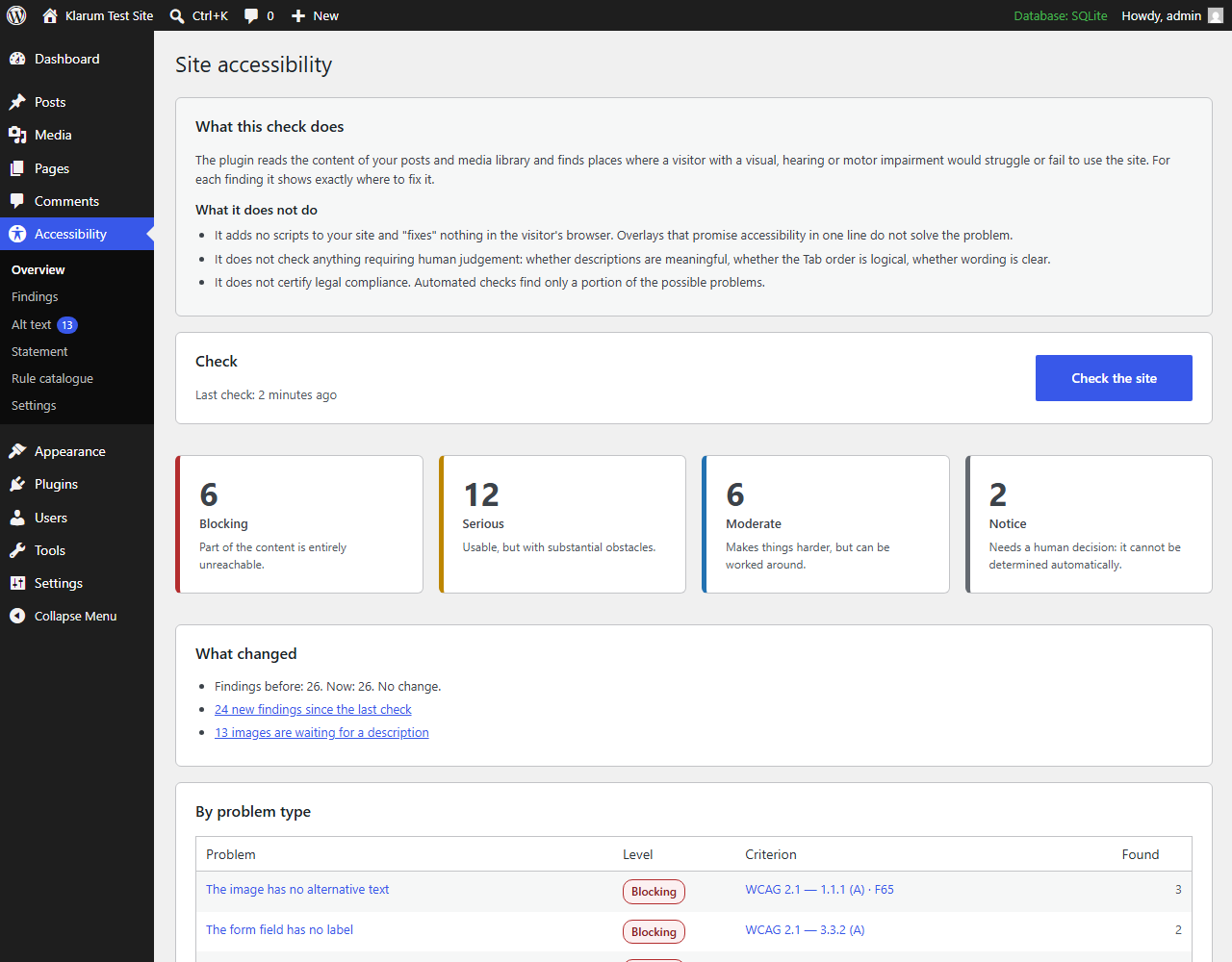
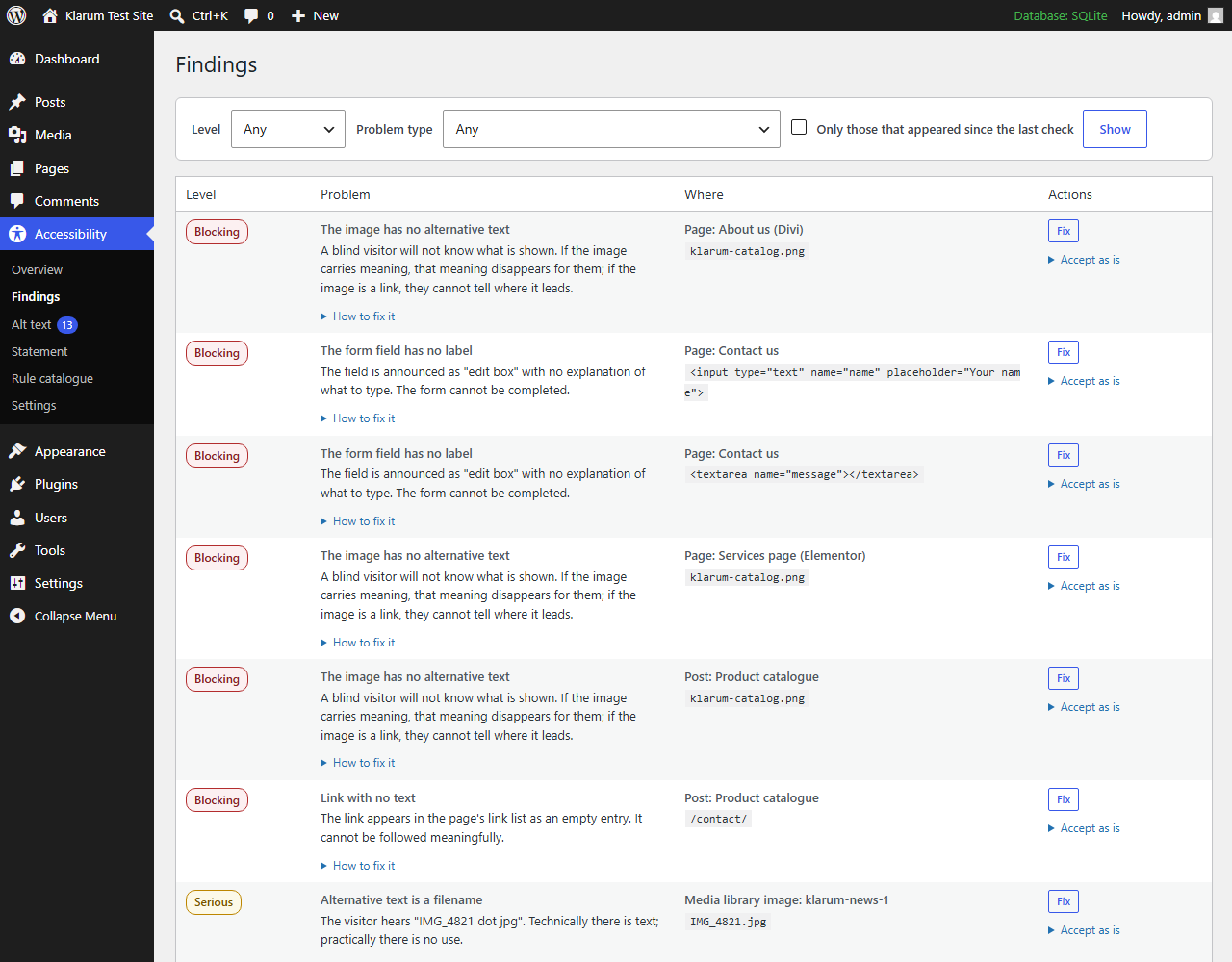
Klarum Accessibility Scanner scans your posts, pages and media library against WCAG 2.1 AA criteria and points you to the exact screen where each problem can be fixed — the media item, the post editor, the theme setting.
This plugin adds nothing to your public site. No JavaScript, no widget, no toolbar. Accessibility overlays that promise to “fix” a site from the visitor’s browser are widely rejected by accessibility practitioners, and this plugin deliberately does not work that way. It finds problems; you fix them at the source.
What it checks
- Images — missing alternative text, alt text that is just a filename, redundant “image of…” prefixes, overly long descriptions
- Headings — empty headings, skipped levels, multiple H1s
- Links — empty links, uninformative text (“read more”, “click here”), bare URLs, identical text pointing to different destinations
- Tables — missing header cells
- Embedded frames — missing title attribute
- Form fields — missing labels
- Video — flags embedded media so you can confirm captions exist
- Site — missing language attribute on the page
One standard, many laws
WCAG 2.1 level AA is the technical criterion that nearly every accessibility law points to. This plugin checks against WCAG and tells you which criterion each finding relates to, which is what matters whichever framework applies to you:
- ADA (United States) — courts and the DOJ treat WCAG as the practical yardstick for web accessibility
- Section 508 (US federal agencies and their contractors) — incorporates WCAG 2.0 AA by reference
- EAA / EN 301 549 (European Union) — the harmonised standard points to WCAG 2.1 AA
- AODA (Ontario), and other national frameworks built on the same criteria
The plugin does not certify compliance with any of them, and says so on every screen. What it gives you is the technical evidence and the exact criterion reference, so you or your lawyer can reason about the rest.
Page builders
Elementor and Divi content is read directly from where the builder stores it, so pages built with them are checked like any other. Elementor takes image alt text from the media library, which means the bulk alt editor fixes those pages too.
Builders whose format is not supported (Beaver Builder, Bricks, WPBakery, Oxygen, Brizy) are detected and reported as a coverage notice. An empty result on such a page means “not checked”, never “no problems” — and the plugin says so instead of staying silent.
Settings
Choose which post types and statuses to scan, how many objects to process per request (lower it on a slow host), and which role may use the tool. Every setting is also a filter, so an agency can deploy the same configuration across sites from a must-use plugin.
WP-CLI
wp klarum scan                       # run a scan
wp klarum scan --porcelain           # just the number, for scripts
wp klarum issues --severity=critical
wp klarum issues --new --format=csv  # regressions since the last scan
wp klarum alt --format=count
wp klarum rules
Bulk alt text editor
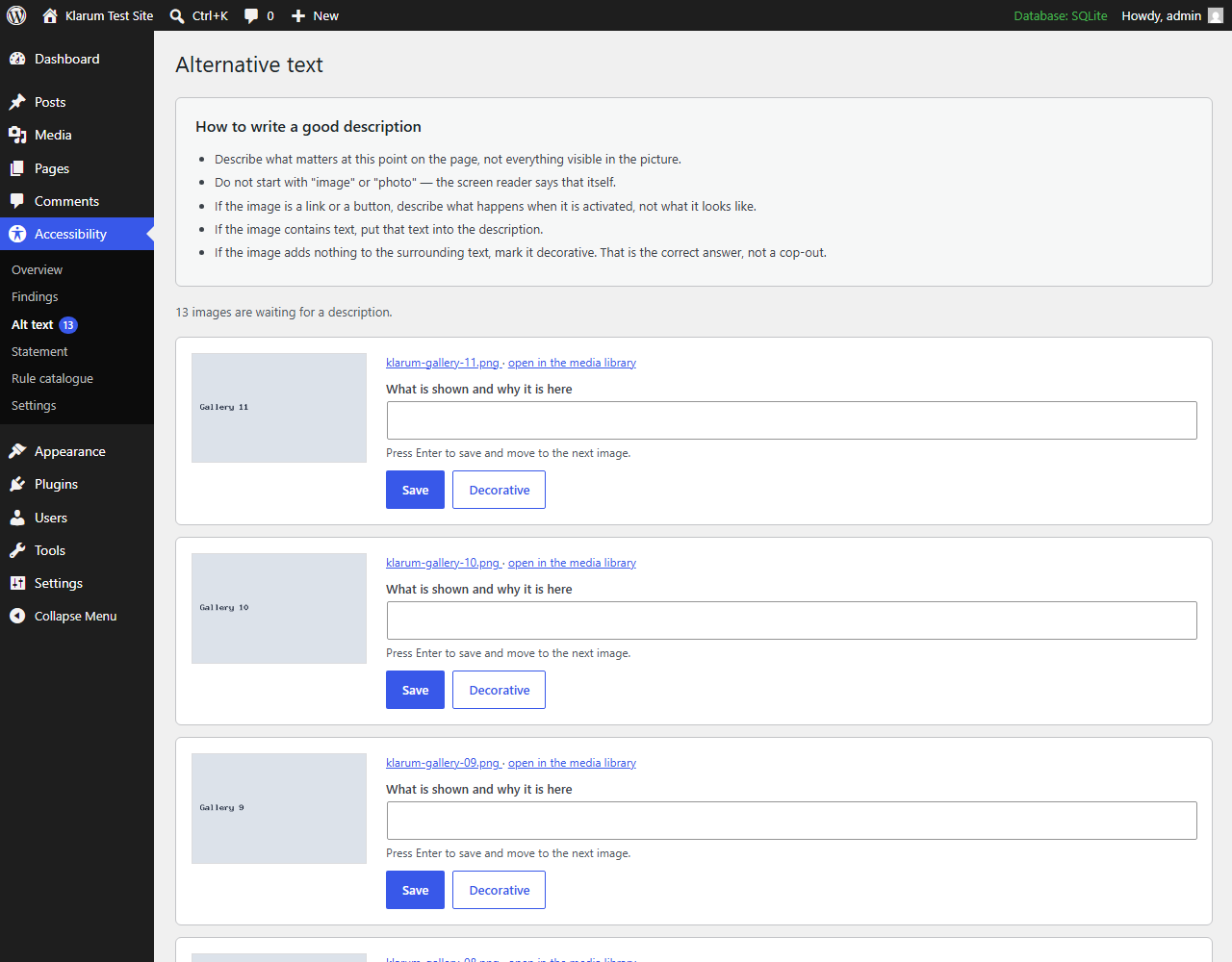
Describing several hundred images through the standard media library takes hours. This plugin puts the image, the input field and the controls on one screen: type, press Enter, focus moves to the next image.
It also lets you mark an image as decorative. WordPress cannot distinguish “alt was never filled in” from “alt is intentionally empty” — both are stored as an empty value. Without an explicit marker, decorative images would be suggested for description forever.
Accessibility statement generator
Builds a draft accessibility statement following the section structure of the European model form (Directive (EU) 2016/2102): conformance status, non-accessible content, preparation method, feedback channel and enforcement procedure. Required for public sector bodies in the EU.
The page is always created as a draft. Many countries publish a mandatory template in their national language, and the text must be checked against it before publishing.
Honest about its limits
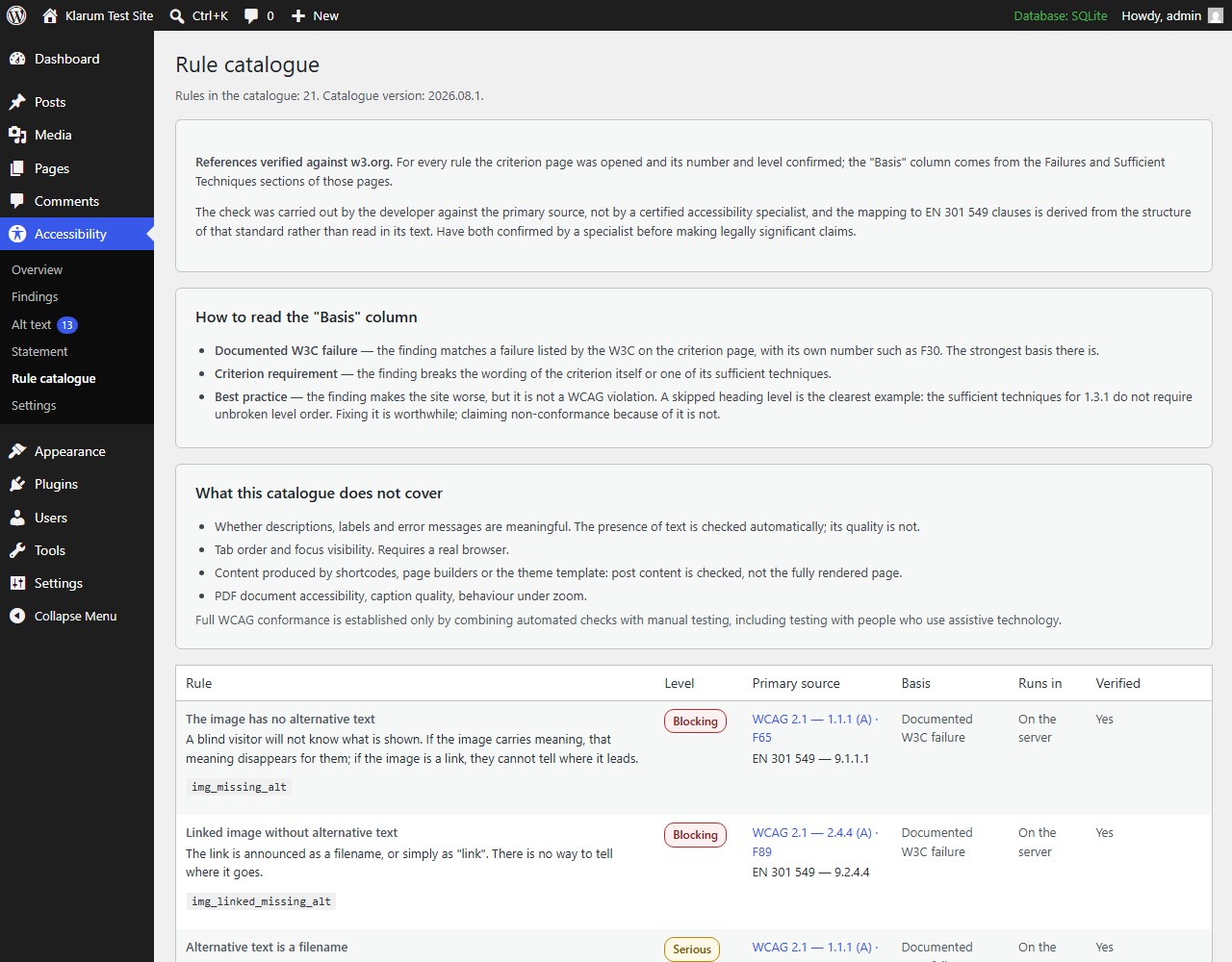
Automated testing finds only a portion of accessibility problems. This plugin says so on every screen, and includes a “Rule catalogue” page listing every rule, the WCAG criterion it relies on, the corresponding EN 301 549 clause, and whether that reference has been verified against the primary source.
It also distinguishes what kind of claim each finding makes:
- Documented W3C failure — the finding matches a failure listed by the W3C on the criterion page, with its own number such as F30.
- Criterion requirement — the finding breaks the wording of the criterion or one of its sufficient techniques.
- Best practice — the finding makes the site worse but is not a WCAG violation. A skipped heading level is the clearest example: the sufficient techniques for 1.3.1 do not require unbroken level order.
Seven of the twenty rules turned out to be best practices rather than violations. The plugin labels them as such instead of attaching a criterion they do not actually breach.
It does not check: whether alt text is meaningful, keyboard focus order, colour contrast, PDF accessibility, caption quality, or content produced by shortcodes and theme templates. Contrast deserves a word of its own: both contrast rules are in the catalogue for reference, but computing them needs the page as a browser renders it, and this plugin reads source content.
It does not certify legal compliance. Full WCAG conformance is established by combining automated checks with manual testing, including testing with people who use assistive technology.
Languages
The interface is written in English and fully prepared for translation. Any language can be added by the community at translate.wordpress.org, and WordPress delivers those translations automatically.
Privacy
The plugin sends nothing anywhere. All analysis runs on your own server. There is no telemetry, no external API, no account required.
Details
Related plugins
Plugins that also contain the tag a11y
Ally – Web Accessibility & Usability
AccessibleWP – Accessibility Toolbar
WP Accessibility Helper (WAH)
Contact Form 7: Accessible Defaults

Accesibilidad Web con el Widget de AccedeMe
Accessibility New Window Warnings


About
Plugin for that tries to help you find the WordPress plugin you are looking for.
| Please enjoy an image of Crush (this awesome turtle) and have a lovely day! |  |
We do not own any plugin listed on this site and do not work for or work with WordPress.com or it's associated companies. We simply provide a searchable list of the available WordPress plugins.