


Koala Forms
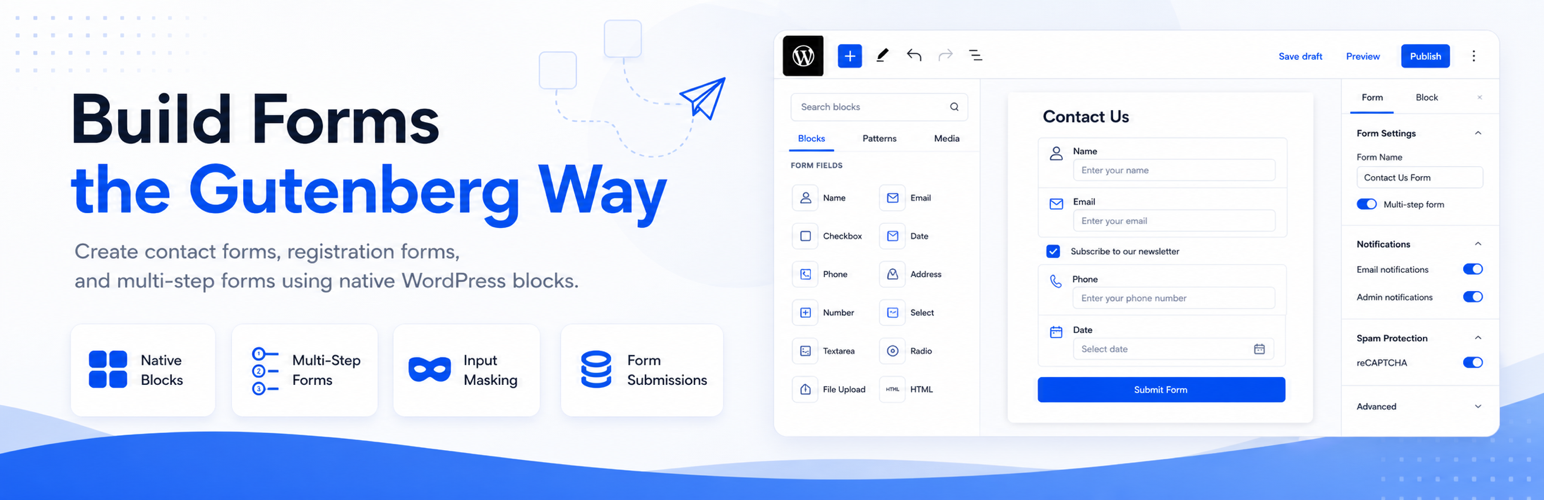
Koala Forms is a form builder plugin for WordPress that works within the Gutenberg block editor. Each form field is a block. Forms are embedded in pages and posts using a shortcode and submissions are stored in the WordPress database.
Supported Fields
- Text Field (with input masking)
- Email Field
- Textarea / Paragraph
- Number Field
- URL Field
- Dropdown (Select)
- Multi-Select
- Radio Buttons
- Checkboxes
- Date Field
- Address Field
- Disclosure / Consent
- Multi-Step Forms
Features
- Gutenberg-blocks — every field is a WordPress block, configured in the block editor
- Multi-step forms — built-in step navigation with configurable steps
- Input masking — format fields like phone numbers as users type
- Form submissions — stored in the WordPress database, viewable in the admin panel
- CAPTCHA support — integrates with Google reCAPTCHA.
- Email notifications — send confirmation and notification emails on submission
License
Koala Forms is licensed under the GNU General Public License v2.0 or later.
License URI: https://www.gnu.org/licenses/gpl-2.0.html
All bundled third-party libraries are GPL-compatible:
- Vue.js — MIT License — https://github.com/vuejs/core
- vue-the-mask — MIT License — https://github.com/vuejs-tips/vue-the-mask
- vue-recaptcha — MIT License — https://github.com/DanSnow/vue-recaptcha
- DOMPurify — MPL-2.0 / Apache-2.0 — https://github.com/cure53/DOMPurify
- uuid — MIT License — https://github.com/uuidjs/uuid
Development
This plugin uses a build process for its JavaScript assets. The minified files in the build/ and assets/ directories are compiled from source.
The full human-readable source code is available on GitHub:
https://github.com/wpkoalaforms/koalaforms
To build from source:
- Clone the repository:
git clone https://github.com/wpkoalaforms/koalaforms.git - Run
npm install - Run
npm run build - Run
npm run build-vue
External Services
Google reCAPTCHA
This plugin optionally integrates with Google reCAPTCHA to help prevent spam form submissions. This feature is disabled by default and only active when a reCAPTCHA site key and secret key are configured in the plugin settings.
What it does: Verifies that a form submission was made by a human and not an automated bot.
What data is sent and when:
* When a visitor loads a page containing a Koala Forms form with reCAPTCHA enabled, Google’s reCAPTCHA script is loaded from https://www.google.com/recaptcha/api.js. This may send the visitor’s IP address and browser information to Google.
* When a visitor submits a form, the reCAPTCHA response token is sent from your WordPress server to https://www.google.com/recaptcha/api/siteverify to verify the submission. No personal form field data is included in this request.
This data is sent to Google only when reCAPTCHA is enabled in the plugin settings.
- Service provider: Google LLC
- Terms of Service: https://policies.google.com/terms
- Privacy Policy: https://policies.google.com/privacy
Details
Related plugins
Plugins that also contain the tag block
Spectra Gutenberg Blocks – Website Builder for the Block Editor

Breadcrumb NavXT

WP Go Maps (formerly WP Google Maps)

Otter Blocks – Gutenberg Blocks, Page Builder for Gutenberg Editor & FSE

PDF Embedder

Layout Grid Block


About
Plugin for that tries to help you find the WordPress plugin you are looking for.
| Please enjoy an image of Crush (this awesome turtle) and have a lovely day! |  |
We do not own any plugin listed on this site and do not work for or work with WordPress.com or it's associated companies. We simply provide a searchable list of the available WordPress plugins.