

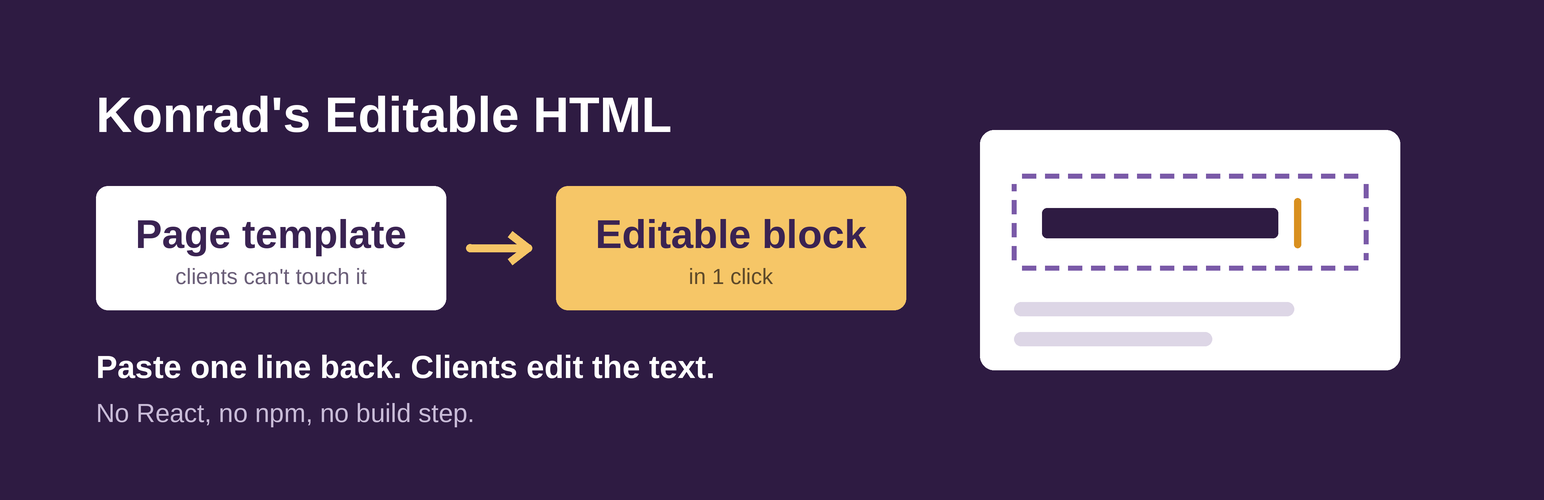

Konrad's Editable HTML
Your custom HTML, client-editable in one click.
You know the headache. A custom section lives in a template or a Custom HTML block, and every small text change means a message to you. Rebuilding it as a real block means React, npm and a build step.
Konrad’s Editable HTML skips all of that. Paste your HTML, click once. Your layout stays exactly as you built it. Clients change only the parts you chose. Fewer small change requests for you, happier clients.
- Add a Custom HTML block and paste your section,
<style>included. - Click Make editable in the block toolbar.
- Done. Headings and paragraphs can now be edited right on the page. Everything else stays as you wrote it.
Built on core blocks. Deactivate the plugin – your content stays. On 7.1+, it even stays editable.
What you get
- One click. Select your Custom HTML block, click Make editable.
- Your layout, untouched. The markup and CSS stay exactly as you wrote them.
- You pick what’s editable. Headings, paragraphs, links, images, lists – tick what clients may change.
- Core blocks on WordPress 7.1+. Plain WordPress, no plugin needed to keep editing.
- A fallback block on 6.6–7.0. Same result on older sites.
- Examples and import. Start from a hero, cards, list or calculator, or import .html/.css/.js or a .zip.
- Lock HTML. Freeze the setup before hand-over.
- No lock-in. Deactivate the plugin – your pages look the same.
- No React, no npm, no build step. Plain PHP and JavaScript you can read.
Who it’s for
- Designers: keep your own HTML and CSS. No page builder, no React.
- Freelancers: hand over sites clients can edit without breaking the design.
- Agencies: turn custom sections into editable content without a block build pipeline.
- Clients: click the text, type, save. That’s it.
Native first
On WordPress 7.1 and newer, the Custom HTML block can hold editable core blocks inside static HTML. Konrad’s Editable HTML finds the parts that can be edited and sets them up for you. The result is plain WordPress: headings and paragraphs are core blocks, no plugin needed to keep editing them.
Every conversion is checked by WordPress’s own parser first. If anything would not work, nothing is changed.
On older WordPress (6.6 to 7.0), “Make editable” uses the plugin’s lightweight Editable HTML block instead.
Make all editable
Links, images and lists can’t be kept exactly by core’s editable slots, so they stay fixed at first. Click Make all editable (in the message, or in the toolbar afterwards) and the Editable HTML block takes over:
- Text and links: type right on the page.
- Images: click to replace, alt text in the sidebar.
- Lists: move, duplicate, add and remove cards, team members or list items.
- Icons at the start of a line stay fixed; only the text is editable.
- Start with an example (hero, cards, list with icons, calculator), import files, or paste HTML.
- Import: pick your .html, .css and .js files, or a .zip (a CodePen export works). Files are read in your browser; nothing is uploaded.
You stay in control
- Tick exactly which parts clients can change. Everything else stays fixed.
- Lock HTML before hand-over: the setup tools disappear, so nobody changes the design by accident. Or leave it open for full flexibility.
- People who can add custom HTML (usually administrators and editors) set up blocks. Everyone who can edit the page can change the editable parts.
No lock-in
Both modes save finished HTML into the page. Deactivate or delete the plugin and your pages look exactly the same.
Try it in 5 minutes
Open the live demo in your browser, no install: Try it live
Free and open source
Code, issues and ideas on GitHub. If it saves you time, a GitHub star or a review here helps others find it.
Built by Konrad Sroka and Claude AI.
Thanks, WordPress community.
Details
Related plugins
Plugins that also contain the tag blocks
Spectra Gutenberg Blocks – Website Builder for the Block Editor

Kadence Blocks — Page Builder Toolkit for Gutenberg Editor

Extendify

Otter Blocks – Gutenberg Blocks, Page Builder for Gutenberg Editor & FSE

Page Builder Gutenberg Blocks – CoBlocks

GenerateBlocks


About
Plugin for that tries to help you find the WordPress plugin you are looking for.
| Please enjoy an image of Crush (this awesome turtle) and have a lovely day! |  |
We do not own any plugin listed on this site and do not work for or work with WordPress.com or it's associated companies. We simply provide a searchable list of the available WordPress plugins.