



Kramar – Toolkit for eCommerce: Invoices, Email, Compliance & More
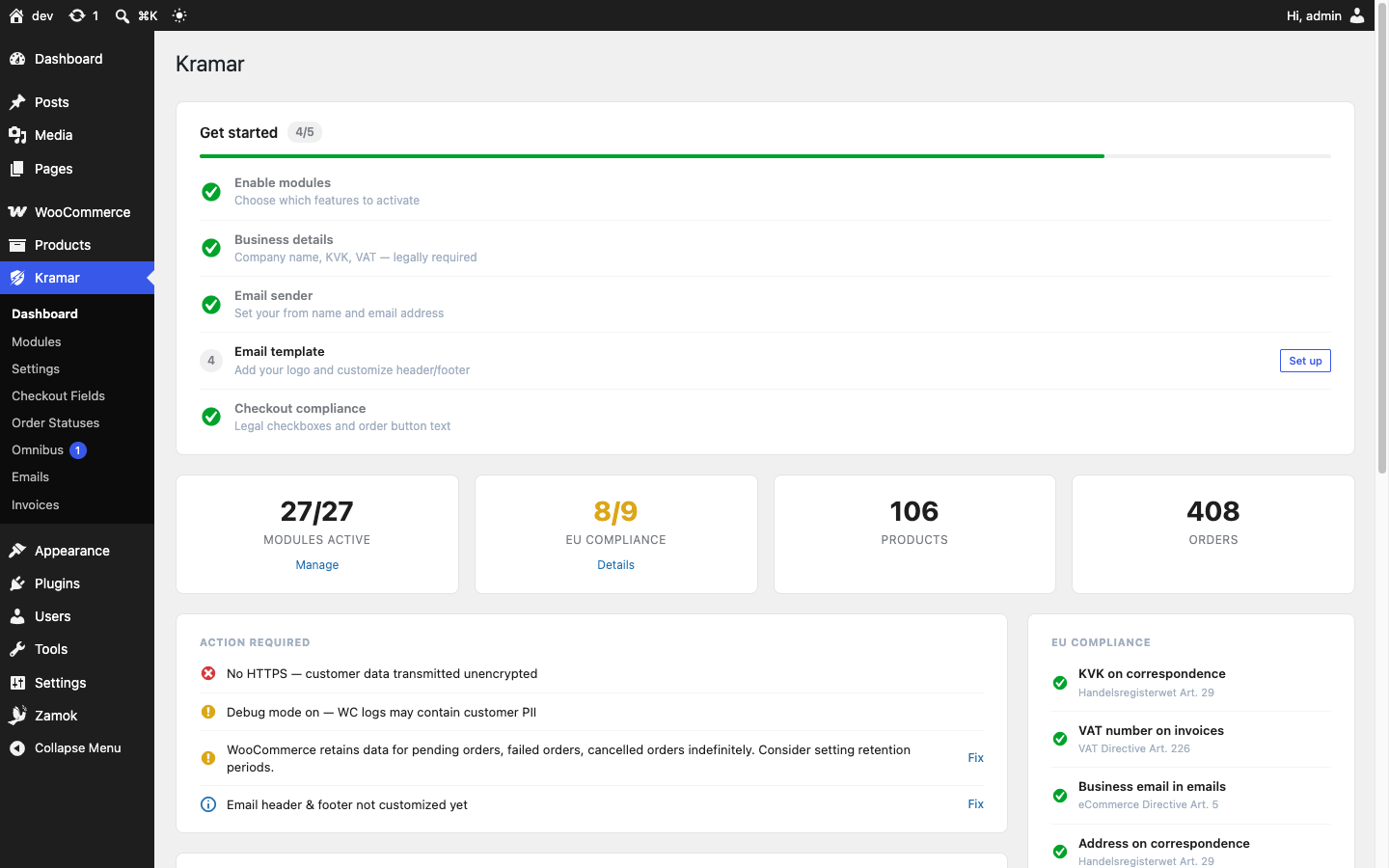
Kramar is a modular WooCommerce toolkit built for EU compliance and performance. Instead of installing a dozen separate single-purpose plugins, Kramar provides a focused set of tools in one clean package — 27 modules across ten areas. Every module is opt-in and disabled by default, so you only run what you actually use.
About the name: Kramar (крамар) is an old Ukrainian word for a merchant — the town shopkeeper who dealt in wares. Its root, kram (goods), is a medieval German trade-loanword that travelled east into the Slavic languages, a small echo of Europe’s old merchant network. Kramar is the toolkit that equips the merchant.
What’s included
- EU & NL compliance — Legal consent checkboxes, EU payment-obligation order-button text (Dutch Hoge Raad ruling), Omnibus 30-day lowest-price display, unit-price / delivery-time / tax notices, and a 14-day right-of-withdrawal / return flow.
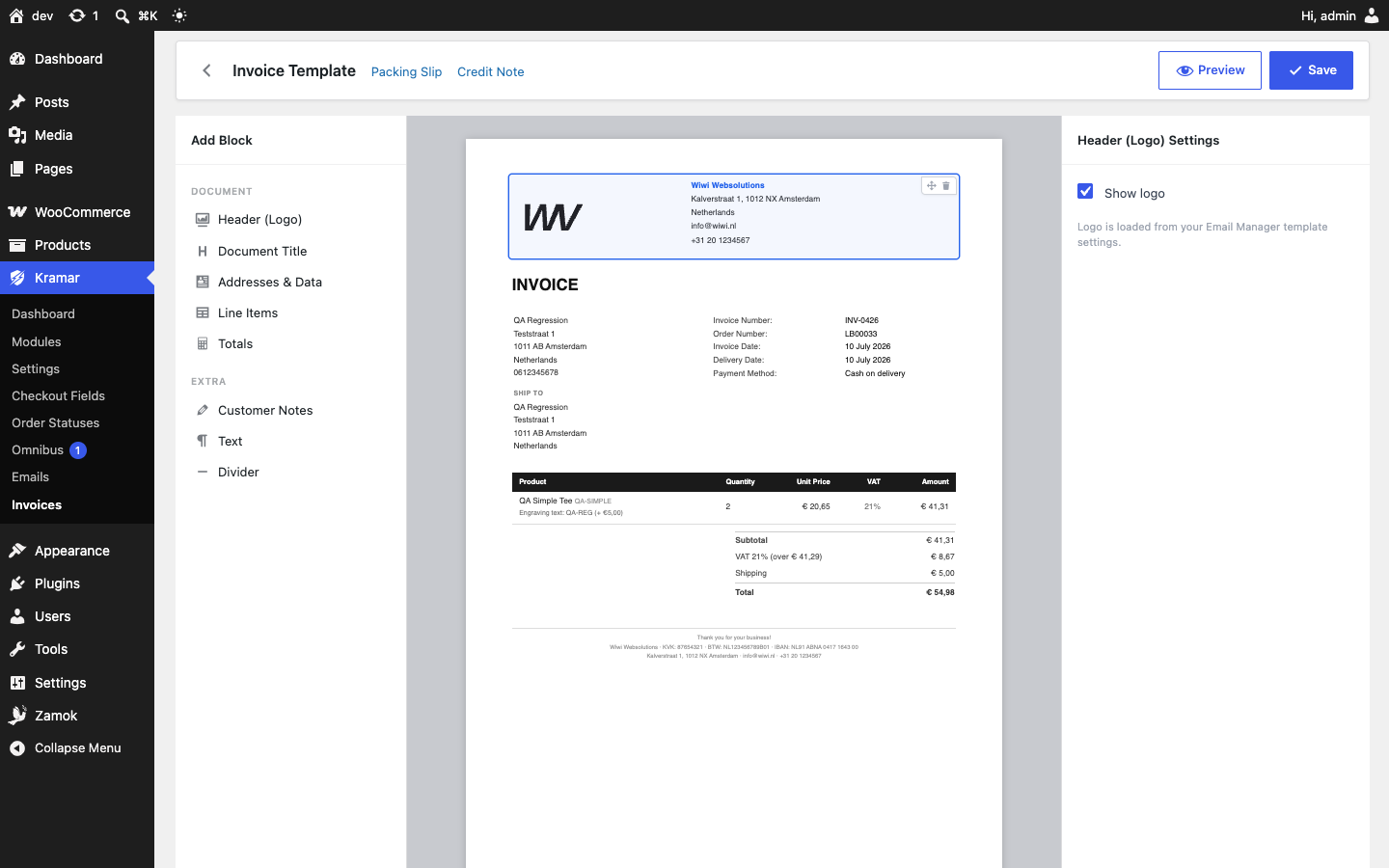
- PDF documents — Article 226-compliant invoices, packing slips, and credit notes, with sequential numbering and encrypted storage.
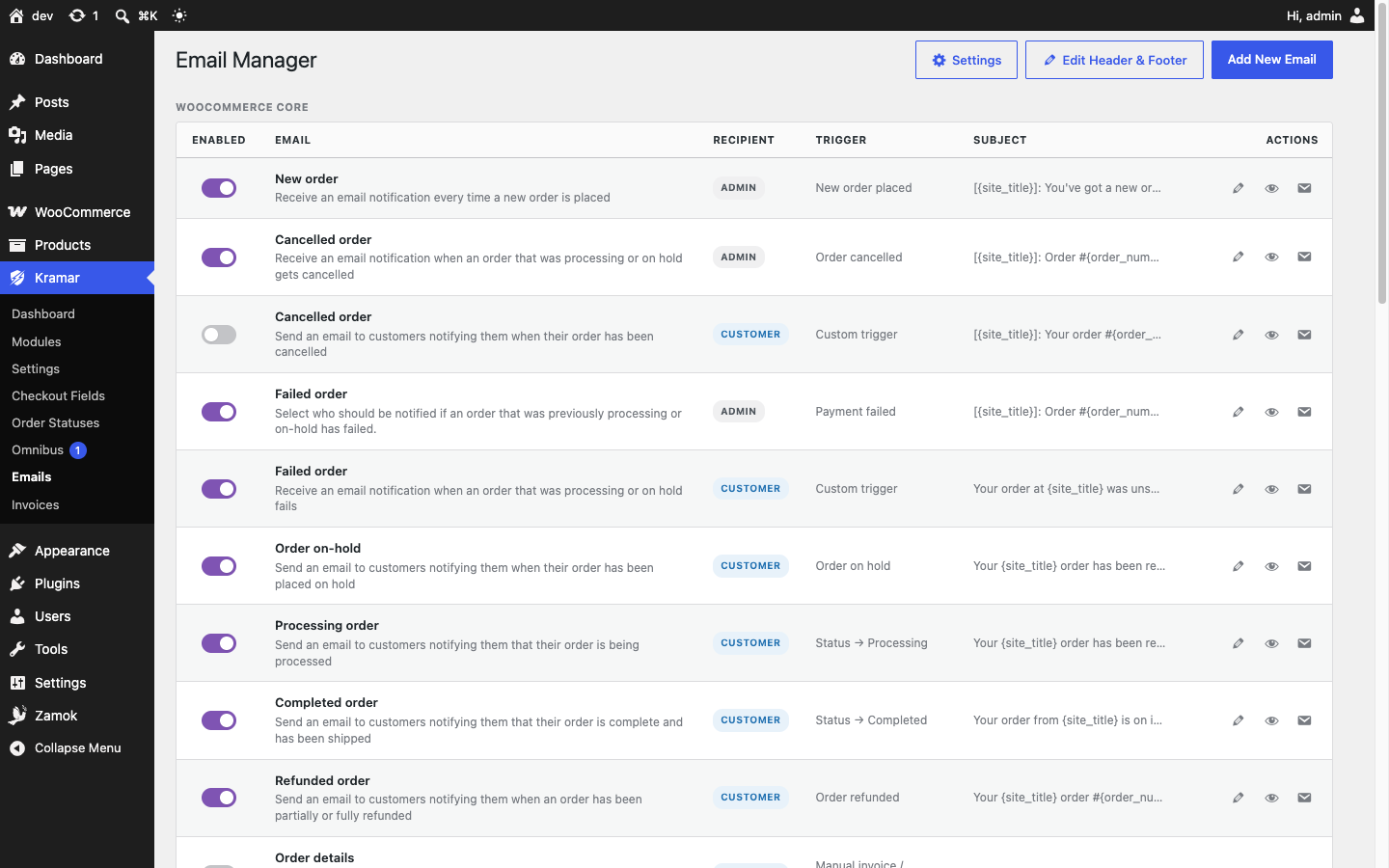
- Email — A drag-and-drop email template builder, custom transactional emails with status / time-delay / manual triggers, and a developer API.
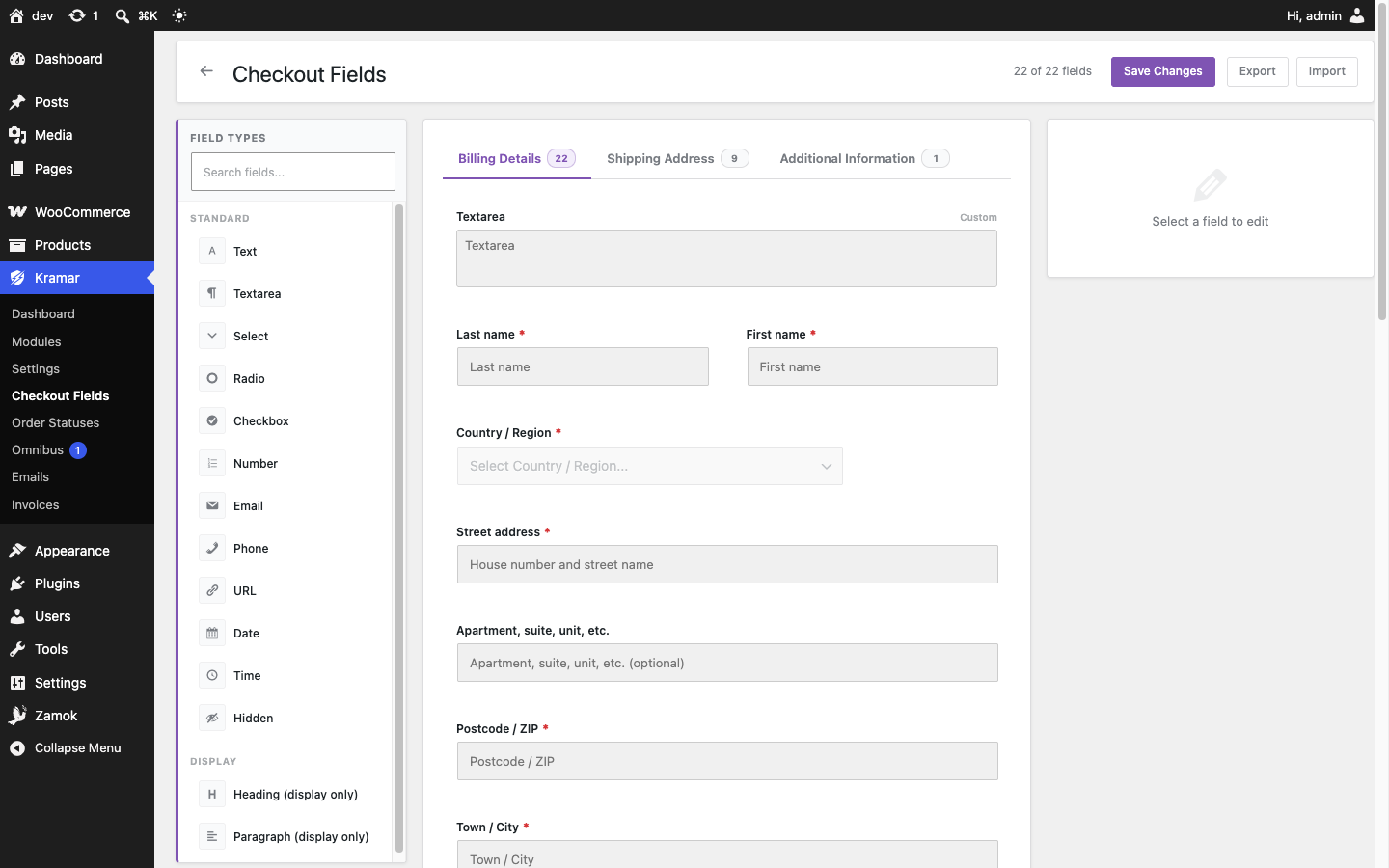
- Checkout — A checkout field editor (classic + block checkout), address validation, EU VAT ID format validation for B2B orders, and a delivery-date picker.
- Order management — Custom order statuses, sequential order numbers, and a refund / return workflow.
- Products — Variation swatches (colour or image), minimum / maximum / step quantity rules, extra product option fields, and enhanced reviews (verified-buyer badge, helpful voting, rating breakdown).
- Marketing — Google Shopping product feed, back-in-stock notifications, abandoned-cart recovery, and post-purchase review reminders — all consent-first.
- Customer account — An enhanced My Account dashboard with order tracking, one-click reorder, and a smoother registration flow.
- Shipping — Weight-based shipping rates.
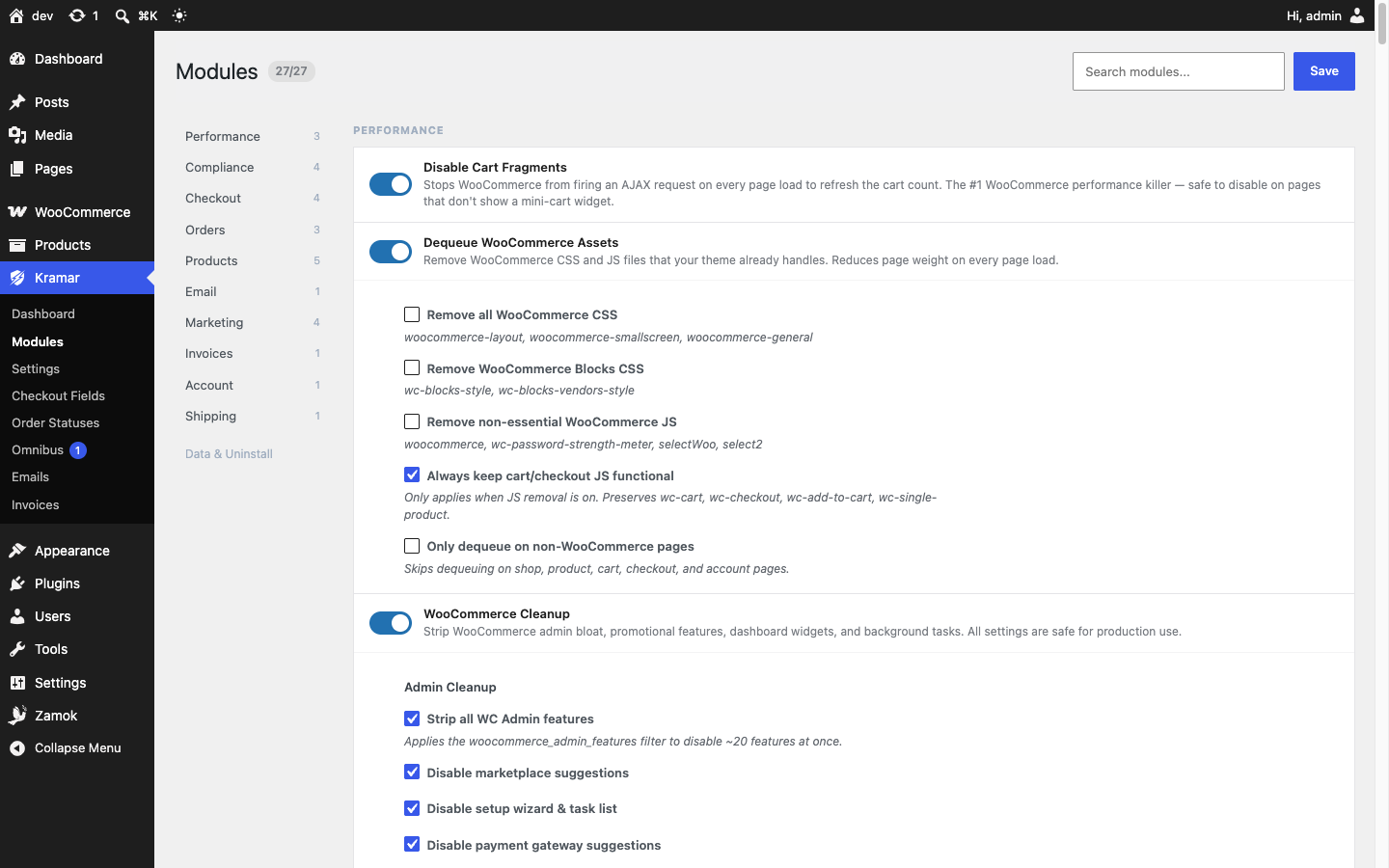
- Performance — Disable cart-fragment polling, dequeue unused WooCommerce CSS/JS, and strip WooCommerce admin bloat.
- Privacy — Order and review IP anonymisation, data-retention warnings, and scheduled PII cleanup.
Built for the EU
Kramar was designed from the ground up for EU and Dutch law. The compliance modules consider the GDPR, the Consumer Rights Directive, the Omnibus Directive, and Dutch civil-code requirements. They are entirely optional — the invoicing, email, product, performance, and order tools work for any store, anywhere.
Modular
Enable only what you need. Disabled modules have zero overhead — no hooks, no queries, no assets loaded.
For Developers
Kramar’s Email Manager module exposes a small PHP API for sending and scheduling custom emails from themes or other plugins. No code is needed to create a custom email — use Kramar Emails Add New Email in the admin to build and configure it. Once it exists you can trigger it programmatically.
Finding a custom email’s id
Every custom email created through the UI gets an id of the form kramar_custom_{slug}, where the slug is derived from the email name: spaces become underscores, all characters are lowercased, and the result is passed through sanitize_key(). Example: an email named “Review Request” becomes kramar_custom_review_request. The exact id is shown in the Custom Emails table on Kramar Emails.
Sending immediately
kramar_send_email( string $id, mixed $context = null ): bool
Sends the custom email right now. Returns true if the email was dispatched (the email was found, is enabled, and passed the send filters). $context may be a WC_Order object, an order id (integer or numeric string), or null.
kramar_send_email( 'kramar_custom_review_request', $order_id );
Scheduling for later
kramar_schedule_email( string $id, mixed $context, int $timestamp ): bool
Schedules the email via Action Scheduler at the given Unix timestamp. Returns true if the action was queued (or was already queued). Requires WooCommerce’s bundled Action Scheduler.
kramar_schedule_email( 'kramar_custom_review_request', $order_id, time() + 7 * DAY_IN_SECONDS );
Idiomatic do_action aliases
Both functions are also wired to do_action so callers that prefer hooks over direct function calls can use:
do_action( 'kramar_send_email', $id, $context );
do_action( 'kramar_schedule_email', $id, $context, $timestamp );
Filters
kramar_email_recipient — Override the To address before the email is sent.
apply_filters( 'kramar_email_recipient', string $recipient, string $id, WC_Order|null $order )
kramar_email_should_send — Return false to prevent a send entirely.
apply_filters( 'kramar_email_should_send', bool $should, string $id, WC_Order|null $order )
kramar_email_merge_field_values — Add or replace merge-field values used inside email content.
apply_filters( 'kramar_email_merge_field_values', array $replacements, WC_Order $order )
Worked example: review request 7 days after order completion
add_action( 'woocommerce_order_status_completed', function ( $order_id ) {
    kramar_schedule_email( 'kramar_custom_review_request', $order_id, time() + 7 * DAY_IN_SECONDS );
} );
Note: The WooCommerce mailer caches its email list per request. A custom email created in the same PHP request as your kramar_send_email() call will not yet be registered and the call will return false. In normal use — emails created in the admin, triggered later by frontend or cron events — this is never a concern.
Delivery time (template tag)
Display a product’s delivery-time estimate anywhere in your theme:
kramar_get_delivery_time( int $product_id = 0 ): string
Returns the product’s own delivery-time term, falling back to the shop-wide default set in the EU Product Compliance module (or an empty string when neither is set). Works even when the automatic front-end display is turned off. Pass 0 to use the current global $product.
echo esc_html( kramar_get_delivery_time( $product->get_id() ) );
kramar_delivery_time_label — Filter the resolved label.
apply_filters( 'kramar_delivery_time_label', string $label, int $product_id )
kramar_delivery_time_html — Filter the rendered <span class="kramar-delivery-time"> markup (escape your own output).
apply_filters( 'kramar_delivery_time_html', string $html, string $label, WC_Product $product )
Details
Related plugins
Plugins that also contain the tag abandoned-cart
Booster for WooCommerce – PDF Invoices, Abandoned Cart, Variation Swatches & 100+ Tools

Zoho Campaigns

ShopMagic Abandoned Cart Recovery for WooCommerce

Retainful – WooCommerce Abandoned Cart, Newsletters, Email Marketing, Signup Forms and Automation

Constant Contact + WooCommerce

Abandoned Checkout Recovery & Order Notifications for WooCommerce


About
Plugin for that tries to help you find the WordPress plugin you are looking for.
| Please enjoy an image of Crush (this awesome turtle) and have a lovely day! |  |
We do not own any plugin listed on this site and do not work for or work with WordPress.com or it's associated companies. We simply provide a searchable list of the available WordPress plugins.