

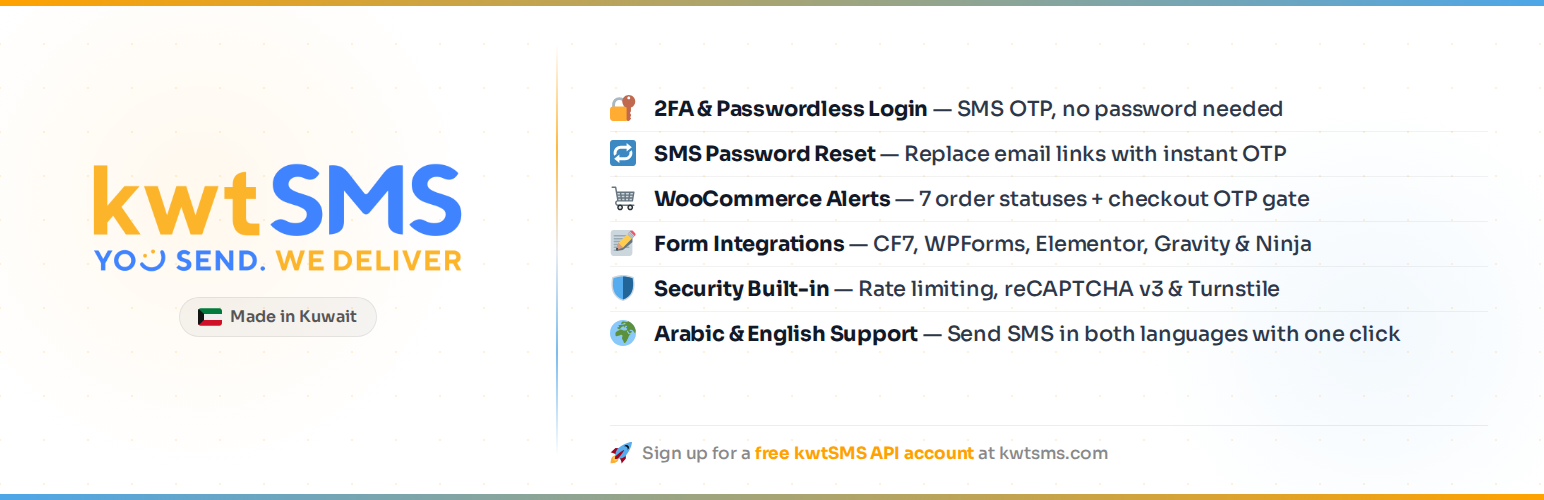

kwtSMS: OTP & SMS Notifications
kwtSMS replaces or supplements WordPress passwords with SMS one-time codes, sends WooCommerce order updates automatically, and lets you verify phone numbers on any contact form. Built on the kwtSMS SMS gateway.
Built for Arabic-speaking markets (Kuwait, Saudi Arabia, UAE, Bahrain, Qatar, Oman) with full RTL admin support and bilingual SMS templates in English and Arabic.
Authentication
- 2FA Mode: users log in with username + password, then confirm with a 6-digit SMS code
- Passwordless Mode: users enter their phone number and receive an OTP to log in directly, no password needed
- Both Modes: let each user choose their preferred method
- Password Reset via SMS: replace the email link with an SMS OTP verification flow
- Role-Based Enforcement: configure which user roles must pass OTP (exclude administrators, apply only to customers, etc.)
- Welcome SMS: send a customisable welcome message when a new user registers
- Country Code Dropdown: restrict the dial-code selector on login forms to GCC countries or a custom list
WooCommerce Integration
- 7 order status notifications: Processing, On-Hold (Shipped), Completed, Cancelled, Pending Payment, Refunded, Failed
- Admin order notifications: automatically notify a configurable admin phone number on any order status change
- Checkout OTP Gate: require phone verification before the customer can place an order
- Per-status templates: independent English + Arabic SMS template for every order status
- Admin SMS panel: send a custom free-text SMS to any order’s customer from the order edit screen
- HPOS (High-Performance Order Storage) compatible
Contact Form Integrations
Each integration supports two modes: Notification (send a confirmation SMS on submit) and OTP Gate (block submission until the phone number is verified):
- Contact Form 7
- WPForms
- Ninja Forms
Security
- Sliding-window rate limiting per phone number, per IP address, and per user account
- Duplicate OTP guard: reuses existing valid OTP on double-click or page reload
- IP Allowlist/Blocklist with CIDR support for IPv4 and IPv6
- IPHub proxy/VPN detection (optional): silently block or flag OTP requests from known proxies
- Registration OTP gate: verify phone via OTP before account creation
- Trusted Devices: trust a device for 30 days after 2FA, with profile revoke controls
- Phone blocking list: silently drop OTP requests from blocked numbers (anti-enumeration)
- Attempt lockout after configurable max failures
- Google reCAPTCHA v3 and Cloudflare Turnstile support
- All credentials stored server-side, never output to HTML
- Nonces on every form and AJAX action
- Anti-enumeration: password reset never reveals whether an account exists
External Services
This plugin connects to the following external services:
1. kwtSMS API (required): sends SMS messages.
- Service: https://www.kwtsms.com
- API endpoint:
https://www.kwtsms.com/API/ - Data sent: phone number, message text, API credentials
- When: every time an OTP or notification SMS is dispatched
- Terms of Service: https://www.kwtsms.com/policy.html
- Privacy Policy: https://www.kwtsms.com/privacy.html
A kwtSMS account with SMS credits is required.
2. ipapi.co (optional): detects the visitor’s country to pre-select the dial-code flag on the phone input.
- Service: https://ipapi.co
- Data sent: visitor IP address (no other data)
- When: on the login page when Passwordless or OTP mode is active; result is cached for 24 hours per IP
- Terms of Service: https://ipapi.co/terms/
- Privacy Policy: https://ipapi.co/privacy/
If ipapi.co is unavailable, the phone input falls back to the default country configured in General Settings. No personal data is stored by the plugin as a result of this call.
3. IPHub (optional): detects whether a visitor’s IP is a known proxy or VPN.
- Service: https://iphub.info
- API endpoint:
https://v2.api.iphub.info/ip/{ip} - Data sent: visitor IP address, API key in request header
- When: on every OTP request when IPHub integration is enabled in General Settings, with result cached per IP (configurable TTL, default 24 hours)
- Terms of Service: https://iphub.info/legal
- Privacy Policy: https://iphub.info/legal
If IPHub is unavailable or returns an error, the request is allowed through (fail-open). No personal data is stored by the plugin as a result of this call beyond the cached block level.
4. Google reCAPTCHA v3 (optional): bot protection on OTP forms. Only active if you enter a reCAPTCHA Site Key in General Settings.
- Service: https://www.google.com/recaptcha/
- JavaScript loaded from:
https://www.google.com/recaptcha/api.js - Verification endpoint:
https://www.google.com/recaptcha/api/siteverify - Data sent: reCAPTCHA token (generated client-side), secret key (server-side only)
- When: on every login, password reset, or registration page load (client JS), and on every OTP form submission (server-side verification)
- Terms of Service: https://policies.google.com/terms
- Privacy Policy: https://policies.google.com/privacy
5. Cloudflare Turnstile (optional): alternative bot protection. Only active if you enter a Turnstile Site Key in General Settings.
- Service: https://www.cloudflare.com/products/turnstile/
- JavaScript loaded from:
https://challenges.cloudflare.com/turnstile/v0/api.js - Verification endpoint:
https://challenges.cloudflare.com/turnstile/v0/siteverify - Data sent: Turnstile token (generated client-side), secret key (server-side only)
- When: on every login, password reset, or registration page load (client JS), and on every OTP form submission (server-side verification)
- Terms of Service: https://www.cloudflare.com/terms/
- Privacy Policy: https://www.cloudflare.com/privacypolicy/
Admin
- Users Without Phone sub-page under the WordPress Users menu: lists all registered users missing a phone number, with a dynamic count badge on the menu item
Test Mode
Enable Test Mode in the Gateway settings to test without receiving real SMS messages. Messages are queued on the kwtSMS server but never delivered to the phone. Credits are still deducted. To recover them, log in to your kwtSMS account dashboard and delete the queued messages. The OTP code is visible under kwtSMS > Logs > Debug Log so you can complete flows during development.
Languages
Ships with English (default) and Arabic translations. The plugin admin UI and all user-facing strings are fully translatable.
Help & Support
- kwtSMS FAQ: Answers to common questions about credits, sender IDs, OTP, and delivery.
- kwtSMS Support: Open a support ticket or browse help articles.
- Contact kwtSMS: Reach the kwtSMS team directly for Sender ID registration and account issues.
- API Documentation (PDF): kwtSMS REST API v4.1 full reference.
- Best Practices: SMS API implementation best practices.
- Integration Test Checklist: Pre-launch testing checklist.
- Sender ID Help: Sender ID registration and guidelines.
- kwtSMS Dashboard: Recharge credits, buy Sender IDs, view message logs, and manage coverage.
- Other Integrations: Plugins and integrations for other platforms and languages.
- Plugin Issues: Report bugs or request features for this WordPress plugin.
Details


Related plugins
Plugins that also contain the tag authentication
Limit Login Attempts

InfiniteWP Client

WPS Limit Login

Two Factor

WP-Members Membership Plugin

Google Authenticator


About
Plugin for that tries to help you find the WordPress plugin you are looking for.
| Please enjoy an image of Crush (this awesome turtle) and have a lovely day! |  |
We do not own any plugin listed on this site and do not work for or work with WordPress.com or it's associated companies. We simply provide a searchable list of the available WordPress plugins.