


LaFactory Lister for eBay
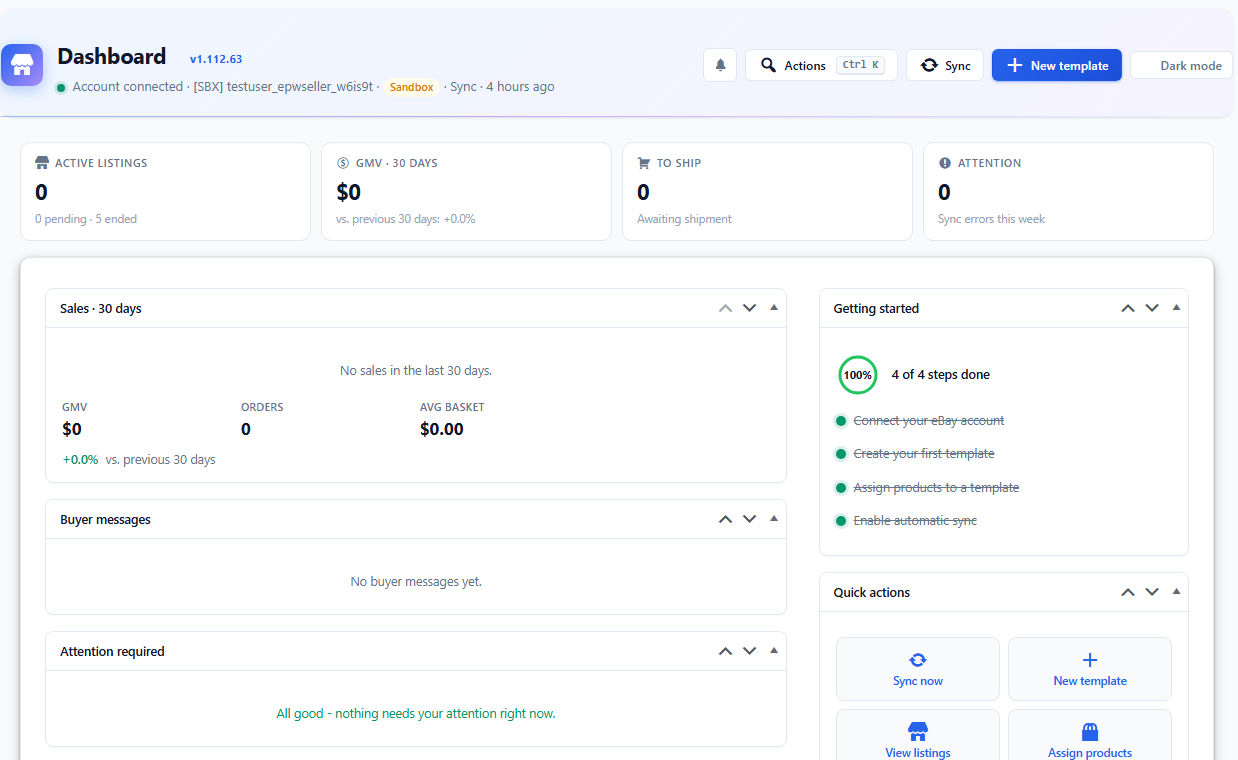
LaFactory Lister for eBay connects a WooCommerce shop to an eBay seller account. You build a listing template once, pick the products it applies to, and publish. eBay orders come back into WooCommerce as real orders, stock moves in both directions, and every exchange is written to a log you can read.
It is built for a shop that already sells: the screens show what is actually listed, what failed and why, and what eBay changed behind your back.
What it does
- Listing templates, with categories, shipping and returns
- Item specifics taken from your WooCommerce product attributes
- Publish, revise, end and relist, one product or in bulk
- Import existing listings into WooCommerce, and match them to products you already have
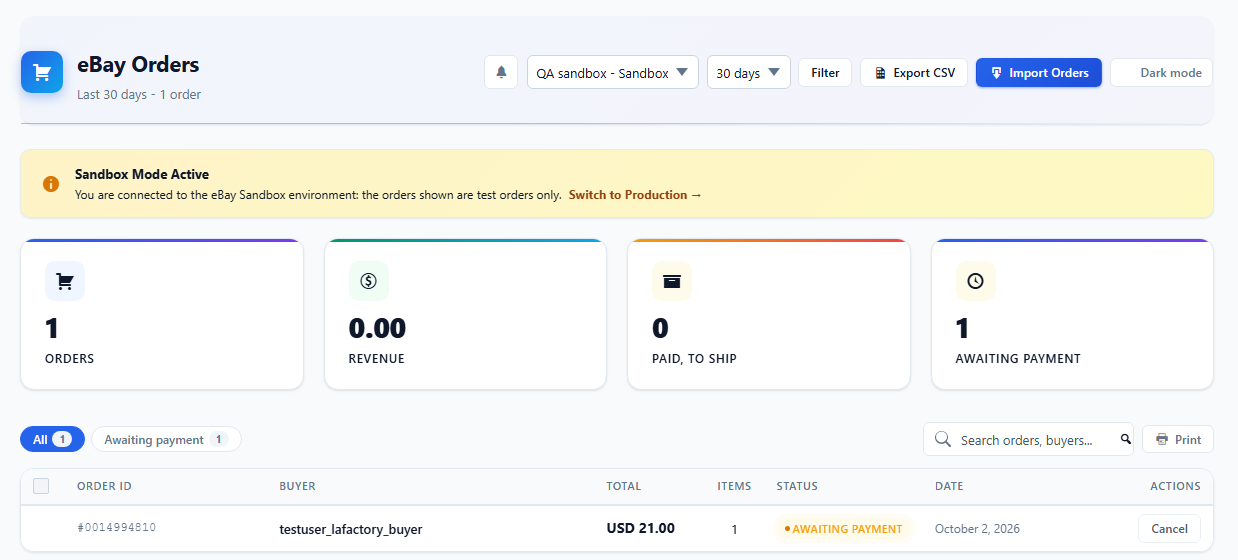
- Orders imported as WooCommerce orders, with buyer details and shipping
- Two-way stock and price synchronisation, with the rules you set
- Messages from buyers, read and answered from the dashboard
- Category mapping, kept in a local cache so the screens stay fast
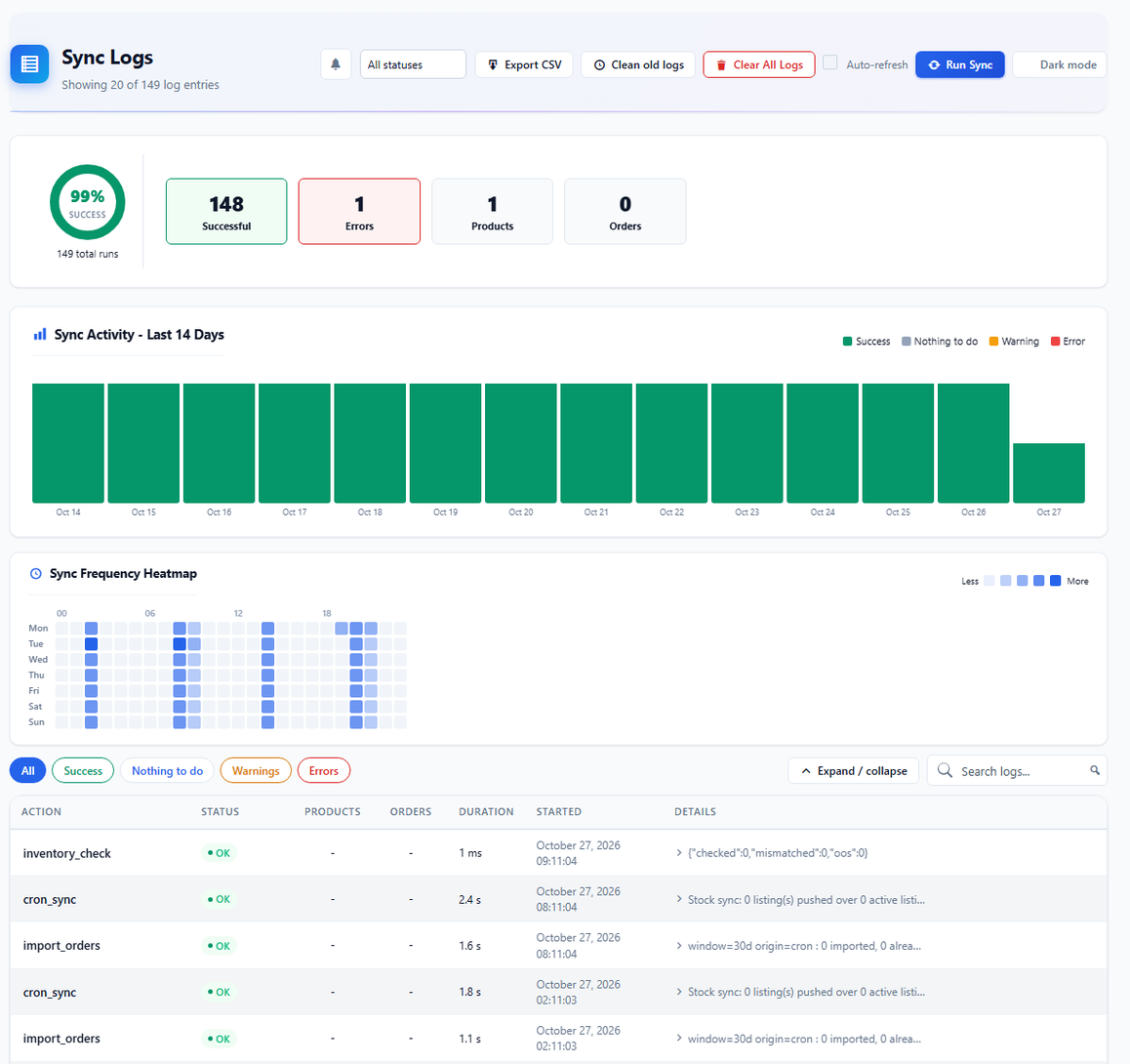
- Sync log, stock log and API log, each readable and filterable
- Grid editor for bulk changes across many listings
- A “Listed on eBay” badge and a “Buy on eBay” button on product pages, both off until you turn them on in Settings > Sync
- Multisite aware
It works with 22 eBay sites, among them eBay US, UK, Germany, France, Italy, Spain, Canada and Australia, and with the eBay sandbox for testing.
LaFactory Lister for eBay is an independent product made by LaFactory. It is not affiliated with, endorsed or sponsored by eBay Inc. eBay is a trademark of eBay Inc.
Connecting your account
There are two ways to connect, and the setup wizard shows both with their limits before you choose.
- LaFactory connection (default). One click, no eBay developer account. You sign in on eBay’s own page and approve access. The access tokens of the connection are issued and renewed by a service on lafactory.com, run by the author of this plugin, which holds the eBay application keys. Your eBay password never reaches it, and your listings, orders and messages go straight between your site and eBay. If the service cannot be reached, synchronisation pauses within about two hours and resumes when it is back. Your shop shares the daily eBay API call allowance of that application with the other shops using it, and each site may connect and renew its connection a limited number of times per day.
- Your own eBay developer keys. No dependency on lafactory.com, and your own API call allowance. You need a free eBay Developers Program account, a keyset and a RuName. As soon as your own Cert ID is saved, the plugin talks to eBay with your keys only.
External services
This plugin connects to eBay and, unless you use your own eBay keys, to the LaFactory connection service.
-
eBay sign-in (OAuth), used only while you connect or reconnect an account. Your browser is sent to https://auth.ebay.com/oauth2/authorize (https://auth.sandbox.ebay.com in sandbox mode) with an App ID, a RuName and a one-time state value; eBay sends you back to your site with an authorisation code. With your own keys, your site then exchanges that code, and later refreshes the token, at https://api.ebay.com/identity/v1/oauth2/token (https://api.sandbox.ebay.com in sandbox mode), sending your App ID and Cert ID.
-
The LaFactory connection service, hosted on lafactory.com (https://lafactory.com/), used when no Cert ID of your own is saved, and only to obtain and renew the eBay access tokens. Your site sends it the address of your site, the sandbox or production mode, the eBay permissions requested, and, depending on the step, a one-time state value, the authorisation code returned by eBay, or the refresh token of the connection. The service exchanges them with eBay using the application keys it holds, and returns eBay’s answer to your site. It is called when you connect an account, then about every two hours while the account stays connected, and it keeps a daily count of calls per site and per address to enforce its limits. During sign-in, eBay returns your browser to your site through the same address. Terms: https://lafactory.com/terms-and-conditions/ . Privacy policy: https://lafactory.com/privacy-policy/ .
-
The eBay APIs, to publish and revise your listings, read your orders and read your messages. The Trading API (https://api.ebay.com/ws/api.dll, and https://api.sandbox.ebay.com/ws/api.dll in sandbox mode) and the eBay REST APIs (https://api.ebay.com) receive the product data you choose to list: title, description, images, price, stock and category. They return your listings, your orders with buyer name and shipping address, and your buyer messages. The exchange happens when you publish, revise, end or relist a listing, when you import, and on the synchronisation schedule you set in the settings.
The admin screens also link to pages on eBay’s own sites, which open in your browser only when you click them: the listing itself on your eBay marketplace (www.ebay.com, www.ebay.co.uk, www.ebay.de, www.ebay.fr, www.ebay.ca and the other eBay country sites, or www.sandbox.ebay.com in sandbox mode), your eBay messages (messages.ebay.com), your business policies (www.ebay.com/bp/manage, or the same page of your eBay country site) and eBay’s developer documentation (developer.ebay.com, docs.ebay.com). The footer of the plugin screens links to the author’s site, lafactory.com. On the shop front, the product pages link to the product’s eBay listing only if you turn on the badge or the button in Settings > Sync. None of these links sends data by itself.
The use of these services is governed by the eBay User Agreement (https://www.ebay.com/help/policies/member-behaviour-policies/user-agreement?id=4259), the eBay User Privacy Notice (https://www.ebay.com/help/policies/member-behaviour-policies/user-privacy-notice-privacy-policy?id=4260) and the eBay API License Agreement (https://developer.ebay.com/join/api-license-agreement).
Source code
The JavaScript and CSS files of the plugin are shipped as they are written: no build step, no bundler, no minification and no third-party library, so each file is its own source, the largest one, assets/js/admin.js, included.
Details

Related plugins
Plugins that also contain the tag ebay
affiliate-toolkit – Multi-Network Affiliate & Amazon Product Display

Auction Nudge – Your eBay Listings

LitCommerce: Multi-channel Selling Tool For WooCommerce

WP-Lister Lite for eBay

POKY – Product Importer

SharkDropship & Affiliate for AliExpress, eBay, Amazon, Etsy and Temu


About
Plugin for that tries to help you find the WordPress plugin you are looking for.
| Please enjoy an image of Crush (this awesome turtle) and have a lovely day! |  |
We do not own any plugin listed on this site and do not work for or work with WordPress.com or it's associated companies. We simply provide a searchable list of the available WordPress plugins.