



Larina Studio Connect for WooCommerce
Larina Studio Connect links your WooCommerce store to your account on Larina with one button. It is made by Larina, the company behind larina.ai, for its own service; it is not affiliated with WooCommerce or Automattic. It carries two features, each with its own state:
- Studio: you make product photos in Larina, and Larina publishes the finished photos to your WooCommerce products.
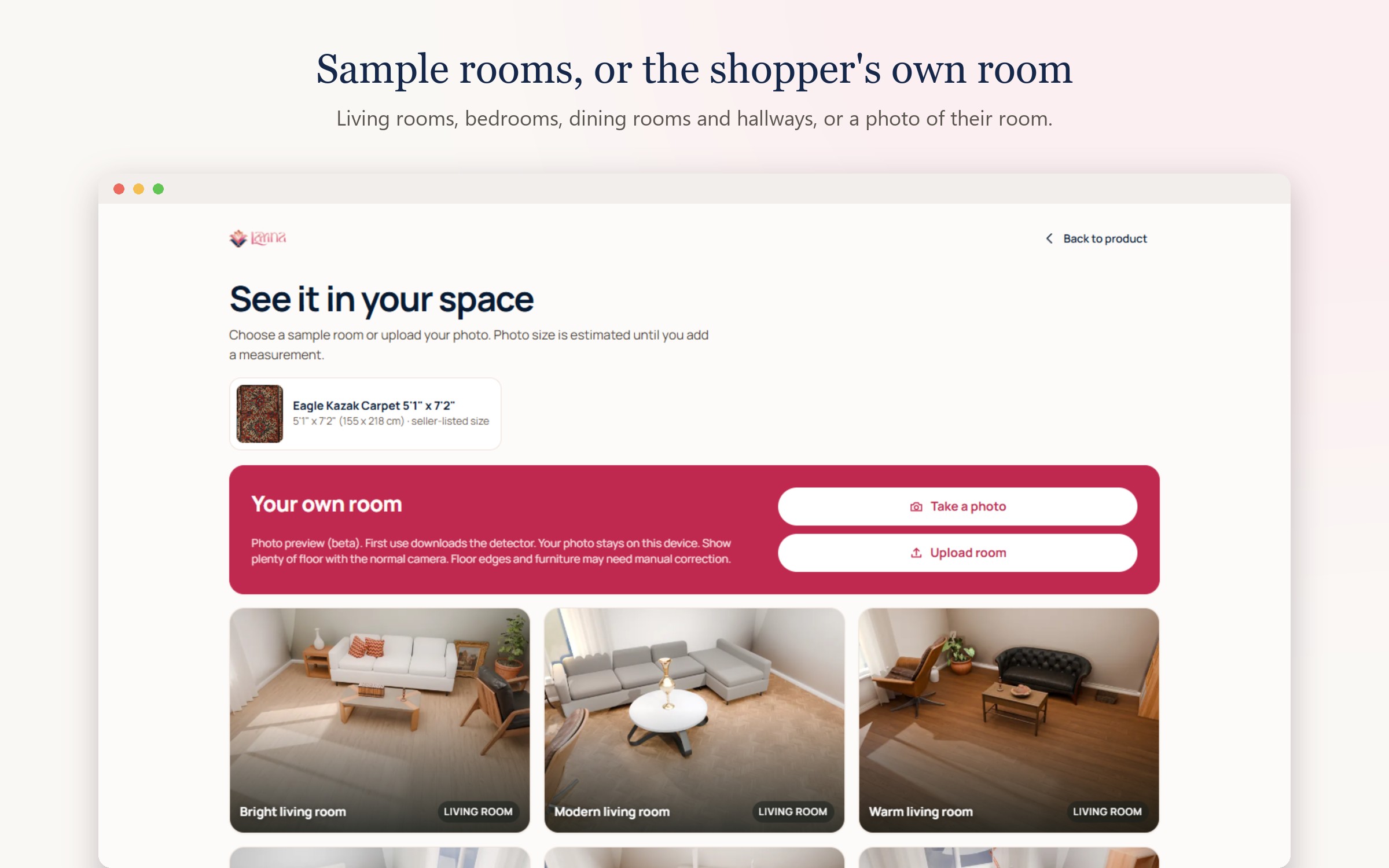
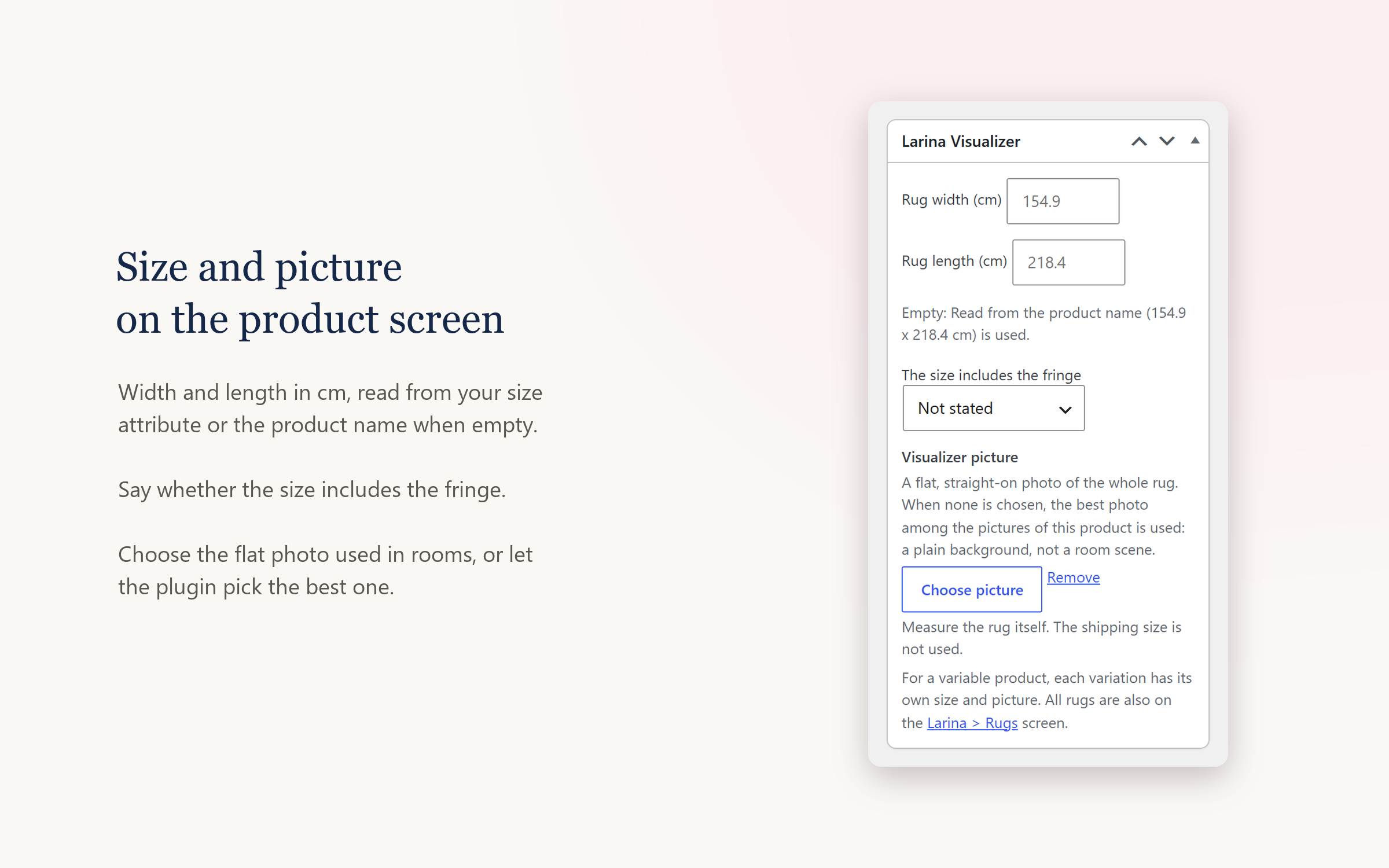
- Rug Visualizer: a “See it in your room” button on your rug pages. Shoppers see the rug in a prepared room at the size given on your product page. Your rugs, sizes and pictures stay in your store.
Larina is an external service: Studio uses credits on your Larina account and the Rug Visualizer needs a Visualizer plan. Every part of this plugin’s code is included and readable; nothing in it is locked.
How connecting works
- Open Larina in the WordPress admin menu and press Connect to Larina.
- Sign in to Larina (or create an account), check the store and what will be connected, and approve.
- For Studio, WooCommerce shows its own approval screen for Larina Studio. WooCommerce makes the key and hands it to Larina directly: you never make or copy a key.
The Connection screen then shows the connection and each feature separately: Studio (state, credits, plan if any, Open Studio) and the Rug Visualizer (state, rugs switched on out of the plan’s limit, whether the button is on your site, Manage rugs). You can disconnect Studio, the Visualizer or everything at any time.
Advanced path
The older ways still work and end up on the same Larina store: a connect code from the Larina dashboard for the Rug Visualizer (Larina > Visualizer), and WooCommerce REST keys pasted in the Larina dashboard for Studio. A REST key lets Larina publish photos; it does not put the “See it in your room” button on your site. Whether the button is on the site is reported only by this plugin.
Your store keeps working when Larina does not answer
Product pages and checkout never wait for Larina. The Visualizer licence is checked in the background and kept for a limited time when Larina cannot be reached; the room button then hides quietly.
External services
This plugin connects your store to Larina (larina.ai), a service run by Larina, which makes product photos (Studio) and shows rugs in rooms (Rug Visualizer). The plugin contacts Larina only after an administrator presses Connect to Larina or pastes a connect code.
What is sent, and when:
- When you connect: this store’s address, the platform (WooCommerce), the plugin version and a one-time code with its proof (PKCE verifier), from your server to
larina.ai/api/connect/v1/. Your browser opensapp.larina.ai/connect/with the store address and a one-time state; no key or password is in that address. - When Studio is approved: WooCommerce’s approval screen sends the new WooCommerce REST key (read/write) directly to Larina, which keeps it encrypted. Larina then reads your products and publishes the photos you choose to publish.
- While connected, from your server, in the background or when you open the Larina screens: the store address and plugin version with each call, a status request (at most every 10 minutes on the Larina screens), the Visualizer licence check with the number of rugs switched on (every few hours), and a report of whether and where the “See it in your room” button renders (every few hours).
- When a shopper opens the room preview: your server asks Larina for a short-lived pass. The rug’s name, size and link travel inside the link to the shopper’s own browser, and the picture is read from your store. Your catalogue is not sent to Larina’s servers.
No orders, customer details or payment details are sent. The shopper’s room preview runs on Larina’s viewer (an iframe from Larina) inside a page on your store.
Larina terms of service: https://larina.ai/terms
Larina privacy policy: https://larina.ai/privacy
Details



Related plugins
Plugins that also contain the tag product-photos
aiModelka – AI On-Model Product Photos for WooCommerce

AutoPhotos for WooCommerce

FashionPix – AI Product Photos for WooCommerce

Brahmabit AI Photo Prompt for WooCommerce

Syntranova AI Model Photos for WooCommerce

Studio Digital Product Photo Manager


About
Plugin for that tries to help you find the WordPress plugin you are looking for.
| Please enjoy an image of Crush (this awesome turtle) and have a lovely day! |  |
We do not own any plugin listed on this site and do not work for or work with WordPress.com or it's associated companies. We simply provide a searchable list of the available WordPress plugins.