


Leverage Browser Caching
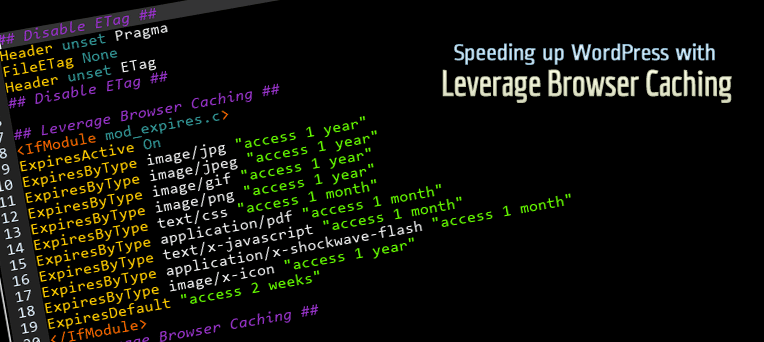
As it’s name, it will fix Leverage Browser Caching issues in your WordPress website. Also it improves page speed score in website testing tools like: Pingdom, GTmetrix, PageSpeed, Google PageSpeed Insights, YSlow etc.
About Leverage Browser Caching
Leverage Browser Caching means storing static files of a website in visitor browser. And then retrieving them from browser quickly instead again from server. Actually it uses to speed up each page of a website.
How Leverage Browser Caching Works?
When you visit a web page, your browser downloads all content of the particular page as well as common static files like css and js files. And when you visit other page of same website, your browser downloads them again. But if you have enabled Leverage Browser Caching, then all statics files will serve from your browser instead server. Now when you will visit any page of the particular website, it will only download unique contains of the page and static files will serve from your browser. in this way, it speed up each page of a website.
Benefits of Leverage Browser Caching
Primary benefit is speeding up website because static files will serve from your browser. it saves internet data of website visitor. it also saves bandwidth of website server and decrease load of server. Simply it decreases HTTP requests.
Details
Related plugins
Plugins that also contain the tag browser
WP Console – WordPress PHP Console powered by PsySH

Browser Theme Color

Browser Screenshots

Polylang – Country Detection

WP BrowserUpdate

PHP Browser Detection

About
Plugin for that tries to help you find the WordPress plugin you are looking for.
| Please enjoy an image of Crush (this awesome turtle) and have a lovely day! |  |
We do not own any plugin listed on this site and do not work for or work with WordPress.com or it's associated companies. We simply provide a searchable list of the available WordPress plugins.