

This plugin is outdated and might not be supported anymore
Back
Pattern Lock
Details
View on WordPress
Back
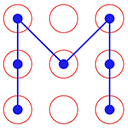
Pattern Lock allows to set pattern lock for wp admin screens. You can set pattern lock for your screen according to your choice.
How to use
- First Activate Plugin.
- Save Pattern Settings from Pattern Lock Settings Menu.
- Set Pattern Lock of your choice.
- Click on Lock Screen red button on top bar.
- Then Pattern Lock screen will appear.= Minimum requirements for Pattern Lock =
* WordPress 3.3+
* PHP 5.x
* MySQL 5.x
If any problem occurs, please contact us at http://www.webdesi9.com/support/.
Details
Plugin code:
lock-pattern
Plugin version:
1.0
Author:
Outdated:
Yes
WP version:
3.4 or higher
PHP version:
or higher
Test up to WP version:
4.6.29
Total installations:
0
Last updated:
2016-09-05
Rating:
Times rated:
0
admin
lock
pattern
pattern-lock
wp-admin


Related plugins
Plugins that also contain the tag admin
Redux Framework

Loginizer

LightStart – Maintenance Mode, Coming Soon and Landing Page Builder

Admin Menu Editor

White Label CMS

InfiniteWP Client


About
Plugin for that tries to help you find the WordPress plugin you are looking for.
| Please enjoy an image of Crush (this awesome turtle) and have a lovely day! |  |
We do not own any plugin listed on this site and do not work for or work with WordPress.com or it's associated companies. We simply provide a searchable list of the available WordPress plugins.