

Loco Translate
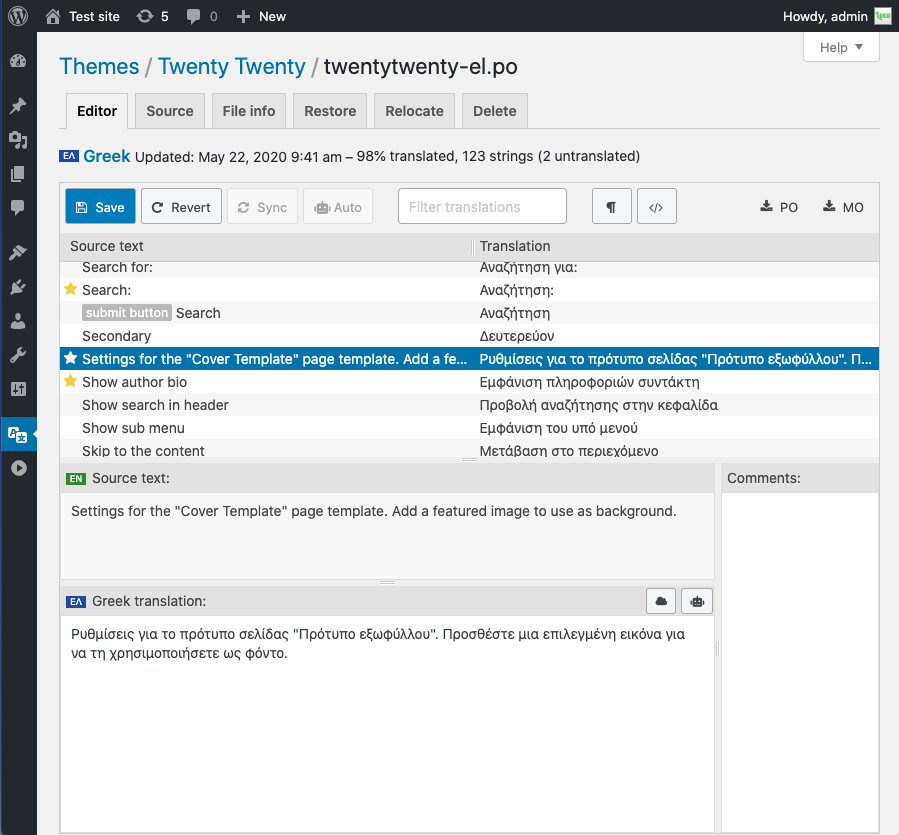
Loco Translate provides in-browser editing of WordPress translation files and integration with automatic translation services.
It also provides Gettext/localization tools for developers, such as extracting strings and generating templates.
Features include:
- Built-in translation editor within WordPress admin
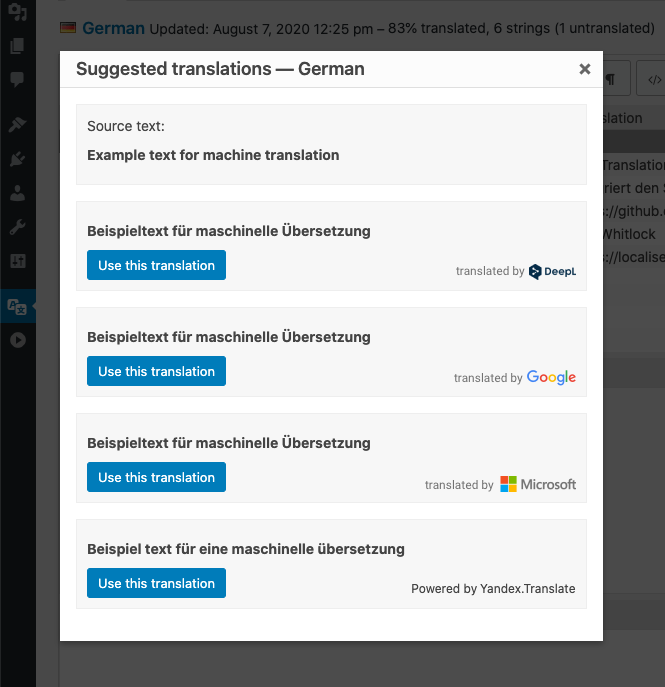
- Integration with translation APIs including DeepL, Google, Lecto, Microsoft and OpenAI.
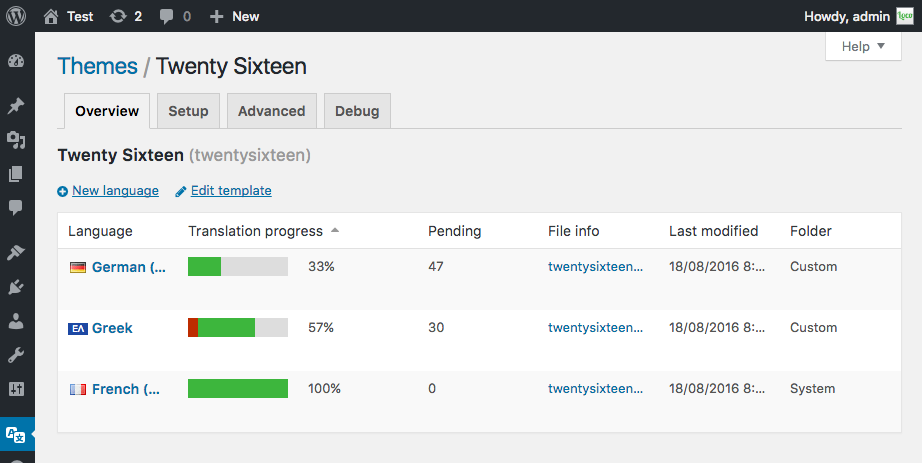
- Create and update language files directly in your theme or plugin
- Extraction of translatable strings from your source code
- Native MO file compilation without the need for Gettext on your system
- JSON (Jed) file compilation compatible with WordPress script localization
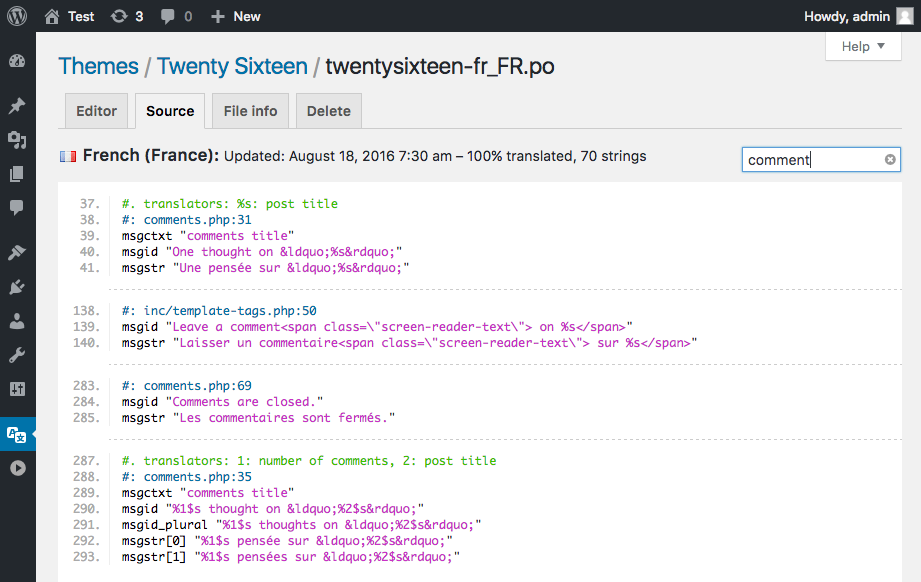
- Support for standard PO features including comments, references and plural forms
- PO source view with clickable source code references
- Protected language directory for saving custom translations
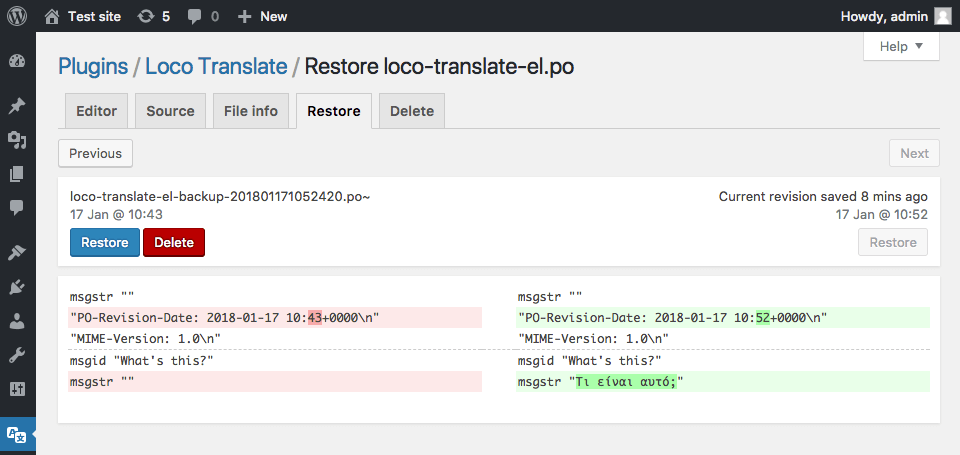
- Configurable PO file backups with diff and restore capability
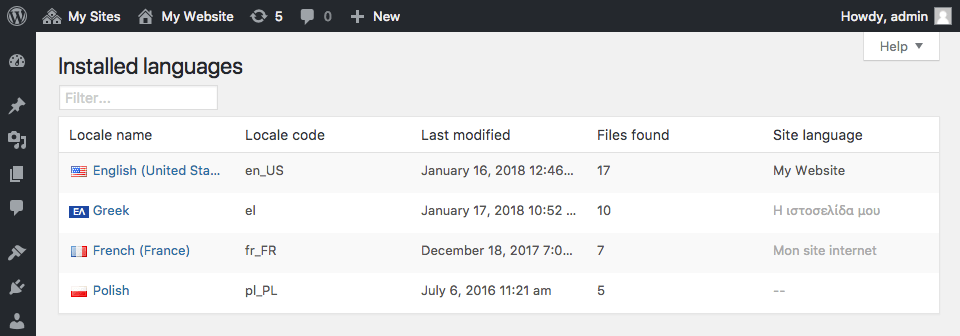
- Built-in WordPress locale codes
Official Loco WordPress plugin by Tim Whitlock.
For more information please visit our plugin page.
Keyboard shortcuts
The PO file editor supports the following keyboard shortcuts for faster translating:
- Done and Next:
Ctrl ↵ - Next string:
Ctrl - Previous string:
Ctrl - Next untranslated:
Shift Ctrl - Previous untranslated:
Shift Ctrl - Copy from source text:
Ctrl B - Clear translation:
Ctrl K - Toggle Fuzzy:
Ctrl U - Save PO / compile MO:
Ctrl S - Toggle invisibles:
Shift Ctrl I - Suggest translation:
Ctrl J
Mac users can use ⌘ Cmd instead of Ctrl.
Details
Related plugins
Plugins that also contain the tag i18n
WP Multibyte Patch

Performant Translations
WPBakery Visual Composer & qTranslate-X

WPML Multilingual for BuddyPress and BuddyBoss
Disable Login Language Switcher

Preferred Languages


About
Plugin for that tries to help you find the WordPress plugin you are looking for.
| Please enjoy an image of Crush (this awesome turtle) and have a lovely day! |  |
We do not own any plugin listed on this site and do not work for or work with WordPress.com or it's associated companies. We simply provide a searchable list of the available WordPress plugins.