

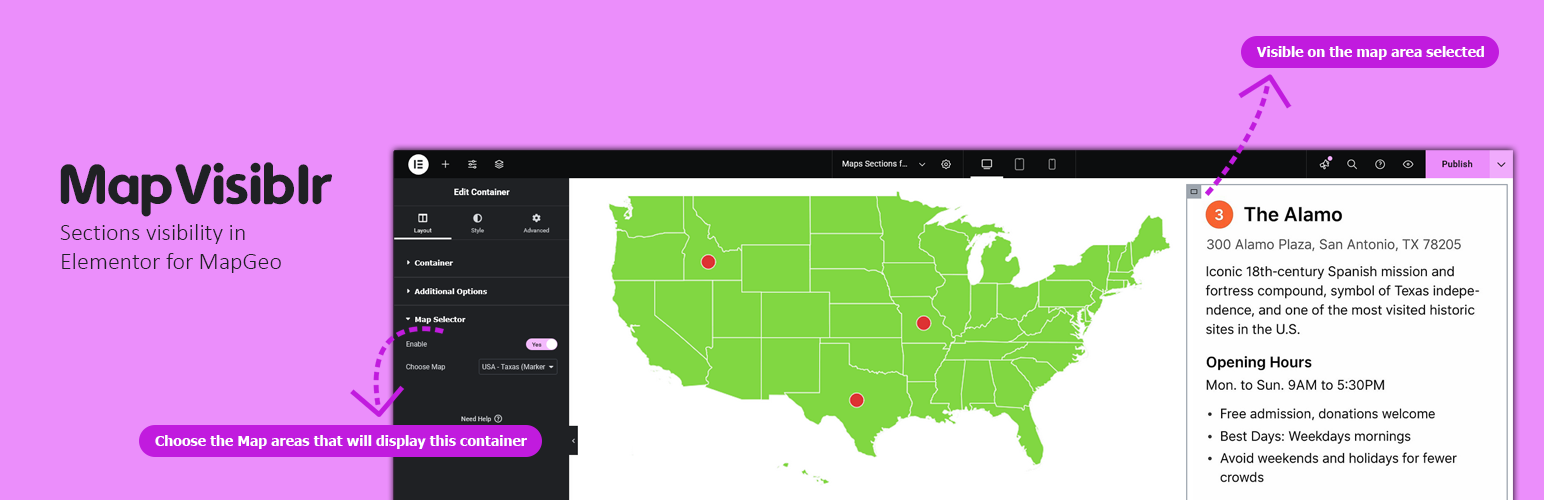

MapVisiblr – Sections visibility in Elementor for MapGeo
MapVisiblr is an extension plugin for the MapGeo WordPress plugin. It allows you to show or hide Elementor containers based on the MapGeo map area selected. This provides dynamic control over your page layout directly from the map interaction.
Key Features:
– Show or hide Elementor containers when a MapGeo map area is selected.
– Simple integration inside Elementor editor.
– Works with multiple containers on the same page.
– Lightweight and fully compatible with Elementor and MapGeo.
Elementor Container Settings
When editing a container in Elementor, you will see additional controls:
– Enable MapGeo Selector – Activates conditional visibility for the container.
– Select Map Area(s) – Choose the MapGeo areas that will display this container.
Support
For support, visit the Pluginable support page or contact us via our official support channels.
Details

Related plugins
Plugins that also contain the tag conditional-display
VK Dynamic If Block

Conditional Display for Mobile – Mobile Detect Plugin

Adaptive Audience Display – Role & Login-Based Visibility for Elementor


About
Plugin for that tries to help you find the WordPress plugin you are looking for.
| Please enjoy an image of Crush (this awesome turtle) and have a lovely day! |  |
We do not own any plugin listed on this site and do not work for or work with WordPress.com or it's associated companies. We simply provide a searchable list of the available WordPress plugins.