


Back

MBTech Variant Swatches for WooCommerce
Details
View on WordPress
Back
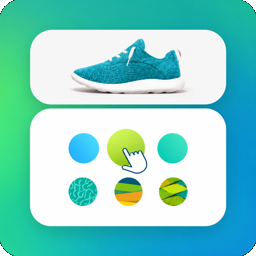
MBTech Variant Swatches for WooCommerce replaces the default WooCommerce variation dropdown selects with visually rich swatches, giving your customers a more intuitive and engaging product selection experience.
Features
- Color Swatches — Display product variations as colored circles or squares with a hex color picker.
- Image Swatches — Show variation images using the WordPress Media Library.
- Label/Button Swatches — Display text-based buttons for sizes, materials, etc.
- Checkbox Swatches — Styled checkbox/radio UI for variation selection.
- Enhanced Dropdown — Improved select dropdown with color/image previews.
- Drag & Drop Sorting — Reorder swatch display order per product.
- Per-Product Overrides — Override global swatch type on individual products.
- Out of Stock Control — Cross out, blur, or hide unavailable variations.
- Tooltips — Hover tooltips for color and image swatches.
- Responsive & Accessible — Mobile-friendly, keyboard navigable, ARIA attributes.
- Theme Override Support — Theme developers can override swatch templates.
- HPOS Compatible — Fully compatible with WooCommerce High-Performance Order Storage.
How It Works
- Go to Products Attributes and edit an attribute (e.g., Color).
- Choose a Swatch Type (Color, Image, Label, Checkbox, or Dropdown).
- Edit individual attribute terms to set their color, image, or label.
- Swatches automatically replace the default dropdown on the product page.
Requirements
- WordPress 6.0 or higher
- WooCommerce 7.0 or higher
- PHP 7.4 or higher
Details
Plugin code:
mbtech-variant-swatches
Plugin version:
1.0.6
Author:
Outdated:
No
WP version:
6.0 or higher
PHP version:
7.4 or higher
Test up to WP version:
7.0.2
Total installations:
0
Last updated:
2026-07-21
Rating:
Times rated:
0
color-swatch
image-swatch
product-attributes
variation-swatches
woocommerce
Related plugins
Plugins that also contain the tag color-swatch
TPure Variation Swatches for WooCommerce

About
Plugin for that tries to help you find the WordPress plugin you are looking for.
| Please enjoy an image of Crush (this awesome turtle) and have a lovely day! |  |
We do not own any plugin listed on this site and do not work for or work with WordPress.com or it's associated companies. We simply provide a searchable list of the available WordPress plugins.