



Merchant360 for WooCommerce
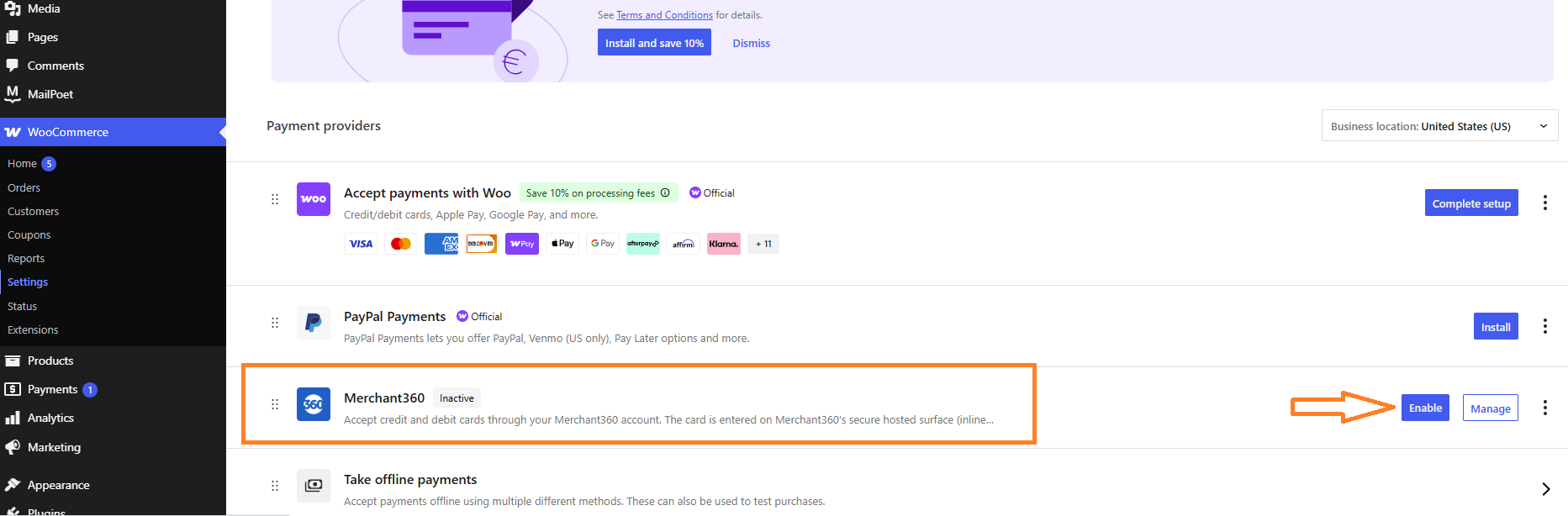
Merchant360 for WooCommerce lets your store accept credit and debit cards through your Merchant360 account from Electronic Payments.
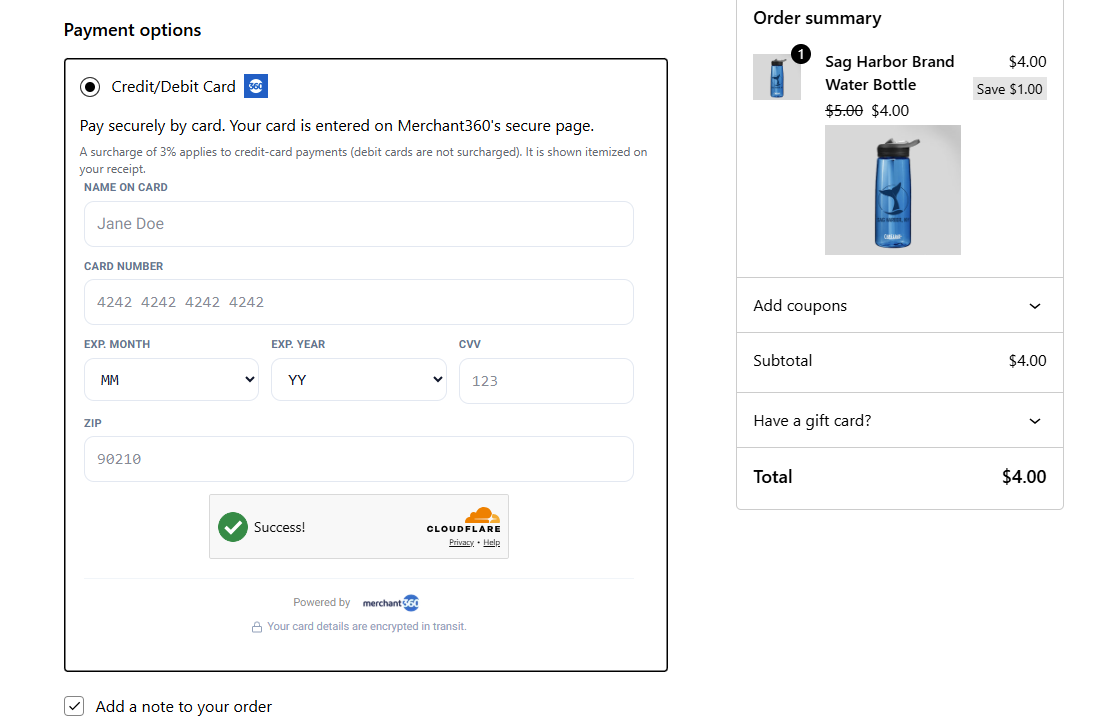
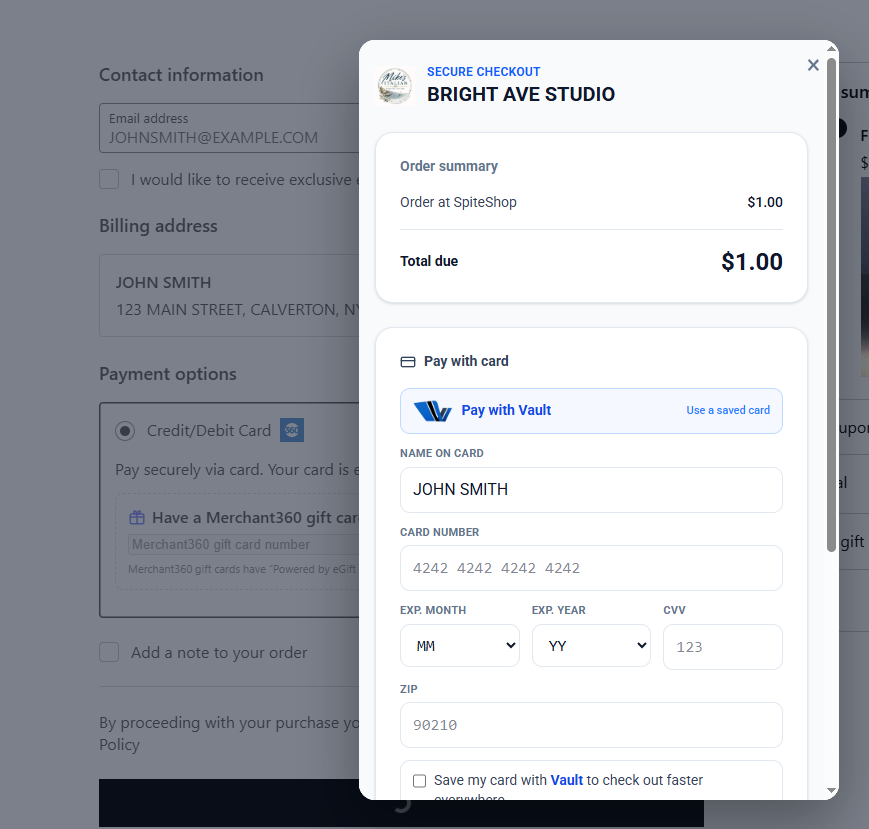
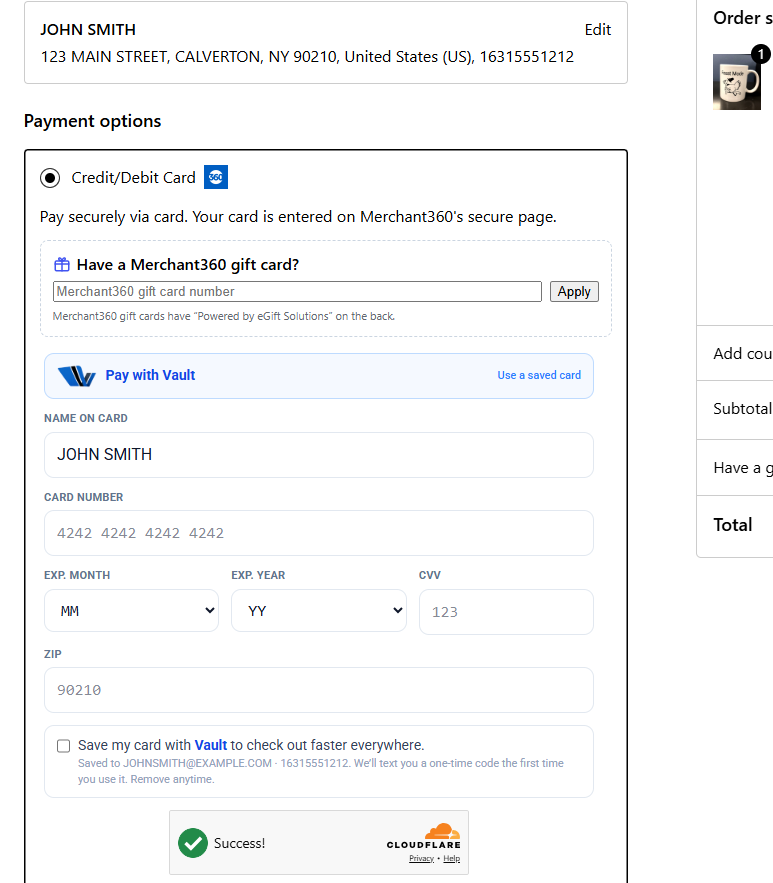
Unlike a traditional gateway that collects the card number on your own checkout page, Merchant360 renders a secure, PCI-compliant card form hosted on merchant360.net — shown inline (embedded in your checkout) or in a pop-up modal. The card number never touches your WordPress server, which keeps your store in the simplest PCI scope (SAQ-A).
Highlights
- One-key setup. Connect with a single click (“Connect with Merchant360”), or paste one API key. No user name, password, reg key, or separate dev/prod keys.
- PCI-friendly. The shopper enters the card on Merchant360’s hosted surface. Your server never sees the card number or CVV.
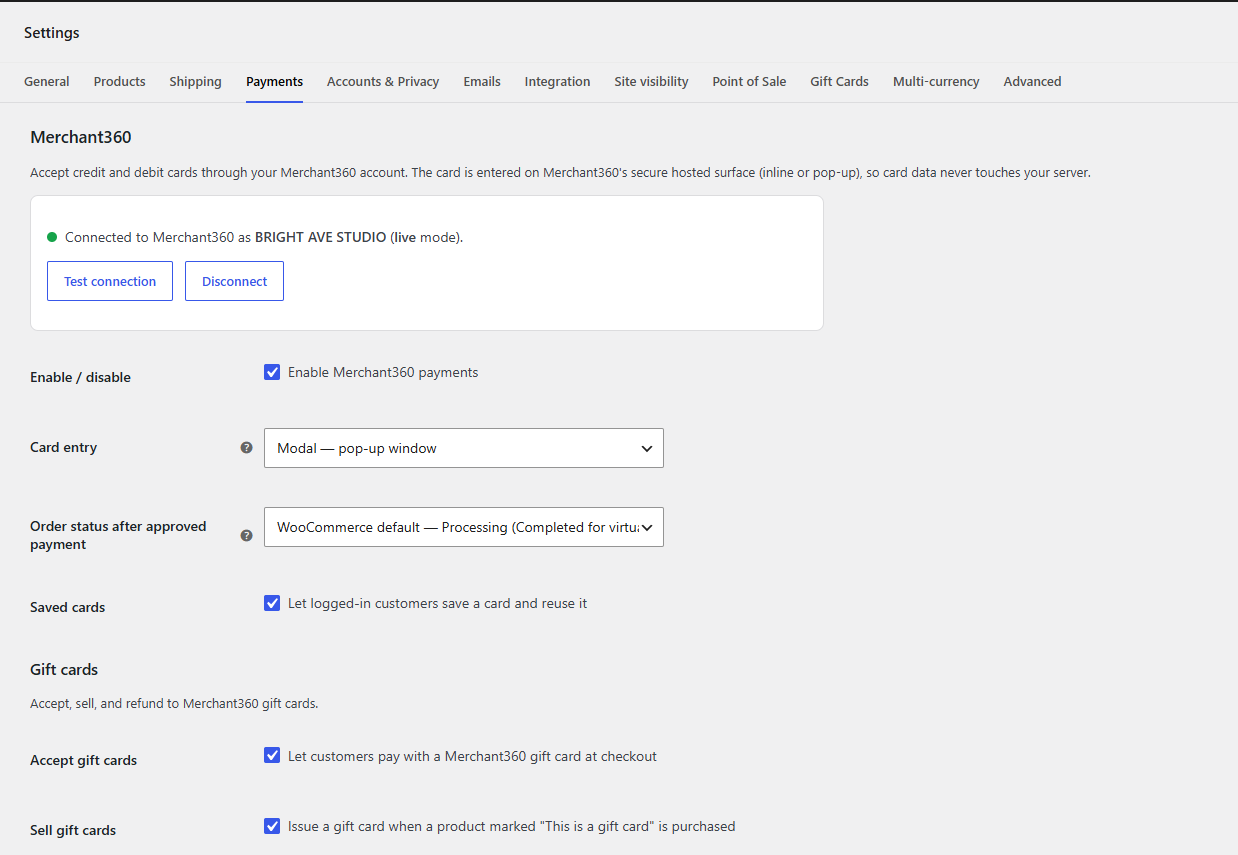
- Two checkout styles. Show the card form inline in your checkout, or as a branded pop-up — your choice.
- Saved cards. Logged-in customers can securely save a card and reuse it on their next order (managed under My Account Payment methods).
- Surcharge display. If your Merchant360 account runs a compliant credit-card surcharge program, the surcharge is shown as its own labeled line and reconciled to the amount actually charged.
- Refunds from WooCommerce. Issue full or partial refunds right from the order screen.
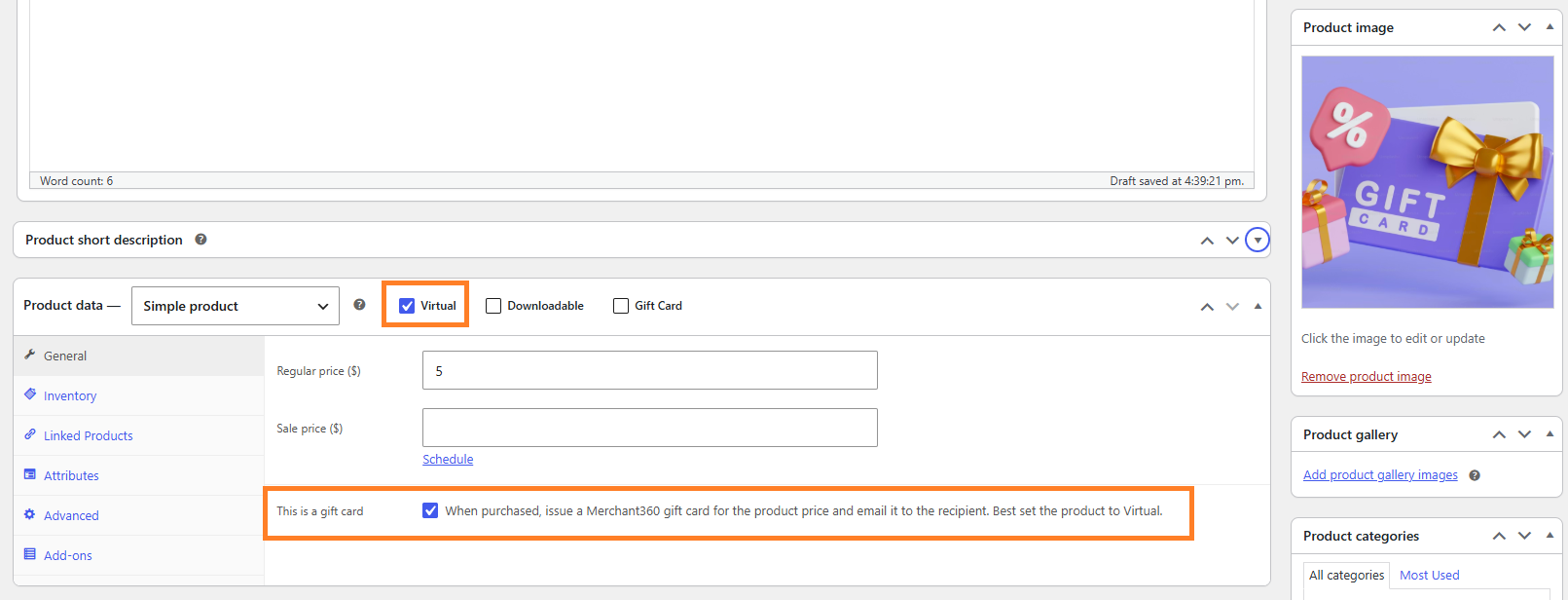
- Gift cards (optional). Accept Merchant360 gift cards at checkout, sell gift cards as products, and refund to store credit. Shown only for Merchant360 accounts that have gift cards.
- Classic and Block checkout. Works with both the classic checkout shortcode and the newer Checkout block.
What you need
- An active Merchant360 account (contact Electronic Payments if you do not have one).
- WooCommerce 8.0 or newer.
External service
This plugin connects your store to Merchant360, the payment platform operated by Electronic Payments, to process card payments. It is required for the plugin to function.
- What is sent, and when: when a shopper pays, the order amount, currency, order number, line-item names, and the shopper’s name, email, and billing phone are sent to Merchant360 to create a secure checkout session and process the payment. Card details are entered by the shopper directly on Merchant360’s hosted surface and are never sent through your server. Refunds send the payment reference and amount. Gift-card features send the gift-card number, amount, and recipient name/email. Every request carries your store URL in its User-Agent so Merchant360 can attribute traffic to your store. Merchant360 sends your store payment-status notifications (webhooks). Nothing is sent until you connect the store to your Merchant360 account.
- Scripts loaded from Merchant360: on the checkout and order-pay pages the plugin loads Merchant360’s checkout script (https://www.merchant360.net/m360-checkout.js) and embeds the hosted card form from merchant360.net. This is how the card form stays on Merchant360’s PCI-compliant servers instead of your site.
- Service endpoints: https://www.merchant360.net (API and hosted pay surface).
- Terms and Privacy: https://www.merchant360.net/legal/terms and https://www.merchant360.net/legal/privacy
Details
Related plugins
Plugins that also contain the tag credit-card
WooPayments: Integrated WooCommerce Payments

WooCommerce PayPal Payments

WooCommerce Stripe Payment Gateway

Payment Plugins for Stripe WooCommerce

Mollie Payments for WooCommerce

WooCommerce Square


About
Plugin for that tries to help you find the WordPress plugin you are looking for.
| Please enjoy an image of Crush (this awesome turtle) and have a lovely day! |  |
We do not own any plugin listed on this site and do not work for or work with WordPress.com or it's associated companies. We simply provide a searchable list of the available WordPress plugins.