

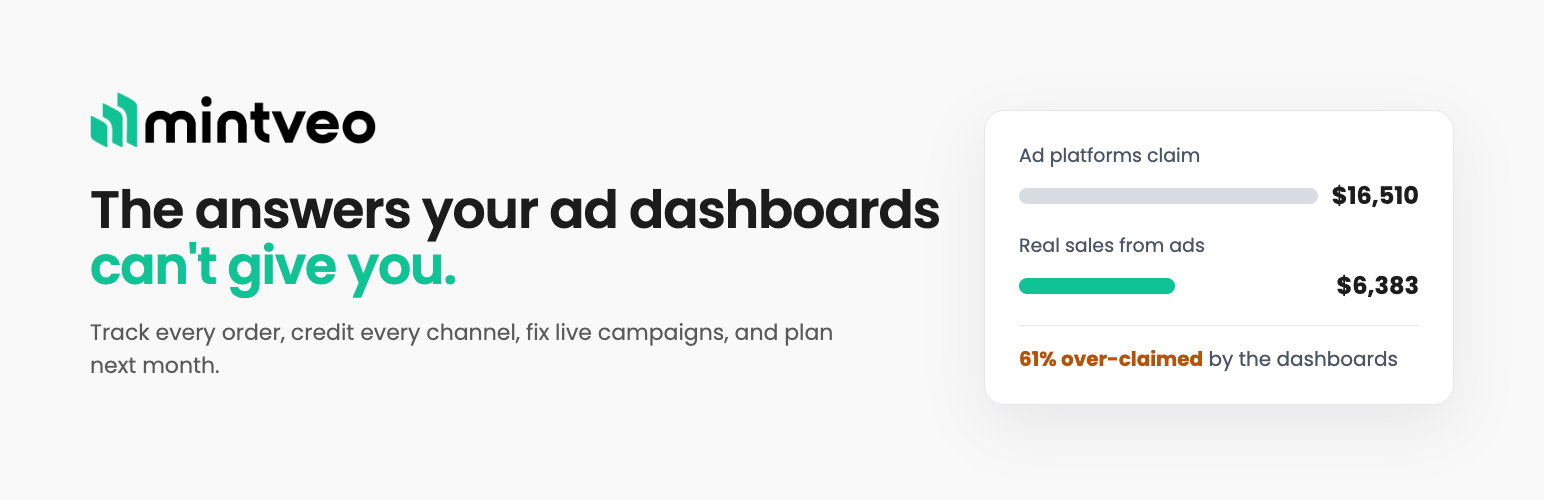

Mintveo
When a shopper arrives from an ad link created in Mintveo, that link carries a reference number. This plugin remembers the reference for the visit and attaches it to the order the shopper eventually places.
Clicking Connect to Mintveo links the store to your Mintveo account and sets up WooCommerce’s own webhooks to send your orders, which you can see and delete on your Webhooks screen. Mintveo matches the reference on the order back to the ad click that earned it.
What it stores
- A reference number from the ad link, in a cookie on your own domain.
- A random visitor identifier, in a cookie on your own domain. It is not derived from anything about the person, and it is not shared between stores.
- Both values, on the order, so they travel with the order.
- On the order only: the Meta, Snapchat and TikTok browser ids your store’s own pixels already set (the
_fbp,_fbc,_scidand_ttpcookies), when present and the shopper did not decline your cookie banner. Mintveo passes them back to those same platforms with the sale. - On the order only: your checkout page address, which the ad platforms ask for with each sale.
The plugin keeps nothing else on your site. Once you connect, Mintveo receives your orders, your product catalog and each storefront visit, as listed under External services below.
What it does not do
- It sends nothing to Mintveo until you click Connect to Mintveo. After that, orders and product changes go through WooCommerce’s own webhooks, which you can delete at any time.
- It does not write to your
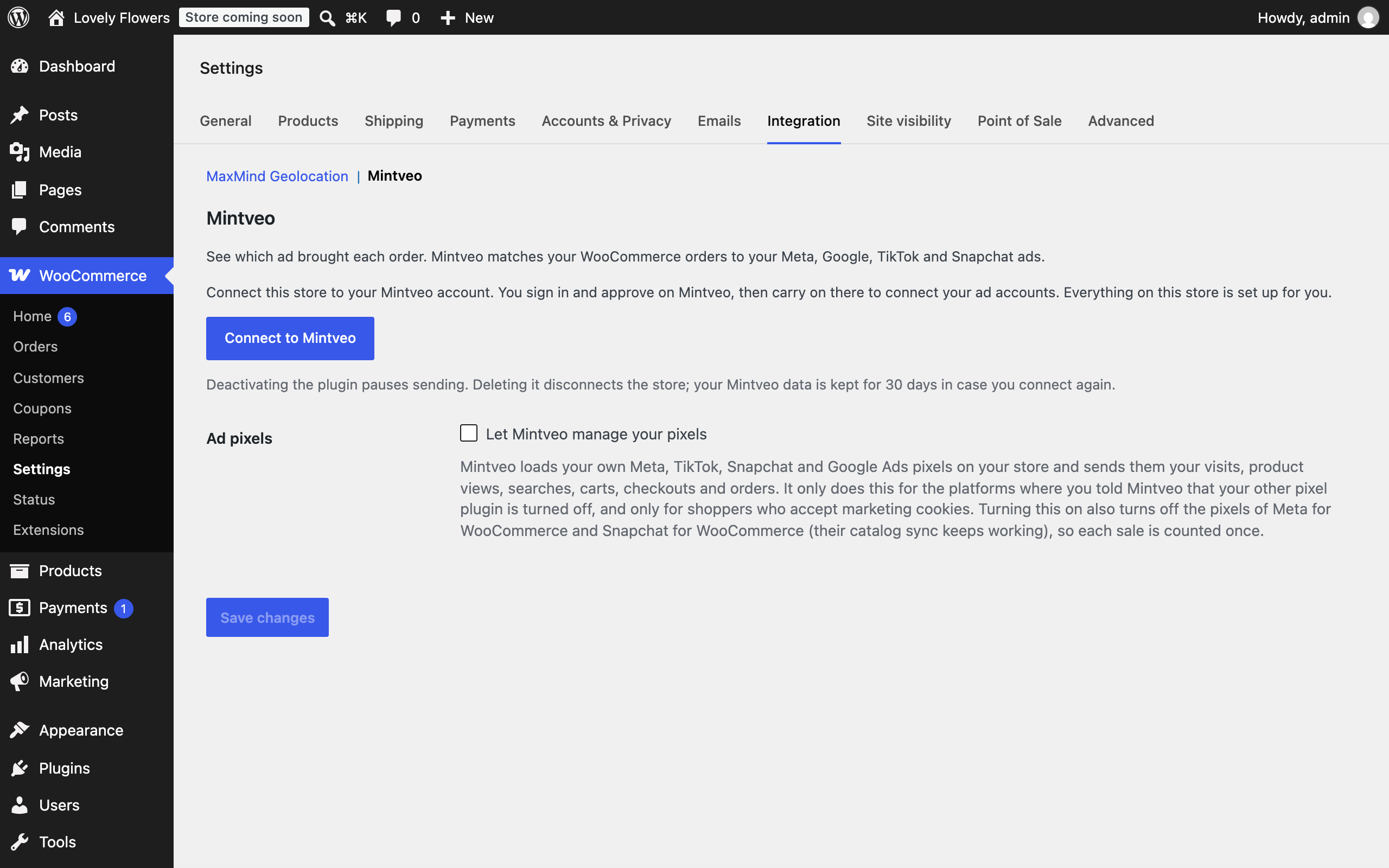
utm_source,utm_medium,utm_campaign,utm_termorutm_contentfields. Those belong to you and feed your own WooCommerce Analytics and Google Analytics reports; this plugin uses its own parameter and leaves your reporting untouched. - It does not change your theme, your checkout, or your existing tracking, unless you turn on Let Mintveo manage your pixels (off by default).
External services
This plugin is a client for Mintveo, a marketing attribution service, and requires a Mintveo account.
When you click Connect to Mintveo, the plugin sends your site address, a one-time connection code and your store’s name, currency, country, time zone, language and site icon address to https://api.mintveo.com/woocommerce/connect/exchange, Mintveo checks your site answers at https://your-site/?mintveo_proof=1, and returns the signing secret for your webhooks. After that, WooCommerce sends each new or updated order to https://api.mintveo.com/woocommerce/webhook. That delivery contains the order as WooCommerce composes it, including the customer’s billing and shipping details, the IP address and browser WooCommerce recorded at checkout, and the values this plugin attached. Mintveo sends these, with the order’s value, to the ad platforms you connect in Mintveo (Meta, Snapchat, TikTok, Google Ads) so they can credit the ad that earned the sale.
Once connected, eight more things are sent to Mintveo so every click is counted, including visits that do not end in an order, and catalog ads show their products:
- When a shopper arrives on a Mintveo tracked link (the URL carries
mv_click), your server sendshttps://api.mintveo.com/woocommerce/clickthe link reference, the visitor’s random Mintveo id (mv_vid), the page address, the browser’s user agent and IP address. It is sent after the page has been delivered, signed with your store’s secret. - On each storefront page, a small script sends
https://api.mintveo.com/ingest/storethe page address, the referring address, the visitor’smv_vidand the link reference if present, to show the shopper’s journey. - Shopping steps, so the shopper’s journey and your store funnel show them: a product added to or removed from the cart (product and variation id, quantity, line value, currency), the checkout page opened (cart total and item count), the payment method chosen in the classic checkout (its name), and a shopper signing in, creating an account or signing out (a one-way SHA-256 hash of their email, never the email itself). Each is sent with the visitor’s
mv_vidtohttps://api.mintveo.com/woocommerce/eventfrom your server after the page has been delivered, signed with your store’s secret. - Once a day per browser, the Mintveo store script (shipped in this plugin,
assets/js/mintveo/, with FingerprintJS v5.2.0, MIT, https://github.com/fingerprintjs/fingerprintjs, and detectIncognito v1.9.0, MIT, https://github.com/Joe12387/detectIncognito) sendshttps://api.mintveo.com/ingest/fingerprinta device fingerprint: browser and device characteristics such as screen, time zone, language, installed fonts and graphics capabilities, whether the browser is in private mode, and the visitor’smv_vid. It is used only to recognise the same browser on your store when its cookie has been lost, never across stores, and never to identify a person. On Safari and iPhone it is collected for measurement only and never used to recognise a browser. It is not sent for shoppers who decline your cookie banner. Setwindow.MV_FP = falsebefore the script loads to turn it off entirely. - Once per browser session, the Mintveo store script sends
https://api.mintveo.com/ingest/storewhich ad pixels the page loaded (Meta, TikTok, Snapchat, Google Ads) and their pixel ids, with the visitor’smv_vid. Mintveo uses it so a purchase your own pixel already reports is never counted twice when Mintveo sends it to the same ad platform. - Your product catalog: each product’s id, name, SKU, link, price, stock status and main image. WooCommerce’s product webhooks send changes to
https://api.mintveo.com/woocommerce/webhook, and once a week the plugin sends the full list tohttps://api.mintveo.com/woocommerce/products, signed with your store’s secret. - Once a day, your server sends
https://api.mintveo.com/woocommerce/eventa check-in with your site address and the plugin version, signed with your store’s secret, so Mintveo can tell you when the plugin is out of date or has stopped reporting. Every request the plugin sends also carries its version. - When you delete the plugin, your server sends
https://api.mintveo.com/woocommerce/eventone last message with your site address, signed with your store’s secret, so Mintveo shows the store as disconnected and deletes its data 30 days later. Deactivating the plugin sends nothing.
Your own ad pixels (only if you turn on “Let Mintveo manage your pixels”). Mintveo then loads your own Meta, TikTok, Snapchat and Google Ads pixels on your store, for the platforms where you told Mintveo your other pixel plugin is turned off, and only for shoppers who accept marketing cookies. Each page first asks https://api.mintveo.com/ingest/store/config (sending your site address) which pixel ids to load. The pixels then send their own platform the page address, the product, category or search viewed, the products added to the cart, the checkout and the order (order id, value, currency, product ids and quantities; on the order confirmation page also the buyer’s email and phone number, SHA-256 hashed in your server before they reach the page), together with the cookies and browser details those platforms’ pixels collect:
- Meta Pixel, loaded from
https://connect.facebook.net. Terms: https://www.facebook.com/legal/terms/businesstools, Privacy: https://www.facebook.com/privacy/policy - TikTok Pixel, loaded from
https://analytics.tiktok.com. Terms: https://ads.tiktok.com/i18n/official/policy/business-products-terms, Privacy: https://www.tiktok.com/legal/page/global/privacy-policy/en - Snap Pixel, loaded from
https://sc-static.net. Terms: https://snap.com/en-US/terms/snap-pixel, Privacy: https://values.snap.com/privacy/privacy-policy - Google tag (Google Ads), loaded from
https://www.googletagmanager.com. Terms: https://policies.google.com/terms, Privacy: https://policies.google.com/privacy
Removing the webhooks on the WooCommerce Webhooks screen stops orders leaving your store; deactivating the plugin stops everything, immediately.
- Service: Mintveo — https://mintveo.com
- Terms of Use: https://mintveo.com/terms
- Privacy Policy: https://mintveo.com/privacy
Details
Related plugins
Plugins that also contain the tag analytics
Site Kit by Google – Analytics, Search Console, AdSense, Speed

MonsterInsights – Google Analytics Dashboard for WordPress (Website Stats Made Easy)

WP Statistics – Simple, privacy-friendly Google Analytics alternative

GA Google Analytics – Connect Google Analytics to WordPress

Head, Footer and Post Injections

ExactMetrics – Google Analytics Dashboard for WordPress (Website Stats Plugin)


About
Plugin for that tries to help you find the WordPress plugin you are looking for.
| Please enjoy an image of Crush (this awesome turtle) and have a lovely day! |  |
We do not own any plugin listed on this site and do not work for or work with WordPress.com or it's associated companies. We simply provide a searchable list of the available WordPress plugins.