


Mission Donation Platform
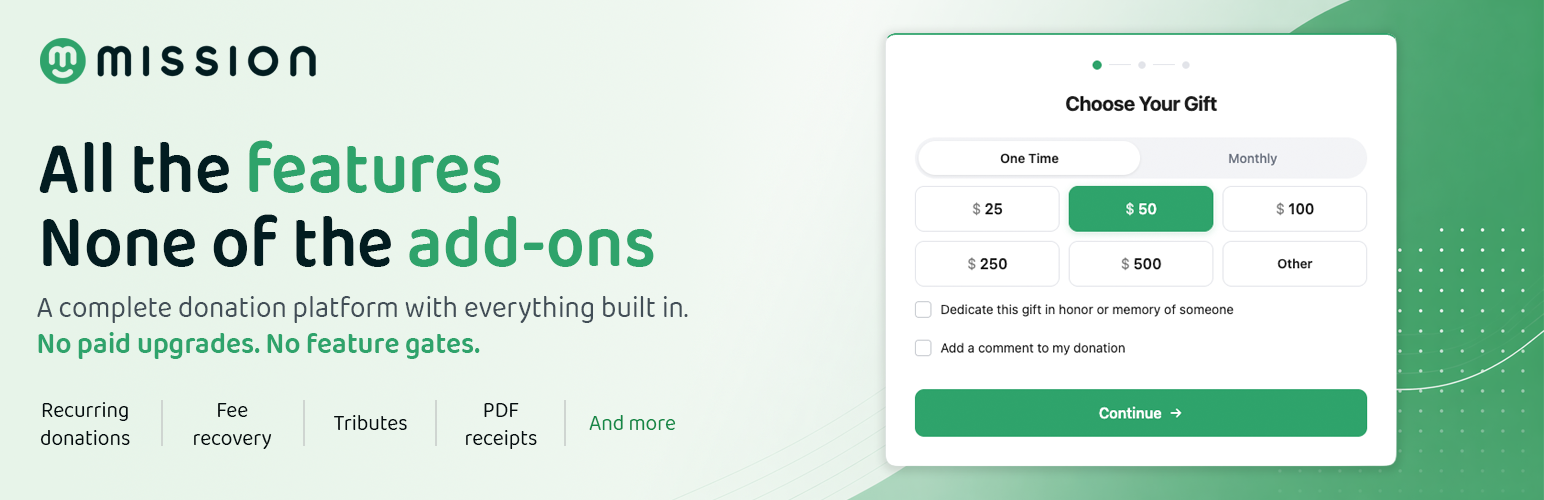
Mission is a free, open-source WordPress donation plugin built for nonprofits. Accept one-time and recurring donations, manage donors and campaigns, give your supporters a self-service dashboard, and track everything from a modern admin — without paying for a single add-on.
Most donation plugins lock the features you actually need behind a paid tier. Recurring donations? Add-on. Custom fields? Add-on. Donor dashboards, fee recovery, exports? Add-on, add-on, add-on. Mission takes a different approach: every feature ships in the free plugin, and we’re funded by an optional tip donors can choose to add at checkout. Donors can change the tip, lower it, or set it to zero. 100% of the donation amount always reaches your nonprofit.
The result is a donation platform that grows with your organization without surprise upgrade prompts. The plugin you install today is the plugin handling your donations next year, with no upsell screens between you and your supporters.
Why Mission
No paid add-ons. Ever.
Recurring donations, donor dashboards, campaign management, custom fields, tribute donations, fee recovery, exports, activity logs — all included in the free plugin. There is no “Mission Pro” version, no premium tier, and no upsell at checkout.
Modern donation forms that convert.
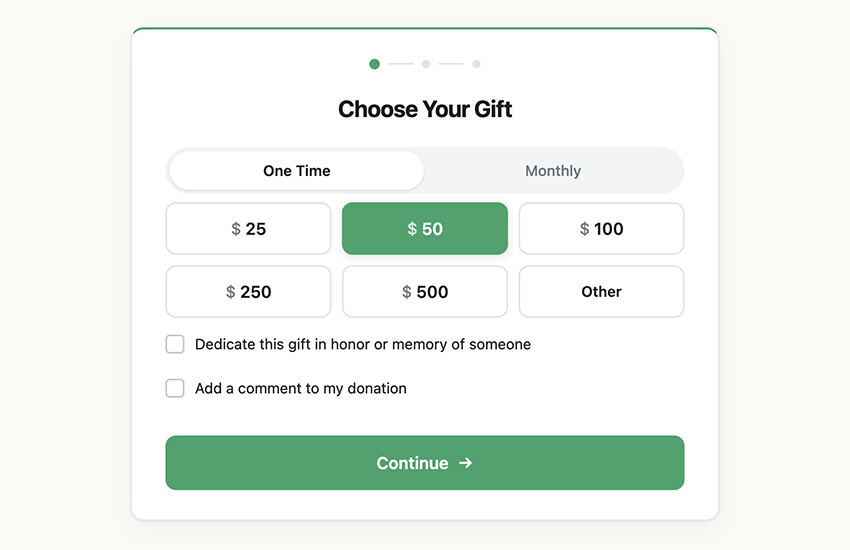
Multi-step forms with suggested amounts, custom amounts, tribute dedications, anonymous donations, optional fee recovery. Built to feel quick and trustworthy on every device.
Built for performance.
The donation form is built on the WordPress Interactivity API — no React on the public-facing site, no bloated JavaScript, fast page loads for your donors. Donor data lives in dedicated database tables, not post meta, so reporting stays fast as your donor list grows into the thousands.
Powerful donation forms
The Donation Form block can be dropped into any post, page, or campaign. Configure it once and it adapts to your campaign and your brand:
- Suggested amounts and an optional custom-amount field, configured per frequency
- One-time and recurring giving (weekly, monthly, quarterly, annually) — choose which frequencies to offer per form
- Multi-step layout that keeps the donor focused
- Cover-the-fees option — let donors absorb processing fees so 100% of their donation reaches your cause
- Anonymous donation toggle
- Tribute and memorial dedications, with an optional notification email to the honoree
- Custom fields per form — text, textarea, select, multiselect, radio, checkbox
- Built-in client and server-side validation
- Low-specificity CSS with no
!importantrules so themes can restyle freely
Recurring donations included free
Recurring donations are the single biggest revenue lever for nonprofits, and they’re the feature most plugins charge extra for. Mission ships them free:
- Weekly, monthly, quarterly, and annual frequencies
- Automatic renewal handled by Stripe with retry on failure
- Donor self-service — pause, resume, or cancel from the donor dashboard
- Renewal history tracked per subscription
- Email notifications for renewals, cancellations, and failed payments
- Admin controls to pause, resume, cancel, or retry any subscription
A donor dashboard your supporters will actually use
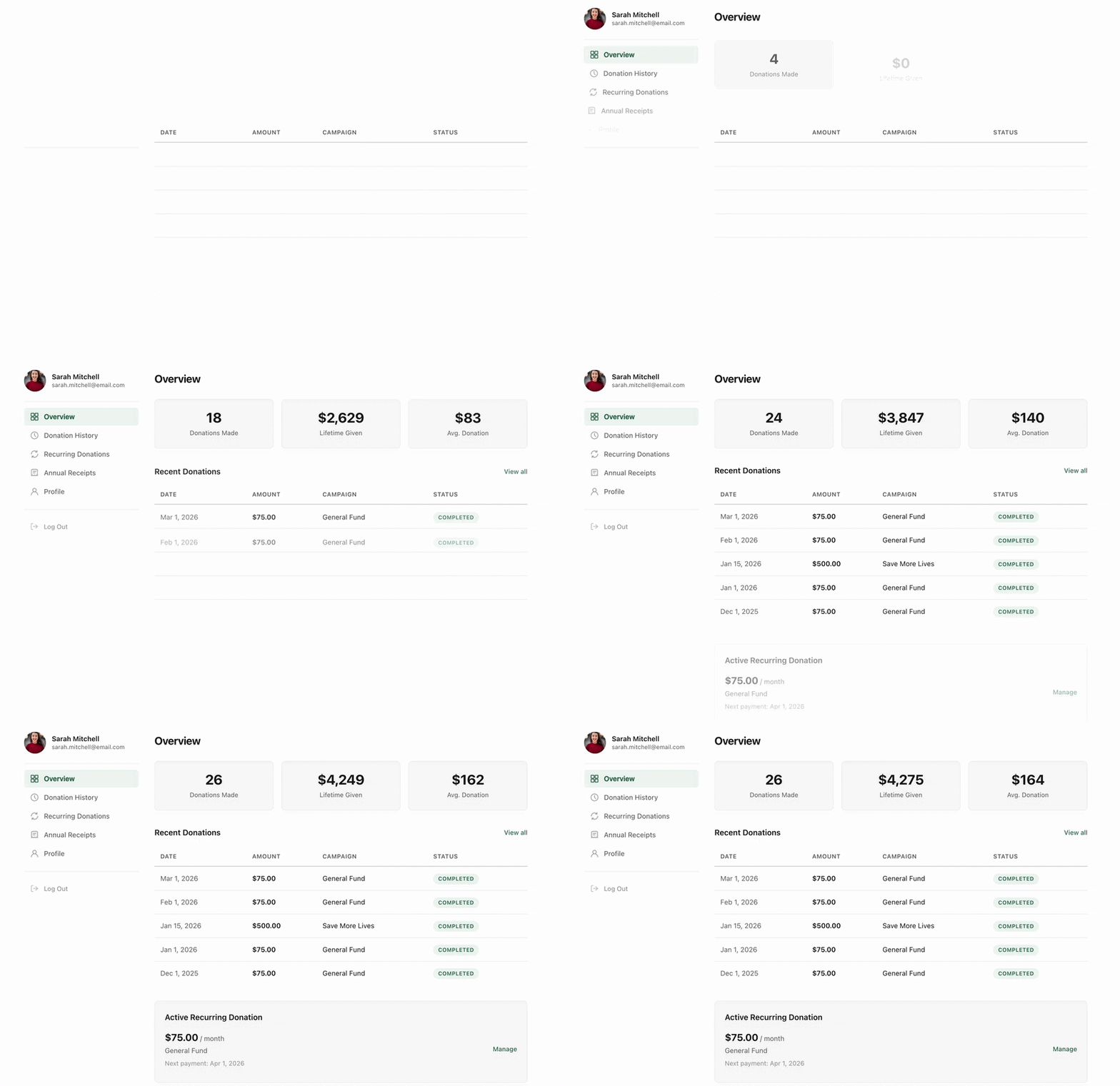
Drop the Donor Dashboard block on any page and your supporters get a self-service portal. They can:
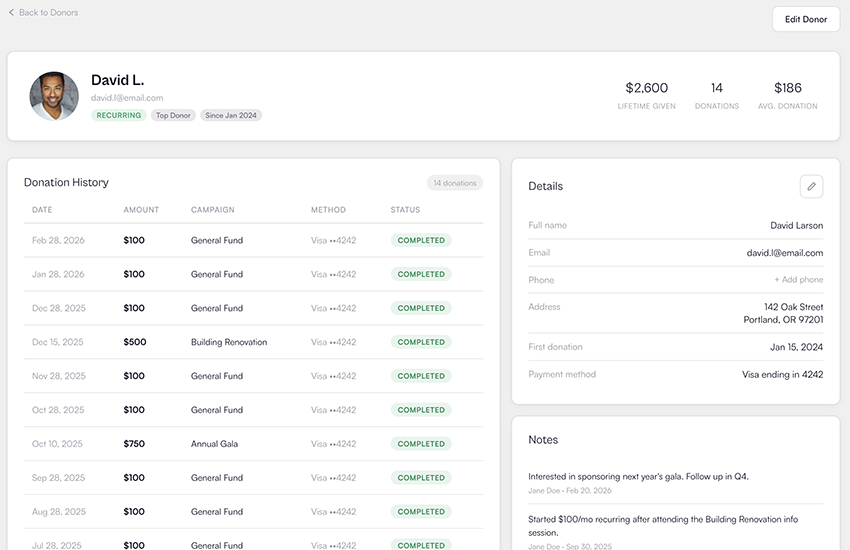
- See a complete donation history
- Manage recurring donations — pause, resume, or cancel without contacting you
- Download a receipt for any donation
- Update their profile and email address
- Sign in with a magic-link email — no password to forget
Every action your donors can take in the dashboard is one less email in your inbox.
Campaign management
Run a single ongoing campaign or dozens of named campaigns side by side:
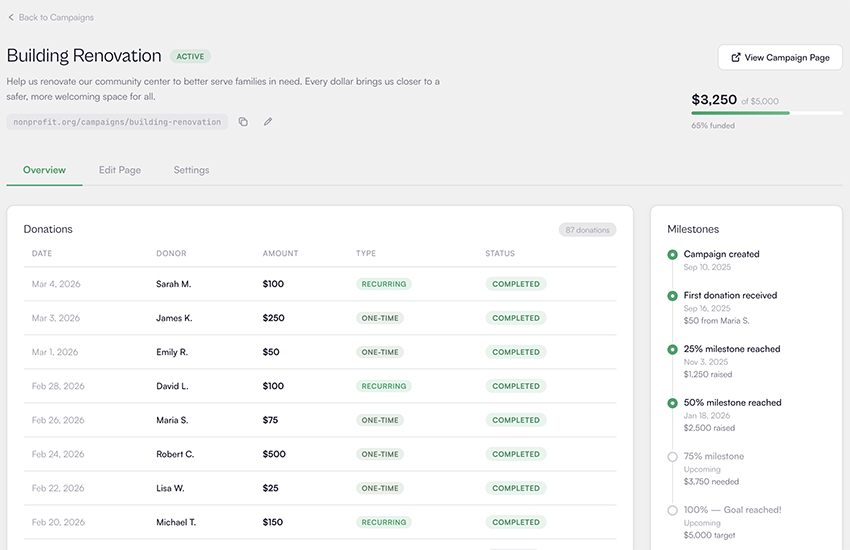
- Set goals by total raised, donation count, or unique donor count
- Auto-generated campaign pages built on the WordPress block editor
- Start and end dates per campaign
- Active, draft, and archived statuses
- Real-time aggregates that update as donations complete
Mission ships eleven campaign and donation blocks: donation form, donate button, campaign card, campaign grid, campaign image, campaign progress bar, campaign statistic, donor wall, recent donors, top donors, and donor dashboard. Mix and match them to build campaign pages that match your brand.
Reports and exports you can actually use
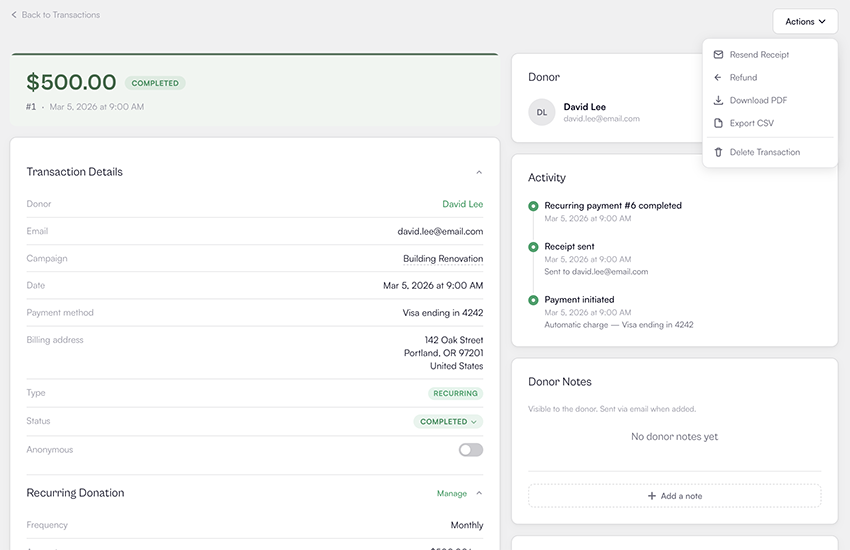
The admin dashboard surfaces what fundraisers care about: total revenue, donation count, average donation, repeat donor count, top donor, and month-over-month growth — in test and live modes side by side.
Need the data outside WordPress? Export donors, transactions, campaigns, and subscriptions to CSV or JSON in a single click.
A built-in activity log records every donation, refund, subscription event, webhook, email, and admin action with a 90-day retention window so you can audit anything that happened on your site.
Stripe payment processing, done right
Mission processes donations through Stripe Connect with direct charges:
- Stripe Payment Element for credit and debit card donations
- Test and live modes side by side with isolated data
- Webhook-driven — donation status, refunds, and subscription renewals all sync automatically
- Per-form fee handling — organization absorbs, optional cover-the-fees, or required cover-the-fees
- Mission absorbs the incremental Stripe fee caused by tips, so adding a tip never costs your nonprofit more in processing fees
Stripe is currently the only supported gateway. We chose to build a single deep gateway integration before adding more.
Who Mission is for
Mission is built to fit any organization or individual raising money online:
- Nonprofits and charities
- Foundations, clubs, and NGOs
- Churches and faith communities
- Schools, PTAs, and education nonprofits
- Political campaigns and advocacy groups
- Community groups and mutual aid funds
- Individuals raising for a specific cause
How the optional tip model works
Mission is funded by donor tips, not by selling features. Here’s exactly how that works:
- At checkout, donors see a small optional tip alongside their donation amount.
- The tip is preselected at a small percentage by default. Donors can change it, lower it, or set it to zero.
- Stripe processes the donation. Mission collects only the tip portion; 100% of the donation amount goes to your connected Stripe account.
- Prefer a flat platform fee instead of donor tips? You can switch to a fixed 3% platform fee per form.
Designed for developers
Mission is open source and built to be extended. Eighty-plus actions and filters let you hook into every major event, customize every output, and integrate with the rest of your stack. A few examples:
missiondp_donation_form_settings— customize per-form configurationmissiondp_transaction_status_{from}_to_{to}— react to donation status changesmissiondp_email_template_{type}— customize email templatesmissiondp_receipt_html— customize receipt PDF outputmissiondp_settings_updated— react to setting changes
A REST API exposes every entity for headless integrations, and a model-based data layer (Donor::find(), Campaign::query(), Transaction::create()) makes integrations clean to write and easy to maintain.
The full source — including all build sources — lives at github.com/mission-wp/mission.
Source Code
The full, unminified source code for this plugin is publicly available on GitHub at https://github.com/mission-wp/mission
The repository contains the original .js, .jsx, and .scss files for every compiled asset shipped in admin/build/ and blocks/build/. To build the plugin from source:
composer install
npm install
npm run build
See the README in the repository for full development setup, contribution guidelines, and a description of the build pipeline.
External Services
This plugin connects to the following third-party services:
Stripe
Mission uses Stripe to process donations. When a donor submits a donation form, payment data is sent directly from the donor’s browser to Stripe’s servers via Stripe.js. The plugin also receives webhook notifications from Stripe for payment confirmations, refunds, and subscription updates.
Mission API
Mission connects to api.missionwp.com (operated by the plugin author) for the following:
- Stripe Connect onboarding — When you connect your Stripe account, the OAuth flow is handled through the Mission API as a proxy.
- Payment processing — Donation and subscription requests are routed through the Mission API to your connected Stripe account.
- Webhook forwarding — Stripe webhook events are forwarded from the Mission API to your WordPress site.
-
Feature signup — If you opt in to notifications about upcoming features (under Tools > Features), your email is sent to the Mission API.
- Mission Privacy Policy
Gravatar
Mission uses Gravatar to display profile images for donors in the admin dashboard (Donors and Transactions screens) and on the public-facing Donor Wall block. When one of these views is rendered, the visitor’s browser requests an avatar image from https://www.gravatar.com/avatar/{hash} where {hash} is an MD5 hash of the donor’s email address. Donor email addresses themselves are never sent to Gravatar — only the hash. If a donor has no Gravatar account, a blank placeholder is returned. No request is made if a donor record has no email on file.
Details


Related plugins
Plugins that also contain the tag donate
GiveWP – Donation Plugin and Fundraising Platform

Charitable – Donation Plugin for WordPress – Fundraising with Recurring Donations & More

Doneren met Mollie

Potent Donations for WooCommerce

Donation Thermometer
پلاگین پرداخت دلخواه


About
Plugin for that tries to help you find the WordPress plugin you are looking for.
| Please enjoy an image of Crush (this awesome turtle) and have a lovely day! |  |
We do not own any plugin listed on this site and do not work for or work with WordPress.com or it's associated companies. We simply provide a searchable list of the available WordPress plugins.