


Back

MisticGate
Details
View on WordPress
Back
Keep your login URL. Keep the bots out.
MisticGate™ places a private gate in front of the standard WordPress login page. You reach the login form from your gate bookmark. Brute-force bots never get that far.
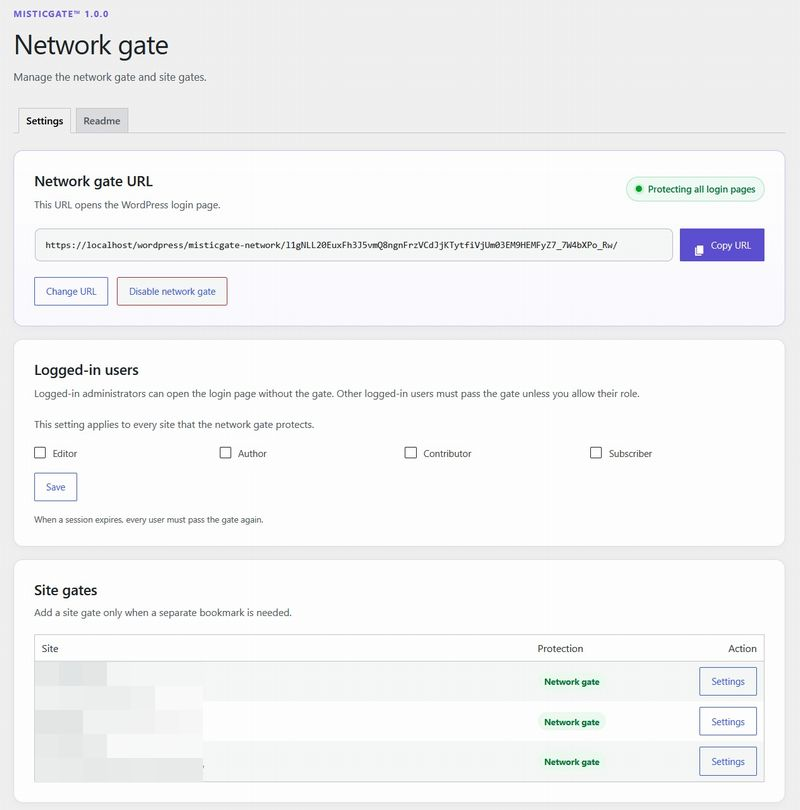
As soon as you install MisticGate, the screen for setting your gate URL opens. After you bookmark it, check the box and enable the gate, and setup is complete.
What MisticGate does
- Puts a private gate in front of your login page.
- Administrators with a valid session skip the gate. You choose which other roles may skip it too.
- Supports Multisite, with one gate for the whole network or a gate for each site.
- After you pass through the gate with a single-use pass, reusing that pass returns a 404.
- The gate URL is built so you can switch it periodically while you keep using the gate.
- The settings screen also has documentation that explains recovery and more.
Recommended setup
MisticGate is the first layer. We recommend combining it with:
- Two-factor authentication (2FA) from a security plugin.
- A login challenge, such as a math question or CAPTCHA.
- HTTPS and strong, unique passwords.
Details
Plugin code:
misticgate
Plugin version:
1.0.0
Author:
Outdated:
No
WP version:
6.4 or higher
PHP version:
7.4 or higher
Test up to WP version:
7.1.4
Total installations:
0
Last updated:
2026-11-07
Rating:
Times rated:
0
brute-force
hide-login
login-protection
login-security
security

Related plugins
Plugins that also contain the tag brute-force
Anti-Malware Security and Brute-Force Firewall

CloudSecure WP Security

WP fail2ban – Advanced Security

XO Security

IP Geo Block

HTTP Auth


About
Plugin for that tries to help you find the WordPress plugin you are looking for.
| Please enjoy an image of Crush (this awesome turtle) and have a lovely day! |  |
We do not own any plugin listed on this site and do not work for or work with WordPress.com or it's associated companies. We simply provide a searchable list of the available WordPress plugins.