

Back
Mloun MenuScope
Details
View on WordPress
Back
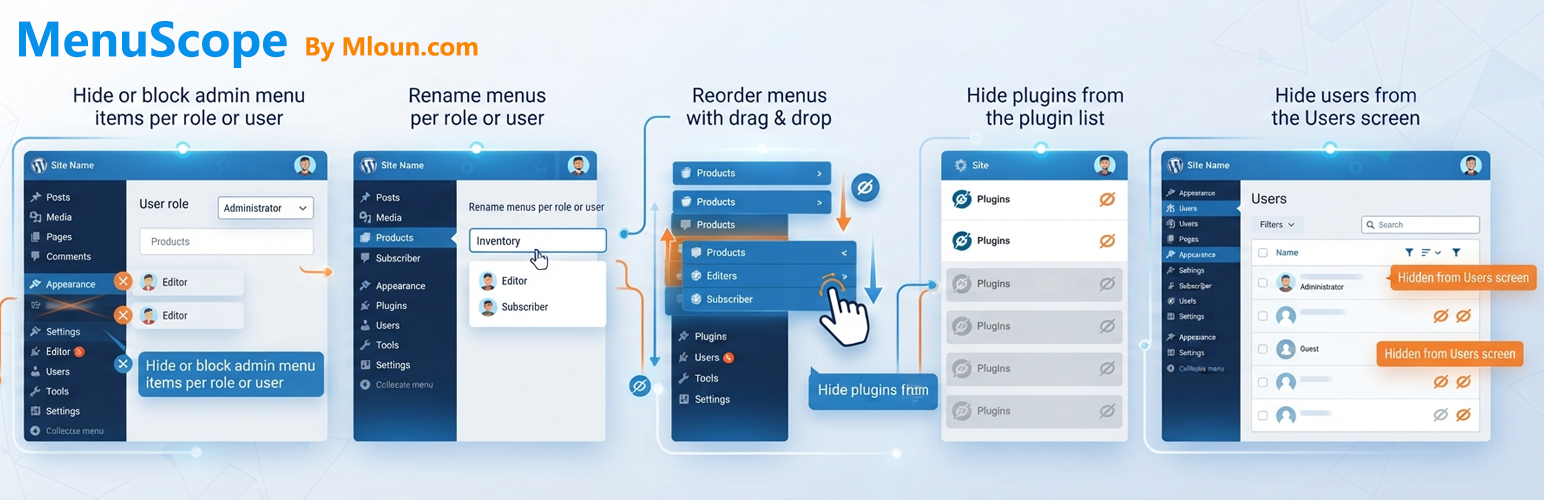
Mloun MenuScope lets you clean up the WordPress dashboard for clients and team members:
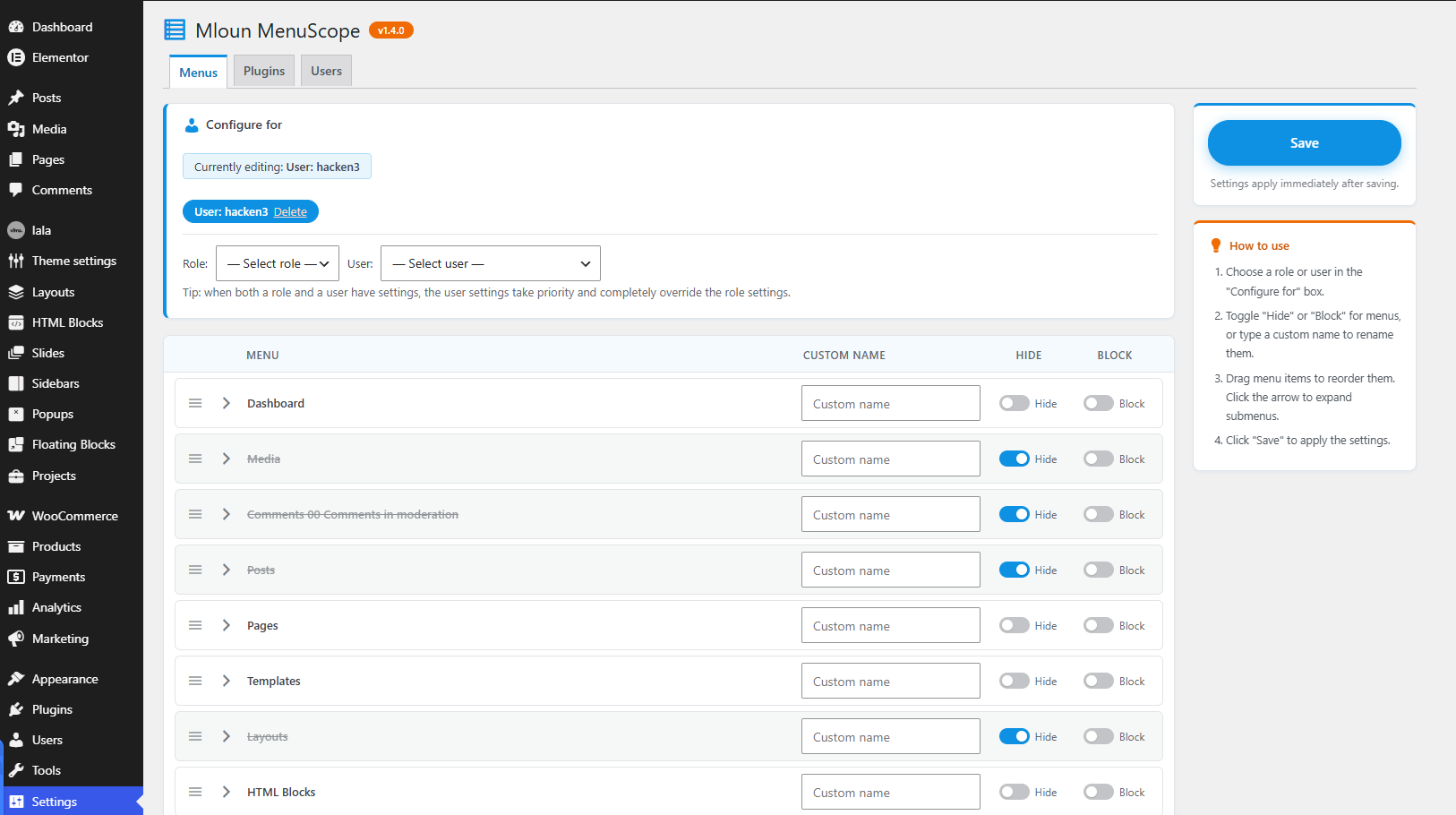
- Hide menus per role or user — the menu disappears but the URL stays reachable.
- Hide & block menus per role or user — direct URL access is denied with a 403 error.
- Drag & drop menu ordering — reorder top-level menus and submenus per role or user. Submenus are collapsible in the editor.
- Rename menus per role or user — give any admin menu or submenu a custom label for a specific role or user.
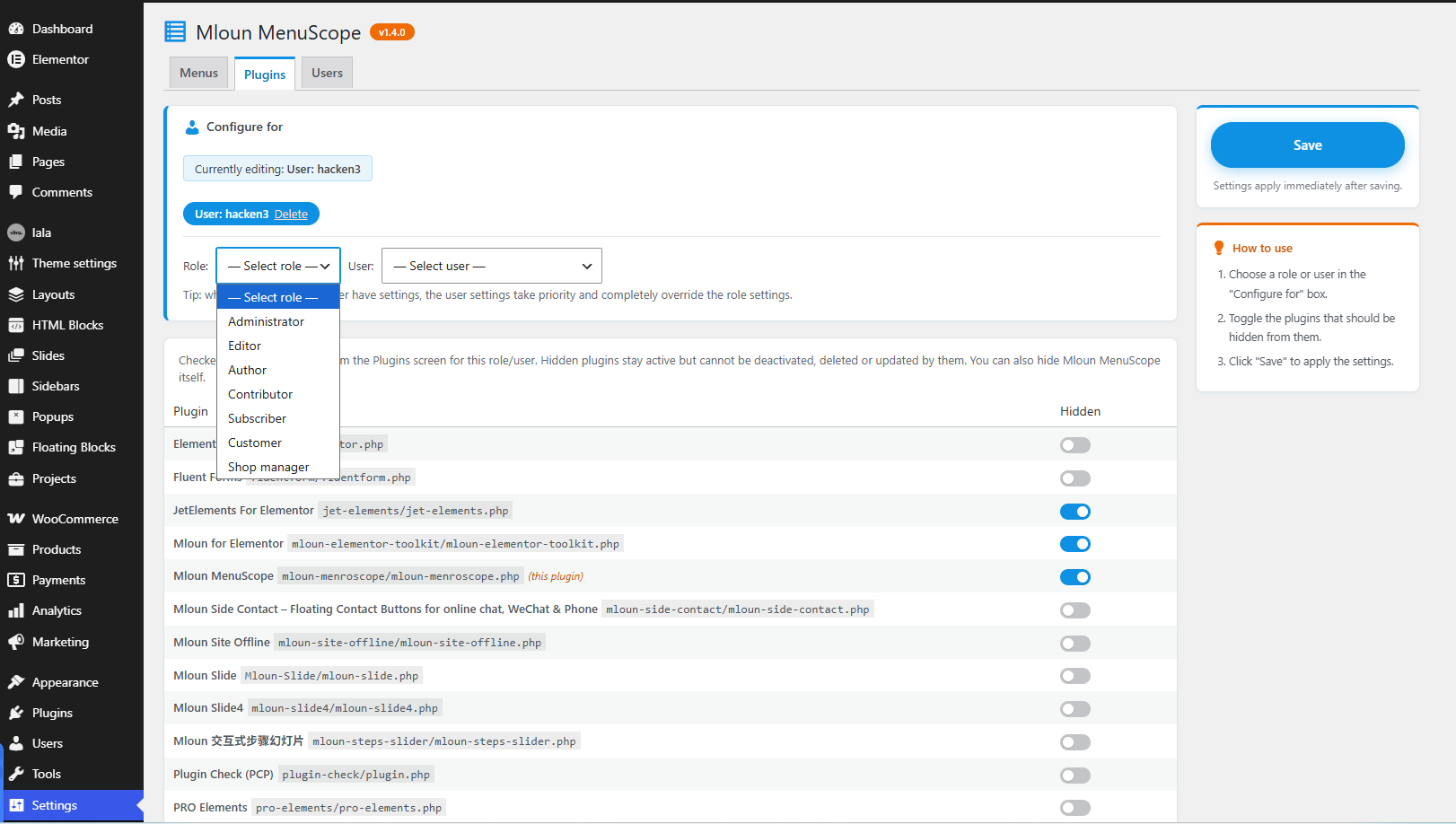
- Hide plugins per role or user — hidden plugins vanish from the Plugins screen and cannot be deactivated, deleted or updated by them. You can hide Mloun MenuScope itself.
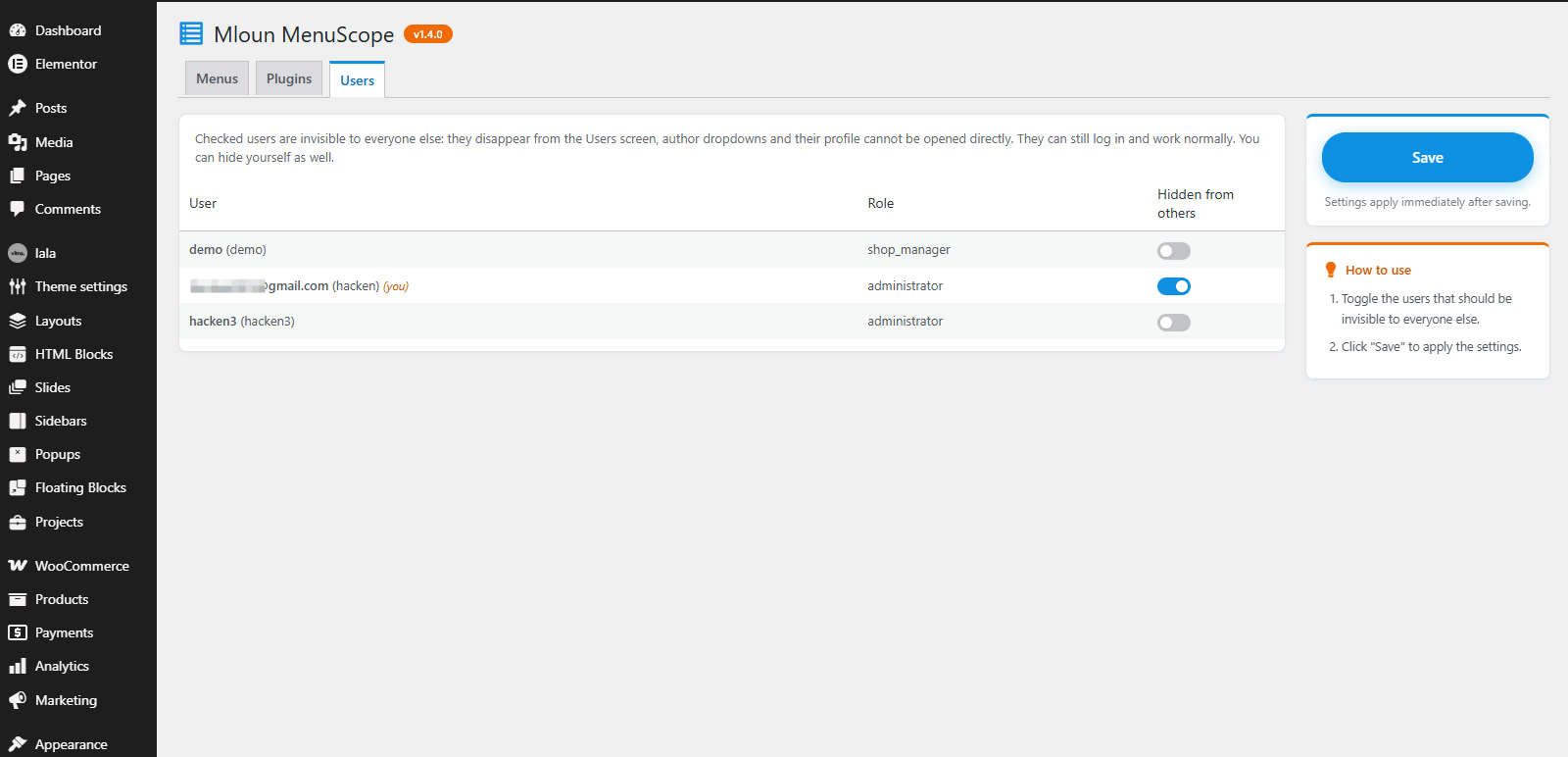
- Hide users — selected users become invisible to everyone else: they disappear from the Users screen, author dropdowns, and their profile page cannot be opened directly. They can still log in and work normally. You can hide yourself.
- User settings override role settings — when both a role and a user have settings for the same section, the user settings win completely.
Find it under Settings MenuScope.
All strings are translatable (text domain: mloun-menroscope). Community translations are managed at translate.wordpress.org.
Details
Plugin code:
mloun-menroscope
Plugin version:
1.4.1
Author:
Outdated:
No
WP version:
5.8 or higher
PHP version:
7.4 or higher
Test up to WP version:
7.1.3
Total installations:
0
Last updated:
2026-10-16
Rating:
Times rated:
0
admin-menu
hide-menu
menu-order
plugin-visibility
user-roles
Related plugins
Plugins that also contain the tag admin-menu
Admin Menu Search
My Wp Brand – Hide menu & Hide Plugin

Wider Admin Menu

Easy Hide Admin Menu Items
Reusable Blocks Admin Menu Option
Hide Admin Menu Items

About
Plugin for that tries to help you find the WordPress plugin you are looking for.
| Please enjoy an image of Crush (this awesome turtle) and have a lovely day! |  |
We do not own any plugin listed on this site and do not work for or work with WordPress.com or it's associated companies. We simply provide a searchable list of the available WordPress plugins.