



Mobile Featured Image
Easily display a mobile featured image on your posts and page!
Up to 70% of website traffic today is on mobile devices. Sometimes WordPress does not quite resize the featured image in the best way. Avoid this and have full control over your featured images on any device with this plugin.
To add a mobile featured image, simply upload a new image in the meta box right below the WordPress Featured Image called Mobile Featured Image. The new image can be a specifically resized version of your featured image or an entirely new image targeted especially for mobile viewers.
You can add your mobile featured image without worrying about slowing down your site. The mobile image is added to the srcset attribute of your featured image. Vistors’ browsers will automatically download the best image for the size of their screen.
This plugin works by filtering the wp_calculate_image_srcset function and changing the url for all screens under 980w to the mobile featured image. 980w is a reliable breakpoint between the iPhone 6+ and the iPad, two common measures for when a mobile image would be needed.
Details


Related plugins
Plugins that also contain the tag featured-image
Quick Featured Images

XO Featured Image Tools

Conditionally display featured image on singular posts and pages

Multiple Post Thumbnails

Ultimate Posts Widget

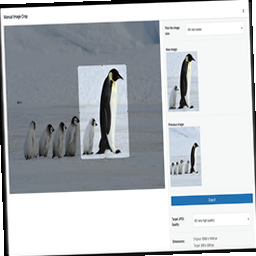
Manual Image Crop

About
Plugin for that tries to help you find the WordPress plugin you are looking for.
| Please enjoy an image of Crush (this awesome turtle) and have a lovely day! |  |
We do not own any plugin listed on this site and do not work for or work with WordPress.com or it's associated companies. We simply provide a searchable list of the available WordPress plugins.