



Modern Hotel Booking
Modern Hotel Booking is a powerful free reservation system and booking engine built specifically for independent properties. Whether you are managing a single vacation rental or a multi-room boutique hotel, our plugin gives you full control.
Stop paying 15%+ commissions to OTAs like Airbnb or Booking.com. Secure direct bookings on your own WordPress website using our flexible, commission-free room booking platform.
This versatile booking engine is perfectly designed for:
- Vacation Rentals & Cabins — works seamlessly as a standalone property manager for your vacation rental.
- Guesthouses & B&Bs — simple, reliable per-night room booking logic.
- Boutique Hotels & Hostels — interactive front-desk reservation system to manage unlimited properties effortlessly.
Key Features (Free — No Limits)
- Unlimited Room Types with capacity controls and pricing.
- Real-Time Availability Calendar — interactive visual status for all rooms in your reservation system.
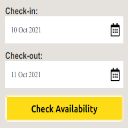
- Smart Booking Engine Form — AJAX-powered with instant price calculation for seamless direct bookings.
- Automated Email Notifications — customizable confirmations for guests and admins.
- Native Gutenberg Blocks — add room booking forms to any page seamlessly.
- Mobile-First Design — fully responsive forms and calendars.
- Multilingual Ready — WPML, Polylang and qTranslate-X compatible.
Pro Version
Need more power for your direct booking business? Upgrade to Pro and get:
- Online Payments (Stripe, PayPal)
- iCal Two-Way Sync with Airbnb, Booking.com and VRBO
- Seasonal & Dynamic Pricing
- Advanced Email Templates
- Revenue Analytics Dashboard
- GDPR Compliant tools
- Developer REST API
Pricing (simple & transparent):
– First year (introductory): Personal $89 | Business (5 Licenses) $249 | Agency (25 Licenses) $749
– Renewal every year after (same low price for all tiers): just $49/year
All plans include updates and priority support during the active license period. Cancel anytime — no forced auto-renewal.
Visit the Pro Version page to purchase.
Quick Start Guide
- Go to Hotel Booking > Room Types — Create your room types (e.g., Double Room, Triple Room). Set capacity, base price, and all other options.
- Go to Hotel Booking > Rooms — Add the actual rooms and assign them to a room type. You can set custom prices or availability status here.
- (Optional) Go to Hotel Booking > Pricing Rules — Add seasonal pricing (fixed amount or percentage).
- Create or choose a page for bookings and add one of these:
- Gutenberg block: Modern Hotel Booking (or Hotel Booking Form Preview)
- Shortcode:
[mhbo_booking_form](recommended) or[modern_hotel_booking] - Or use the widget
- Go to Hotel Booking > Settings — IMPORTANT: Select your Booking Page from the dropdown and save. Configure any other options (emails, currency, etc.) and save again.
- (Optional) For individual room pages, use the Room Availability Calendar block or shortcode
[mhbo_room_calendar room_id="1"](replace 1 with the actual room ID).
Once set up, guests can search and create bookings from your dedicated booking page or from individual room pages. The system shows real-time availability and calculates prices instantly.
Credits
This plugin uses the following third-party libraries:
-
FullCalendar – Copyright (c) 2024-2025 Adam Shaw
- Version: 6.1.20
- License: MIT
- License File: docs/FullCalendar-LICENSE.md
- Source: https://fullcalendar.io
- Used for: Admin bookings calendar display
-
Chart.js – Copyright (c) 2014-2024 Chart.js Contributors
- Version: 4.5.1
- License: MIT
- Source: https://www.chartjs.org
- Used for: Revenue analytics charts
-
Flatpickr – Copyright (c) 2023 Gregory Petrosyan
- Version: 4.6.13
- License: MIT
- Source: https://flatpickr.js.org
- Used for: Date and time picker in booking forms
All third-party libraries are bundled locally and are not loaded from external CDNs.
Privacy Policy
Modern Hotel Booking is designed with privacy in mind. This plugin does not collect or transmit any guest or admin data to our servers. All booking details are stored locally in your WordPress database.
If you choose to use the “Powered By” link (disabled by default), a backlink to our website will be displayed on the frontend booking forms. No tracking data is sent.
For more information, please see our Privacy Policy.
External Services
This plugin (Free version) works entirely offline within your WordPress installation.
The Pro version (available separately) integrates with the following external services:
- Stripe (Payment Processing) – Used for processing credit card payments for direct bookings.
- iCal Synchronisation – Connects to external calendars like Airbnb, Booking.com, and Google Calendar via their public iCal feeds. No data is sent to our servers.
Both services are optional and only active if configured in the Pro version.
Details


Related plugins
Plugins that also contain the tag booking-engine
MotoPress Hotel Booking

VikBooking Hotel Booking Engine & PMS

Sirvoy Booking Engine

Booking Engine by Lodgify

Freetobook Responsive Widget
Redforts Hotel Booking Engine


About
Plugin for that tries to help you find the WordPress plugin you are looking for.
| Please enjoy an image of Crush (this awesome turtle) and have a lovely day! |  |
We do not own any plugin listed on this site and do not work for or work with WordPress.com or it's associated companies. We simply provide a searchable list of the available WordPress plugins.