

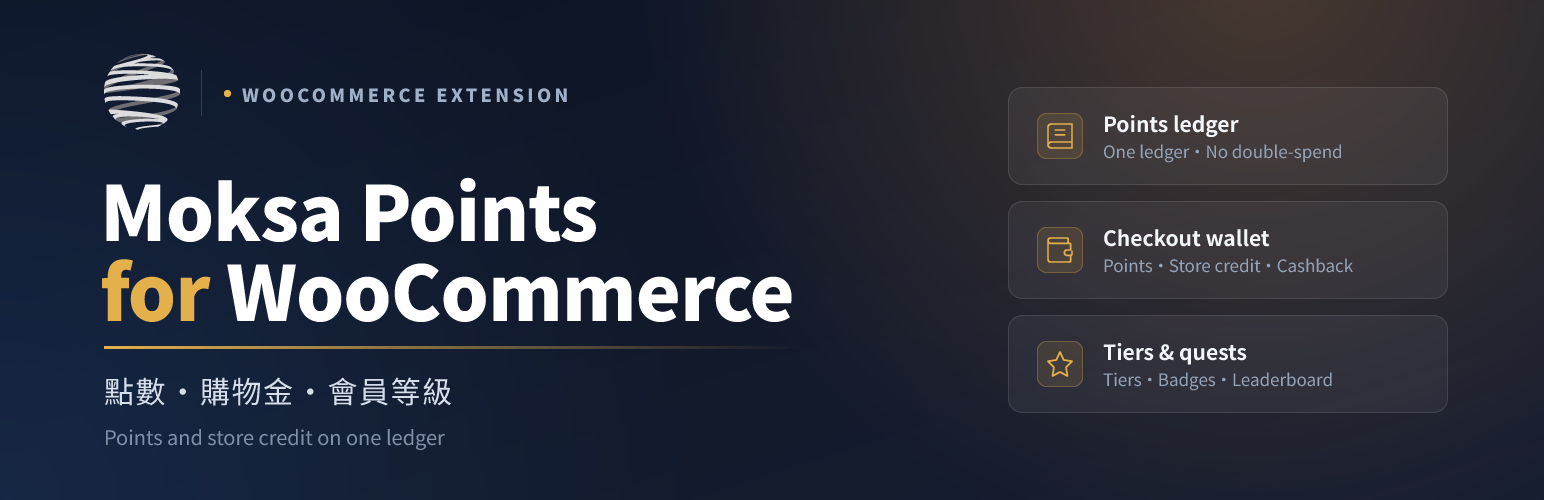

Moksa Points for WooCommerce
Moksa Points for WooCommerce is the value engine of the Moksa platform: a single, idempotent ledger that is the one source of truth for every customer’s points and store-credit balance. Companion plugins (coupons, membership) read the balance through a documented API and never store their own, so value can never drift between plugins.
Every balance change is written once through a de-duplicated ledger entry keyed by a stable reference, so a retried checkout, a double-fired hook or a concurrent request can never mint or double-spend value. Redemption and checkout debits are guarded by a per-user lock, and refunds and cancellations proportionally reverse the points and credit they originally granted.
Points is modular — enable only what you need from the plugin’s own “Moksa Points Settings” screen. On first install a safe additive core is enabled: the ledger, the “My points” account page with its tier / badges / leaderboard display, purchase and coupon earning, campaigns, and WordPress Ability registration (every ability is capability-checked against manage_woocommerce). Two groups stay off until you turn them on: anything that moves value at checkout (points and store-credit redemption, cashback, gift cards) and anything that opens an outside interface (the external MCP server, outbound webhooks, LINE notifications, the customer REST API). The in-dashboard AI assistant is bundled but does nothing until you configure a provider in WordPress’s AI Client. The plugin is HPOS and Block Checkout compatible and, on uninstall, removes only its own moksafopoi_ prefixed data.
Earning and spending
- Earn on purchase — award points per amount spent, based on the amount actually paid, with per-product and per-category overrides and optional exclusions and a daily earn cap.
- Bonus points — daily check-in, product review and birthday bonuses.
- Redeem — let customers spend points on rewards from a catalogue, on redeem codes, or as a discount at checkout.
- Checkout wallet — apply points or store credit as a discount during classic or block checkout.
- Store credit and cashback — a top-up wallet and percentage cashback that credit real, spendable value.
- Gift cards — sell fixed-value gift cards that credit the recipient’s balance.
- Buy with points — a one-click “redeem for this product” button on the product page.
- Point transfer — let members send points to each other, guarded against overdraft.
- Referral rewards — reward a member when a friend they referred completes a qualifying order.
- Points packs — sell points for money, exactly like a gift card sells store credit. Purchased points are spendable but do not raise a member’s tier unless you opt in.
- Per-payment-method bonus — extra points for paying with the method that costs your store less.
- WooCommerce Subscriptions — renewals can be excluded from earning or given their own multiplier, and a renewal never counts as a first purchase.
- Multi-currency — per-currency earn and redeem rates for stores selling in more than one currency, falling back to your currency plugin’s own exchange rate. Earning uses the order’s own currency, so historical orders keep the rate they were placed under.
Display, engagement and admin
- Live earn preview — show “you will earn N points” on the cart and product pages.
- My Points page — a WooCommerce My Account tab with the balance, tier, quests, how-to-earn guide, rewards mall, history and redeem codes.
- Tier ladder — show a member’s current tier and the distance to the next one (“2,400 points to Gold”). Tiers are reached on lifetime points earned, so spending never demotes anyone; when a membership plugin is installed its tiers are used instead.
- Quests — missions such as “complete 3 orders” or “leave a review” that pay out once when finished, with progress shown to the member.
- Leaderboard and badges — optional gamification for top earners.
- Editor blocks — the balance, tier, quests, how-to-earn guide, leaderboard and redemption mall as Gutenberg blocks.
- Expiry — optional FIFO point expiry (the oldest unused batch is consumed first) with a scheduled reminder email before points lapse.
- Campaigns — time-boxed earn multipliers, including recurring schedules (every weekend, the 5th of every month, an annual sale) with a daily time window.
- Ledger browser — an admin ledger with filters and a CSV export.
- Reports — an issued / redeemed / expired / outstanding overview, plus a liability and breakage forecast with reward-pricing suggestions derived from real member balances.
- CSV balance import — seed existing balances when migrating from another plugin. Idempotent per batch code, with a preview that writes nothing.
- Ledger compaction — replace very old entries with one opening-balance row per member. Balances are verified per member before anything is deleted, and nothing newer than a year is ever touched.
- Outbound webhooks — push points events to an ESP, CRM or automation platform. Signed, queued, and never blocking checkout.
- LINE notifications — push earned / redeemed / expiring messages over the LINE Messaging API to members who have linked their LINE account.
- Customer REST API — read-only endpoints for a headless storefront or app. They serve the logged-in customer only; there is no user_id parameter, so one member can never read another.
Abilities, AI and MCP (optional)
Every read and value action is registered as a capability-checked WordPress Ability, reachable from the WordPress Abilities API, an in-dashboard AI assistant (WordPress 7.0 AI Client) and an optional self-built MCP server.
Ability registration is on out of the box, so an agent working inside your dashboard can read and act on the programme; every ability and REST route checks the current user’s manage_woocommerce capability, so it can never do more than the logged-in user could do by hand. The AI assistant stays inert until you configure a provider, and the MCP server is off entirely. Destructive abilities are never exposed to external MCP unless you separately opt in — and when they are, they additionally require an administrator-level capability, an hourly rate limit and an audit log of every call.
External services
Out of the box this plugin connects to nothing and makes no outbound HTTP requests. Three optional features, each off by default, can contact a service you choose:
-
AI assistant (in the dashboard). When you enable it and configure a provider in WordPress’s AI Client (WordPress 7.0+), the natural-language text you type in the admin is sent to the AI model provider you configured. The plugin bundles no AI SDK and includes no API keys. Which provider receives the text, and the terms and privacy policy that apply, depend entirely on the AI Client connector you set up.
-
Outbound webhooks. When you enable webhooks and enter an endpoint URL, the plugin sends a JSON POST to THAT URL — a URL you supply, not one of ours — each time a subscribed points event happens (points earned, redeemed, expiring soon, quest completed). The payload contains the customer’s user ID, their balance, and the event details; their e-mail address is included only if you additionally tick “Include the member e-mail”. Nothing is sent until you provide a URL and select at least one event. Because the destination is your own choice, the applicable terms and privacy policy are those of whichever service you point it at.
-
LINE notifications. When you enable LINE notifications and enter a LINE Messaging API channel access token, the plugin sends a message to the LINE Messaging API (https://api.line.me/v2/bot/message/push) for members who have linked their LINE account. The request contains the member’s LINE user ID and the message text. Service: LINE Messaging API, operated by LY Corporation — terms: https://terms.line.me/line_terms/ , privacy policy: https://line.me/en/terms/policy/ . Nothing is sent until you provide a token and select at least one event, and members who have not linked LINE are skipped entirely.
Details
Related plugins
Plugins that also contain the tag loyalty
Giveaways and Contests by RafflePress – Get More Website Traffic, Email Subscribers, and Social Followers

Points Management System For Gamification, Ranks, Badges, and Loyalty Rewards Program – myCred

Points and Rewards for WooCommerce – Create Loyalty Programs, Reward Customer Purchases, User Badges, Gamification

Loyalty Points Rewards and Referral for WooCommerce – WPLoyalty

Gratisfaction- Loyalty, Rewards , Referral, Birthday and Giveaway Program

Easy Loyalty Points and Rewards for WooCommerce


About
Plugin for that tries to help you find the WordPress plugin you are looking for.
| Please enjoy an image of Crush (this awesome turtle) and have a lovely day! |  |
We do not own any plugin listed on this site and do not work for or work with WordPress.com or it's associated companies. We simply provide a searchable list of the available WordPress plugins.