



Mora Delivery for WooCommerce
Mora Delivery for WooCommerce connects a WooCommerce store to Mora Logistics, a delivery and fulfilment service, so a merchant can:
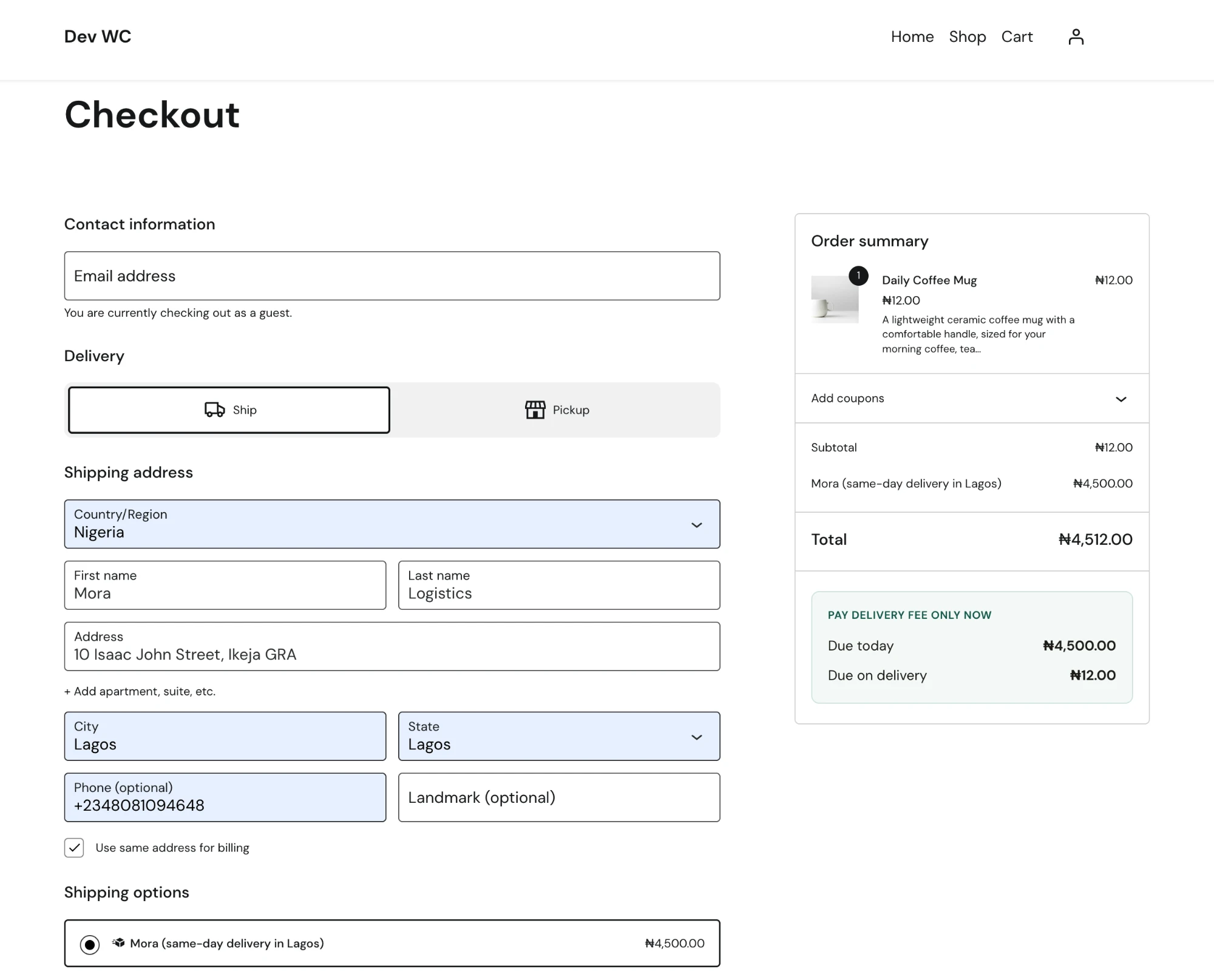
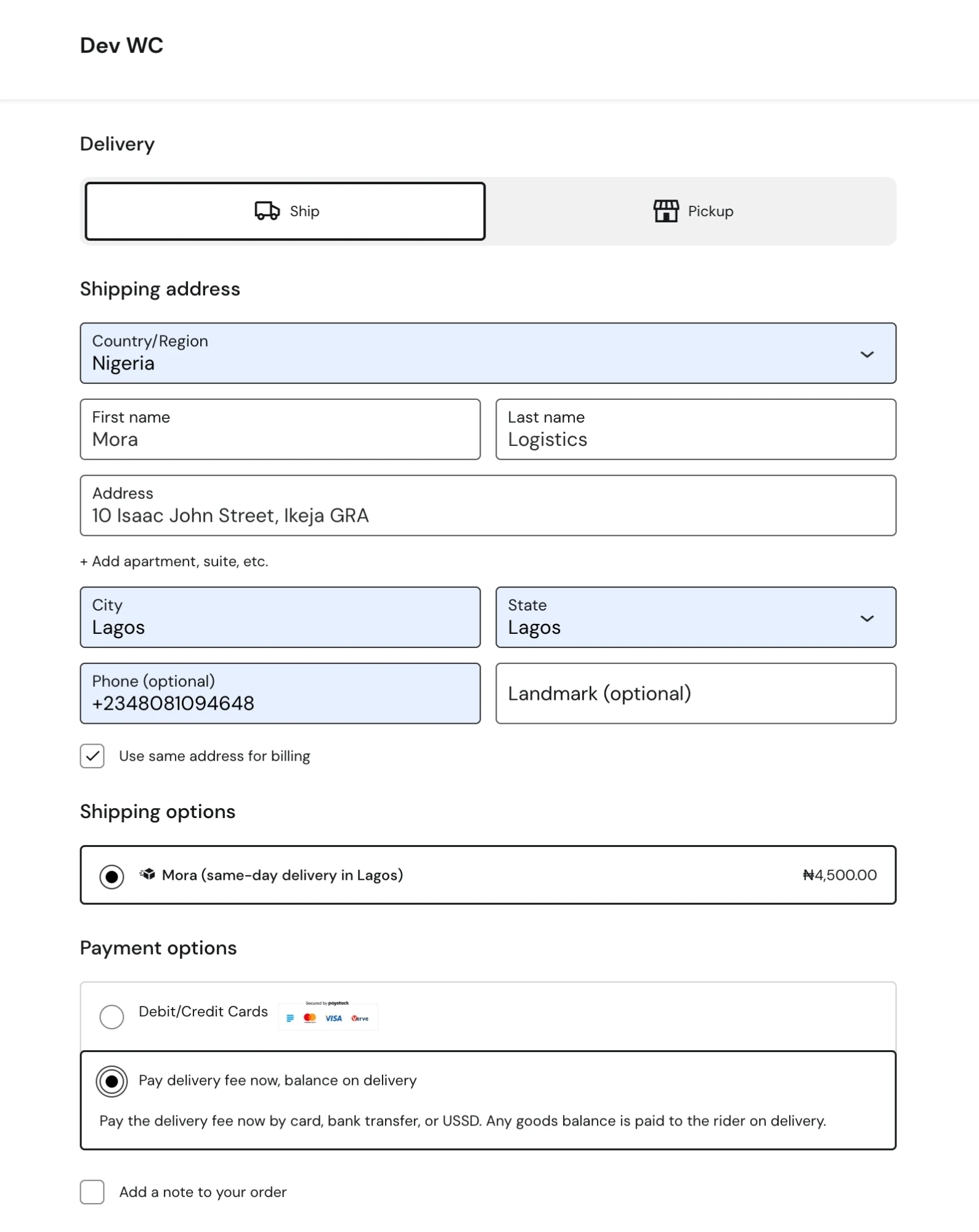
- Show a real, live delivery quote at checkout, priced by Mora’s own rate API against the customer’s address or pinned location.
- Offer a payment gateway that charges only the order’s delivery fee upfront (by card, bank transfer, or USSD through the merchant’s own Paystack account), leaving any goods balance to be collected in cash on delivery. By default this works for any order regardless of shipping method. An optional setting restricts it to Mora’s own delivery method and Lagos addresses only, for a merchant delivering nationwide who still wants this fee-now/collect-on-delivery flow limited to Lagos; an interstate order with Mora chosen still delivers, it just pays in full upfront through another payment method.
- Automatically push a placed order to Mora and keep its status in sync afterward, so the merchant’s own dashboard and Mora’s delivery team see the same order without re-entering it anywhere.
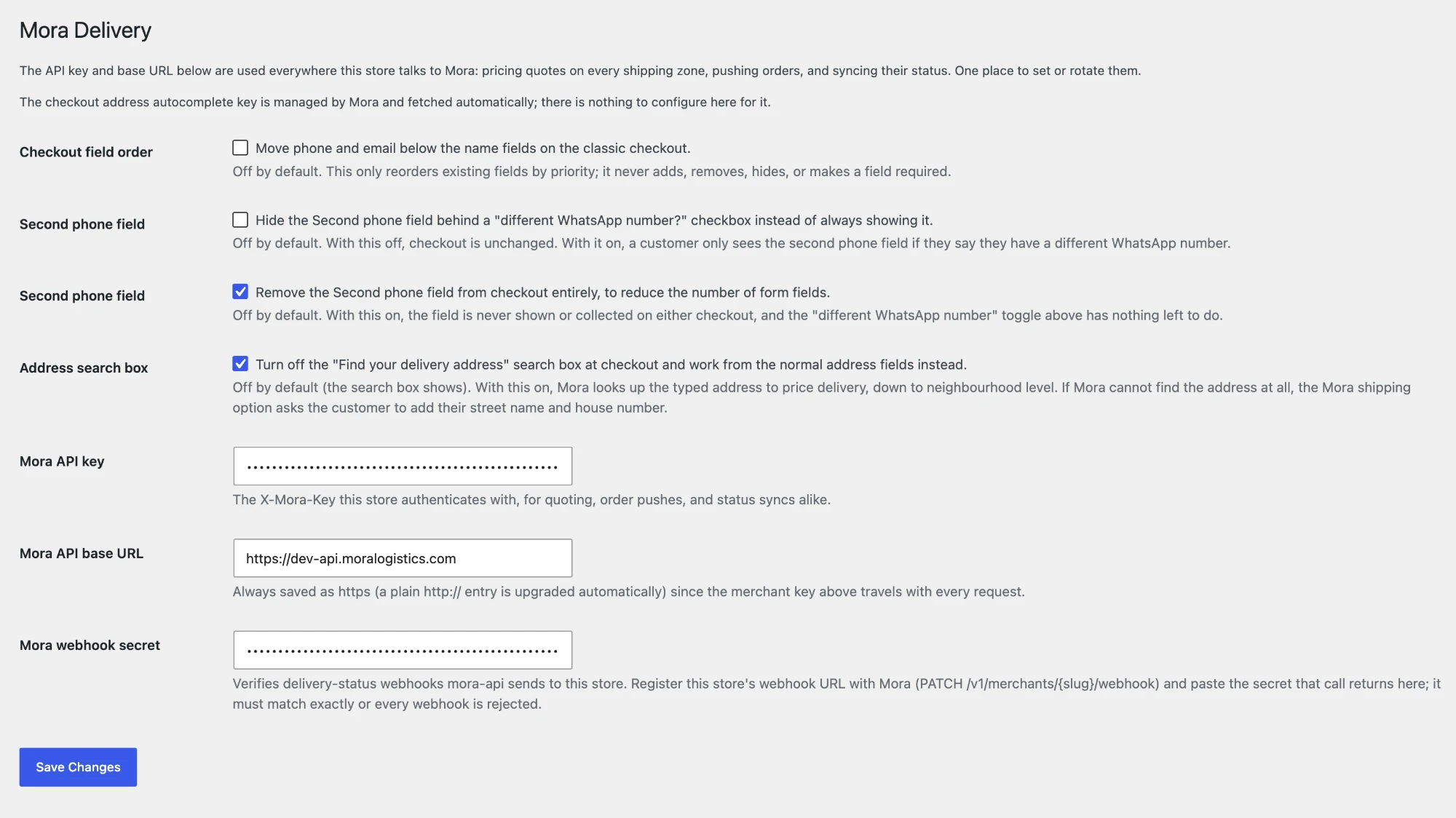
- Let a customer pin their exact delivery location (Google Places autocomplete) instead of typing an address Mora’s riders might not recognise, with a plain address field as a fallback when that’s turned off.
A Mora Logistics merchant account (a real business relationship with Mora, not a generic sign-up) is required for the shipping-quote and order-push features to do anything; the payment gateway can be used on its own by any merchant with a Paystack account. This plugin is currently built and supported for merchants operating in Nigeria.
What this plugin does not do
Pricing detail, cost basis, and margin never leave Mora’s own servers. This plugin only ever receives a price, whether a destination needs manual confirmation, and whether cash-on-delivery is allowed there, the same information shown to the customer.
External Services
This plugin connects to the following services to provide its features. None of them run unless the matching feature is actually configured and in use.
Mora Logistics API (mora-api): Mora’s own backend, used to price delivery quotes, process the delivery-fee payment gateway’s PSP verification, and push/sync placed orders. When a quote is requested, this plugin sends the destination state, and, where available, the customer’s pinned coordinates or typed address, to https://api.moralogistics.com. When an order is placed, order, product, and customer contact details are sent there so Mora can fulfil the delivery. This is Mora’s own first-party service, governed by the same merchant agreement a Mora Logistics merchant signs; see Mora Logistics’ Terms of Service (https://moralogistics.com/terms) and Privacy Policy (https://moralogistics.com/privacy-policy).
Paystack: used only by this plugin’s own payment gateway (optional, merchant-enabled), through the merchant’s own Paystack account. The order’s delivery-fee amount, currency, and a payment reference are sent to Paystack to process the charge (sent to https://api.paystack.co when the customer places an order with this gateway, and again to verify the payment); no card details pass through this plugin or site, Paystack’s own hosted page handles that directly. See Paystack’s Terms of Use (https://paystack.com/terms) and Merchant Privacy Policy (https://paystack.com/privacy/merchant).
Google Maps / Places API (New): used only by the optional checkout address-search widget (merchant can turn this off). When enabled, the customer’s browser loads Google’s Places library directly and sends the text they type, plus the location they select, to Google, to resolve an address to coordinates. See Google’s Terms of Service (https://policies.google.com/terms) and Privacy Policy (https://policies.google.com/privacy). The API key used is Mora’s own, centrally managed and rate-limited; the merchant does not need their own Google Cloud account.
Sentry: error reporting, off by default. Nothing is sent unless the merchant ticks “Error reports” on the WooCommerce > Mora Delivery settings page. When enabled, this plugin’s own warning and error log messages are sent to Mora’s Sentry project (ingest.de.sentry.io) as they happen, with the site’s address and the plugin, WordPress and PHP versions. Customer names, phone numbers, emails and addresses are never sent. See Sentry’s Terms of Service (https://sentry.io/terms/) and Privacy Policy (https://sentry.io/privacy/).
Source code
This plugin has no build step: every PHP, JavaScript and CSS file in it is the human-readable source. The short Google Maps loader inside assets/js/blocks-locator.js and assets/js/checkout-autocomplete.js is Google’s official Dynamic Library Import bootstrap snippet, copied verbatim from https://developers.google.com/maps/documentation/javascript/load-maps-js-api#dynamic-library-import.
Details
Related plugins
Plugins that also contain the tag cash-on-delivery
Smart COD for WooCommerce

PiWeb Disable payment method / Partial payment for WooCommerce

Risk Free Cash On Delivery (COD) – WooCommerce

Utánvét Ellenőr

Advance Cash On Delivery For WooCommerce

Cash on Delivery of Russian Post or EMS For WooCommerce


About
Plugin for that tries to help you find the WordPress plugin you are looking for.
| Please enjoy an image of Crush (this awesome turtle) and have a lovely day! |  |
We do not own any plugin listed on this site and do not work for or work with WordPress.com or it's associated companies. We simply provide a searchable list of the available WordPress plugins.