


mPress Fix URL References
The mPress Fix URL References plugin allows you to easily fix URL references in your WordPress database.
Why?
When you move your site from one domain to another, there is no built-in process for updating URL references in the database. For example, if you have internal links in your post content that point to the full URL of other pages on your site, these URL references will become invalid when you migrate your site to a new domain. If you aren’t a developer who knows how to write MySQL queries, replacing potentially thousands of instances of incorrect URLs is a real pain. No worries. I’m a developer and I’ve done all the work for you.
How?
Using this plugin is simple:
- Ensure that you define the WP_HOME and WP_SITEURL constants in your wp-config.php file. It’s not that hard.
- Install the plugin
- Activate the plugin
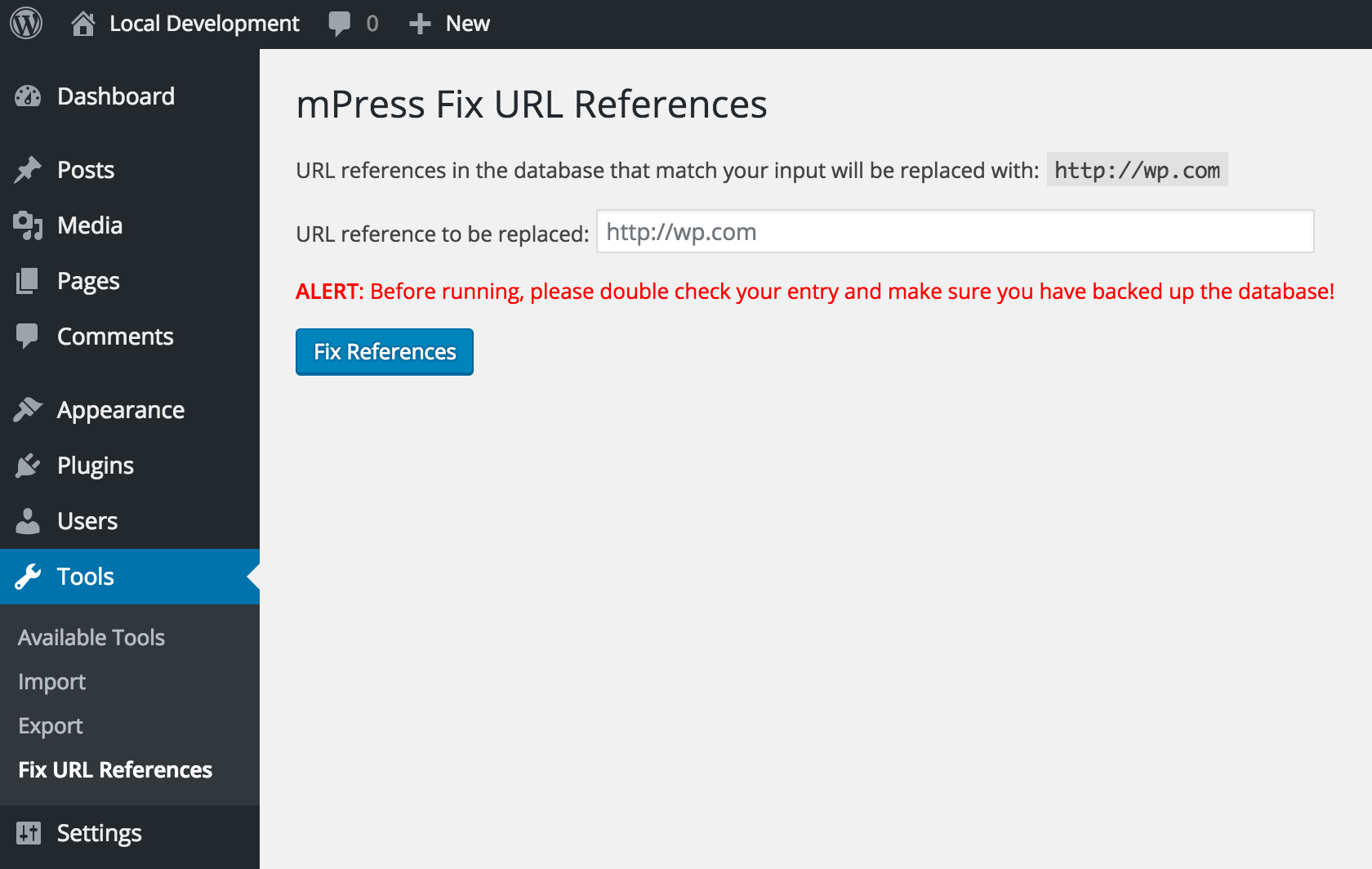
- In the WordPress admin, click on ‘Fix URL References’ in the ‘Tools’ menu
- Enter the URL that you want to have replaced
- Click on ‘Fix References’
Features
- Clean, well written code that won’t bog down your site
Details
Related plugins
Plugins that also contain the tag database
Search Regex

BackUpWordPress

Go Live Update Urls

Database Backup for WordPress

Advanced Contact form 7 DB

WP-DBManager


About
Plugin for that tries to help you find the WordPress plugin you are looking for.
| Please enjoy an image of Crush (this awesome turtle) and have a lovely day! |  |
We do not own any plugin listed on this site and do not work for or work with WordPress.com or it's associated companies. We simply provide a searchable list of the available WordPress plugins.