


Mundio Booking Button
Mundio Booking Button lets visitors of your WordPress site book an appointment with you on Calendrio, a French online booking tool for independent professionals: clients pick a free slot 24/7 and the appointment lands in your agenda.
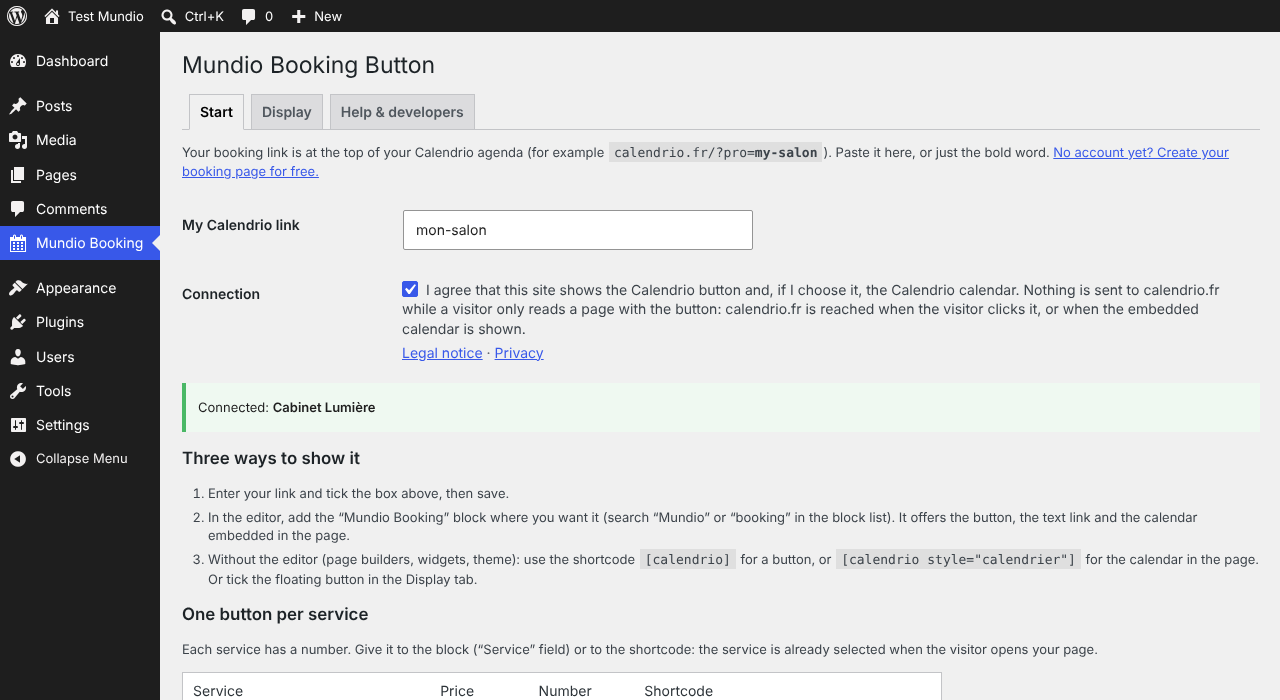
Three ways to show it, no code needed
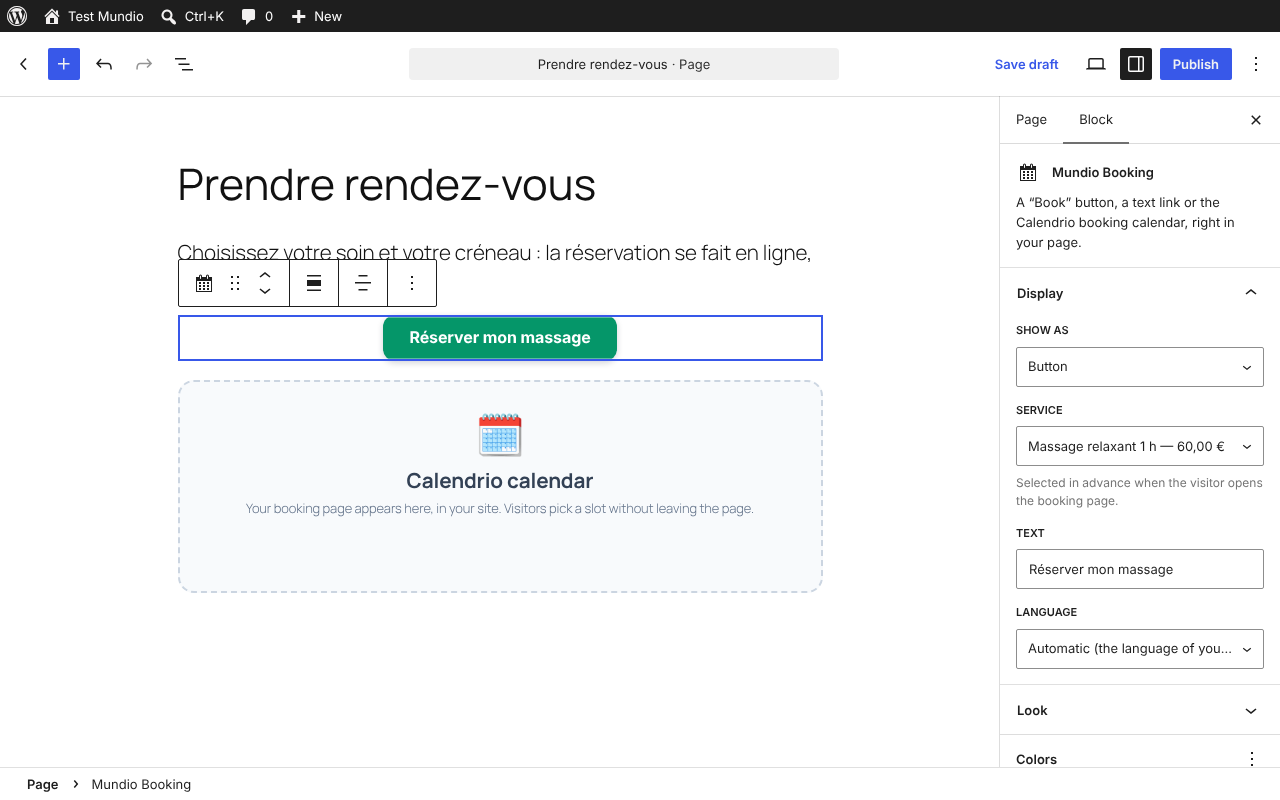
- Editor block “Mundio Booking”: drag it where you want, choose button, text link or calendar, the text, the colors and the service in the side panel.
- Elementor widget “Mundio Booking” (when Elementor is installed), and the shortcode
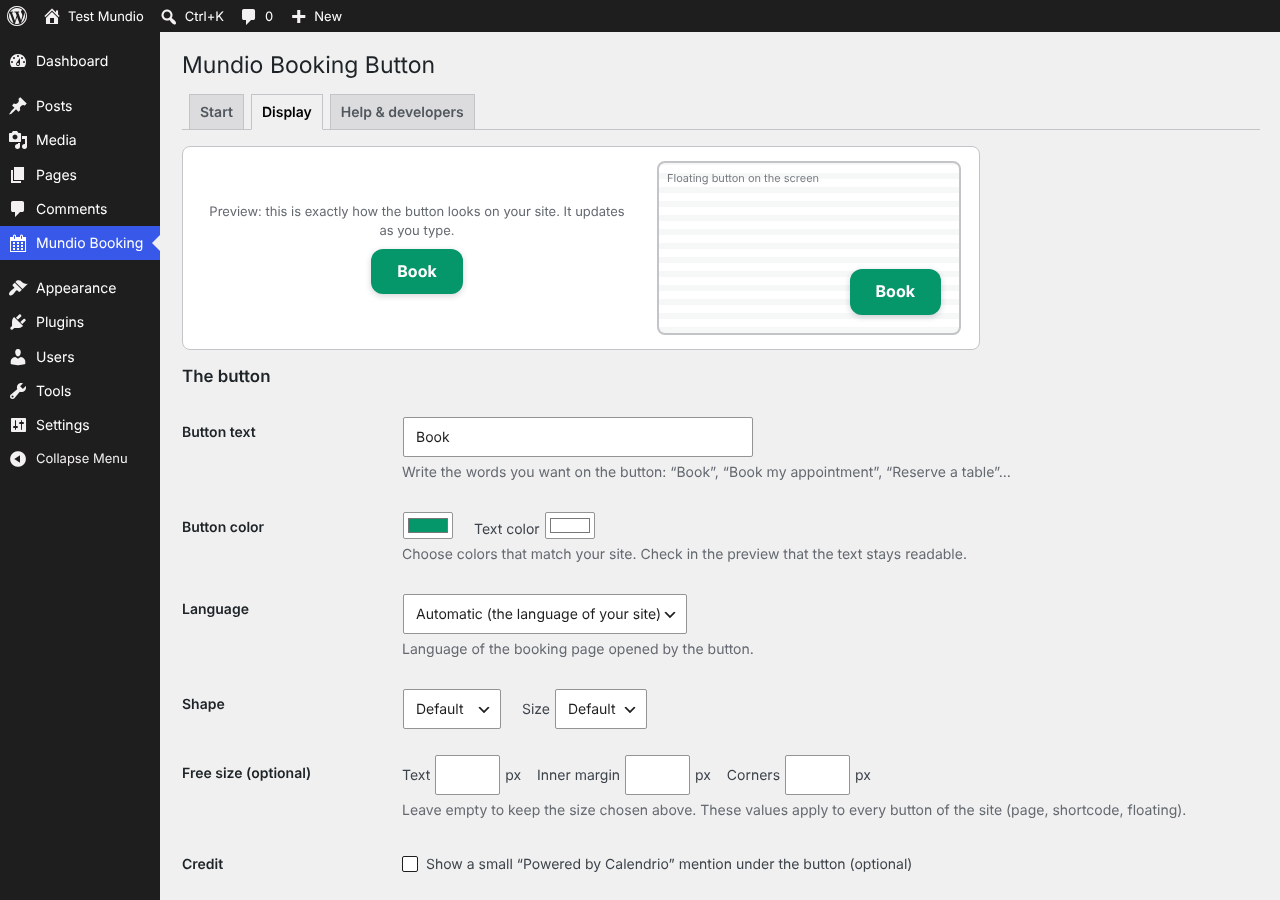
[calendrio]for every other page builder (Divi, WPBakery, Beaver Builder, Bricks, Oxygen, classic editor, widgets). - Floating button that stays visible while visitors scroll: exactly where you want it (a corner, or a side and a distance in pixels), the size you want, on the pages you want, hidden on phones if you wish, with your own CSS and HTML if you like. A live preview in the settings shows the result as you choose.
What visitors get
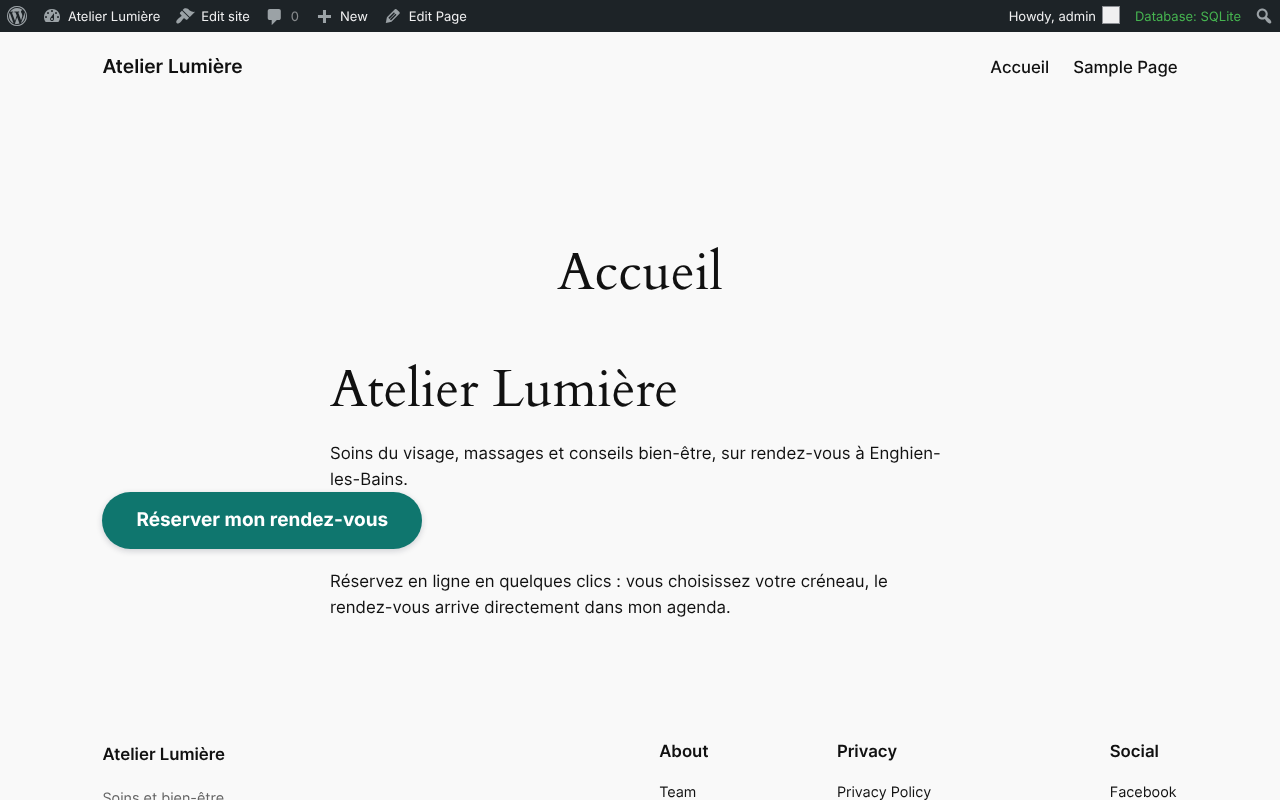
- A “Book” button or link that opens your booking page in a new tab, or the booking calendar directly inside your page (
[calendrio style="calendrier"]): visitors pick a slot without leaving your site. - One button per service: give the service number and it is already selected (
[calendrio presta="12"]). The numbers are listed in the plugin’s Start tab. - Online payment (deposit or full), manual approval, waiting list, gift cards and all your Calendrio settings work as on your page. From the embedded calendar, the payment step opens in the full window.
- A “Back to the website” link after booking.
- 7 languages (French, English, Spanish, German, Portuguese, Turkish, Arabic): the button follows the language of your site, or the one you choose.
Privacy first
- The button is drawn by a script included in the plugin: no code is downloaded from outside, and nothing is sent to calendrio.fr while a visitor only reads a page. calendrio.fr is reached when the visitor clicks the button, or when you choose to show the calendar in the page.
- An optional “Powered by Calendrio” mention can be shown under the button. It is off by default.
- A (free) Calendrio account is required: https://calendrio.fr/register.php
For developers: template function mundio_booking_button( array( 'style' => 'calendrier', 'presta' => '12' ) ), MundioBooking.init() for content inserted after page load, direct links and an iframe address for any site, and an API for appointments and free slots (all plans). Everything is listed in the plugin’s “Help & developers” tab.
Français : Mundio Booking Button ajoute un bouton « Réserver », un lien ou votre calendrier de réservation Calendrio directement dans votre site WordPress. Calendrio est un logiciel français de prise de rendez-vous en ligne pour les indépendants. Bloc dans l’éditeur, widget Elementor, code court [calendrio] pour les autres constructeurs de pages, bouton flottant sur toutes les pages, un bouton par prestation, 7 langues. Rien n’est envoyé à calendrio.fr tant qu’un visiteur ne fait que lire une page. La mention « Propulsé par Calendrio » n’apparaît que si vous cochez la case prévue (désactivée par défaut).
External service
The button is drawn by a script included in this plugin (assets/calendrio-bouton.js): no code is downloaded from outside, and nothing is requested from https://calendrio.fr while a visitor only reads a page showing the button. Clicking the button opens your booking page on https://calendrio.fr in a new tab. If you choose the calendar embedded in the page (style="calendrier"), the booking page of https://calendrio.fr is shown in a frame inside your page: calendrio.fr then receives the usual technical data of a web page (IP address, address of the page shown in the frame), and the appointment is booked on calendrio.fr. On the settings page and in the editor, the plugin reads the public status of your link (business name, list of services) from https://calendrio.fr/wp_statut.php, only once you have ticked the connection box. Legal notice: https://calendrio.fr/mentions-legales.php · Privacy: https://calendrio.fr/confidentialite.php
Details
Related plugins
Plugins that also contain the tag appointment
Appointment Hour Booking – Booking Calendar

EMC – Easily Embed Calendly Scheduling

Booking Package

Easy Appointments

Easy Booking – WooCommerce Booking & Reservation Plugin

Setmore


About
Plugin for that tries to help you find the WordPress plugin you are looking for.
| Please enjoy an image of Crush (this awesome turtle) and have a lovely day! |  |
We do not own any plugin listed on this site and do not work for or work with WordPress.com or it's associated companies. We simply provide a searchable list of the available WordPress plugins.