

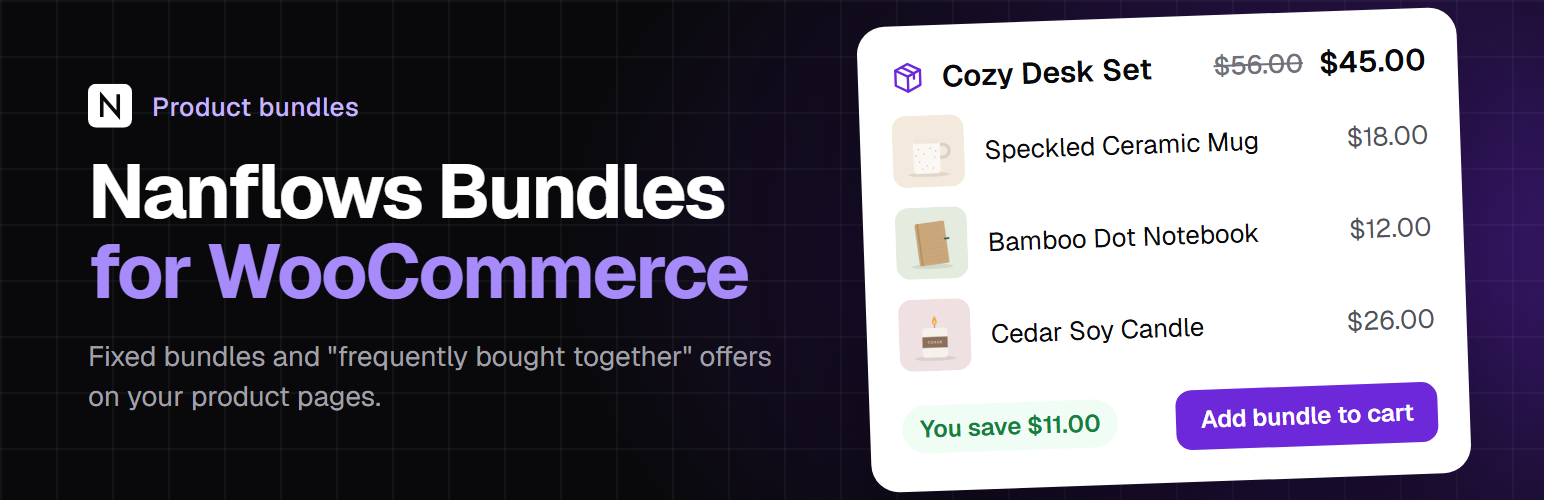

Nanflows Bundles for WooCommerce
Put products together and sell them at one price.
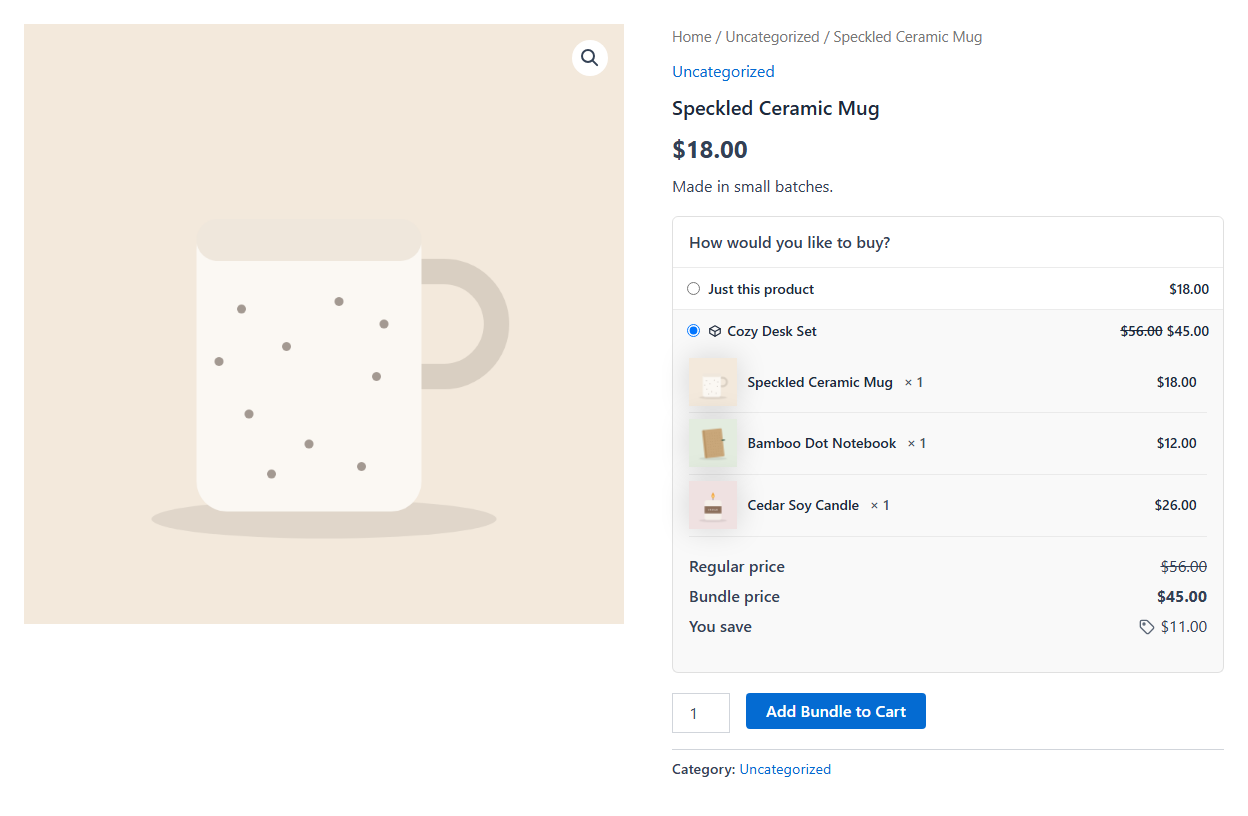
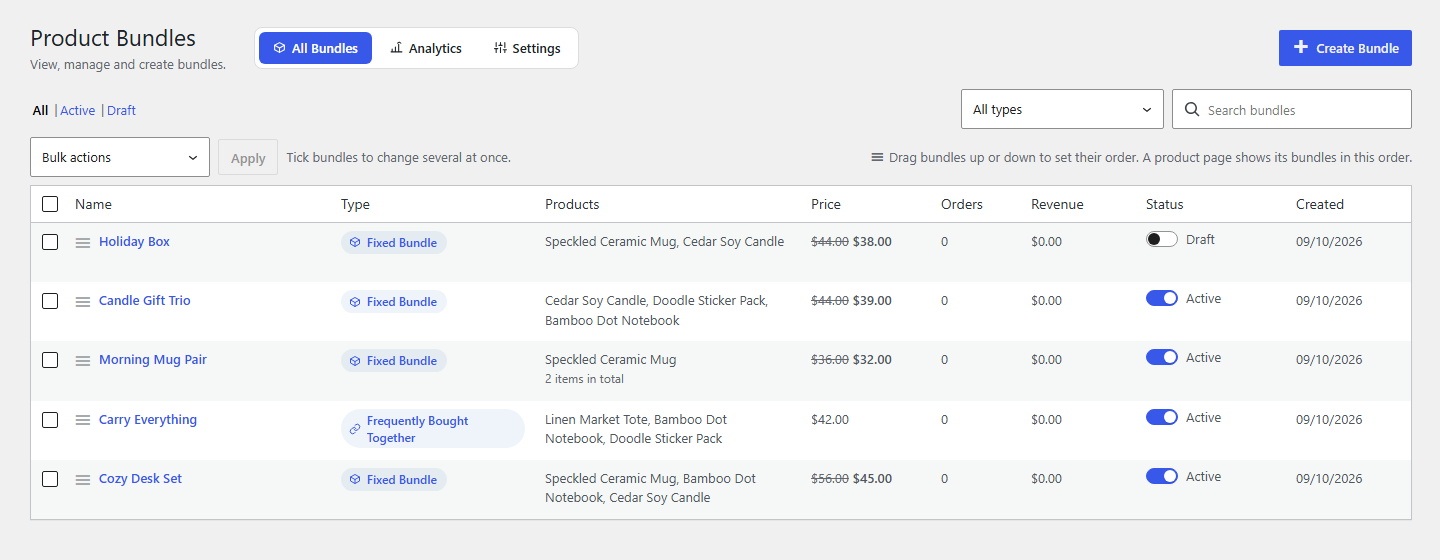
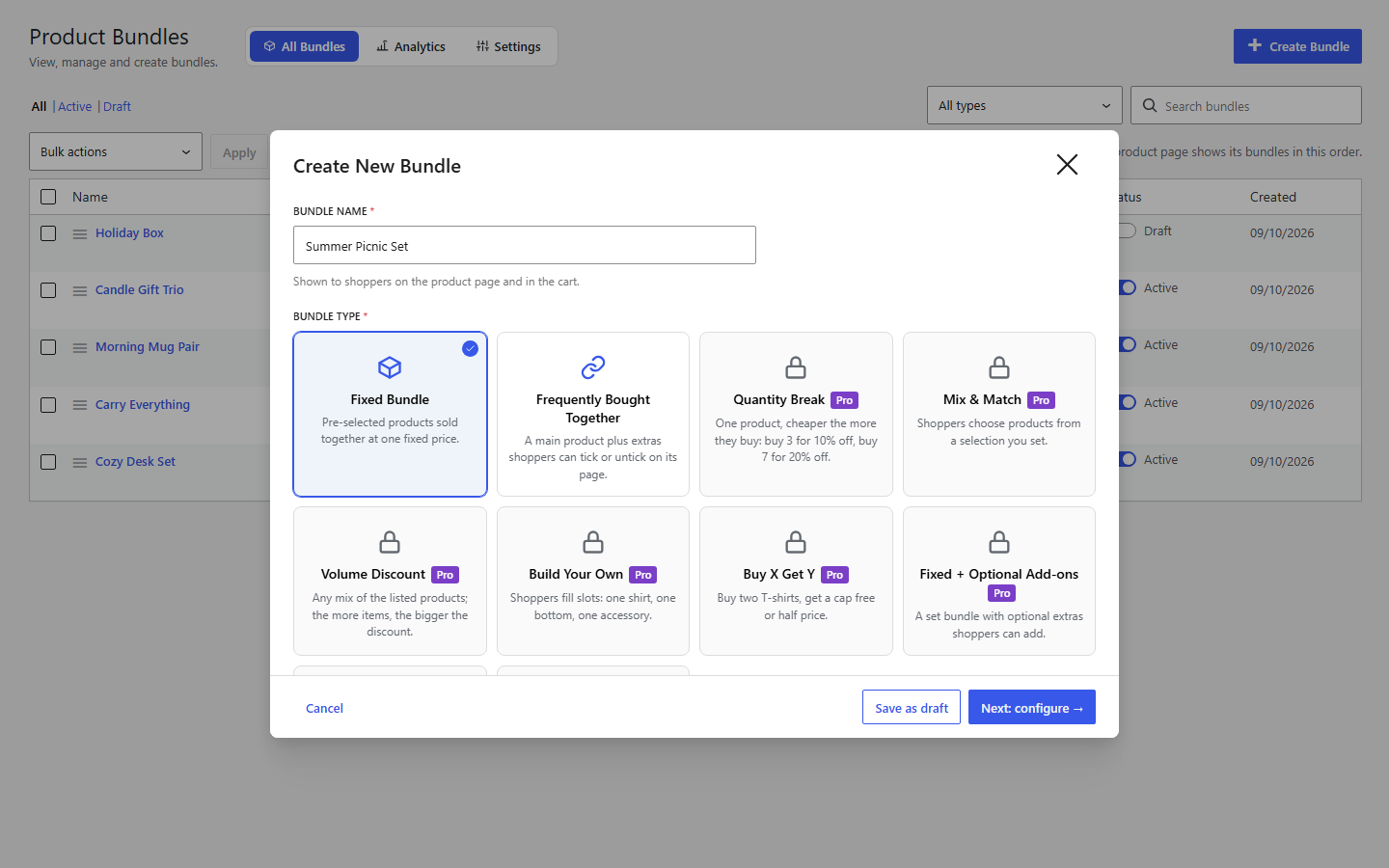
- Fixed bundles: you choose the products and quantities; customers buy them together at one price you set.
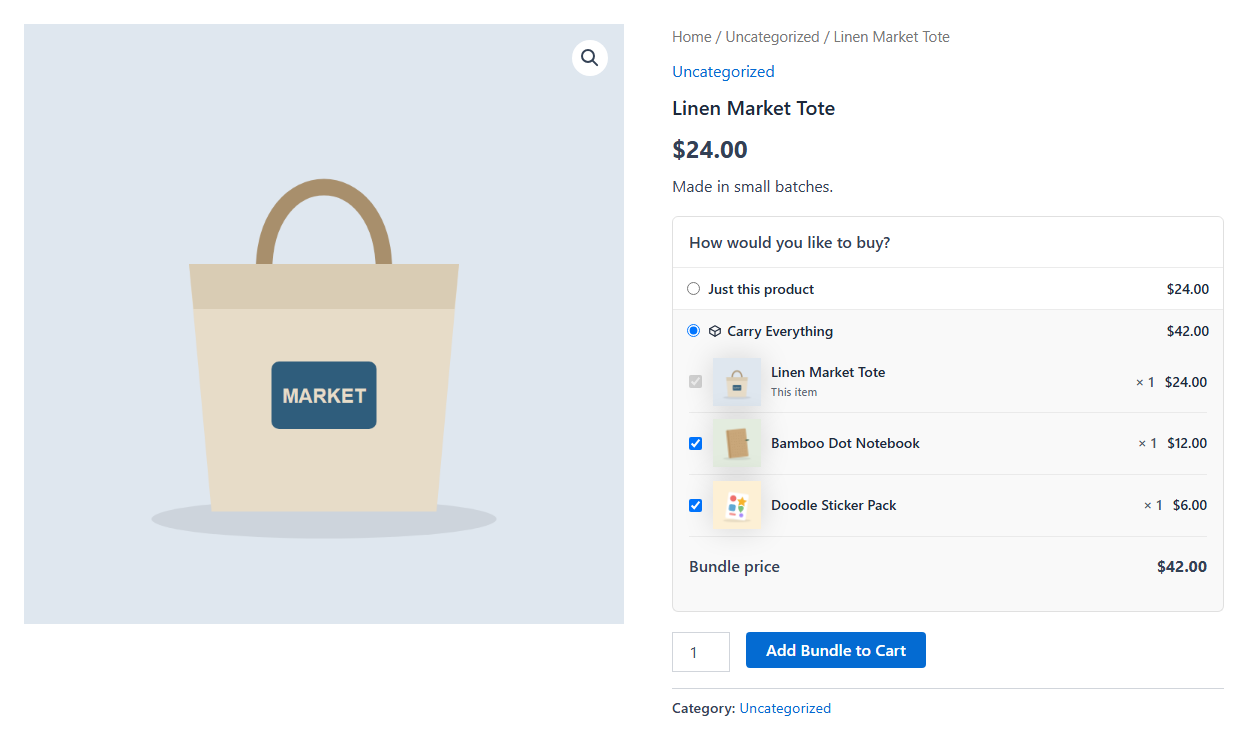
- Frequently bought together: a main product plus extras the customer can tick or untick, added to the cart together in one click. With every extra unticked, the main product goes to the cart on its own.
- Customer chooses the option: put a variable product in a bundle and let the customer pick the size or colour.
- Stock from the products inside: a bundle is available while every product inside is in stock, and each sale takes stock from them. Overselling is stopped at add to cart, in the cart and at checkout.
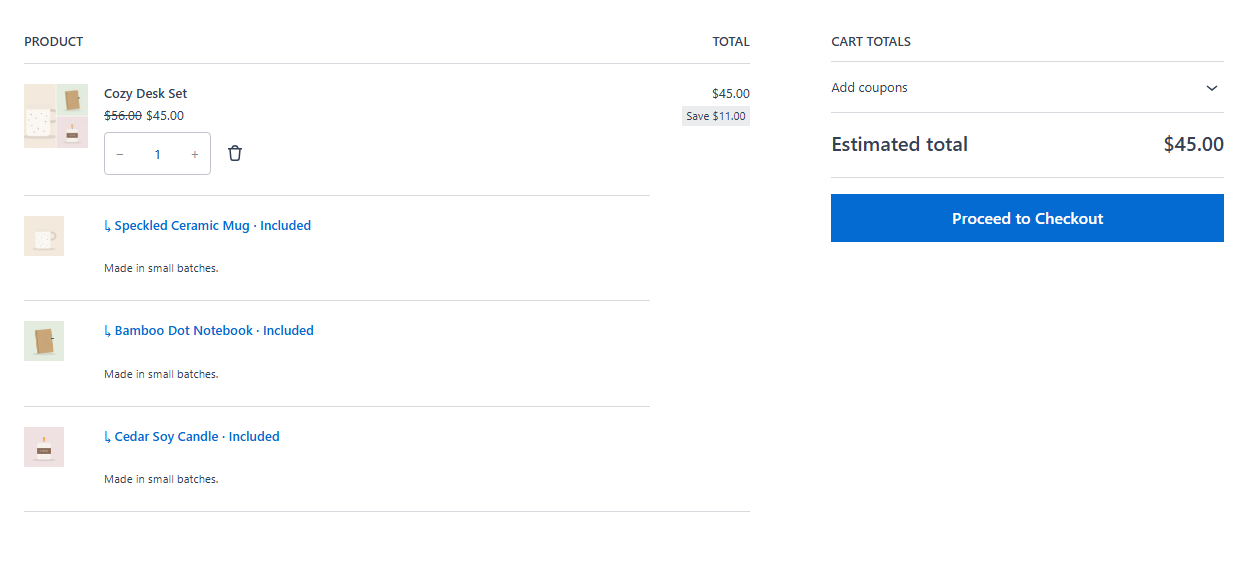
- Clear cart: the bundle and its products are shown together; products inside cannot be removed on their own.
- Cash on delivery or prepaid, per bundle: accept both, prepaid only, or COD only. The plugin checks that the method is really switched on in WooCommerce before a bundle goes live.
- Normal WooCommerce checkout: works with your payment gateways, taxes, shipping and coupons, the classic checkout and the Cart and Checkout blocks.
- You choose where it shows: pick product pages, or whole product categories (every product in them, and products added later). Being inside a bundle does not put it on a product’s page. A “frequently bought together” offer shows on its main product’s page.
- Only on those pages, or also its own product: by default a bundle is not listed in the shop, categories or search, and its own page link takes shoppers to the product page that offers it. Or list each bundle as a product of its own (Settings > General).
- Bundle picture: made automatically from the product pictures (updated when they change), or choose your own from the Media Library. Shown in the cart, orders and emails.
- Block and shortcode: show a bundle anywhere else with the Bundle block or
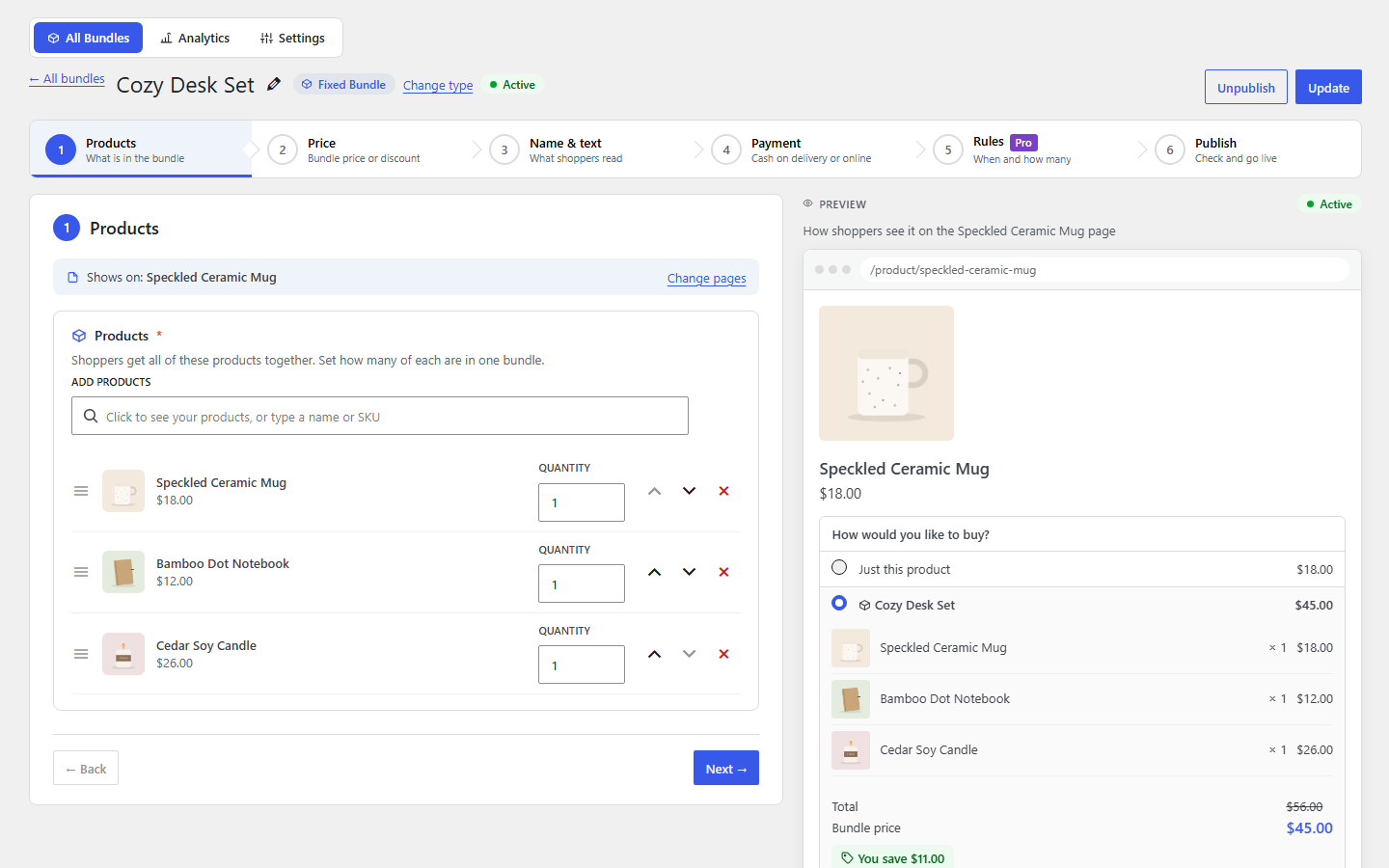
[nanflows_bundle id="123"]. - One button, the customer’s choice: on a product page, shoppers pick “Just this product” or a bundle with a radio button, and one Add to cart button adds what they chose. A page with one bundle opens it straight away, products and images in view. Separate bundle cards are available in the settings instead.
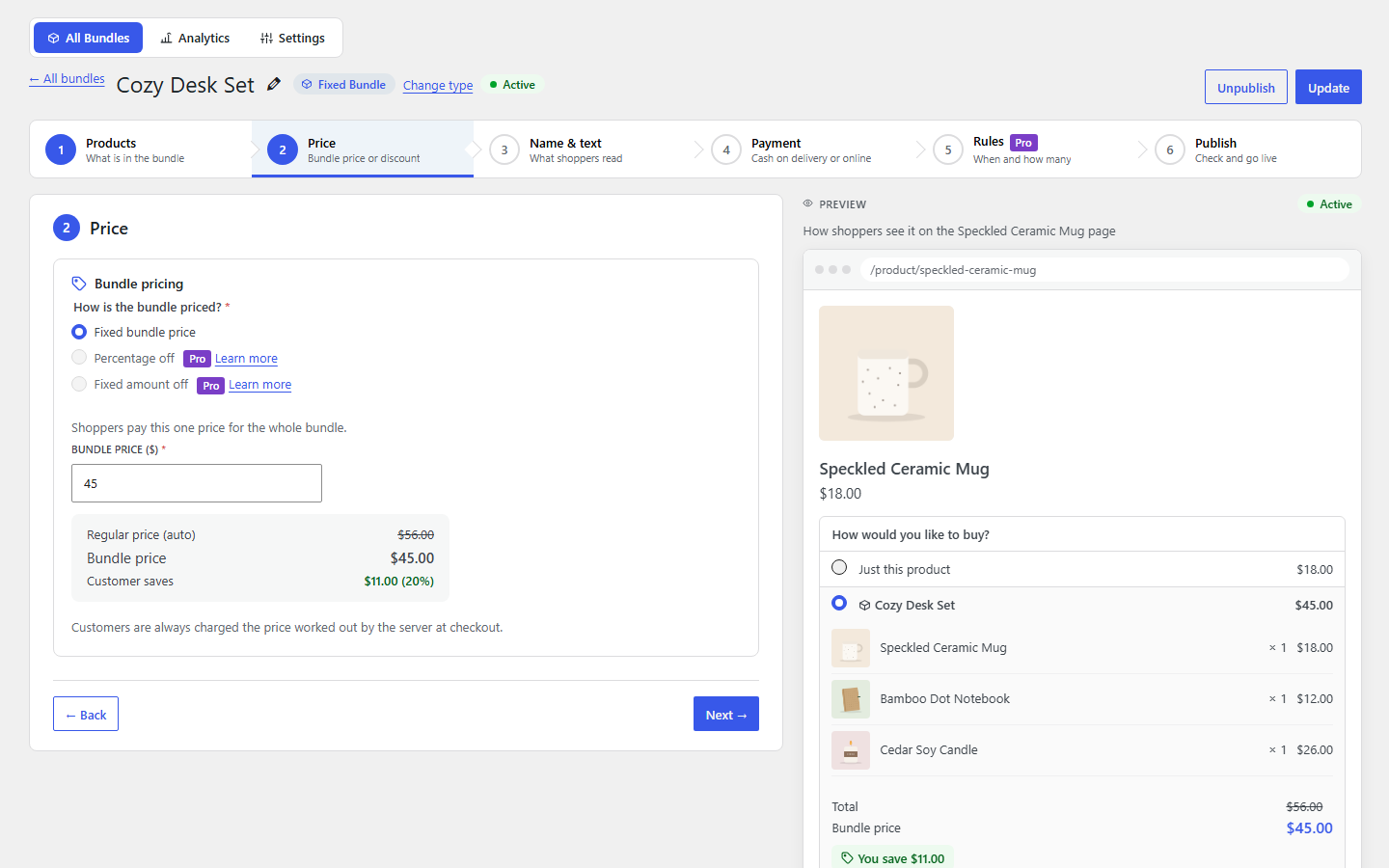
- Guided set-up: “Create Bundle” asks for a name, a type and its products, then takes you through the bundle’s products and pages, offer, details and payment, with a live preview that shows the type, the pages the bundle appears on and the card shoppers will see. Required fields are marked, and half-finished bundles can be saved as drafts.
- Bundles list: search, filter by type or status, change several bundles at once (publish, move to drafts, move to trash), and drag bundles up or down to set the order product pages show them in. In a bundle, drag products up or down the same way.
- Several bundles on one product: a product page offers one bundle by default, up to three if you change it in Settings; the editor tells you when a page already shows a live bundle.
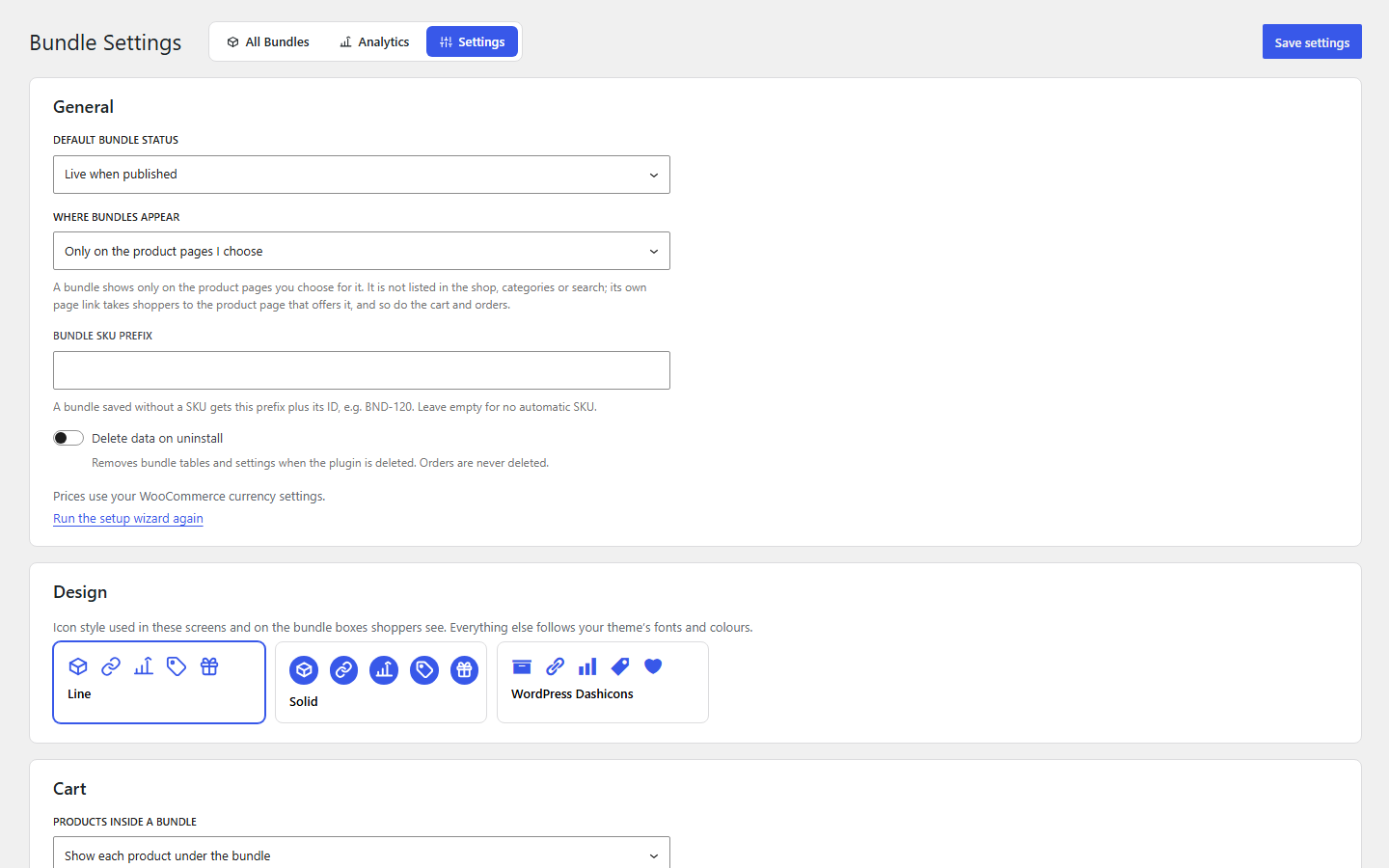
- Setup wizard and icon styles: a short first-run wizard, and a choice of line, solid or WordPress Dashicons icons.
- Analytics: bundle orders, revenue, units, average bundle value and prepaid vs COD, by day, with date filters. Stored in your own database only.
Works with
- Simple products, physical or virtual and downloadable (customers get their downloads as usual).
- Variable products: a set variation, or the customer chooses.
- HPOS (high-performance order storage).
- The classic cart and checkout, the Cart and Checkout blocks, and checkouts built on WooCommerce’s checkout or Store API.
Subscription products (WooCommerce Subscriptions) cannot be put in a bundle yet: their renewals would not be billed correctly, so they are refused with a clear message.
Bundle Pro
A percentage or amount off fixed bundles, a percentage off “frequently bought together” offers, Quantity Break (buy 3, save 10%; buy 7, save 20%), Mix & Match, Build Your Own, Volume, Buy X Get Y, add-ons, gift boxes, variety packs, a conversion funnel and exports are available in Bundle Pro, a separate plugin. The editor lists them as optional upgrades. Everything described above is free, has no limits, and works fully without Pro.
Privacy
The plugin sends nothing outside your site. Analytics are stored in your own database, without personal data: visitors are counted with a salted hash that cannot be turned back into a person or an IP address.
Details
Related plugins
Plugins that also contain the tag bundle
WPC Product Bundles for WooCommerce

YITH WooCommerce Product Bundles

Portfolios

Quantity Discounts, Breaks & Product Bundles for Woocommerce By Bundler
LRW Widgets Bundle

Amazing WPBakery Page Builder Addons


About
Plugin for that tries to help you find the WordPress plugin you are looking for.
| Please enjoy an image of Crush (this awesome turtle) and have a lovely day! |  |
We do not own any plugin listed on this site and do not work for or work with WordPress.com or it's associated companies. We simply provide a searchable list of the available WordPress plugins.