



Neutrope SEO Report Dashboard
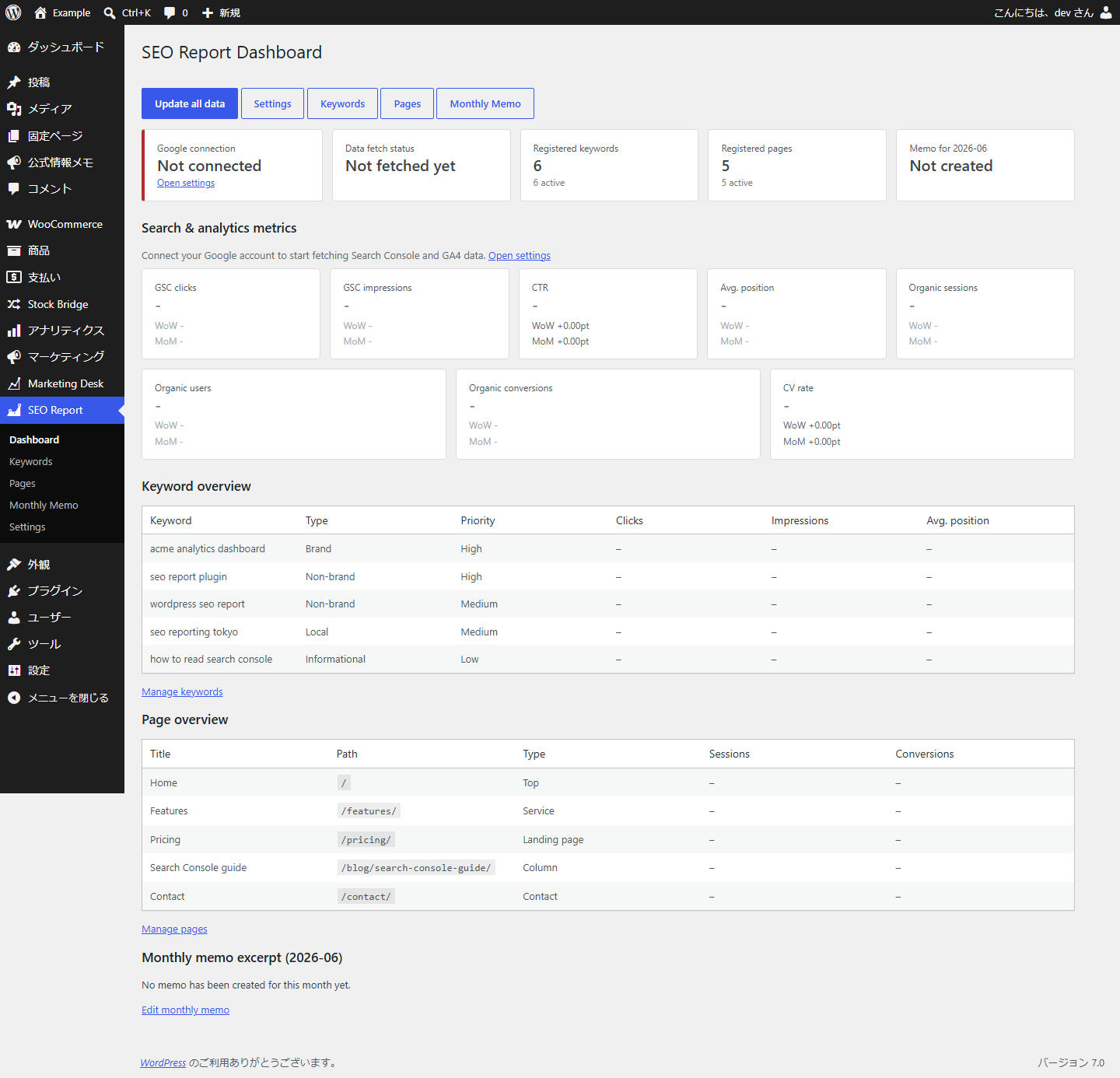
Neutrope SEO Report Dashboard brings the numbers you actually report on — from Google Search Console and Google Analytics 4 (GA4) — into a single, reporting-focused screen inside WordPress.
It is not a replacement for Google Site Kit or a general-purpose analytics tool. It is a focused reporting layer on top of your Google data, built for SEO specialists, web production and maintenance agencies, and in-house marketers who prepare regular SEO reports and want the key figures without bouncing between Search Console and GA4.
What it does
- Shows Google Search Console and GA4 key metrics in the WordPress admin.
- Purpose-built for SEO reporting and monthly client/internal reports.
- A reporting-focused layer on top of your Google data — not a Site Kit replacement.
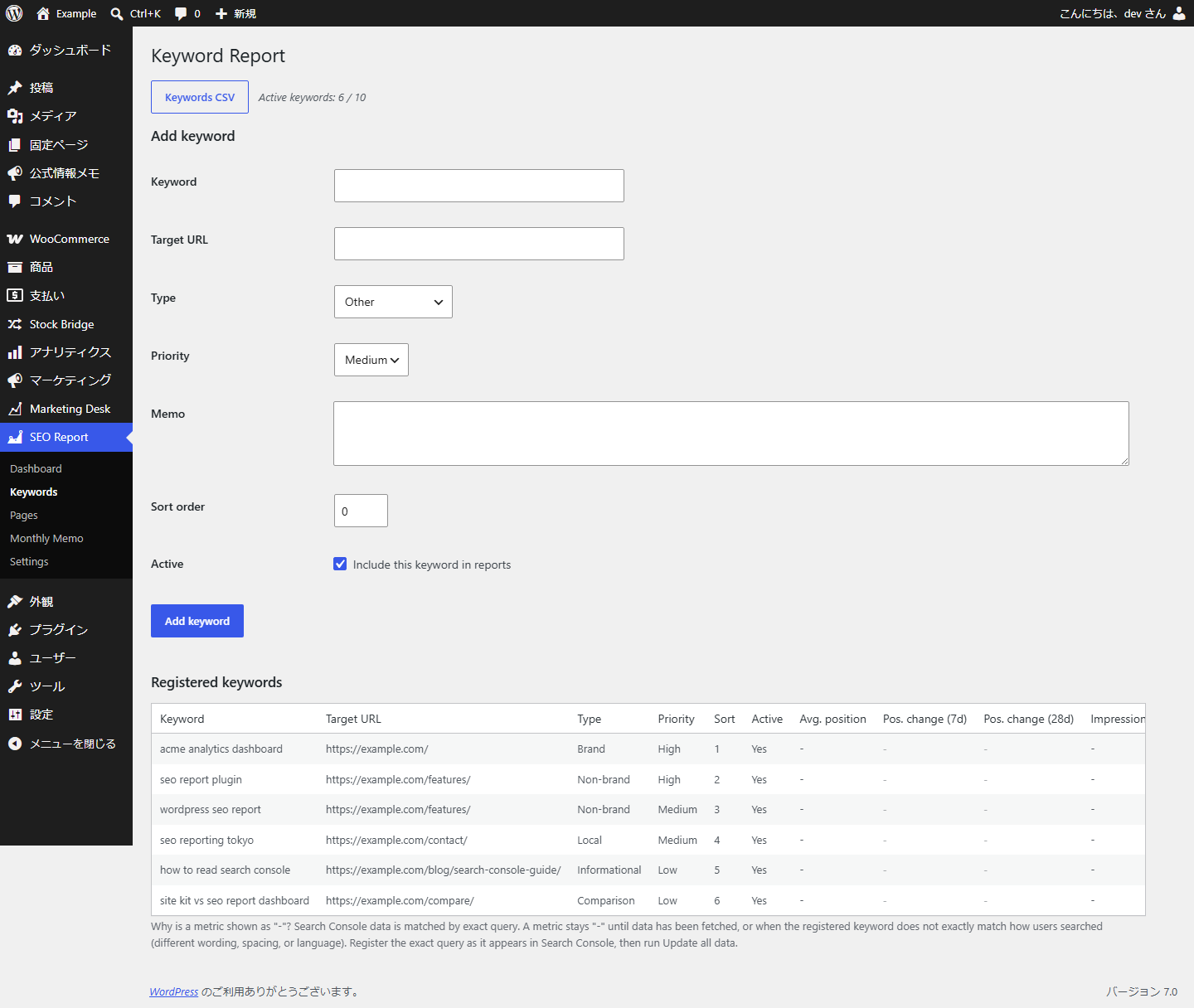
- Register your priority keywords and track their Search Console performance.
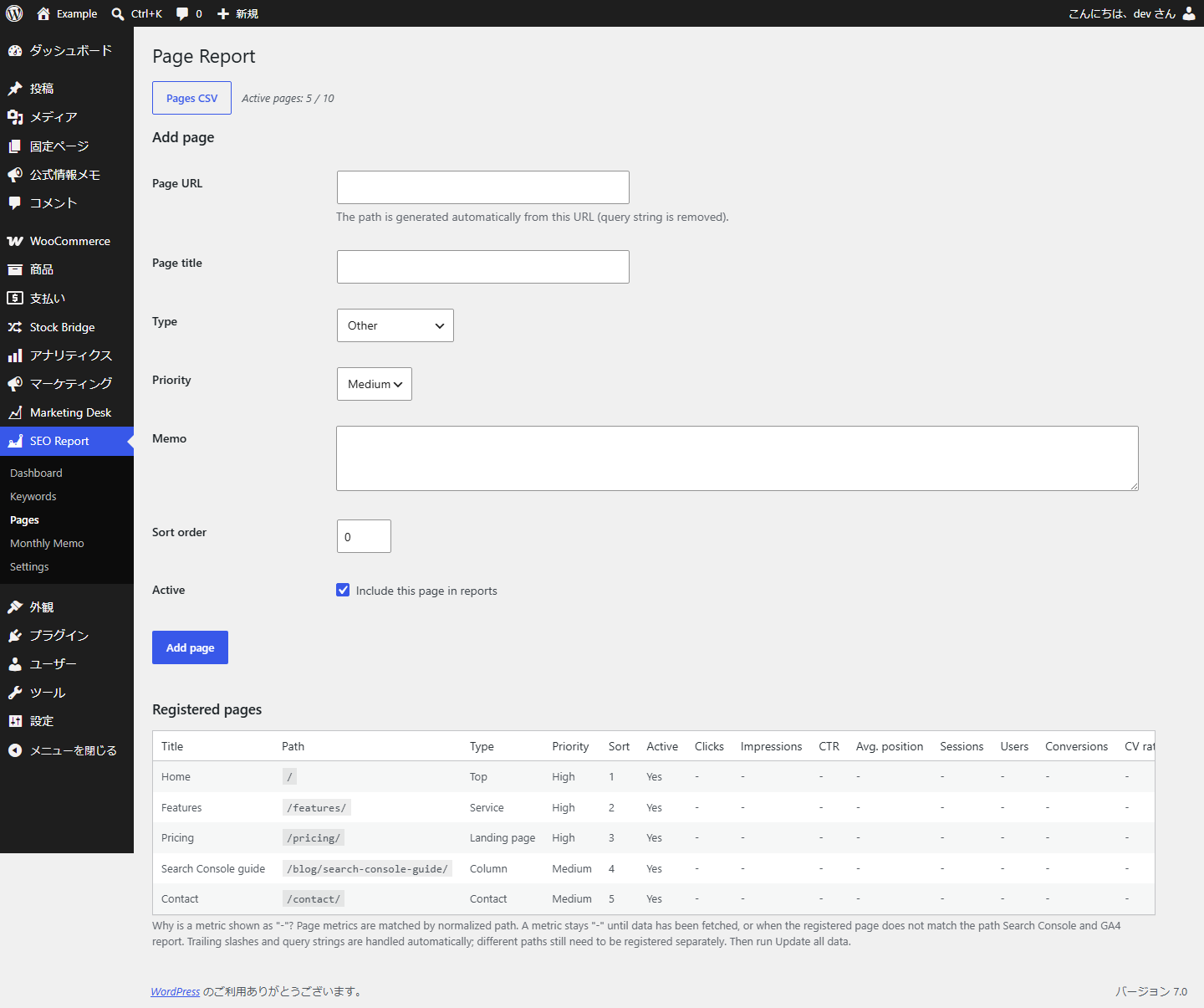
- Register your priority pages and track organic traffic and conversions.
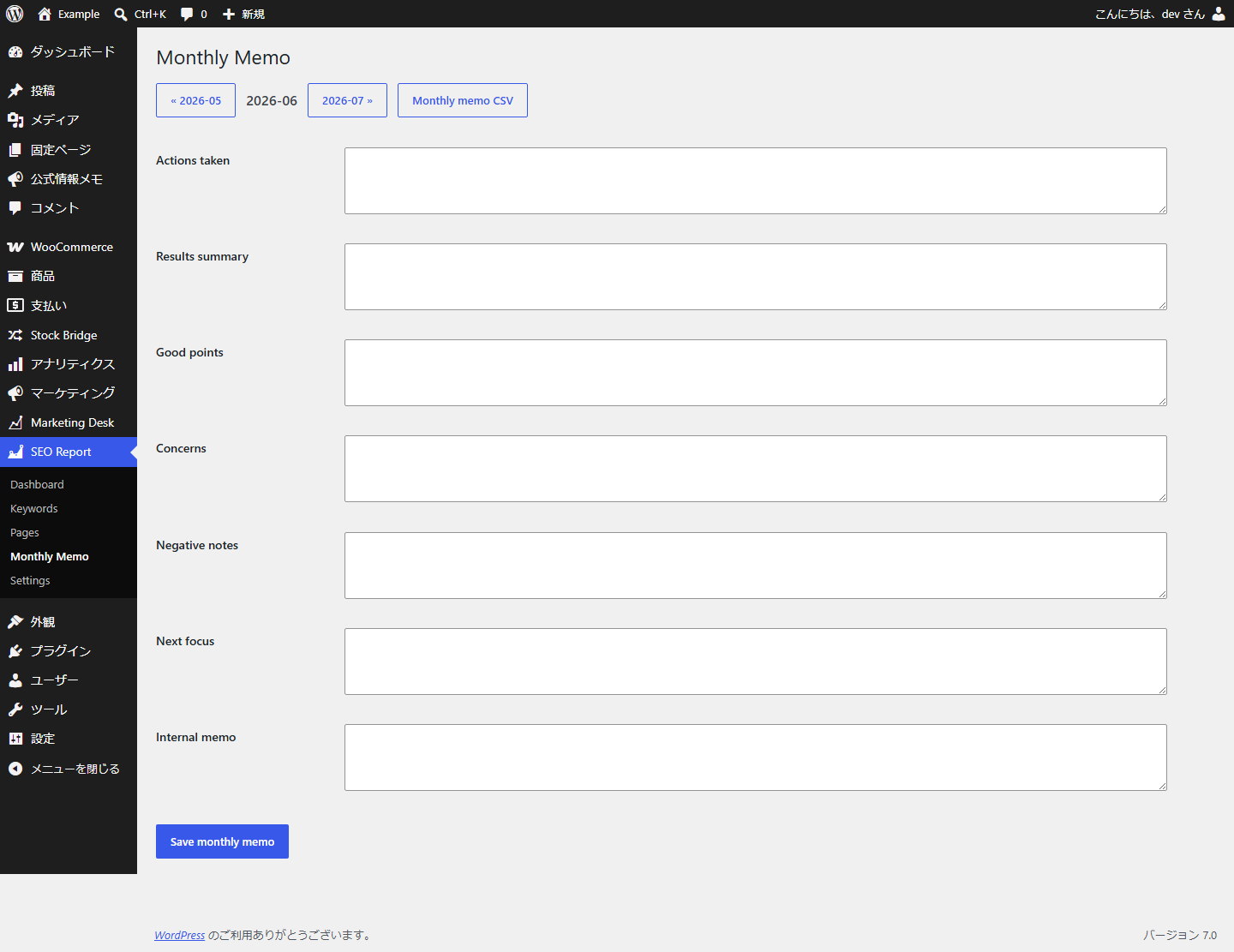
- Save monthly reporting notes (actions taken, results, concerns, next focus, internal memo).
- See week-over-week and month-over-month comparisons.
- Export keyword, page and monthly-memo data to CSV (UTF-8 with BOM, Excel-friendly).
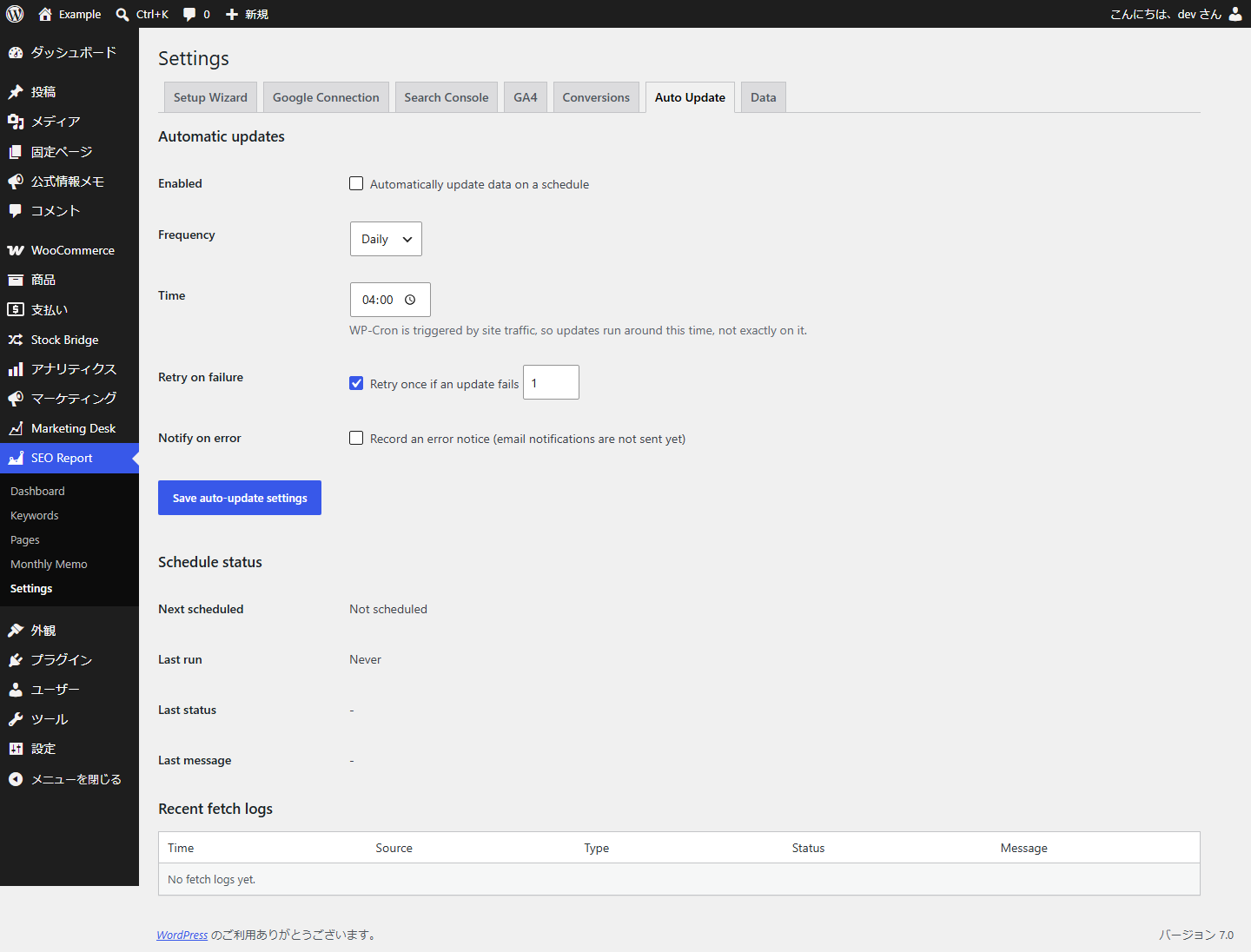
- Update on demand, or automatically via WP-Cron.
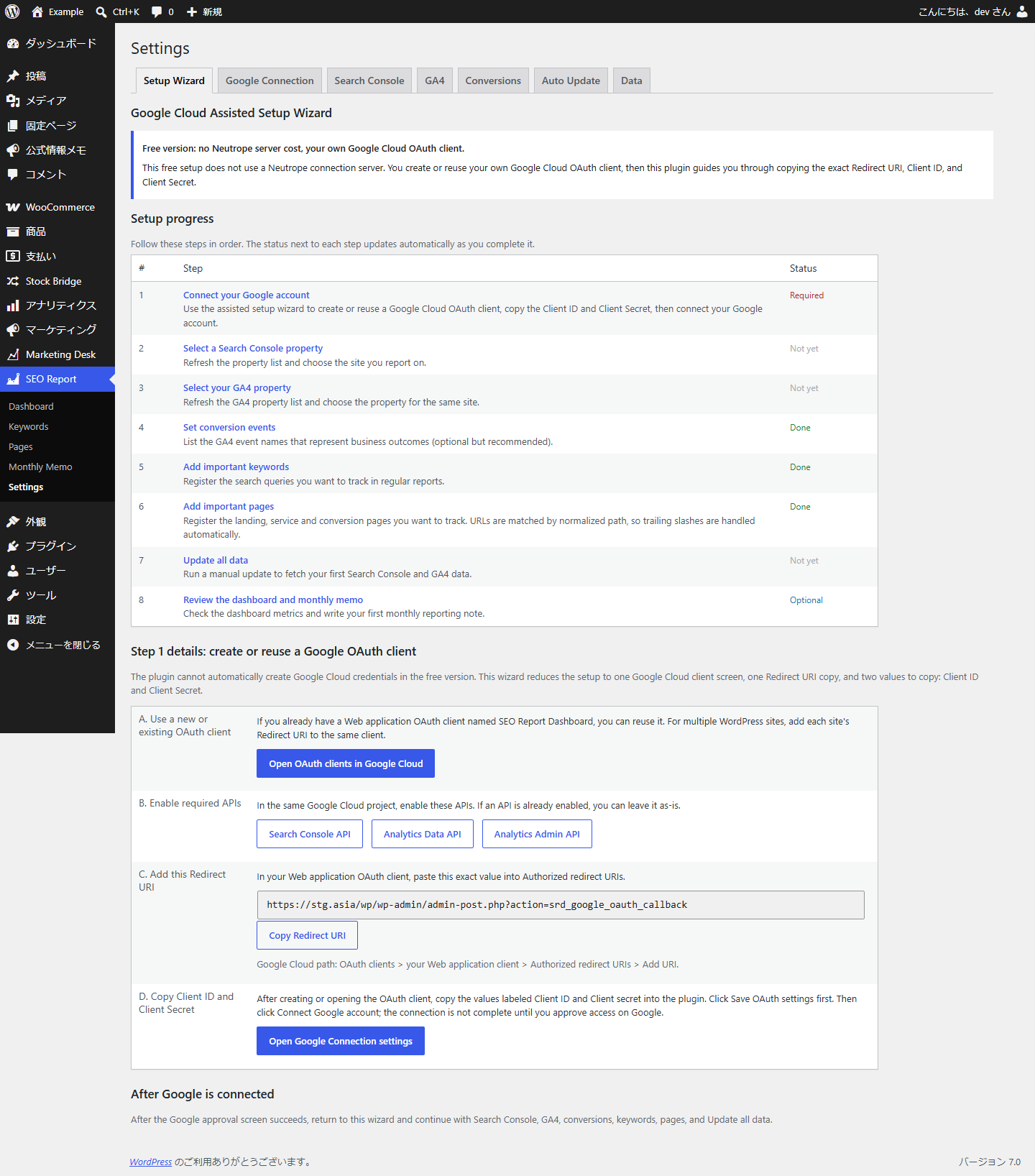
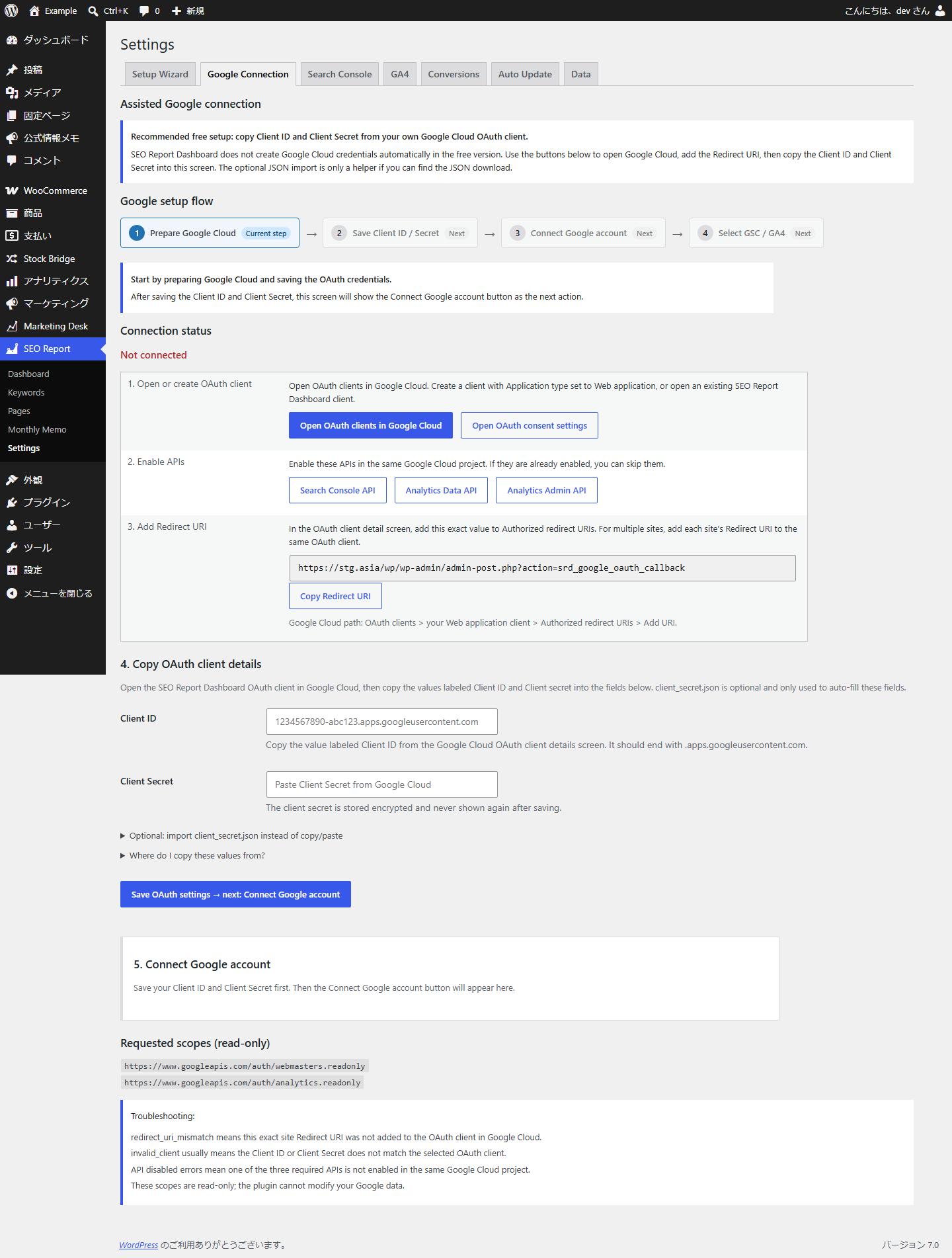
- Connect securely with Google OAuth 2.0 using your own OAuth client, with an assisted setup wizard and Client ID / Client Secret copy.
- All fetched data is stored in your WordPress database.
Metrics shown
- Search Console: clicks, impressions, CTR, average position (site, per keyword, per page).
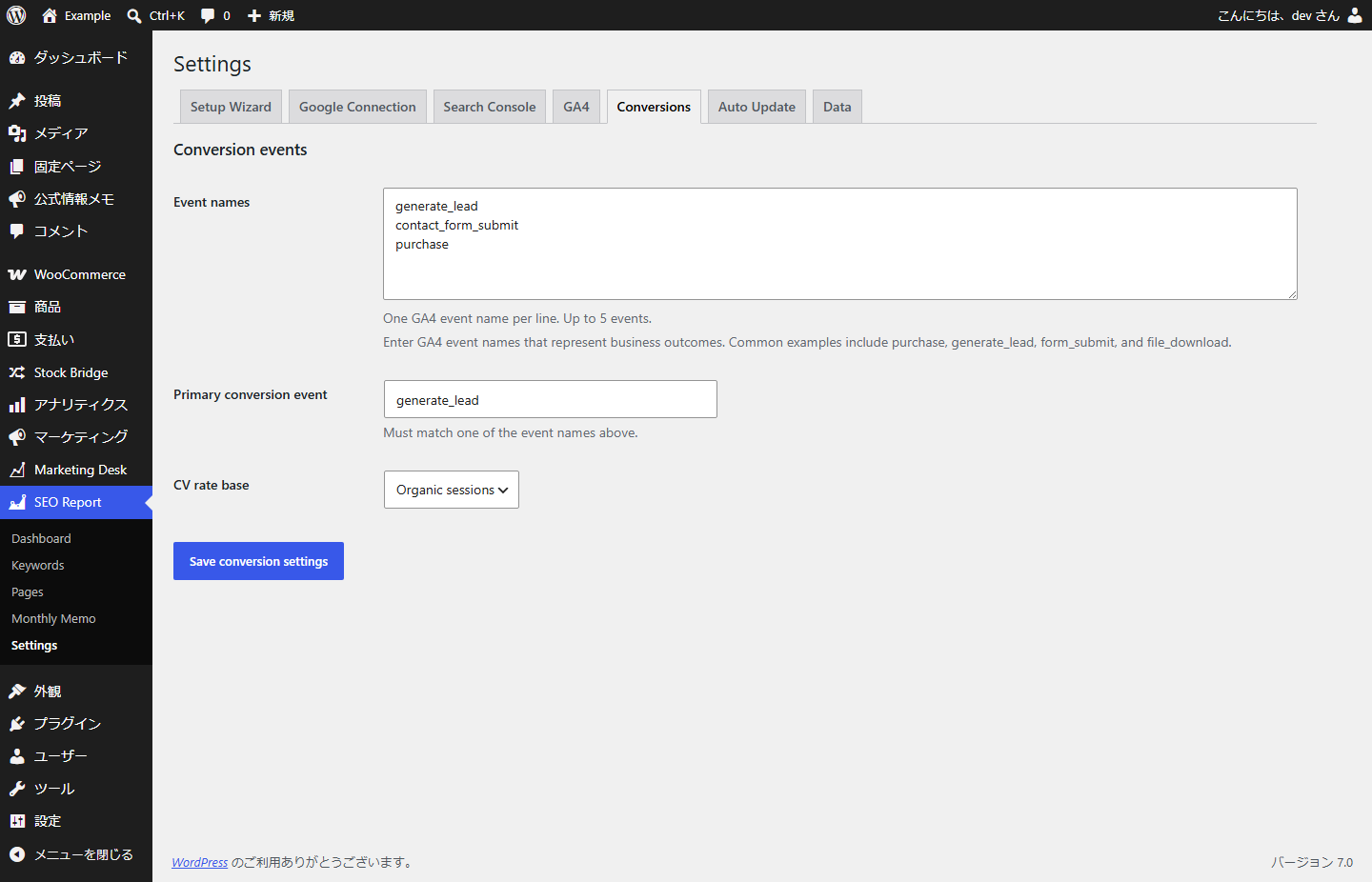
- GA4: organic sessions, active users, engaged sessions, engagement rate and configured conversion events (site and per page).
External services
This plugin connects to Google APIs to retrieve your Search Console and Analytics data. It only does so after you connect your own Google account via OAuth, and it communicates with Google when you manually update data or when a scheduled (WP-Cron) update runs. No data is sent anywhere except Google’s APIs, and retrieved data is stored in your WordPress database.
Google OAuth 2.0 (accounts.google.com, oauth2.googleapis.com)
Used to authorize access and to obtain/refresh access tokens. The plugin sends your OAuth client ID/secret and the authorization code or refresh token, and receives access and refresh tokens. Tokens are stored encrypted.
Google Search Console API (www.googleapis.com/webmasters)
Sends: OAuth access token, the selected Search Console property URL, date ranges, your registered keywords and registered page URLs.
Receives: clicks, impressions, CTR, average position, and query/page performance data.
When: when you manually update Search Console data, or when a scheduled update runs.
Google Analytics Data API (analyticsdata.googleapis.com)
Sends: OAuth access token, your GA4 property ID, date ranges, registered page paths and configured conversion event names.
Receives: organic sessions, active users, engaged sessions, engagement rate, and event counts for the configured conversion events.
When: when you manually update GA4 data, or when a scheduled update runs.
Google Analytics Admin API (analyticsadmin.googleapis.com)
Sends: OAuth access token.
Receives: GA4 account and property summaries available to the connected Google account.
When: only when you click Refresh GA4 properties on the GA4 settings tab.
Your use of Google APIs through this plugin is subject to the Google APIs Terms of Service (https://developers.google.com/terms) and the Google Privacy Policy (https://policies.google.com/privacy).
Details
Related plugins
Plugins that also contain the tag analytics
Site Kit by Google – Analytics, Search Console, AdSense, Speed

MonsterInsights – Google Analytics Dashboard for WordPress (Website Stats Made Easy)

WP Statistics – Simple, privacy-friendly Google Analytics alternative

GA Google Analytics – Connect Google Analytics to WordPress

Head, Footer and Post Injections

ExactMetrics – Google Analytics Dashboard for WordPress (Website Stats Plugin)


About
Plugin for that tries to help you find the WordPress plugin you are looking for.
| Please enjoy an image of Crush (this awesome turtle) and have a lovely day! |  |
We do not own any plugin listed on this site and do not work for or work with WordPress.com or it's associated companies. We simply provide a searchable list of the available WordPress plugins.