


NeverLast Security Lite
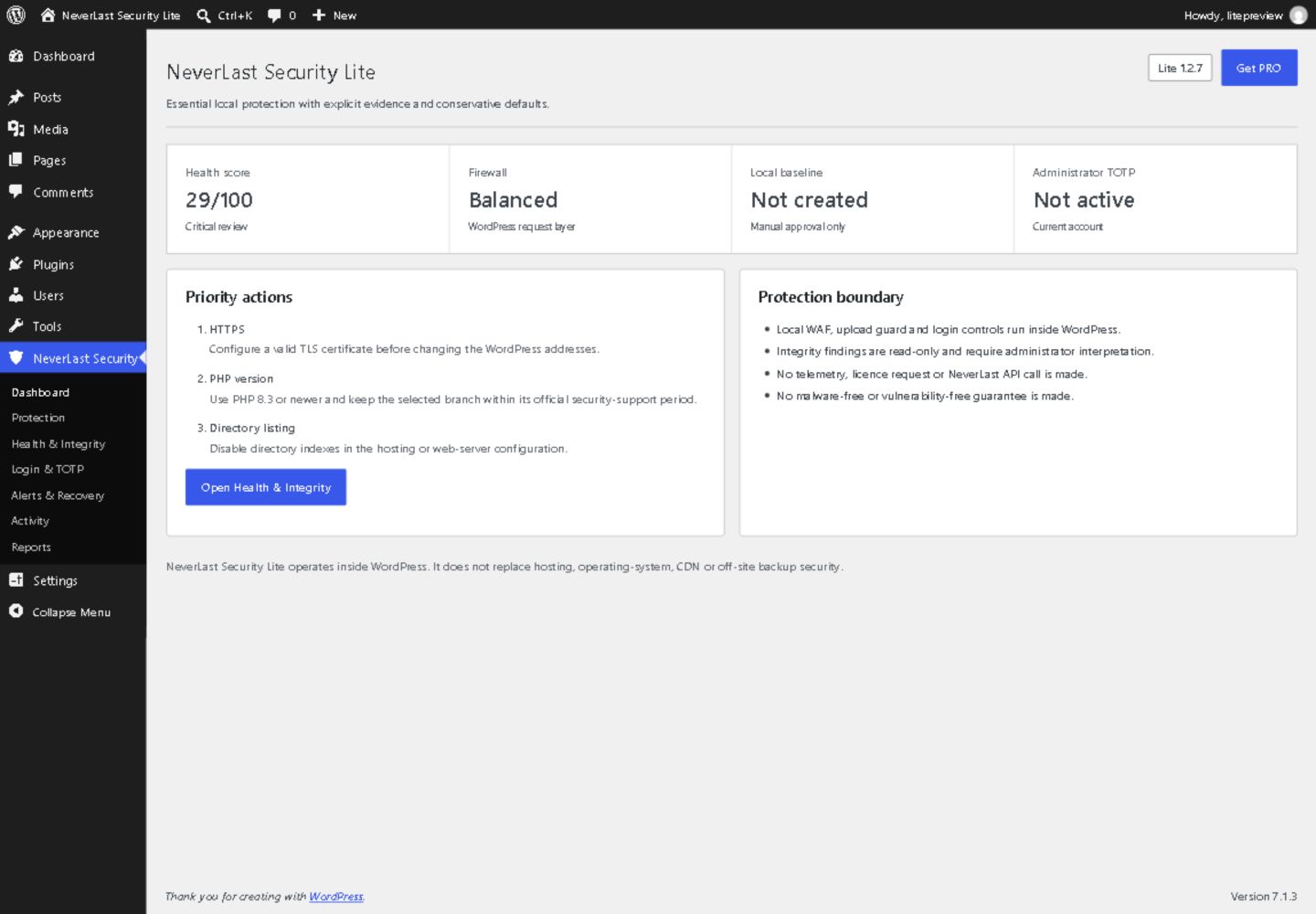
NeverLast Security Lite is a complete, standalone security plugin. It runs inside your site: no account, no licence key, no telemetry, and no feature locked behind an upgrade.
What it does
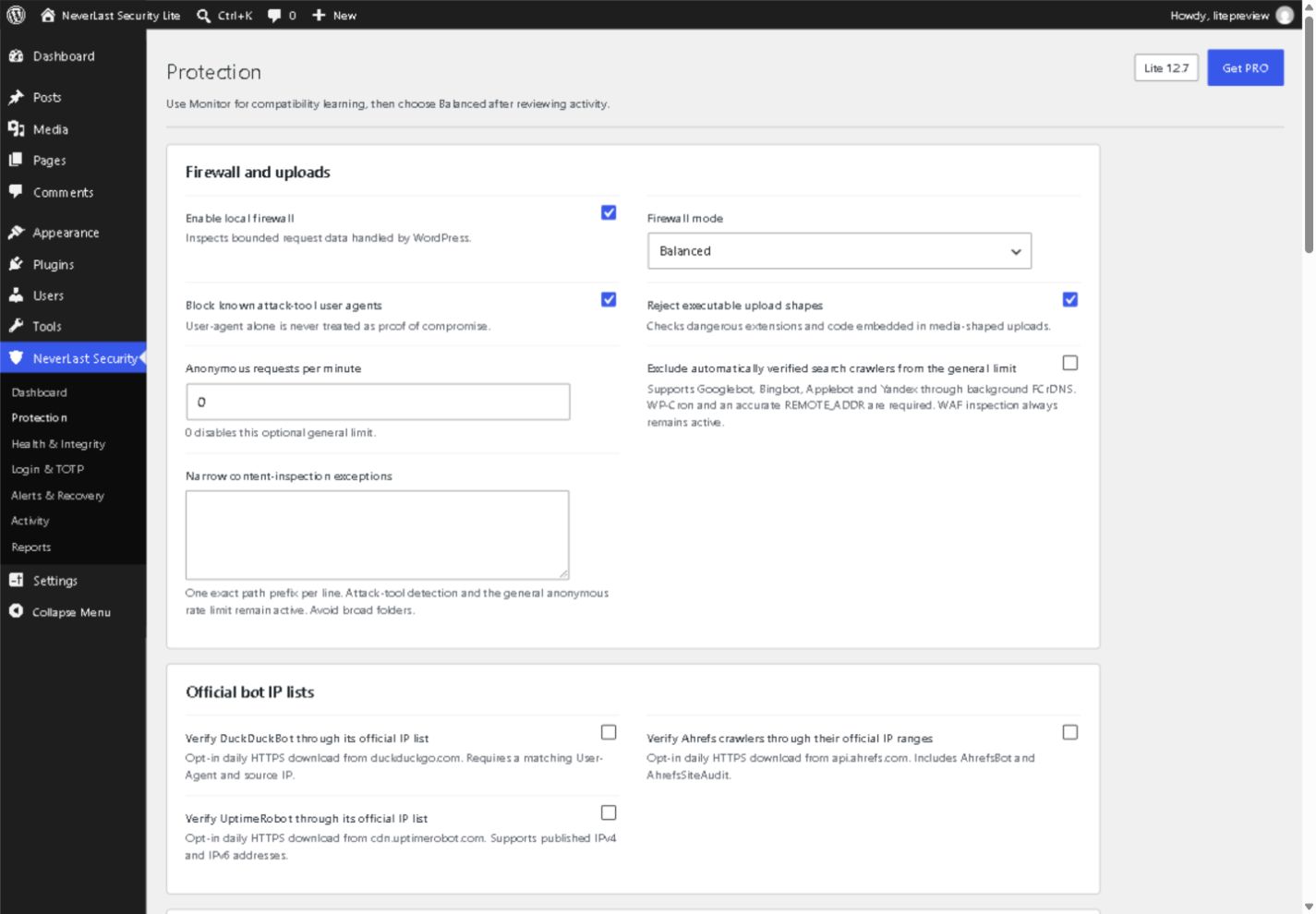
- Firewall – inspects requests for common SQL injection, XSS, path traversal, file inclusion, command injection, Log4Shell and Shellshock shapes, in Monitor, Balanced or Strict mode.
- Upload protection – rejects executable uploads, smuggled server-control files and images that carry code, and holds uploads it cannot fully inspect.
- Login security – attempt limits and lockouts, generic login errors, author-enumeration and REST user protection, XML-RPC and Application Password controls.
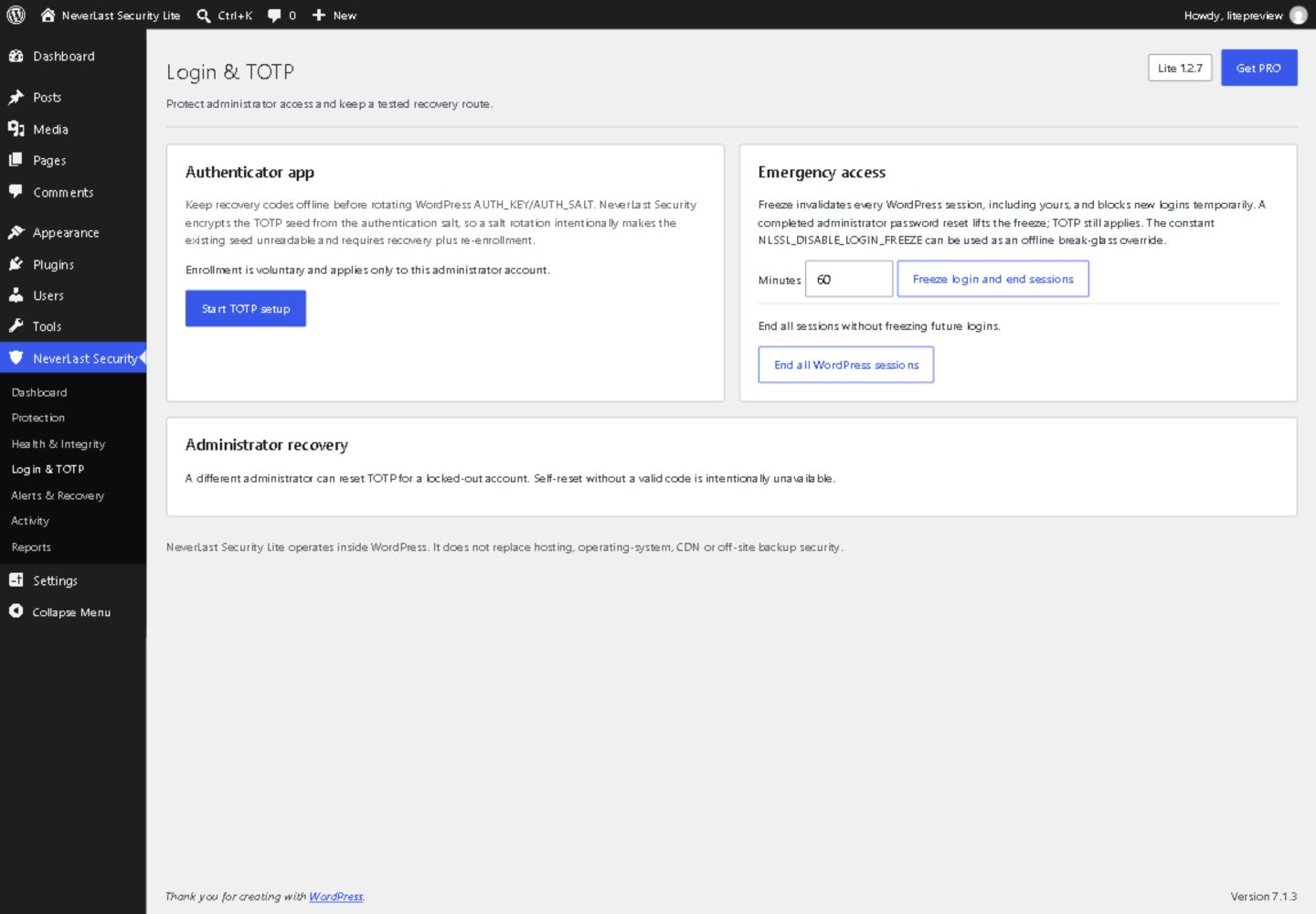
- Two-factor authentication – optional TOTP for administrators with encrypted secrets and one-use recovery codes.
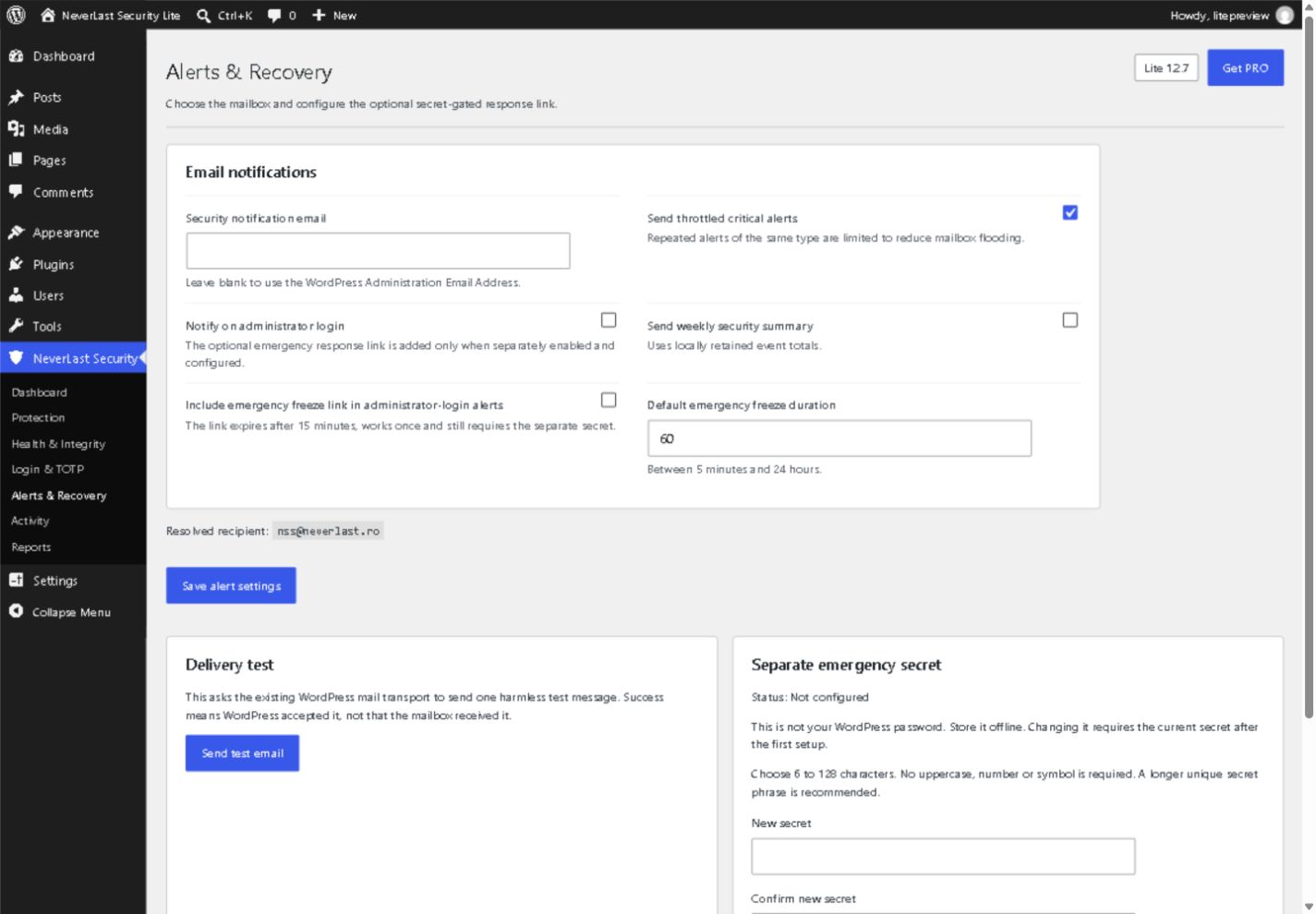
- Emergency controls – end every session or freeze logins, with an optional secret-protected emergency link in login alerts.
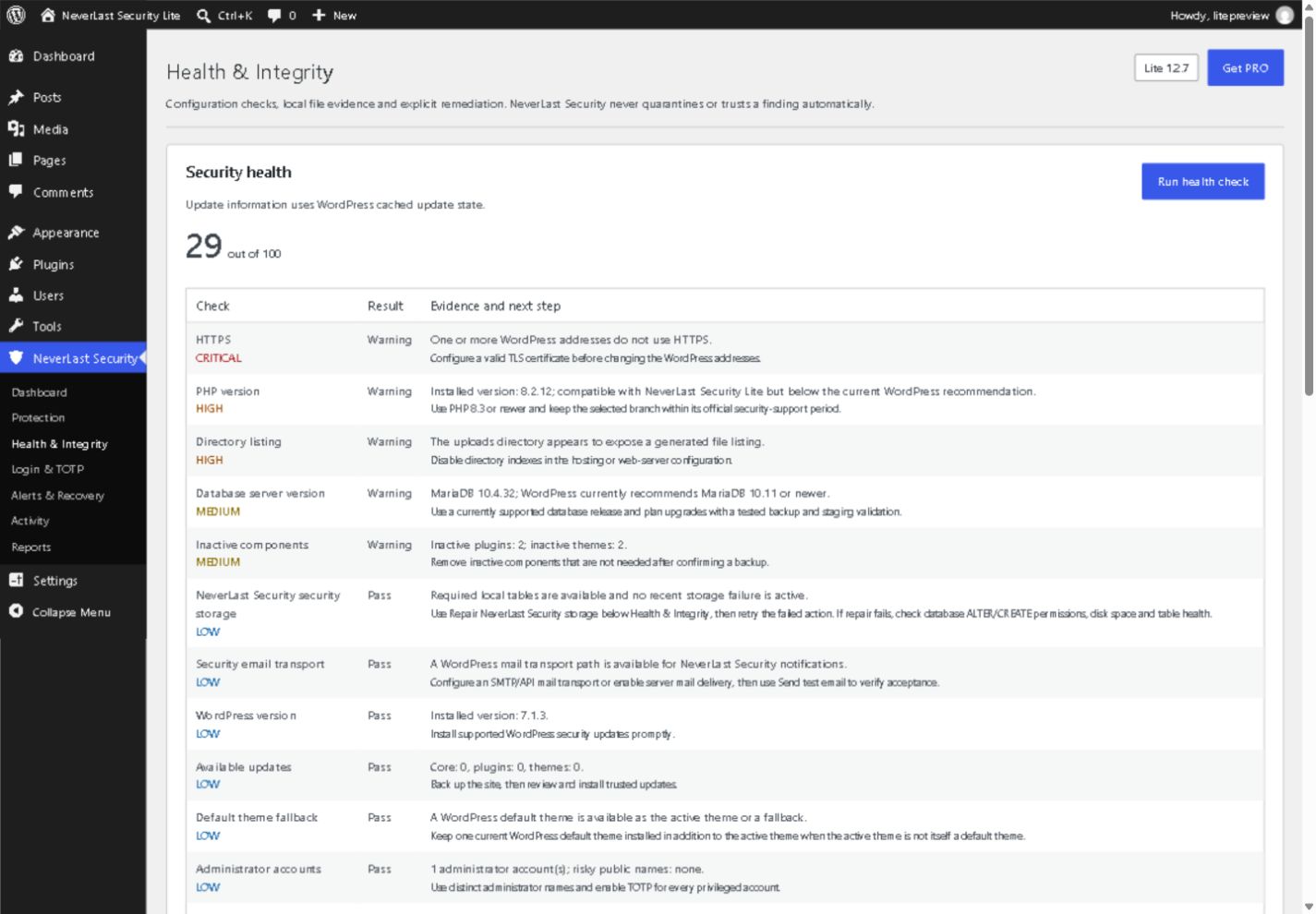
- Health check – a prioritized score with plain-language recommendations.
- Integrity monitoring – an approved local baseline of your files, resumable comparison for large sites, uploads review, and optional verification against WordPress.org checksums.
- Quarantine you decide – a suspicious upload is held as an authenticated encrypted, non-executable copy until you download it as evidence or delete it. Nothing is deleted automatically.
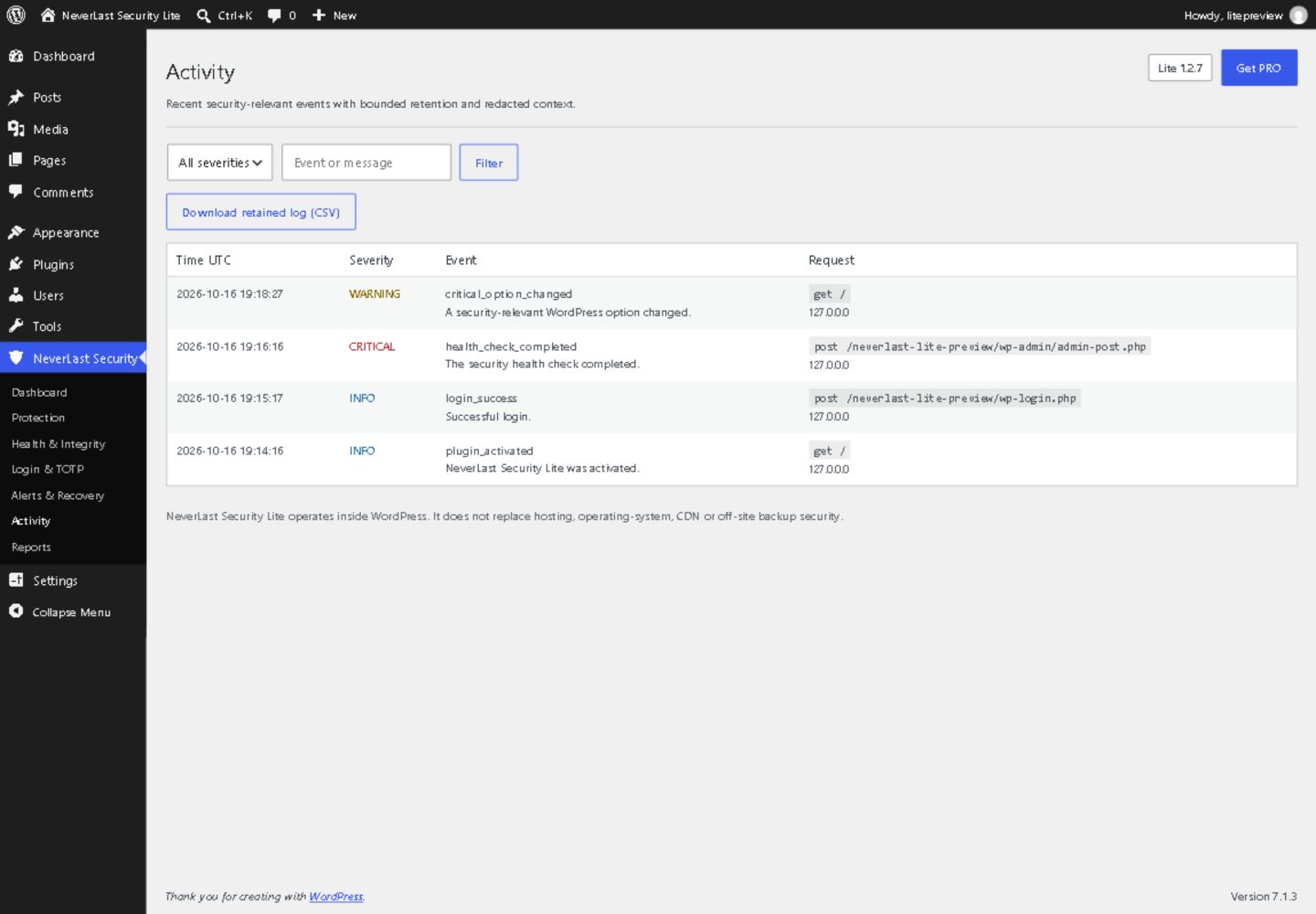
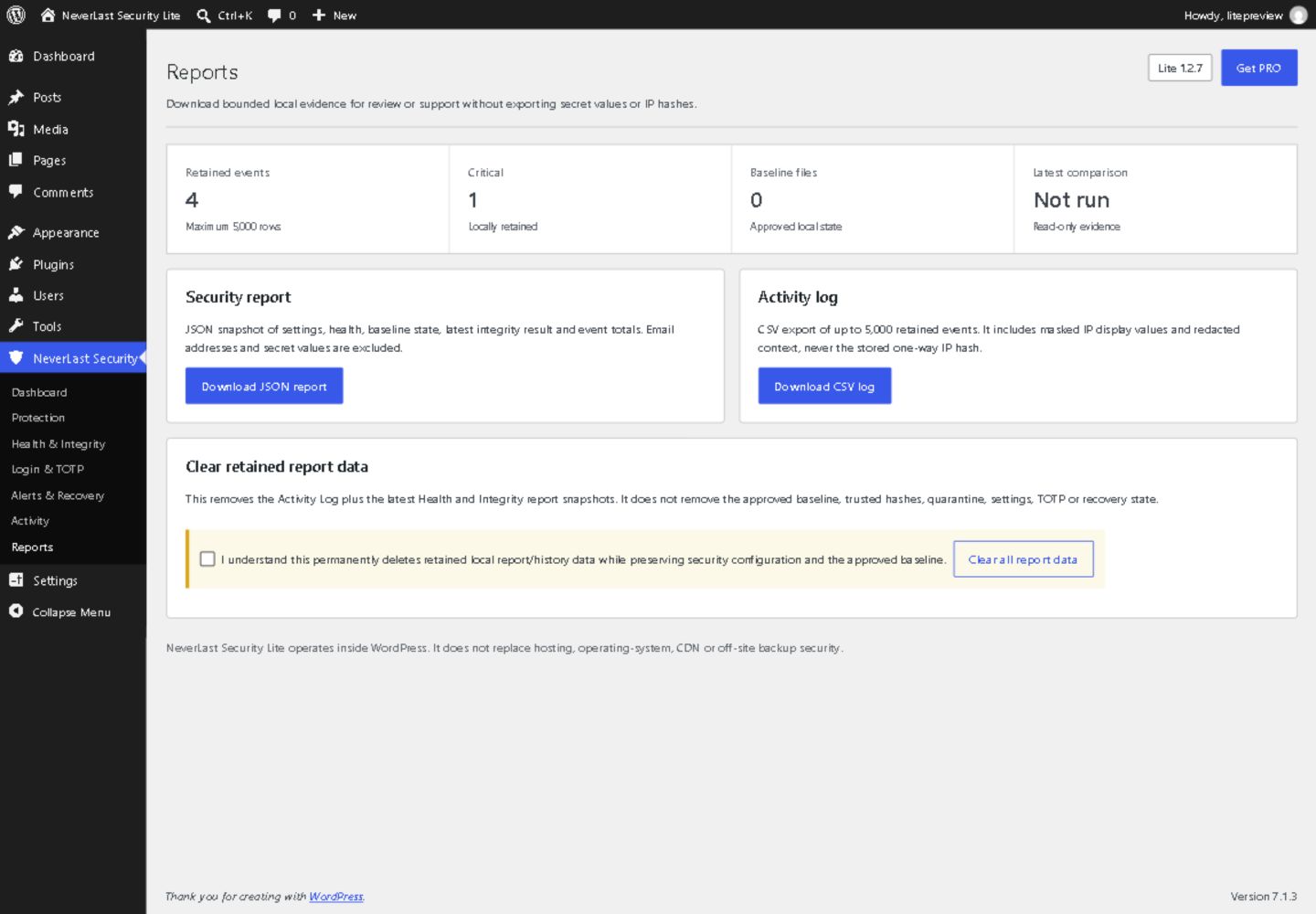
- Activity log – bounded retention, masked IP addresses, CSV and JSON export, and throttled email alerts.
- Security headers – baseline browser headers and optional CSP Report-Only diagnostics.
What it does not do
Lite runs inside WordPress, so it cannot protect anything served before WordPress loads and it does not replace web-server, hosting, CDN or backup controls. It does not scan database content, it logs but does not block the creation of administrator accounts, and it never repairs files automatically. An integrity baseline shows what changed since you approved it; it does not prove the approved state was clean. Single-site installations only.
No security product can guarantee a site is free of vulnerabilities. Keep WordPress, PHP, plugins and themes updated, use least privilege, and keep tested off-site backups.
Support and security contact: nss@neverlast.ro
External services
NeverLast Security Lite never sends site content, credentials, visitor records or telemetry, and never contacts NeverLast. Every connection to another service is off until you turn it on:
Official crawler IP lists – off by default
Only when you enable a provider under Protection, WP-Cron downloads its public IP list once a day so that provider’s genuine crawler is not counted against the optional anonymous rate limit. The request carries your server’s IP address and a plugin user agent that does not include your site’s address; nothing else is sent.
- DuckDuckGo: https://duckduckgo.com/duckduckbot.json – privacy https://duckduckgo.com/privacy/
- Ahrefs: https://api.ahrefs.com/v3/public/crawler-ip-ranges – terms https://ahrefs.com/legal/terms, privacy https://ahrefs.com/legal/privacy-policy
- UptimeRobot: https://cdn.uptimerobot.com/api/IPv4andIPv6.txt – terms https://uptimerobot.com/terms/, privacy https://uptimerobot.com/privacy/
WordPress.org checksums – off by default
Only when you enable “Verify changed core and plugin files with WordPress.org checksums” under Protection, a comparison that finds changed, added or missing WordPress core or plugin files downloads the official checksums for that release, to tell a genuine update apart from tampering. Core checksums come from https://api.wordpress.org/core/checksums/1.0/ with the WordPress version and locale; plugin checksums come from https://downloads.wordpress.org/plugin-checksums/ with the plugin slug and version. Requests carry your server’s IP address and a plugin user agent without your site’s address, and results are cached for six hours. While this is off, files are compared with your approved baseline only. WordPress.org privacy policy: https://wordpress.org/about/privacy/
Your own site
The Directory listing health check requests your own uploads address to see whether the server returns a file index. Optional crawler verification uses your server’s DNS resolver; no verification API is contacted.
Privacy
Security events are stored in your WordPress database with a masked IP address, a salted one-way IP hash, the request method and path, and bounded redacted context. Passwords, cookies, authorization headers, nonces, secrets and recovery codes are never logged. The activity log keeps seven days by default. Email alerts use your site’s own mail configuration and go to the WordPress administration email unless you set another address. Throttled critical alerts are on by default; administrator-login alerts and the weekly summary are sent only when enabled.
A quarantined file is held under an access-restricted neverlast-security-lite/quarantine directory in your configured uploads folder with authenticated AES-256-GCM encryption and its original SHA-256. Apache/IIS access-control files are included; nginx and other web servers should still explicitly deny direct HTTP access. Decryption uses the WordPress authentication salts, so export retained evidence before rotating or replacing those salts. On upgrade, previous Base64 evidence is checked and re-encrypted when migrated from wp-content/.nlssl-quarantine; originals are kept if migration fails. Direct restoration of executable evidence is disabled; download it for offline analysis or permanently delete it. Evidence survives ordinary uninstall; enabling “Delete Lite data on uninstall” removes held data along with settings and tables.
Details
Related plugins
Plugins that also contain the tag file-integrity
File Change Monitor

Malsift – Malware Scanner & Cleanup

MadTek Entrusans ™ IDS client

WebKernelAI Security

Milardovich File Modification Monitor

ice Scanner Security


About
Plugin for that tries to help you find the WordPress plugin you are looking for.
| Please enjoy an image of Crush (this awesome turtle) and have a lovely day! |  |
We do not own any plugin listed on this site and do not work for or work with WordPress.com or it's associated companies. We simply provide a searchable list of the available WordPress plugins.