


NoCopium Trade Journal
NoCopium Trade Journal is a WordPress trading journal for manual logging of stocks, options, and futures — including multi-leg strategies — with realized P&L, notes, and optional process tags you apply yourself.
Built for traders who want their data on their site, not a SaaS journal they do not control.
Website and Pro: nocopium.com
Live demo: https://nocopium.com/demo/
FAQs: https://nocopium.com/faqs/
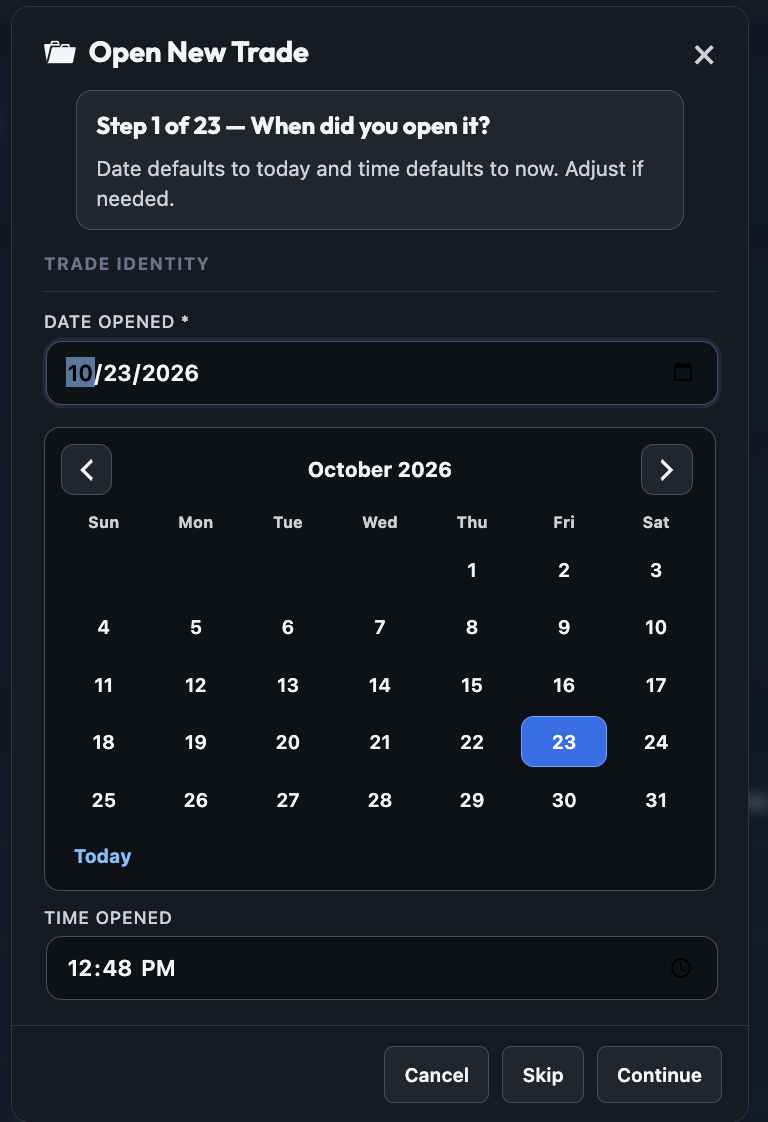
Documentation: Dashboard · Trade Journal · Open New Trade · Settings
Pro documentation: Import (Tastytrade CSV) · Analytics
What The Free Build Includes
- Unlimited manual trade logging (no trade cap)
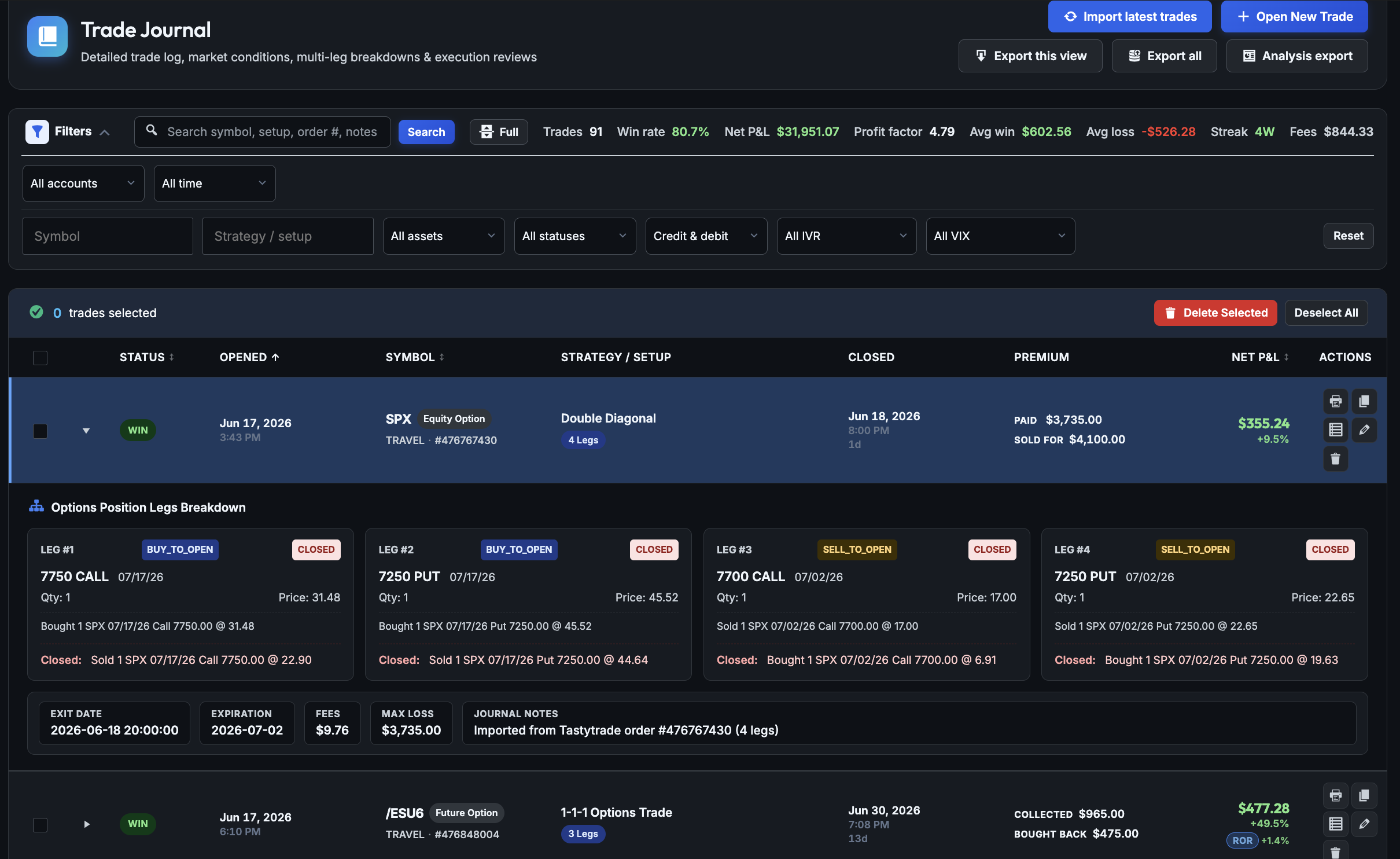
- Multi-leg option structures (up to four legs per trade)
- Strategy/setup tagging, multiple accounts, journal search and filters
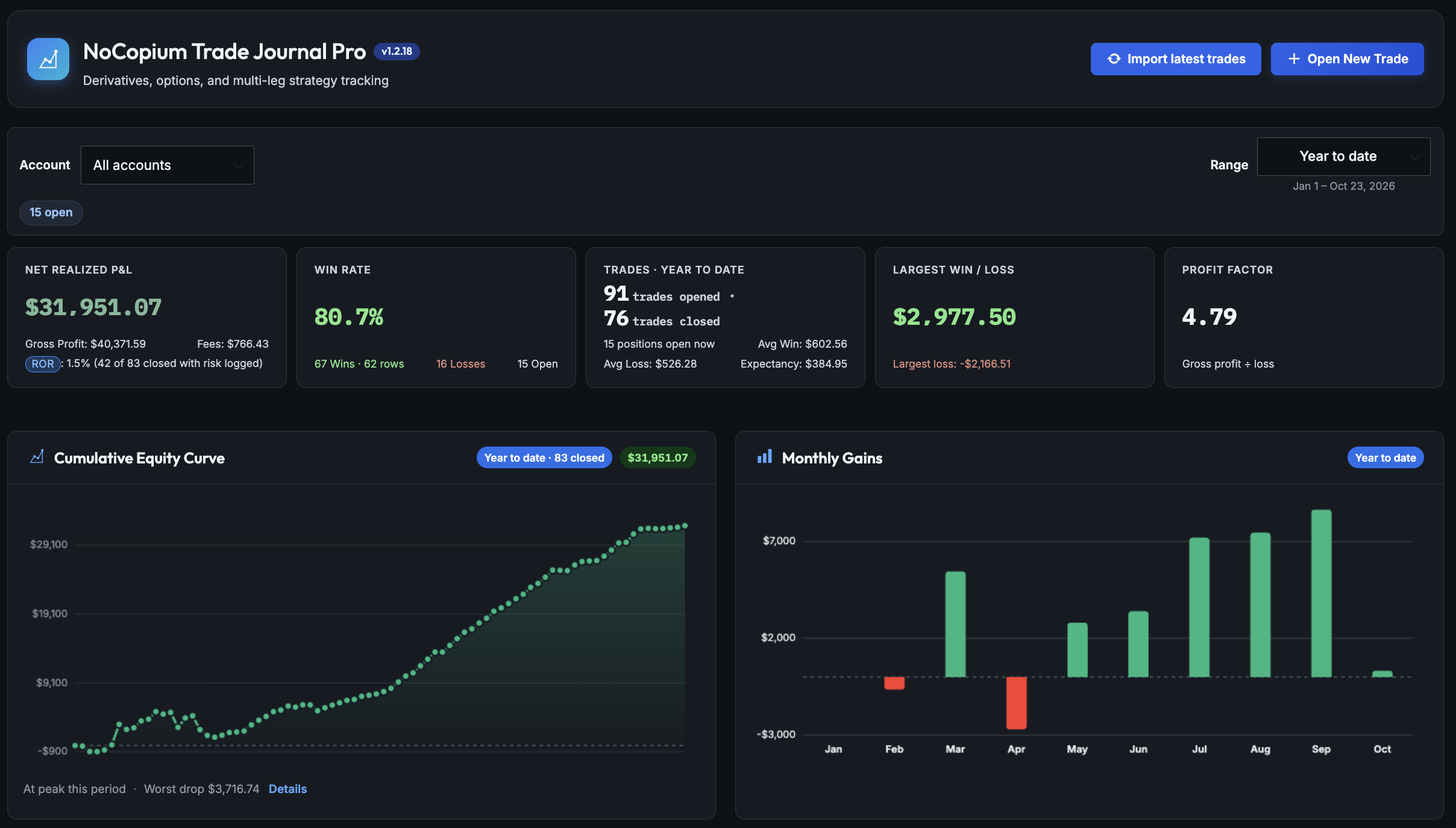
- Admin dashboard: net P&L, win rate, equity curve, monthly gains, daily P&L calendar (year to date)
- Optional tags: mindset at open; Followed vs Broke Plan on close
- Dashboard glance: counts for recent tagged opens; Followed vs Broke Plan dollars and follow-rate percent for recent tagged closes (last 20 each)
- Return on risk on the dashboard when max loss or buying power is logged
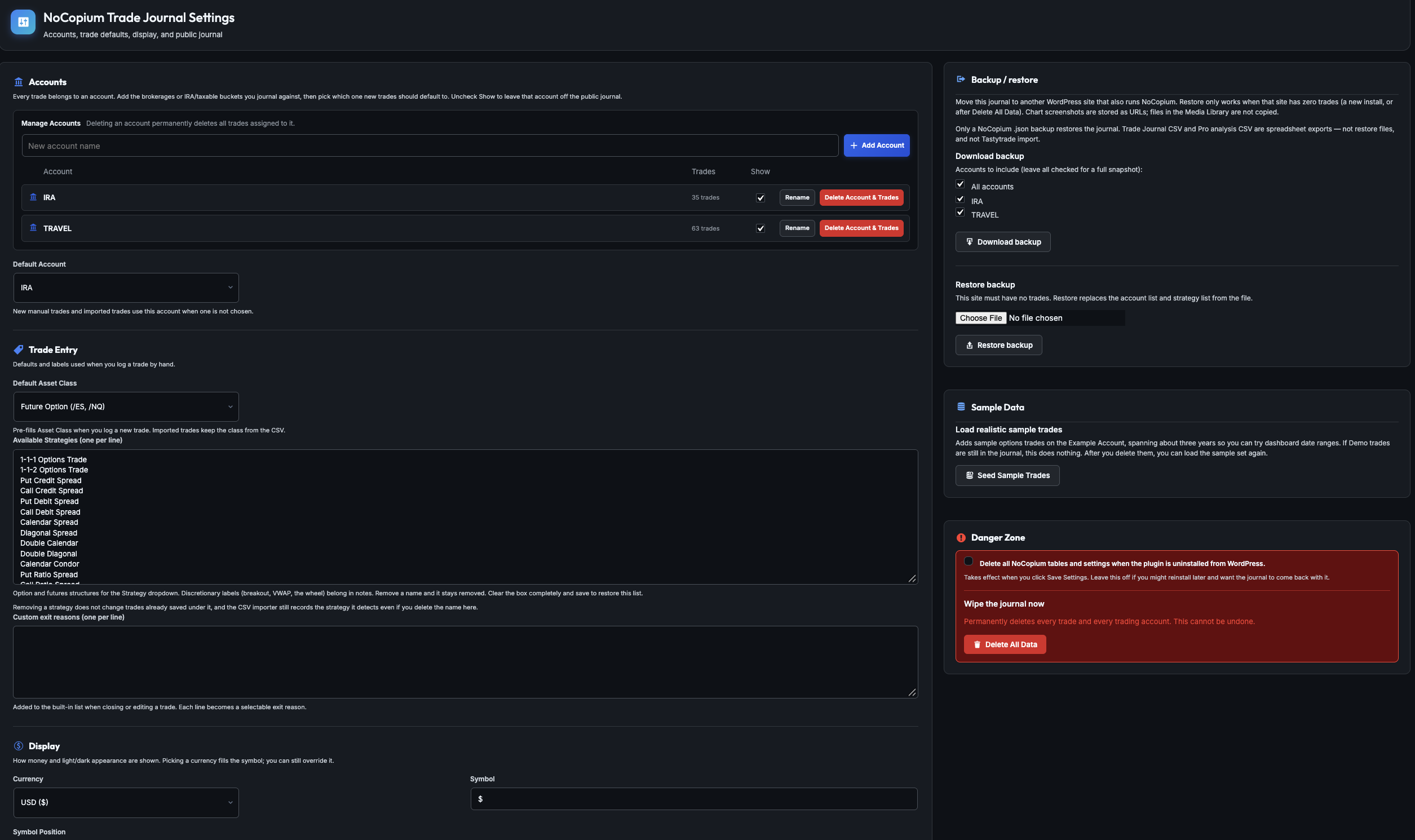
- Trade CSV export, JSON backup/restore (empty target journal only), sample trades in Settings
- Public shortcodes
[nocopium_journal]and[nocopium_stats](on by default; disable in Settings) - Light and Dark admin and public journal themes
What The Free Build Does Not Include
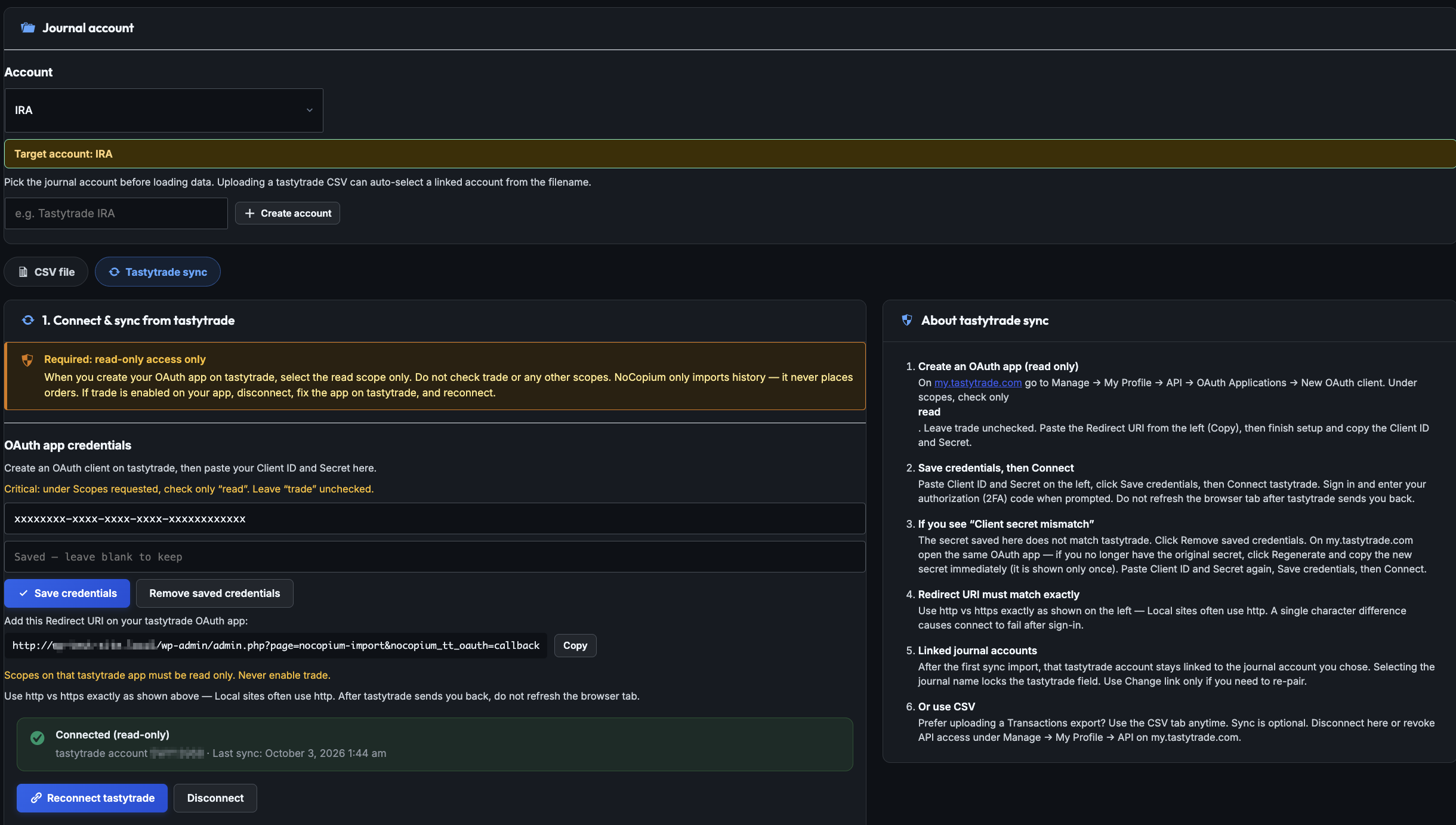
- Tastytrade broker CSV import (Pro add-on from nocopium.com)
- P&L analytics by tag across a date range (full plan and mindset tables, win rate by tag)
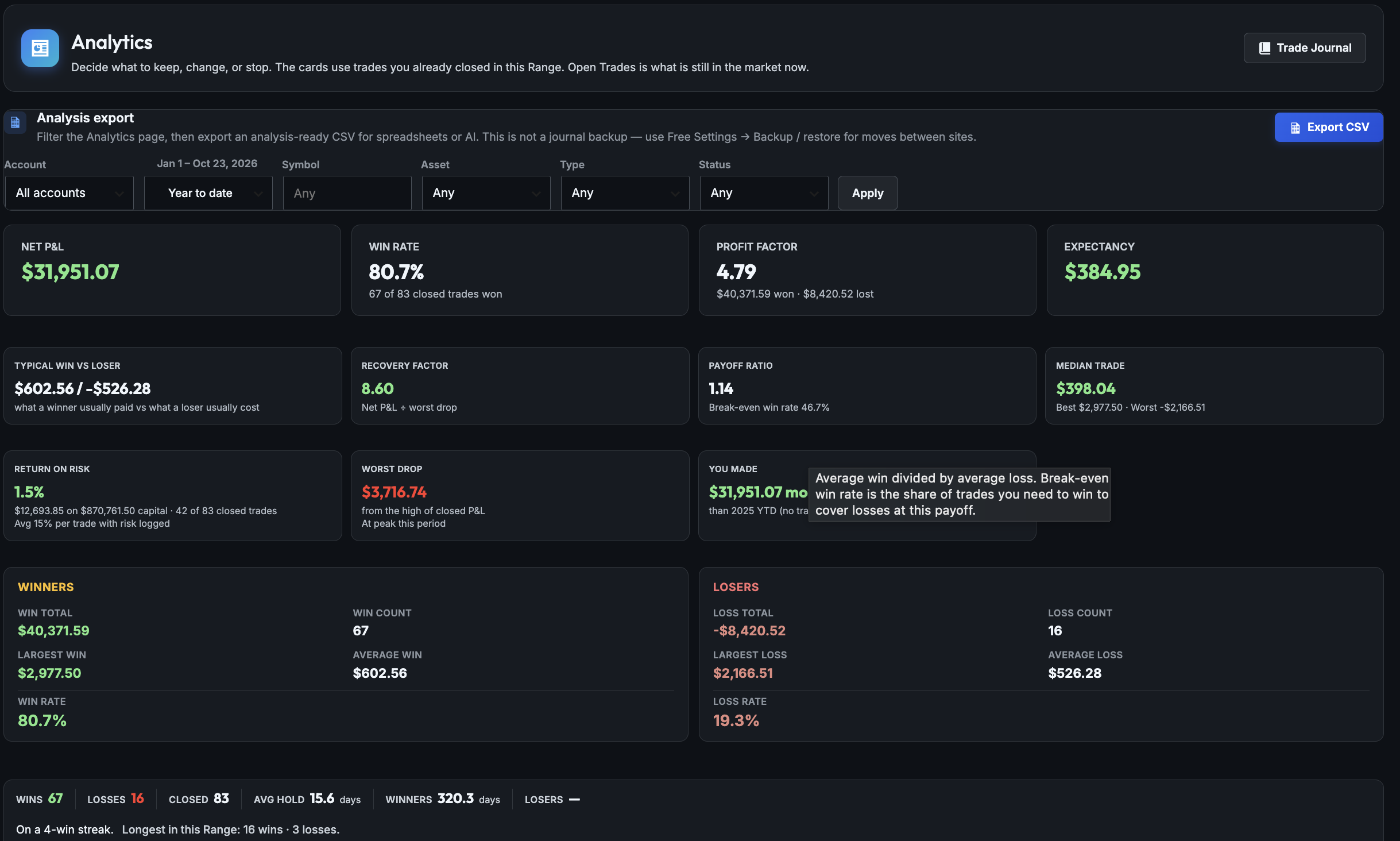
- Full Analytics page (profit factor, strategy/underlying tables, drawdown, streaks, IVR/VIX buckets)
- Dashboard Range menu beyond year-to-date (Pro adds month, quarter, rolling windows, all time)
- Licensing or Freemius (Pro only, sold from nocopium.com)
Upgrade To Pro
NoCopium Trade Journal Pro adds Tastytrade broker CSV import (Transactions export; Order # grouping and open/close matching), a generic CSV fallback, and the Analytics workspace — including P&L by Followed vs Broke Plan and by mindset over the range you choose.
Additional broker-specific importers may be added later if there is enough interest. Keep this free plugin installed — Pro adds features; your trades stay in the same database.
Process Tags (Free To Log, Pro To Analyze Deeply)
- Mindset at open — optional when you open a trade (Notes step). Free dashboard shows how often each mindset appeared on recent tagged opens.
- Followed vs Broke Plan — optional when you close a trade. Free dashboard shows dollar P&L for Followed vs Broke on recent tagged closes, plus a follow-rate percent.
- Tags are empty until you set them; Tastytrade import does not fill them.
- Pro Analytics turns those tags into full-range P&L, win rate, and bar charts — not just the last-20 glance on the dashboard.
Dedicated Trade Journal
- Stores each trade in your WordPress database
- Tracks symbol, asset class, account, direction, entry/exit, fees, P&L, strategy/setup, order reference, and notes
- Optional market context: IVR, VIX, underlying price, buying power, max loss, POP, net delta
- Needs Review status for incomplete rows (excluded from statistics until fixed)
Dashboard and Charts
- Year-to-date KPIs, cumulative equity curve, and monthly gains bars
- Daily P&L calendar with closed trades listed for each day
- Account filter when you use more than one account
- Recent trade activity; plan and mindset tags visible on rows when set
Backup, Export, and Shortcodes
- JSON backup/restore from Settings (destination journal must be empty)
- Trade Journal CSV export (spreadsheet; not the same as backup or Tastytrade import)
[nocopium_journal]and[nocopium_stats]on the frontend
Upgrade To Pro
Pro is sold from nocopium.com, not WordPress.org. Install NoCopium Trade Journal Pro (Add-on) alongside this plugin. Do not uninstall Free.
Pro adds:
- Tastytrade broker CSV import with preview, duplicate protection, and import summary
- Generic CSV fallback; additional broker importers may follow based on demand
- Analytics: P&L by strategy, underlying, Followed vs Broke Plan, and mindset at open across your chosen date range
- Profit factor, drawdown, streaks, closed P&L mix, IVR/VIX and asset-class breakdowns
- Dashboard Range menu and profit factor card
Purchase and activate Pro at nocopium.com.
Live Demo
Try the public journal demo before you install or upgrade:
The demo shows the frontend journal experience. Admin features (Dashboard, Trade Journal, Settings) require installing the plugin on your own WordPress site.
Support
Free (WordPress.org): use the plugin support forum on this directory page.
Pro: nocopium.com per your license terms.
FAQs: https://nocopium.com/faqs/ — Free vs Pro, import, backup, Analytics, and more.
Details
Related plugins
Plugins that also contain the tag futures
World Oil Supply Clock


About
Plugin for that tries to help you find the WordPress plugin you are looking for.
| Please enjoy an image of Crush (this awesome turtle) and have a lovely day! |  |
We do not own any plugin listed on this site and do not work for or work with WordPress.com or it's associated companies. We simply provide a searchable list of the available WordPress plugins.