



Nocturne Dark Mode – Elementor Dark Mode Toggle for WordPress
💻 Demo | 👩🏼💻 View Other Products | 📔 Docs
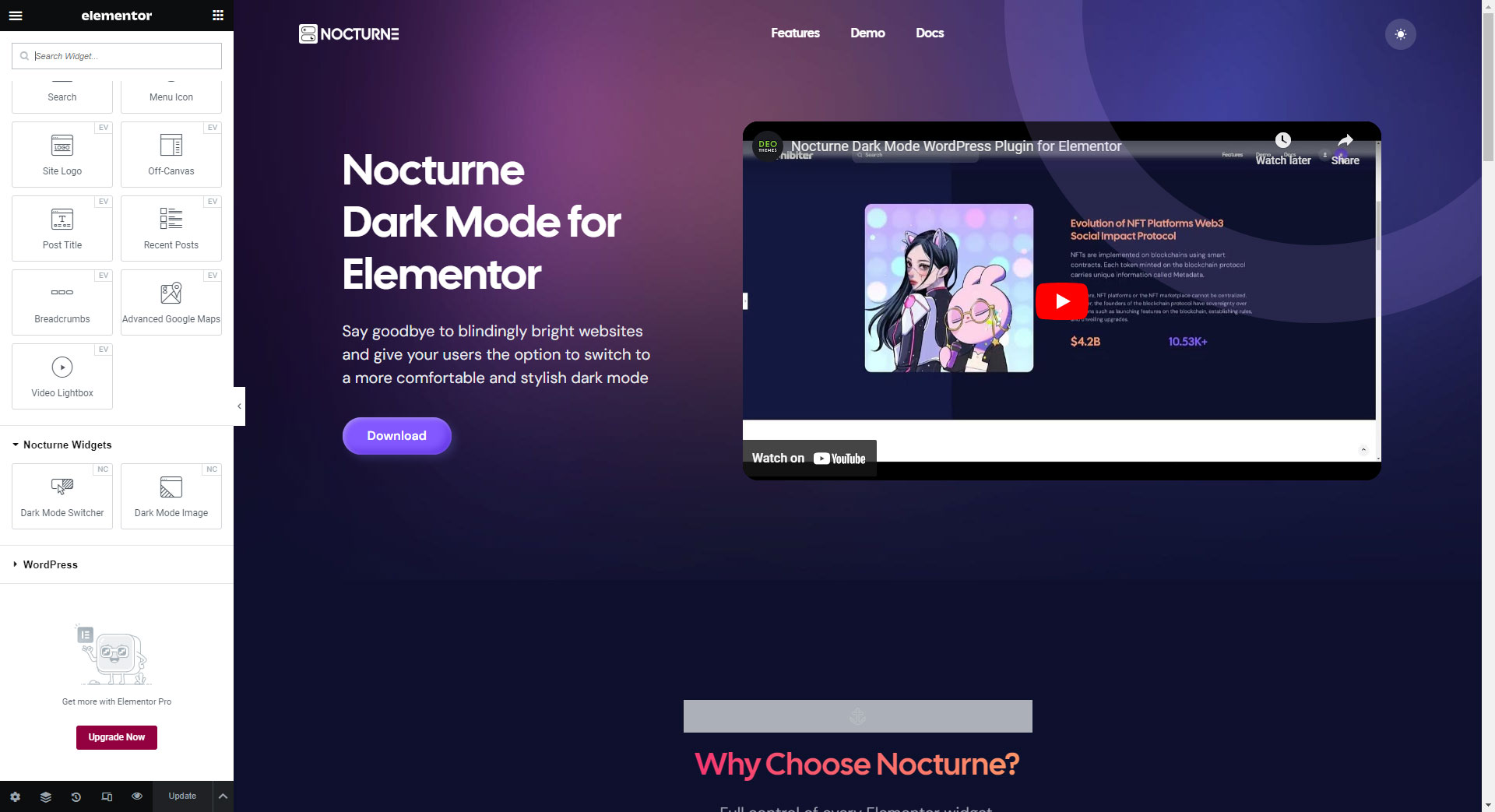
Effortlessly transform your Elementor websites into stunning dark-themed versions.
Nocturne Dark Mode seamlessly integrates with Elementor, allowing you to customize the dark mode settings to match your website’s branding and design. Whether you want to create a dark mode version of your entire website or just specific sections, Nocturne Dark Mode gives you the flexibility to do so. Say goodbye to blindingly bright websites and give your users the option to switch to a more comfortable and stylish dark mode with Nocturne Dark Mode for Elementor and Elementor Pro.
WHY CHOOSE HOW NOCTURNE DARK MODE?
Unlike other plugins, Noturne Dark Mode adds custom controls to every Elementor widget, making the customization process more smooth an easy. Everything is editable via Elementor editor screen.
NOCTURNE DARK MODE FREE FEATURES
- Easily customize any Elementor widget.
- Works with sections and containers.
- Dark Mode Image Elementor widget – display different image when dark mode is activate.
- Dark Mode Switcher Elementor widget – place dark mode widget anywhere on the page.
- Set Dark Mode as the default color scheme.
- Save user choice every time they visit your site.
NOCTURNE DARK MODE PRO FEATURES
- Elementor Pro compatibility
- 3 Toggle styles
COPYRIGHT
Nocturne Dark Mode, Copyright 2023 DeoThemes
Details


Related plugins
Plugins that also contain the tag dark-mode
WP Dark Mode – Improve Accessibility with AI Powered Dark Theme

Custom Favicon – Easily Add a Favicon in WordPress

Dark Mode for WP Dashboard

Dark Mode Toggle
DarkMySite – Advanced Dark Mode Plugin for WordPress

Darklup – Enhanced WordPress Dark Mode, Dark Theme, Night Mode Plugin


About
Plugin for that tries to help you find the WordPress plugin you are looking for.
| Please enjoy an image of Crush (this awesome turtle) and have a lovely day! |  |
We do not own any plugin listed on this site and do not work for or work with WordPress.com or it's associated companies. We simply provide a searchable list of the available WordPress plugins.