



OmoteTag
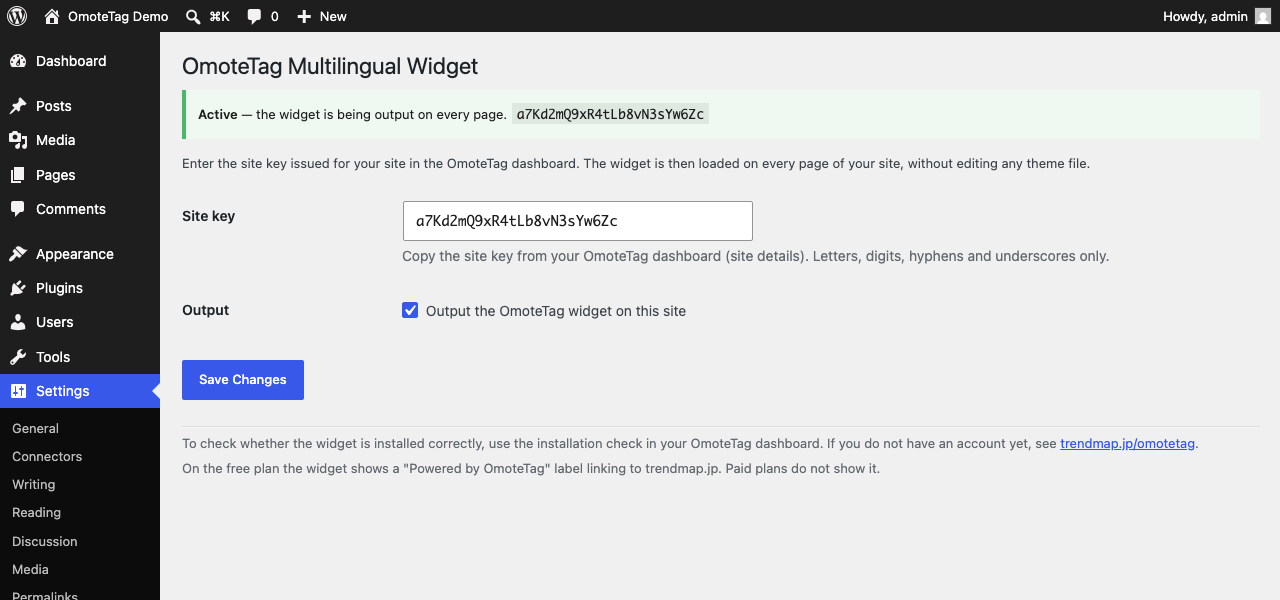
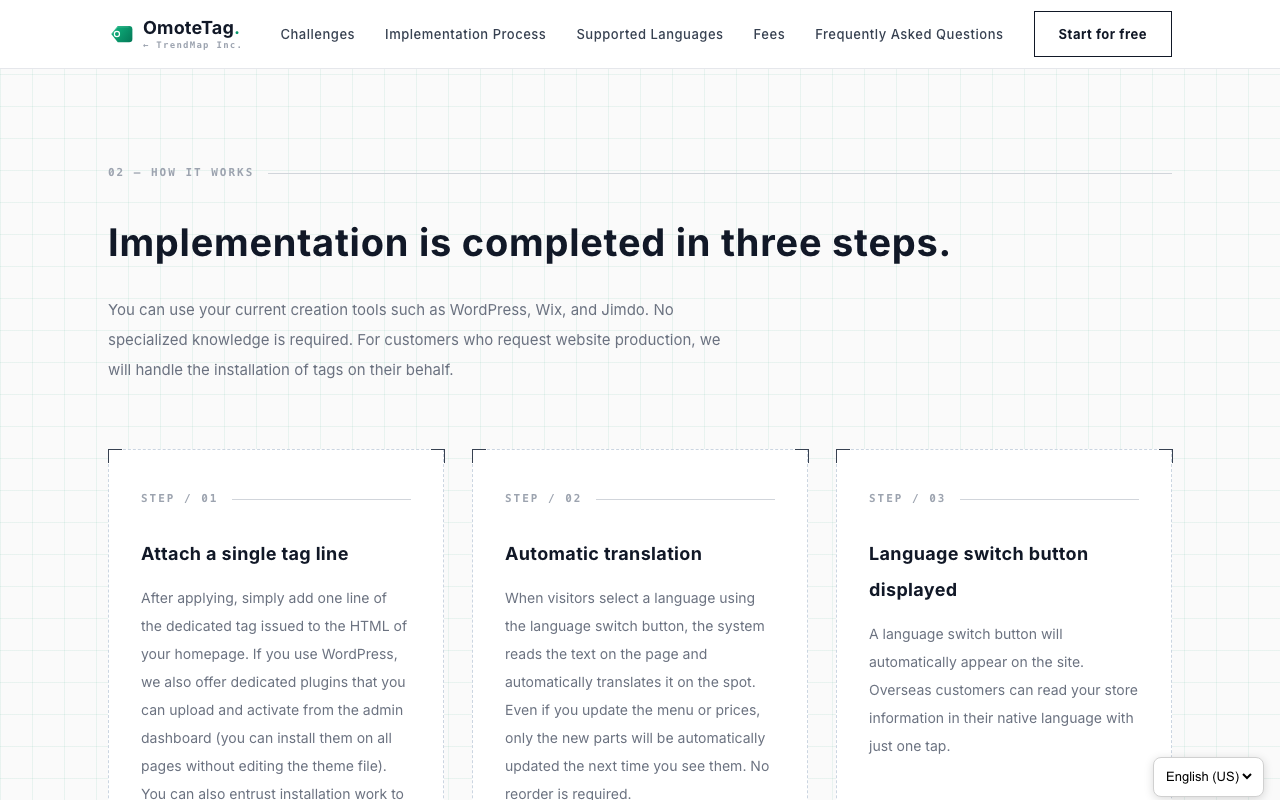
OmoteTag is a hosted service that makes a website multilingual: it adds a language switcher menu and machine translation. This plugin loads that widget on every page of your WordPress site.
You do not need to edit any theme file such as footer.php. The widget is loaded in the footer of every page automatically, and it stays in place when your theme is updated.
Features
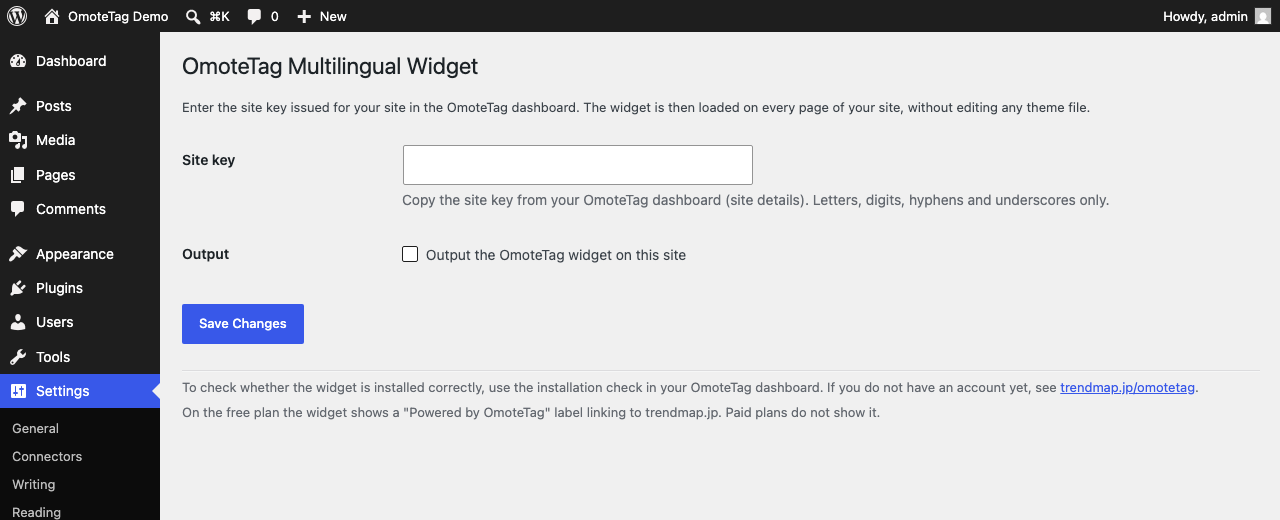
- Enter the site key from your OmoteTag dashboard, save, and you are done
- Applies to every page automatically, so there is no need to add anything page by page
- Unaffected by theme updates, because no theme file is modified
- Turn the widget on or off at any time with a single checkbox
- Your pages are not modified on the server. The widget translates the text in the visitor’s browser after the page has loaded, so the search ranking of your original-language pages is not affected
What this plugin does
This plugin enqueues one script: the OmoteTag widget. The plugin itself never exchanges data between servers.
The URL the widget is loaded from is a constant in the plugin, with no override path — no filter, no setting and no stored value can change it. The settings screen accepts one value, the site key, and only if it consists of 8 to 128 letters, digits, hyphens or underscores. Nothing else you can type into this plugin reaches the front end.
Use of an external service (important)
This plugin relies on an external service, OmoteTag, provided by TrendMap Inc., Japan. An OmoteTag account is required in order to use the plugin. A free plan is available.
When and what is sent
- Whenever a page of your site is displayed, the visitor’s browser loads the widget from
https://trendmap.jp/omotetag-app/static/widget.js. At that point the information that normally accompanies such a request (IP address, user agent, referring URL) reaches the OmoteTag servers. - Immediately after loading, the widget requests its configuration for your site (which languages are enabled, and how the switcher is displayed) from
https://trendmap.jp/omotetag-app/api/widget-config, with the site key as a query parameter. This happens on every page view, whether or not the visitor uses the language menu. - When a visitor selects a language other than the site’s original language from the switcher menu, the text shown on the current page, the selected language code and the site identifier (site_key) are sent from the visitor’s browser to the OmoteTag servers at
https://trendmap.jp/omotetag-app/api/. - The OmoteTag servers obtain a translation of the received text from Microsoft Azure AI Translator and return it to the visitor’s browser. Translated text is stored on the OmoteTag side so that later page views are faster.
Only the text that is visible on public pages is translated. Content entered into forms and login credentials are never sent.
What is stored in the visitor’s browser
When a visitor chooses a language, that choice is saved in the visitor’s own browser: in local storage, under a key derived from your site key, and in a cookie named st_lang that lasts one year. It is read on the next page so that the visitor stays in the language they chose. Nothing else is stored, and it is not used for tracking or advertising.
“Powered by OmoteTag” on the free plan
On the free plan, the widget displays a small “Powered by OmoteTag” label that links to https://trendmap.jp/. It is shown next to the language switcher on the front end of your site, and on the free plan it cannot be switched off. On all paid plans it is not displayed. This is part of the OmoteTag service rather than the plugin, and it is stated on our pricing page, but it is mentioned here so that you know before installing.
Terms of service and privacy policy
- OmoteTag terms of service: https://trendmap.jp/omotetag/terms.html
- OmoteTag privacy policy: https://trendmap.jp/omotetag/privacy.html
- Service overview and pricing: https://trendmap.jp/omotetag/
Microsoft Azure AI Translator is used as the translation engine. Please refer to the Microsoft website for its terms.
Details
Related plugins
Plugins that also contain the tag language-switcher
Connect Polylang for Elementor

Multilanguage by BestWebSoft – WordPress Translation Plugin and Language Switcher

Language Switcher for Transposh

Language Switcher

Language Switcher – Polylang for Divi

Language Switcher for Elementor & Polylang


About
Plugin for that tries to help you find the WordPress plugin you are looking for.
| Please enjoy an image of Crush (this awesome turtle) and have a lovely day! |  |
We do not own any plugin listed on this site and do not work for or work with WordPress.com or it's associated companies. We simply provide a searchable list of the available WordPress plugins.