



Onlinefotka Parcel Shipping with GLS for WooCommerce
Onlinefotka Parcel Shipping with GLS is a full-featured GLS carrier integration for WooCommerce. Connect your GLS account, generate shipping labels directly from the order screen, and give customers the option to pick up their parcels at a GLS Parcel Shop or Parcel Locker.
Built with full HPOS (High Performance Order Storage) and WooCommerce Checkout Blocks compatibility, plus a clean modern settings interface.
Shipping Methods
- GLS Standard — home delivery, weight-based pricing, free shipping threshold
- GLS Parcel Shop — customer selects a pickup point from an interactive map at checkout
- GLS Parcel Locker — customer selects a 24/7 automated locker at checkout
- Per-method: enable/disable, custom title, default price, weight-based rates, free shipping above, supported countries
Label Management
- Generate GLS shipping labels directly from the WooCommerce order screen
- Print individual or bulk labels (PDF)
- A4 and thermal printer support with configurable print position
- Customizable client reference and parcel content fields
- Delete labels (also cancels the parcel in GLS system when possible)
Advanced GLS Services
- Contact Service (CS1) — sends customer phone number to the courier
- Flexible Delivery Email (FDS) — customer can reschedule via email link
- Flexible Delivery SMS (FSS) — reschedule via SMS
- SMS Service (SM1) — tracking number sent by SMS with custom text
- SMS Pre-advice (SM2) — pre-delivery SMS notification
- Addressee Only (AOS) — parcel delivered only to the named recipient
- Insurance (INS) — insures parcel for the full order value
- 24H Guaranteed / Express — expedited delivery options
Automation
- Auto-generate GLS label when order moves to selected WooCommerce status
- Live tracking sync via WP-Cron — automatically fetch GLS parcel status and update order notes
- Status mapping — automatically change WooCommerce order status based on GLS delivery status (by code or keyword)
Tracking
- Tracking numbers injected automatically into all WooCommerce order emails
- Self-service tracking page via
[gls_tracking]shortcode — customers look up their parcel using order number + order key - GLS tracking link in the order admin panel
Requirements
- WordPress 6.0 or higher
- WooCommerce 7.0 or higher
- PHP 7.4 or higher
- Active GLS account with API access
External services
This plugin connects to two external services provided by GLS:
1. MyGLS REST API (api.mygls.*)
Used for generating shipping labels, retrieving delivery-point (Parcel Shop / Parcel Locker) data, and tracking parcel status. The plugin sends data to this service when:
- You generate a GLS label from an order — sends sender address, recipient address, parcel weight, and selected GLS services to the API.
- You request the list of Parcel Shop or Parcel Locker locations — sends the country code and optional search coordinates.
- The automatic tracking sync (WP-Cron) fetches parcel status — sends parcel numbers.
The exact API endpoint depends on the GLS subsidiary country configured in the plugin settings (e.g. api.mygls.sk, api.mygls.cz, api.mygls.hu).
- GLS Group website: https://gls-group.eu/
- MyGLS portal: https://mygls.sk/ (country-specific variants available)
- GLS Privacy Notice: https://gls-group.com/GROUP/en/data-protection/
- GLS Terms of Use: https://mygls.sk/podmienky-pouzivania/ (varies by country subsidiary)
2. GLS Delivery Point Map widget (map.gls-croatia.com)
When the GLS Parcel Shop shipping method is active, the plugin loads a JavaScript widget from map.gls-croatia.com at checkout to display an interactive map for selecting a pickup point. This widget is provided by GLS and may set its own cookies or collect usage data per GLS’s privacy policy linked above.
Details
Related plugins
Plugins that also contain the tag gls
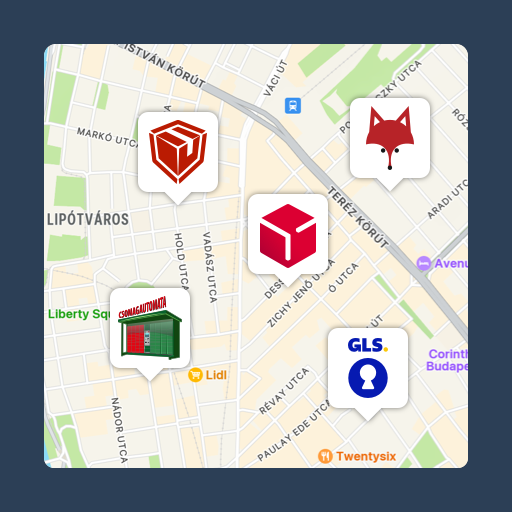
Csomagpontok és Címkék WooCommerce-hez
DEPRECATED – Shipmondo – A complete shipping solution for WooCommerce

GLS Shipping for WooCommerce

Invelity MyGLS connect

Print Label and Tracking Code for GLS
Invelity GLS ParcelShop


About
Plugin for that tries to help you find the WordPress plugin you are looking for.
| Please enjoy an image of Crush (this awesome turtle) and have a lovely day! |  |
We do not own any plugin listed on this site and do not work for or work with WordPress.com or it's associated companies. We simply provide a searchable list of the available WordPress plugins.