



Ordessa
Most FAQ and accordion blocks make you insert a new block for every question. Adding the twentieth question means twenty separate blocks to insert, style and keep consistent.
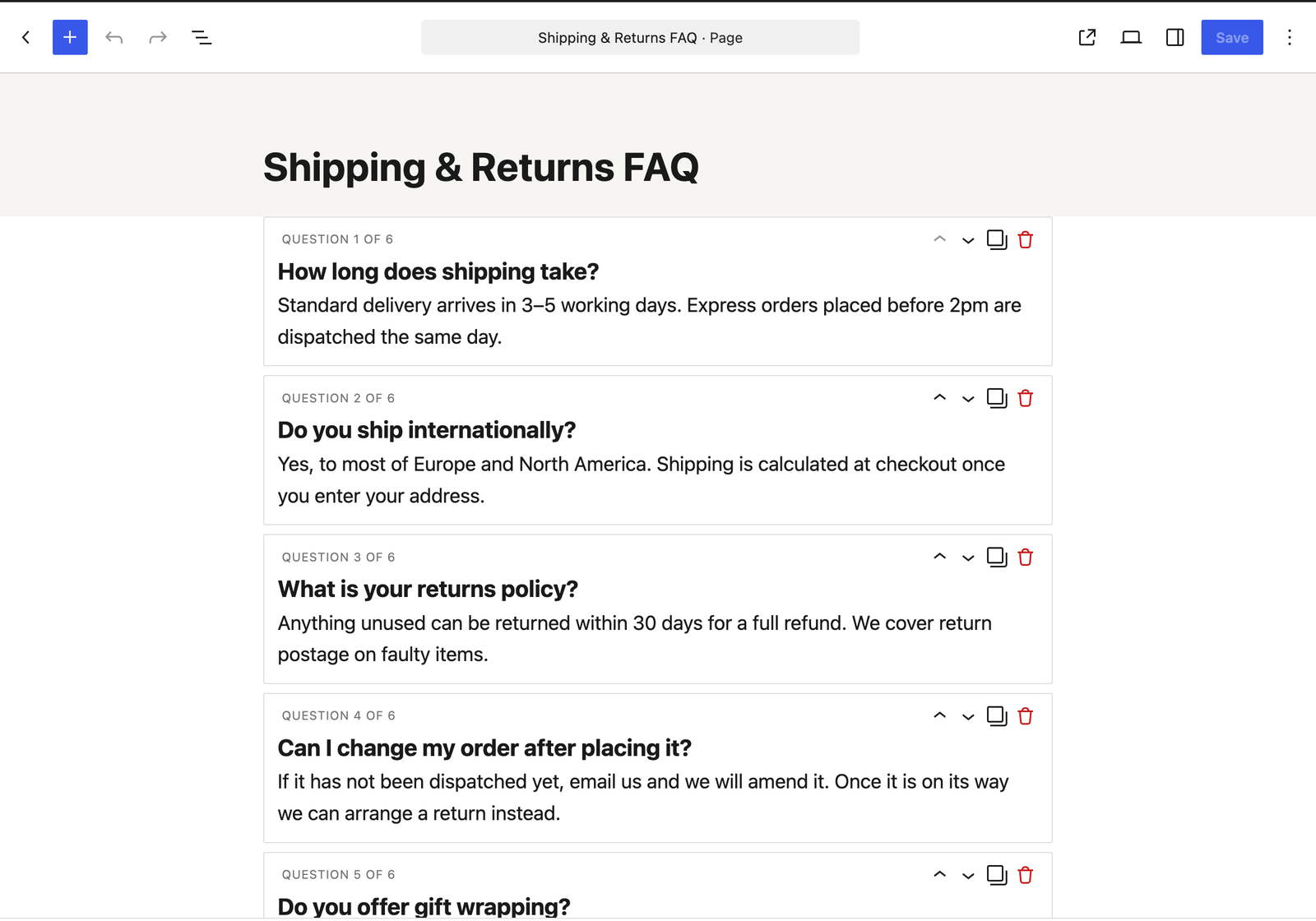
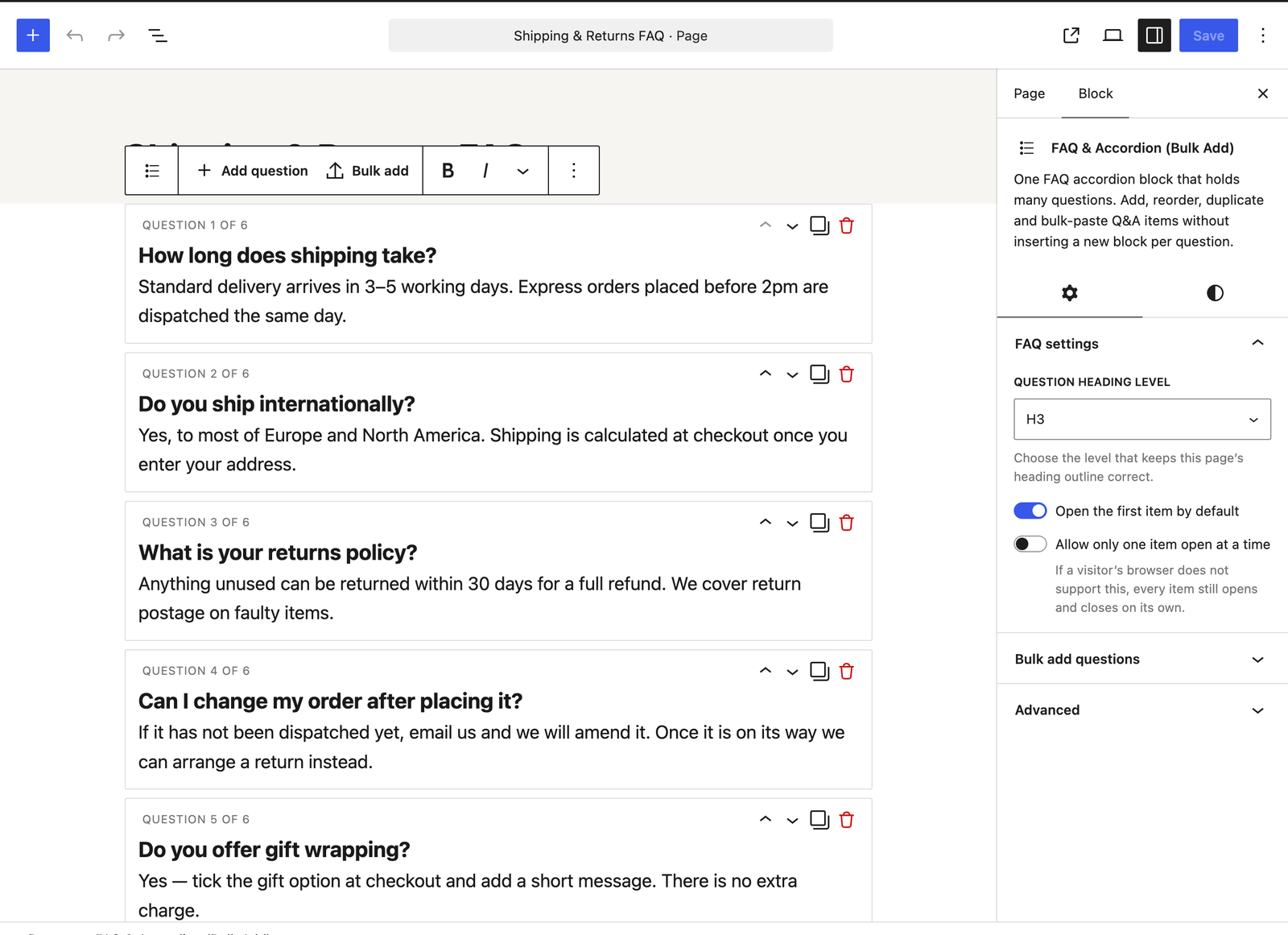
Ordessa takes the other approach: one block holds every question. Add, reorder, duplicate and delete questions inside it, or paste a whole FAQ in at once.
Add 20 questions without inserting 20 blocks
- Add question button right inside the block. No block inserter, no dialog.
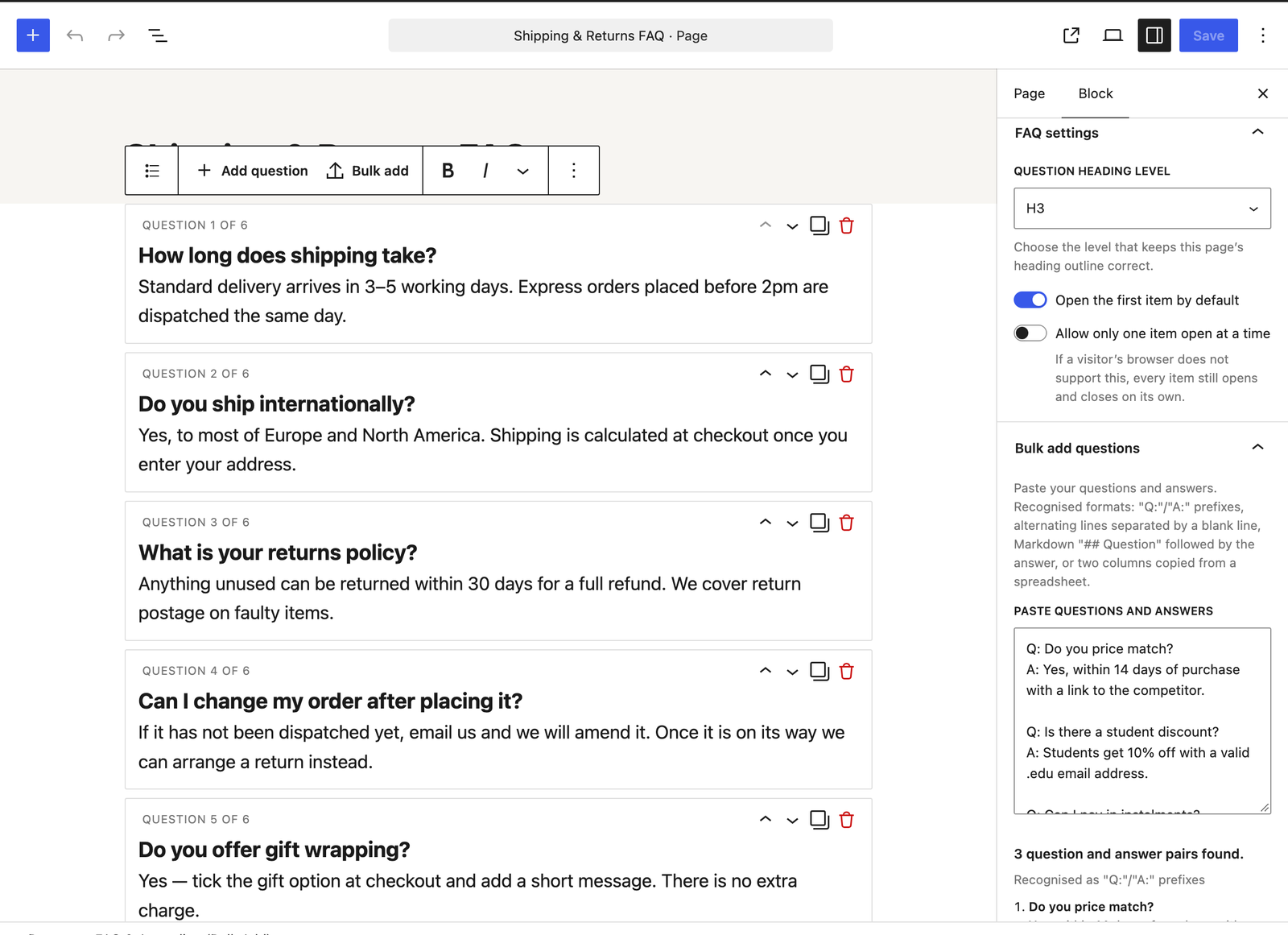
- Bulk paste an entire FAQ from a document or spreadsheet and have it parsed into questions and answers automatically.
- Reorder by drag and drop, or with keyboard-accessible move up / move down buttons.
- Duplicate or delete any question in one click.
- Keyboard-first authoring — press Enter at the end of a question to jump to its answer, and again at the end of an answer to create the next question. A ten question FAQ can be typed end to end without touching the mouse.
Bulk paste understands the formats you already have
Paste your text and the block detects the format automatically:
Q: ... / A: ...prefixed lines (Question:andAnswer:also work, in any capitalisation)- Alternating lines, separated by blank lines
- Markdown-style
## Questionfollowed by the answer text - Two columns copied from a spreadsheet — questions in one column, answers in the next
Numbered and bulleted lists are handled as well, so a 1. or a - at the start of a question does not end up inside the question text.
You see a preview of what was parsed — which format it recognised, how many questions, and the first few pairs — before anything is added. Then choose to append to the existing questions or replace them. Either way it is a single undo step.
The preview is there so you can check the pairing before you commit. When the block spots that your text is not one of the formats above — leftover columns from a spreadsheet, comma-separated values, or a run of alternating lines that does not pair up evenly — it says so and imports nothing rather than importing it wrongly. It cannot detect every unusual layout, so give the preview a quick look before adding.
Built to stay out of the way
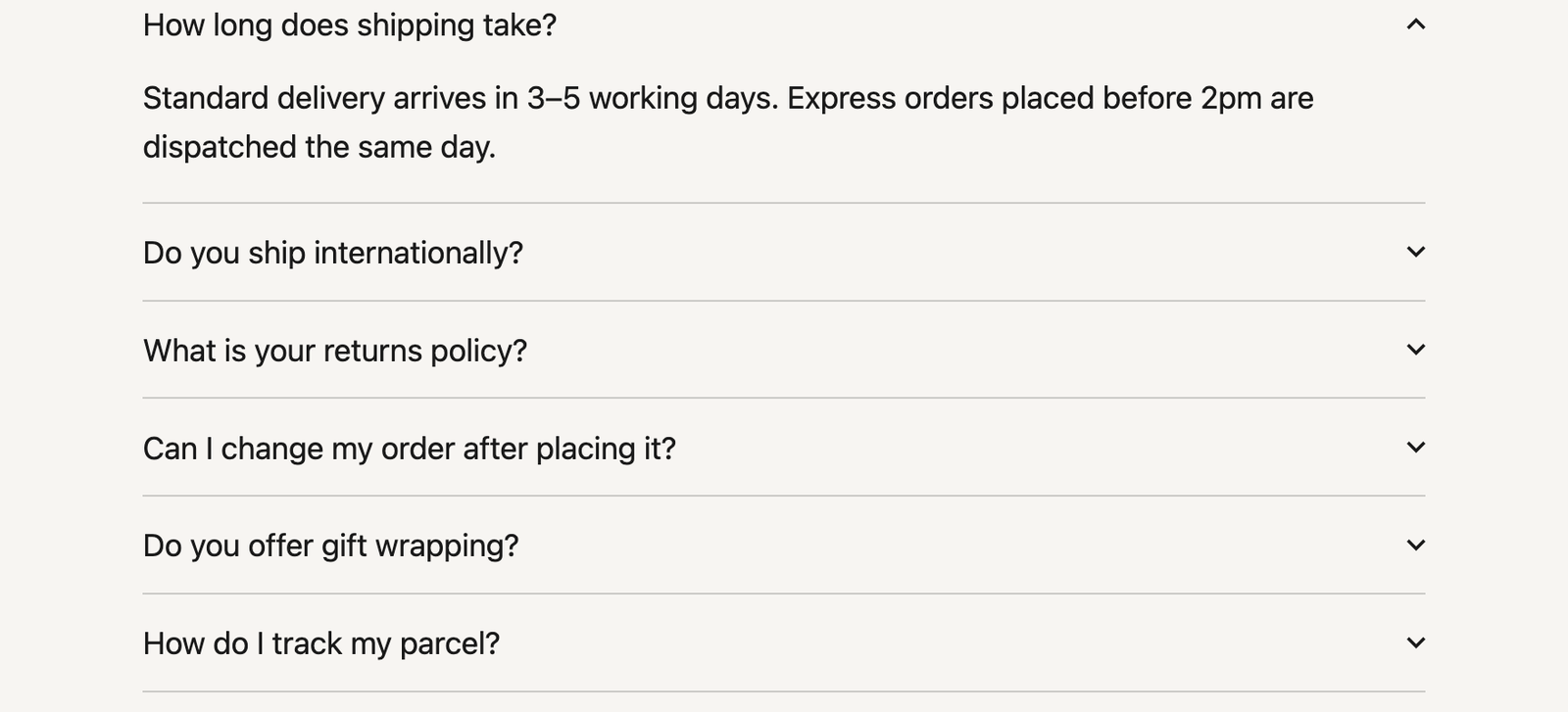
- Uses native
<details>and<summary>markup. Expanding and collapsing works with JavaScript disabled. - No JavaScript required on the front end. An optional script of well under 2 KB is used only for the “allow only one open at a time” option, and everything still opens and closes without it.
- No per-page inline CSS. One small stylesheet, loaded only on pages that actually use the block. A page with ten of these blocks loads exactly the same CSS as a page with one.
- Inherits your theme. Typography and colours come from your theme rather than being overridden, and the question heading level (H2 to H6) is yours to choose so the block does not break your document outline.
- No settings page and no database rows. Nothing to configure, nothing left behind.
Accessibility
Questions are real <summary> elements inside a heading of your chosen level. They are reachable with Tab, toggled with Enter or Space, and show a visible focus outline. The open and closed state is conveyed by the browser natively rather than being simulated.
Details
Related plugins
Plugins that also contain the tag accordion
Easy Accordion – Responsive Accordion FAQ Builder and Product FAQ

Accordion FAQ – Compatible With All Page Builder (Elementor, Gutenberg)

Tabby Responsive Tabs

Bellows Accordion Menu

Lightweight Accordion
Accordion Blocks


About
Plugin for that tries to help you find the WordPress plugin you are looking for.
| Please enjoy an image of Crush (this awesome turtle) and have a lovely day! |  |
We do not own any plugin listed on this site and do not work for or work with WordPress.com or it's associated companies. We simply provide a searchable list of the available WordPress plugins.