



Oryx Bookings: WooCommerce Appointments & Scheduling (100% Free)
🚀 WHY CHOOSE ORYX BOOKINGS?
Most booking plugins force you to buy a “Pro” version to accept payments or manage staff. Oryx gives you everything for FREE.
- WooCommerce Integration? ✅ FREE (Accept Stripe, PayPal, etc.)
- Unlimited Services? ✅ FREE
- Unlimited Staff Members? ✅ FREE
- 6 Premium Form Designs? ✅ FREE
- Interactive Admin Calendar? ✅ FREE
Stop paying monthly subscriptions. Oryx is the open-source solution for Salons, Clinics, and Service Businesses.
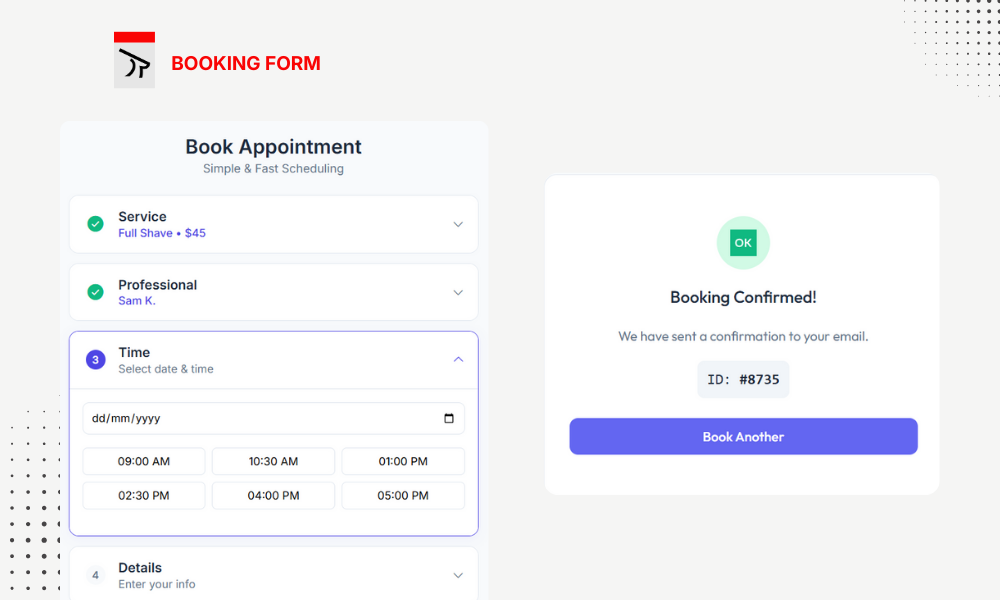
Oryx Bookings is a complete appointment and service booking system for WordPress. Manage services, staff, schedules, and accept bookings with a beautiful frontend form.
🔥 KEY HIGHLIGHTS
- Unlimited Services & Staff — Create as many services and team members as you need.
- WooCommerce Ready — Sell appointments like products and use any payment gateway.
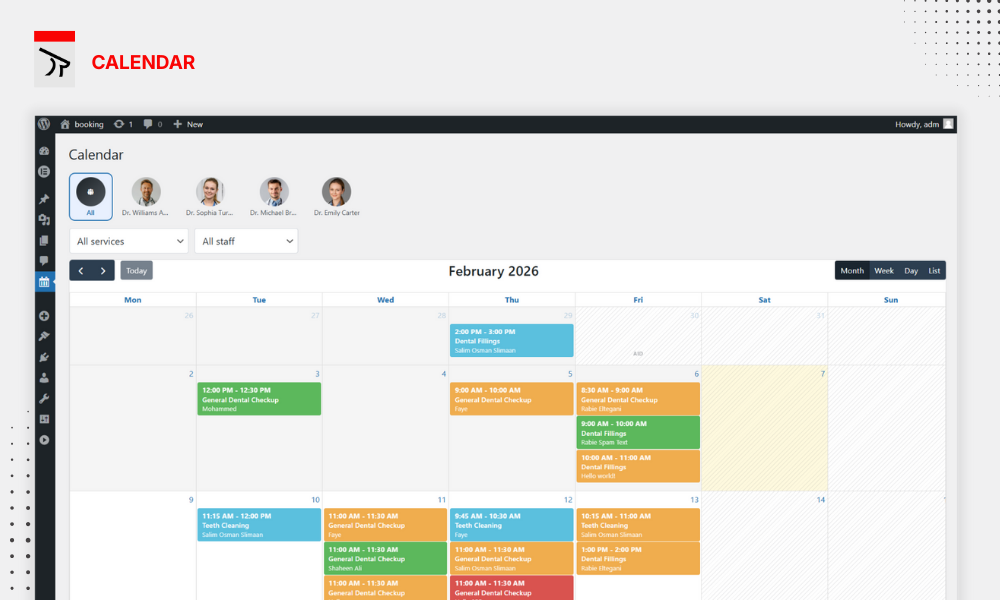
- Interactive Calendar — Visual calendar view to manage all your bookings at a glance.
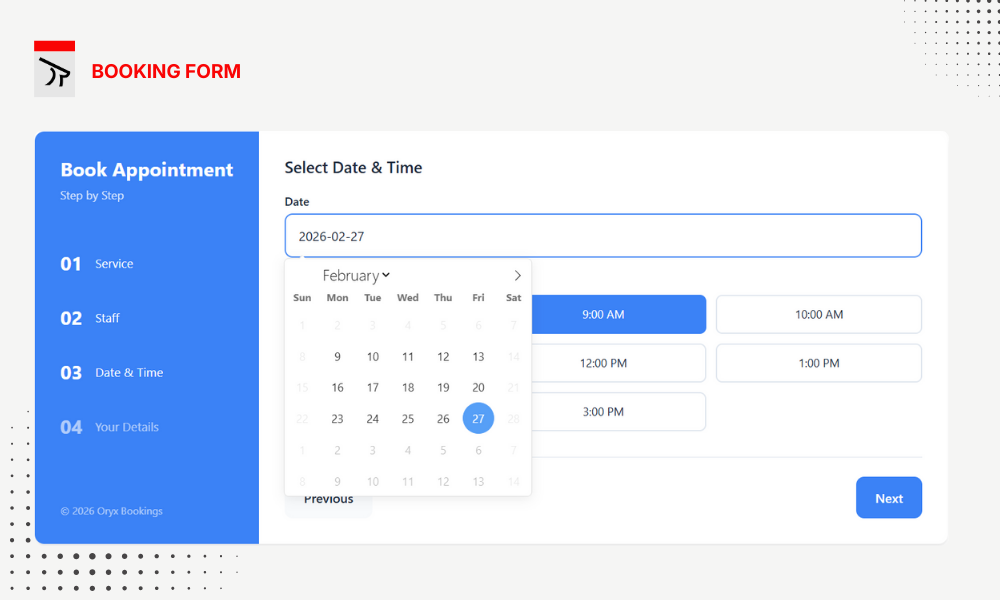
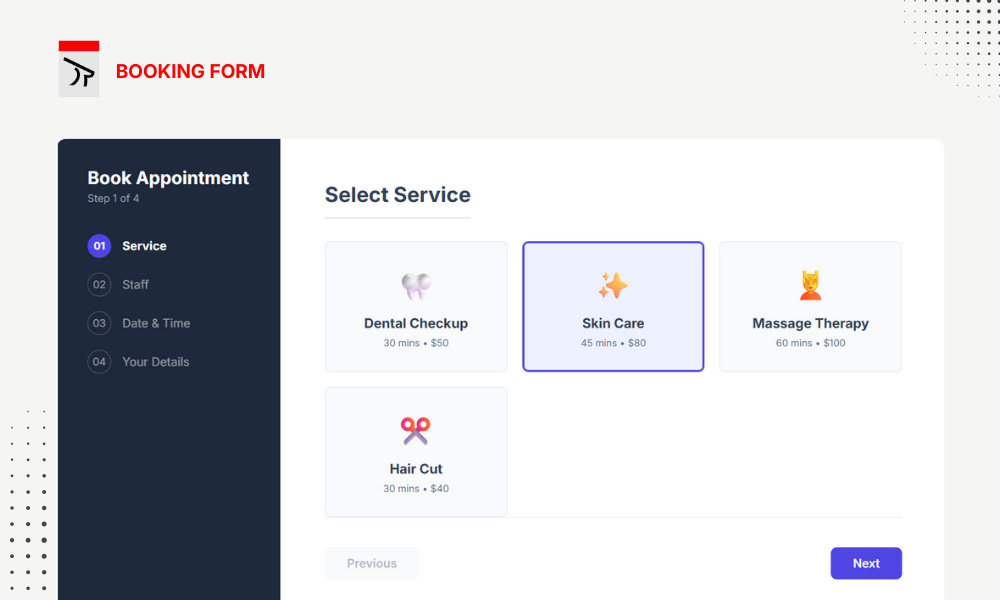
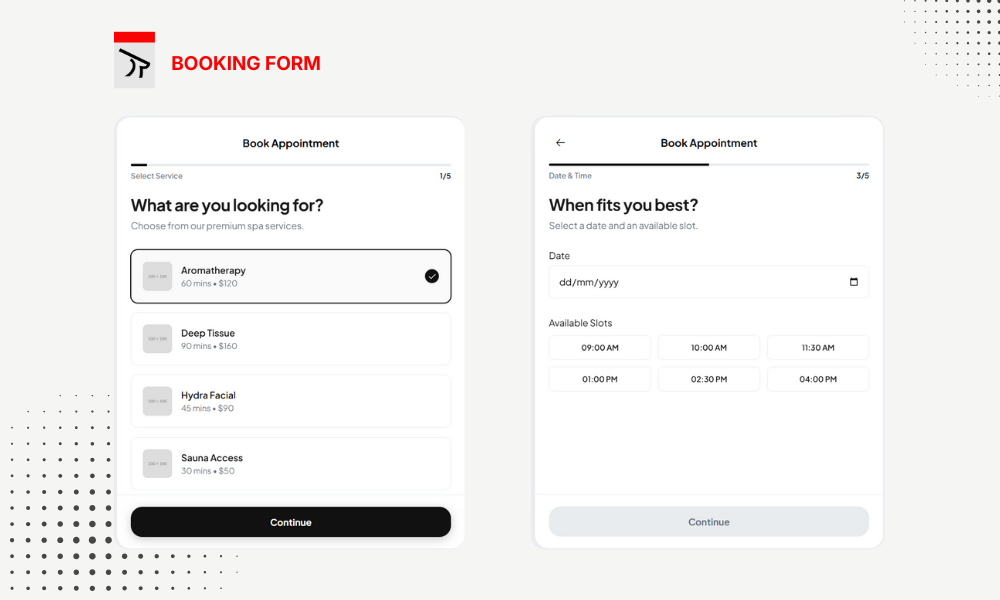
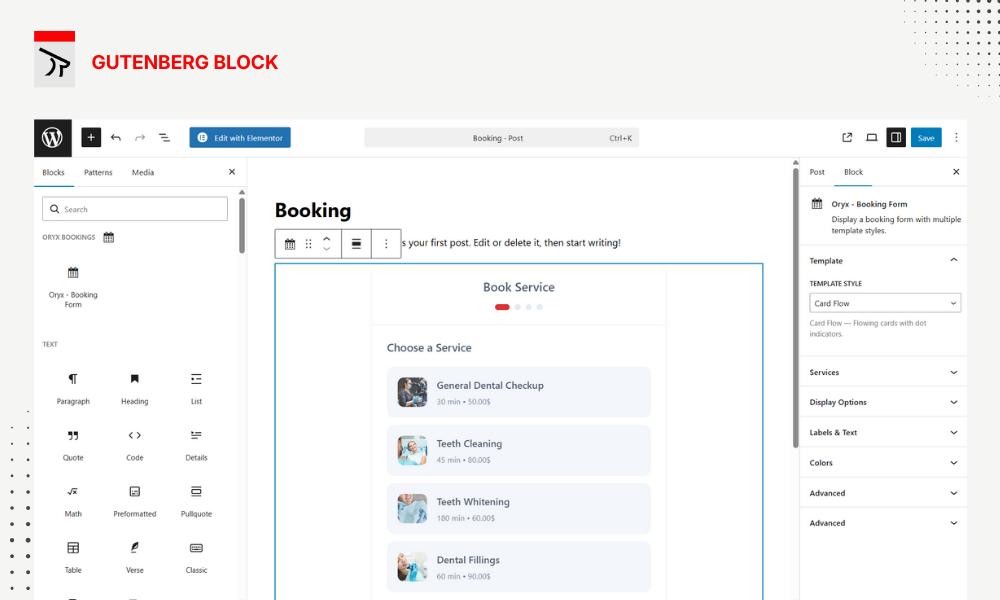
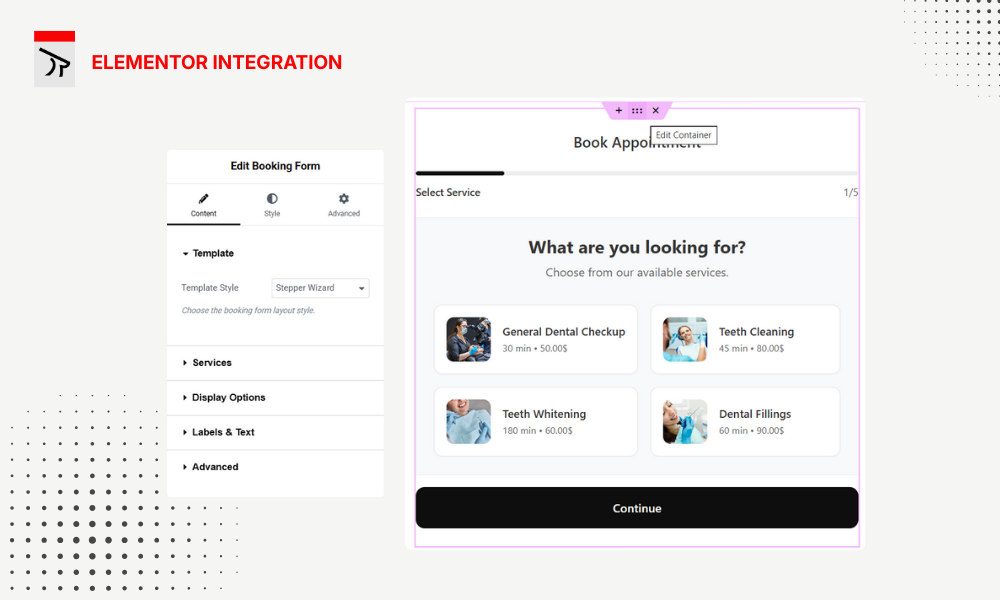
- 6 Booking Form Templates — Grid, Stepper, Accordion, Card Flow, Flat Split, and Focus Input.
- Smart Scheduling — Real-time availability with automatic double-booking prevention.
- Secure & GDPR-Ready — Built-in spam protection, rate limiting, reCAPTCHA v3, and WordPress privacy tools integration.
🛠️ DETAILED FEATURES
Services Management
* Custom name, duration, price, description, and featured image per service.
* Rich content editor with media support.
* Organize services into categories.
* Two scheduling modes: Staff-based (user picks staff) or Service-only (auto-assign based on company hours).
Staff & Team
* Staff profiles with name, job title, and photo.
* Flexible availability: follow company hours or set a custom weekly schedule.
* Individual days off per staff member.
* Assign multiple staff to each service.
Bookings & Workflow
* Real-time available time slots based on service duration.
* Booking statuses: Pending, Confirmed, Cancelled, Completed.
* Collects customer name, email, and optionally phone, address, and notes.
* Configurable form fields — enable or disable optional fields from Settings.
Interactive Calendar
* Full interactive calendar (day, week, month, and list views).
* Create, edit, drag-and-drop, and delete bookings directly from the calendar.
* Filter by staff or service.
* Visual color coding by booking status.
Working Hours & Holidays
* Set opening and closing times for each day of the week.
* Mark specific days as closed.
* Add company holidays — bookings are automatically blocked on those dates.
Elementor & Gutenberg Support
* Elementor Widget: Drag-and-drop from the “Oryx Bookings” category with live preview.
* Gutenberg Block: Search “Oryx – Booking Form” with server-side preview.
* Shortcode: Use [oryx_bookings] anywhere.
🎨 CUSTOMIZATION
- Primary Color — Match your brand with a single color setting.
- Display Toggles — Show or hide service image, description, price, duration, and staff image.
- Custom Labels — Change step titles, button text, and the success message.
- Redirect URL — Send customers to a thank-you page after booking.
🔒 SECURITY
- Rate limiting per IP for slot lookups and booking creation.
- Honeypot fields and time-based tokens to block bots.
- Google reCAPTCHA v3 support.
- Booking limits per email, IP, and phone number.
- Email and IP blocklist.
Third-Party Libraries
This plugin includes the following third-party libraries:
Flatpickr
- Version: 4.6.13
- License: MIT
- Copyright: Gregory Petrosyan
FullCalendar
- Version: 6.1.10
- License: MIT
- Copyright: Adam Shaw
Details
Related plugins
Plugins that also contain the tag appointment
Appointment Hour Booking – Booking Calendar

EMC – Easily Embed Calendly Scheduling

Booking Package

Easy Appointments

Easy Booking – WooCommerce Booking & Reservation Plugin

Setmore


About
Plugin for that tries to help you find the WordPress plugin you are looking for.
| Please enjoy an image of Crush (this awesome turtle) and have a lovely day! |  |
We do not own any plugin listed on this site and do not work for or work with WordPress.com or it's associated companies. We simply provide a searchable list of the available WordPress plugins.