


OverlayQA – Visual Feedback
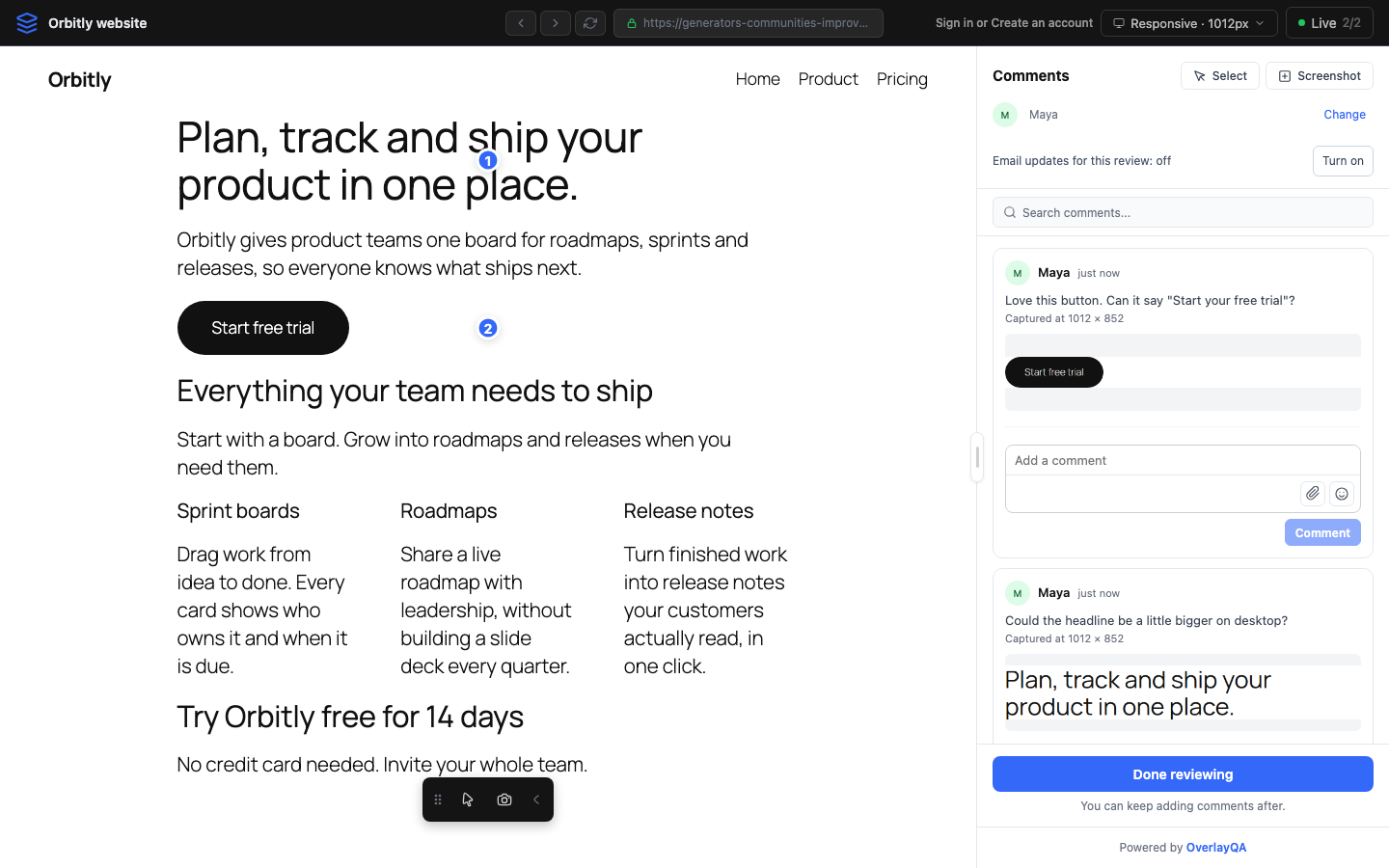
OverlayQA for WordPress turns a published page or post into a shareable visual feedback link. Your client opens the link, enters their name and pins comments on the live page. Every comment lands in your OverlayQA project with a screenshot of what the client selected, ready for your team to work through.
How it works
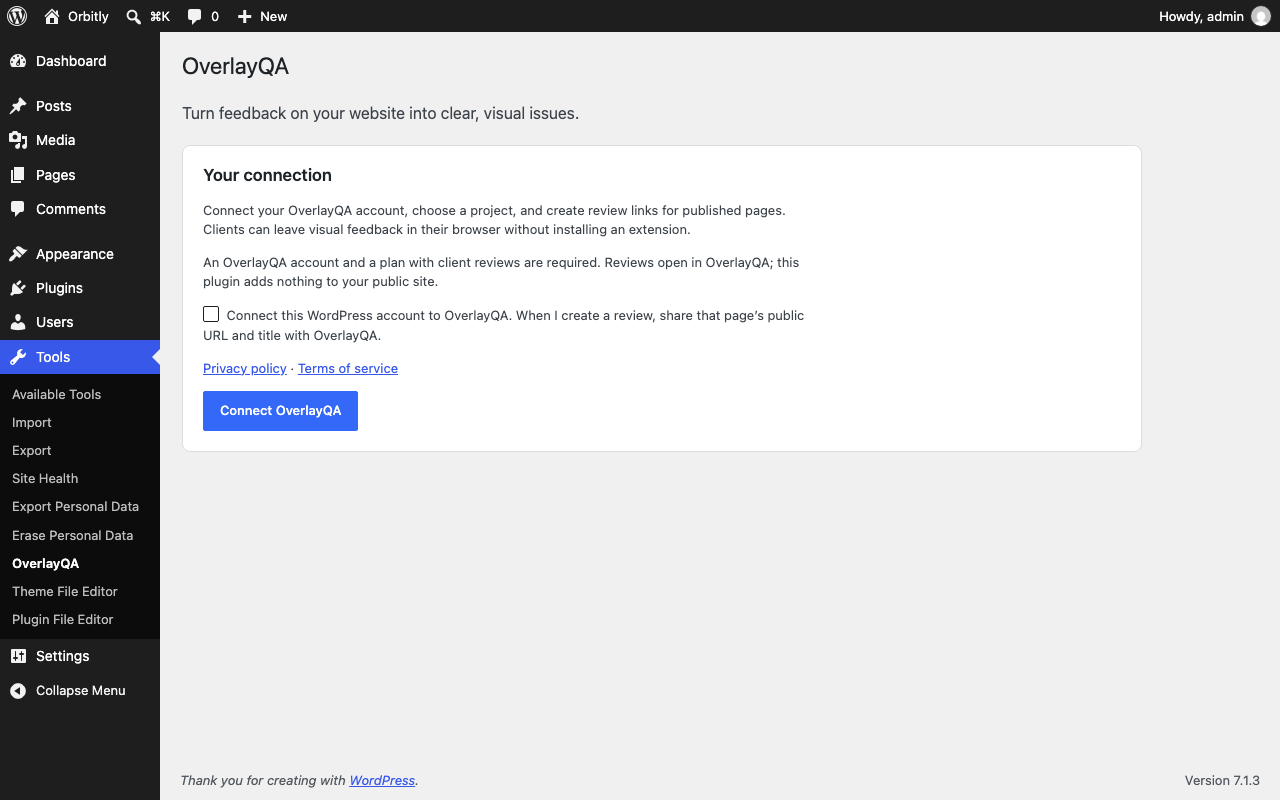
- Connect your OverlayQA account from Tools > OverlayQA.
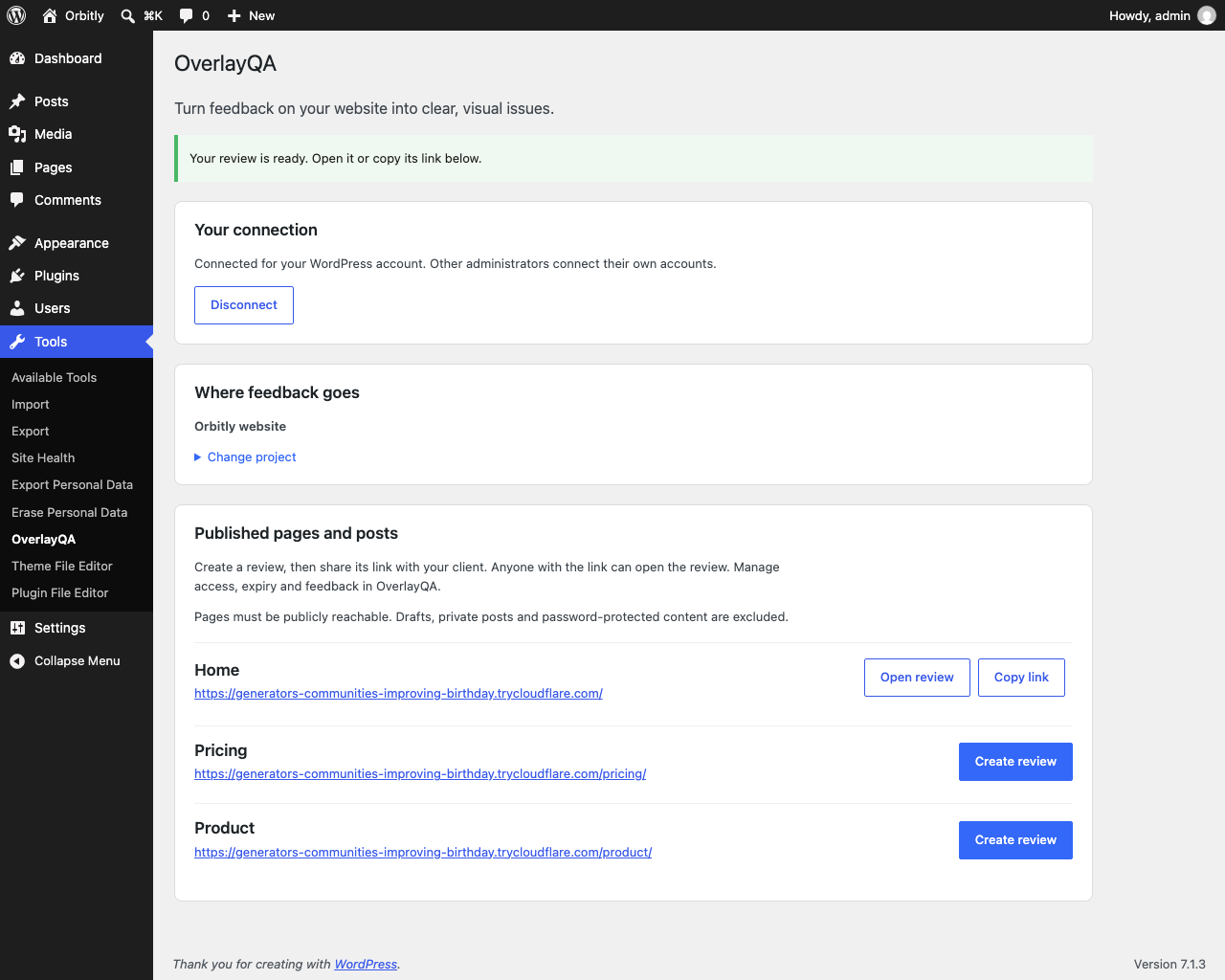
- Choose the OverlayQA project the feedback belongs to.
- Create a review link for a published page or post.
- Copy the link and send it to your client.
- Read and manage the comments in your OverlayQA project.
Nothing is added to your public site
This plugin works only in the WordPress admin. It does not add a script, widget, tracking code or feedback button to your public pages, so visitors never load anything from OverlayQA. Reviews open on OverlayQA’s hosted review page, and only people you send the link to know where to leave feedback.
Who it is for
- Agencies and freelancers collecting client feedback on a WordPress build.
- In-house teams gathering comments on a page from colleagues.
- Site owners who want visual feedback without installing a frontend widget.
What the plugin does
- Connects each WordPress administrator to their own OverlayQA account through an explicit authorization screen.
- Lists the OverlayQA projects you can access.
- Creates a review link for a page, or reopens the existing one for that page and project instead of making a duplicate.
- Copies the review link for you to share. The plugin does not email your client.
Clients leave feedback in the hosted OverlayQA review without installing a browser extension or creating an account.
Limitations
- Published, public pages and posts only. Drafts, private posts and password-protected pages are excluded.
- Pages must be publicly reachable. Staging sites behind a login, private networks and authenticated previews are not supported.
- Each administrator connects separately. OverlayQA enforces project permissions and plan limits.
External service and privacy
An OverlayQA account and a service plan that includes client reviews are required. The plugin has no paid code or time limit; access to the hosted service depends on your OverlayQA plan.
No OverlayQA requests are made until an administrator explicitly connects and confirms the data-sharing checkbox. Connecting sends a client name, your WordPress administrator callback URL and the requested permissions to https://api.overlayqa.com. Account authorization happens on OverlayQA. Revocable account credentials are stored in the WordPress database for that administrator and site. WordPress passwords are never sent to OverlayQA.
After connection, opening the plugin admin page requests accessible projects and review links from https://api.overlayqa.com. Creating a review sends the project identifier, public page URL, title and review mode. OverlayQA fetches the public page to provide its hosted review service. Feedback, screenshots and reviewer details submitted in the hosted review are processed there under OverlayQA’s privacy policy.
The connection requests read and write permissions, which also cover project and issue data, comments, labels, teammate details and client review recipients. This plugin uses them only to list projects and reviews and create reviews. Anyone with a review link can access the review; share links with intended reviewers only.
Disconnect revokes the connection and removes local credentials. Uninstall removes local account settings for all administrators and sites; hosted reviews remain. Disconnect before uninstalling, or revoke remaining connections in your OverlayQA account. Credentials may remain in your own database backups.
Service: https://overlayqa.com
Pricing: https://overlayqa.com/pricing/
Terms: https://overlayqa.com/terms
Privacy: https://overlayqa.com/privacy
Details
Related plugins
Plugins that also contain the tag bug-tracking
Marker.io – Visual Website Feedback

Feedbucket – Website Feedback Tool

Gleap

Ybug Feedback Widget

Webvizio

PageProofer


About
Plugin for that tries to help you find the WordPress plugin you are looking for.
| Please enjoy an image of Crush (this awesome turtle) and have a lovely day! |  |
We do not own any plugin listed on this site and do not work for or work with WordPress.com or it's associated companies. We simply provide a searchable list of the available WordPress plugins.