



Panorama Block – Display 360-Degree Panoramic Views
Panorama is a 360° panorama viewer Gutenberg Block that lets you display your panoramic images/videos on your websites within a few clicks. This Gutenberg block supports a variety of panoramic files such as .png, .jpeg, .mp4 and so on.The plugin is very easy to use and anyone can use the plugin easily without any technical knowledge.
Features
- Fully Customizable: All the options you need to arrange the showcase to your liking are available here.
How to use
- First, install the Panorama Block plugin.
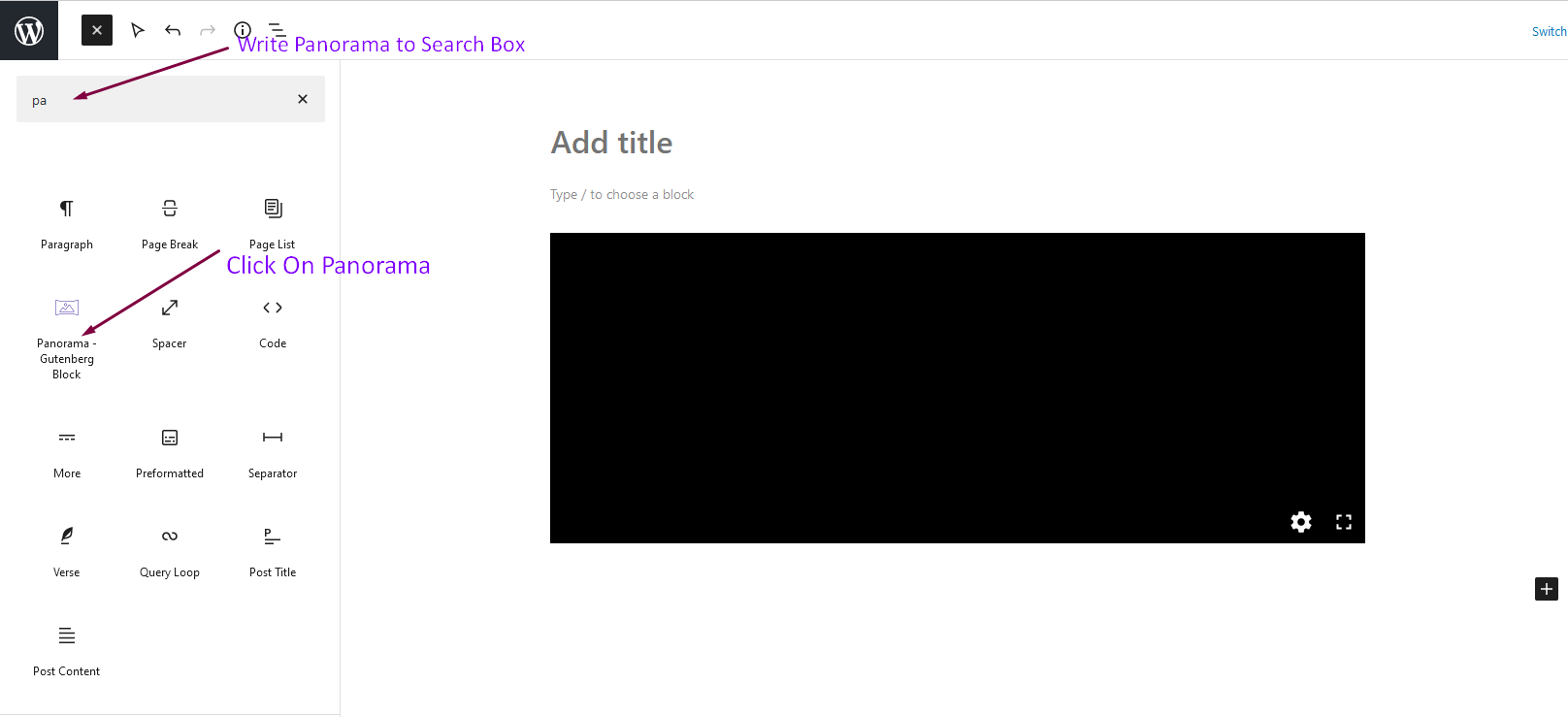
- Add the Panorama Block from the block category called “Widgets” in the Gutenberg editor.
- You can change block settings from the right-side settings sidebar.
-
Enjoy!
-
For installation help click on Installation Tab.
Feedback
- Did you like this plugin? Dislike it? Have a feature request? Please share your feedback with us
⭐ Check out the Parent Plugin of this plugin-
🔥 B Blocks – Best gutenberg blocks collections for WordPress
⭐ Check out our other WordPress Plugins-
🔥 Html5 Audio Player – Best audio player plugin for WordPress.
🔥 Html5 Video Player – Best video player plugin for WordPress.
🔥 PDF Poster – A fully-featured PDF Viewer Plugin for WordPress.
🔥 Document Embedder – Best WordPress Document Embedder Plugin.
🔥 3D Viewer – Display interactive 3D models on the webs.
🔥 Advanced Post Block – Best Post Display Plugin for WordPress.
Details


Related plugins
Plugins that also contain the tag 360-degree
Panorama – 360 Virtual Tour, Panoramic image viewer and More

360 Javascript Viewer

Advanced Panorama 360 Viewer

WonderPano – 360 Panorama Viewer

bt2.Image Sphere

Showcase It – Display Projects, Products, or Media in Grid or Slider


About
Plugin for that tries to help you find the WordPress plugin you are looking for.
| Please enjoy an image of Crush (this awesome turtle) and have a lovely day! |  |
We do not own any plugin listed on this site and do not work for or work with WordPress.com or it's associated companies. We simply provide a searchable list of the available WordPress plugins.