

PDF Viewer Nova
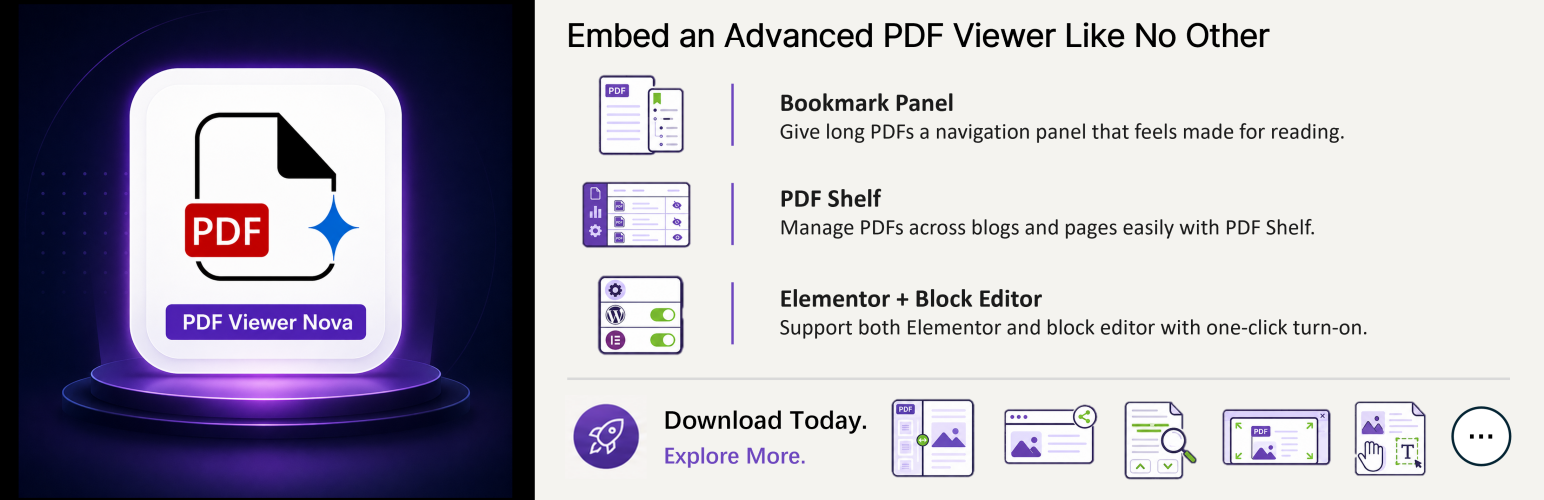
PDF Viewer Nova helps WordPress site owners embed polished, full-featured PDF reading experiences directly inside pages and posts.
Use the PDF Viewer Nova block in the WordPress Block Editor or the PDF Viewer Nova widget in Elementor to place PDFs from the Media Library or from public external URLs.
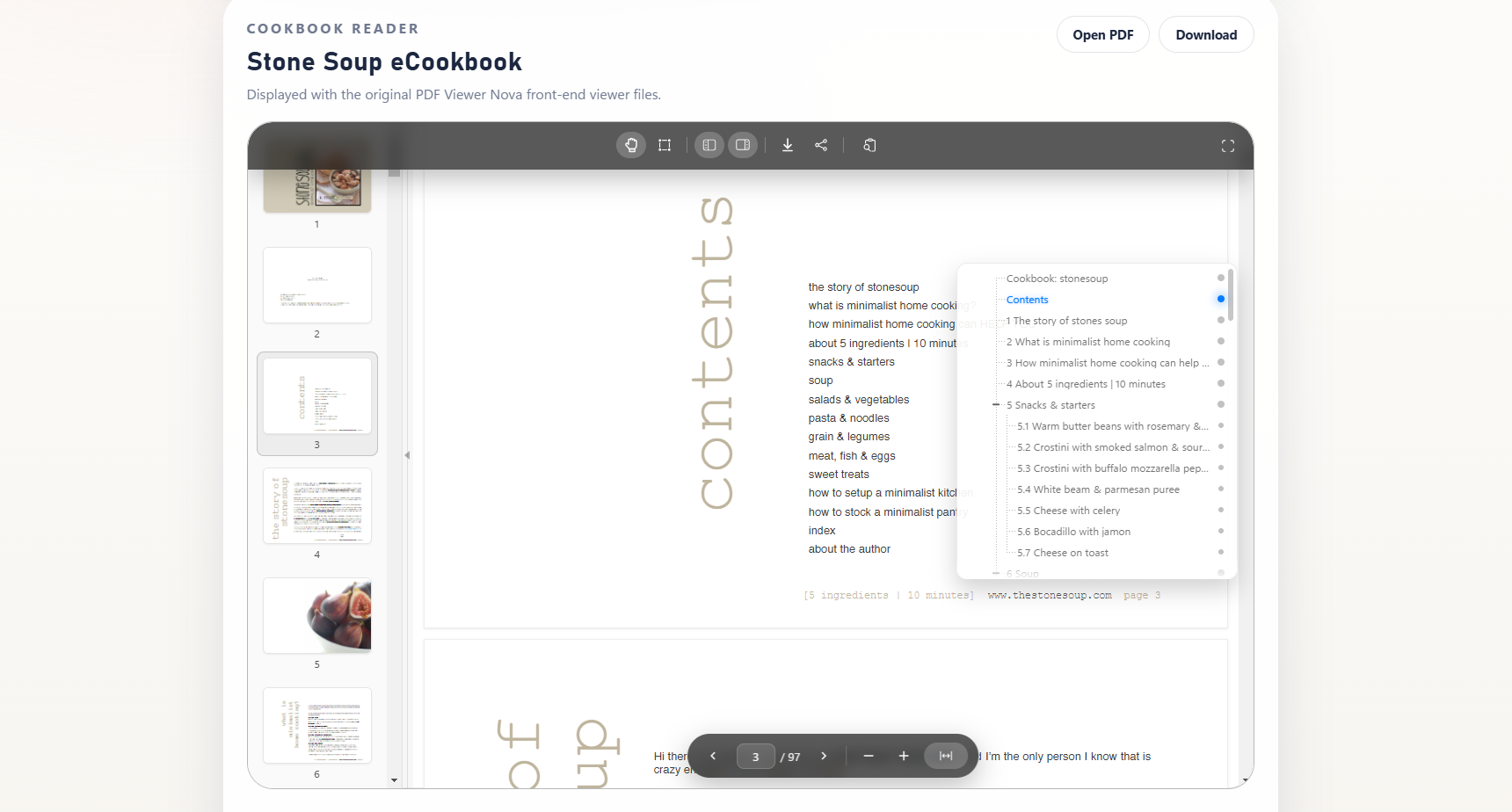
The viewer is powered by PDF.js and includes responsive layout controls, floating toolbars, page navigation, zoom controls, fullscreen modes, thumbnails, bookmarks, search, text selection, and configurable viewer sizing.
PDF Viewer Nova is built for easy document embedding and smooth PDF reading.
PDF Viewer Nova Pro is distributed separately by WP Essentia outside the WordPress.org plugin package for teams that need additional publishing and visitor-experience controls.
Key Features
- Responsive embedded PDF viewer using PDF.js.
- WordPress Block Editor block for Gutenberg pages and posts.
- Elementor widget for page builder workflows.
- Media Library PDF selection or public external PDF URL embedding.
- Thumbnail sidebar for quick page navigation.
- Bookmarks and outline panel for structured PDFs.
- Full-text search with result navigation.
- Zoom, fit width, page input, previous and next controls.
- Modal and native fullscreen modes.
- Pan and text-selection interaction modes.
- Share button in the top toolbar.
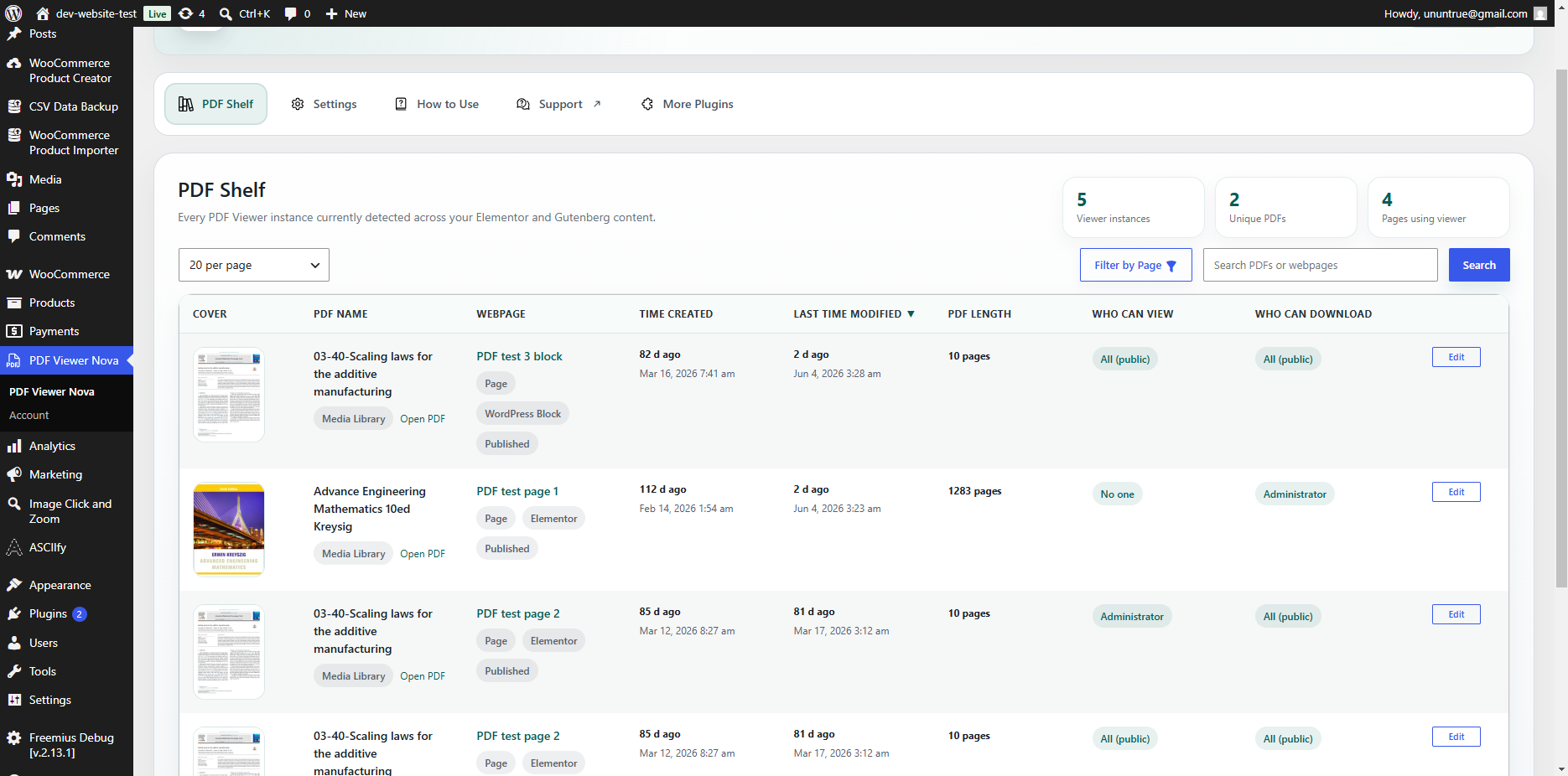
- Admin PDF Shelf to discover where PDF viewers are used across the site.
- Settings to enable or disable the Elementor widget and WordPress block.
Additional Pro Options
PDF Viewer Nova Pro is a separately distributed version with additional options for advanced publishing workflows:
- Choose visitor display behavior by guest status or WordPress role.
- Configure download-button behavior separately from viewer display.
- Show selected preview page ranges for limited-access publishing workflows.
- Add custom visitor messages with an optional link.
- Show a single-image document preview instead of the full viewer.
- Render a PDF page as a server-generated preview image when server support is available.
- Show custom messages or redirect visitors for download-related workflows.
Builder Support
PDF Viewer Nova supports two authoring paths:
- WordPress Block Editor: insert the PDF Viewer Nova block.
- Elementor: drag the PDF Viewer Nova widget into a layout.
Both authoring paths share the same core renderer so frontend behavior stays aligned.
PDF Shelf
The PDF Shelf dashboard helps site administrators easily find and manage PDF Viewer Nova instances across supported Gutenberg and Elementor content. It includes cached aggregation, filtering, sorting, pagination, and direct edit links back to the correct authoring editor.
Third-Party Libraries and External Services
PDF Viewer Nova includes PDF.js build files in the plugin’s assets/pdfjs/build/ directory for local PDF rendering. PDF.js is licensed under the Apache License 2.0, which is GPLv3-compatible.
PDF Viewer Nova includes Motion, an MIT-licensed animation library, for local interface animations such as the bookmark panel.
PDF Viewer Nova includes the Freemius SDK for checkout functionality. On first activation, Freemius displays its own opt-in screen before collecting diagnostic or account data. You can skip that opt-in and continue using all free PDF Viewer Nova features.
Freemius Terms of Service: https://freemius.com/terms/
Freemius Privacy Policy: https://freemius.com/privacy/
The admin How to Use tab includes embedded tutorial videos from YouTube’s privacy-enhanced domain. These embeds are loaded only when an administrator opens the How to Use tab.
YouTube Terms of Service: https://www.youtube.com/t/terms
Google Privacy Policy: https://policies.google.com/privacy
Details



Related plugins
Plugins that also contain the tag block-editor
Classic Editor

Starter Templates – AI-Powered Templates for Elementor & Gutenberg

Advanced Editor Tools

Disable Gutenberg

Gutenberg Essential Blocks – Page Builder for Gutenberg Blocks & Patterns

Blocks Animation: CSS Animations for Gutenberg Blocks


About
Plugin for that tries to help you find the WordPress plugin you are looking for.
| Please enjoy an image of Crush (this awesome turtle) and have a lovely day! |  |
We do not own any plugin listed on this site and do not work for or work with WordPress.com or it's associated companies. We simply provide a searchable list of the available WordPress plugins.