



PinSpot – Interactive Image Hotspots
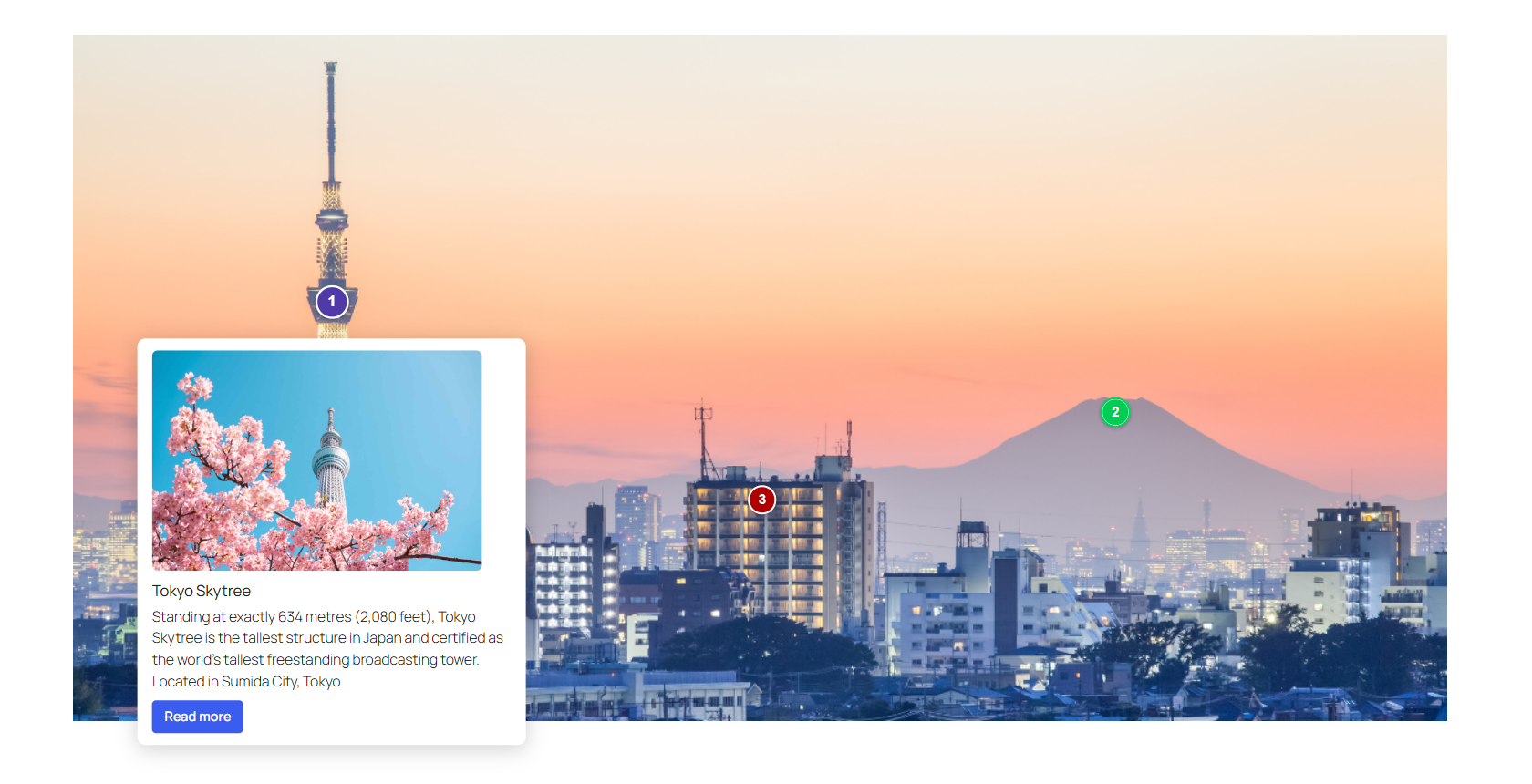
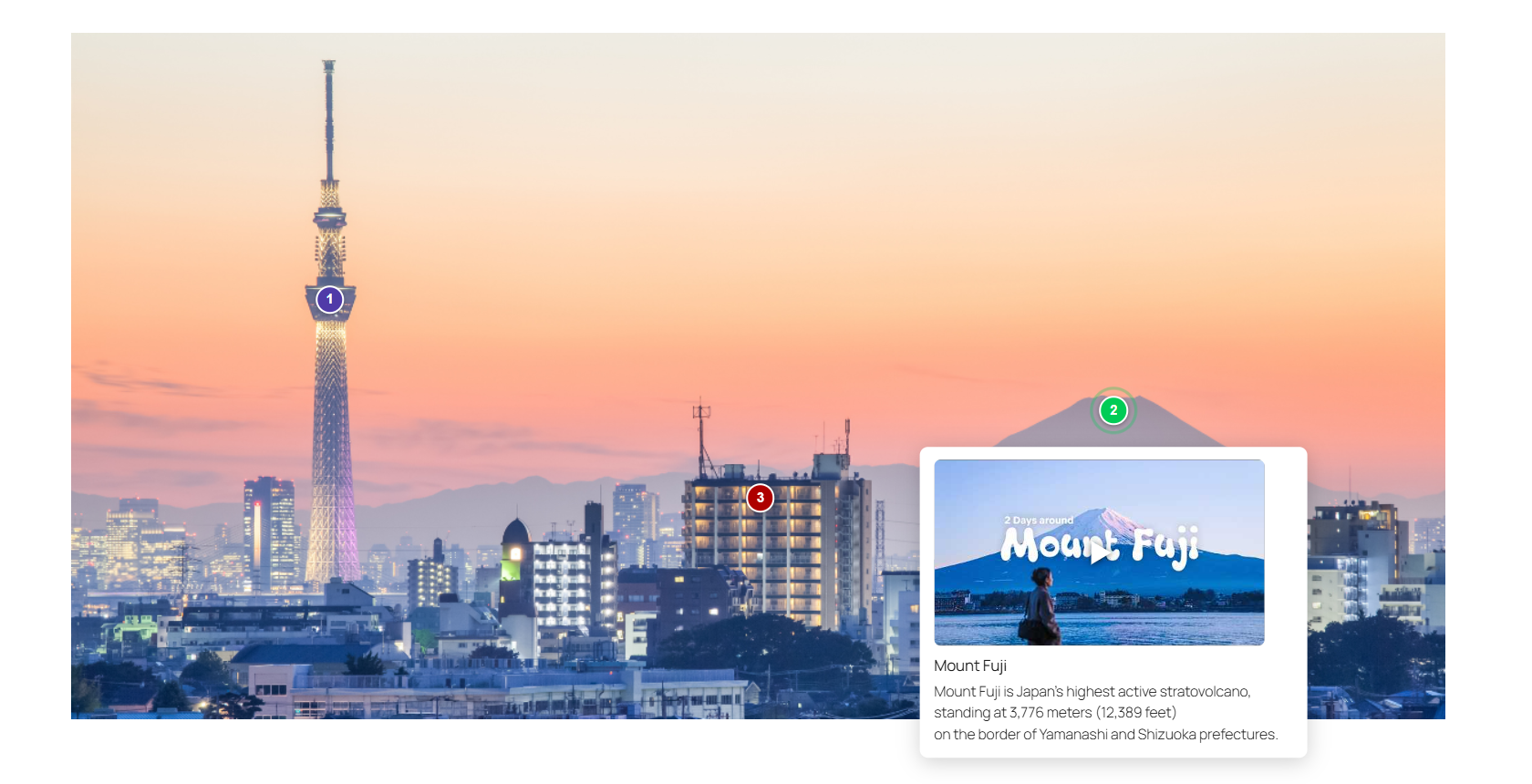
PinSpot turns a flat image into something people explore. Drop pins anywhere on a photo, map, diagram, or product shot — each pin opens a polished, accessible tooltip with a title, description, image or video, and a call-to-action button.
It is a single native block built the modern WordPress way — on the Interactivity API, the same technology that powers WordPress core blocks. No jQuery, no shortcodes, no page builder required. The frontend script is under 4 KB and only loads on pages that actually use a hotspot, so it never slows the rest of your site down.
PinSpot includes everything you need to build interactive images: unlimited hotspots, zoom & pan, image and video tooltips, a lightbox, import/export, and three starter patterns to help you get going quickly.
What you can build
- Shoppable & product images — call out features with numbered pins and “Buy now” buttons.
- Team & about pages — reveal names and roles on hover.
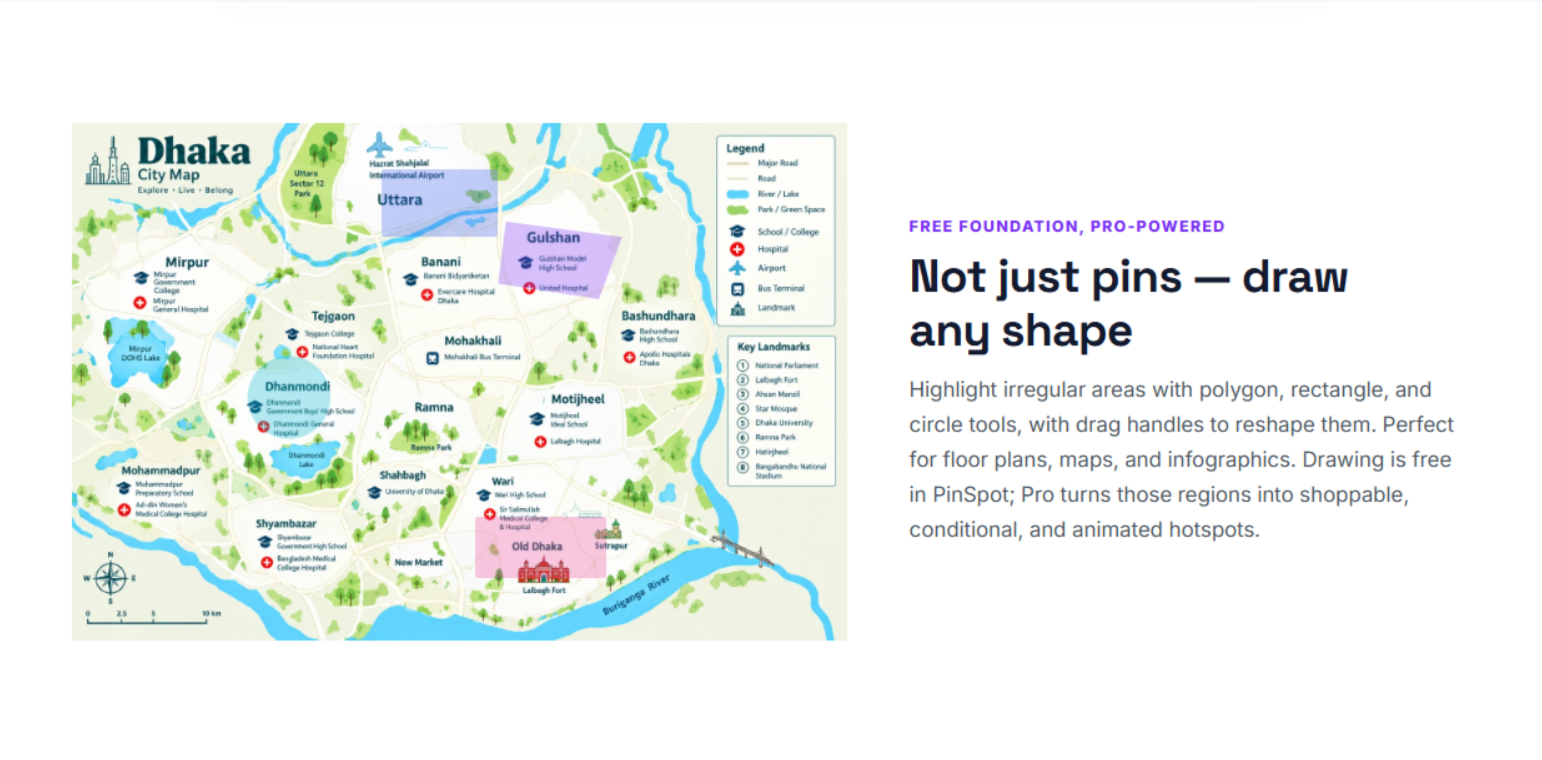
- Maps, campus & floor plans — a zoomable, pannable image with pins visitors can explore.
- Infographics & diagrams — explain each part in place, without cluttering the graphic.
- Real-estate & travel — annotate rooms, landmarks, and points of interest.
Rich, flexible tooltips
Every pin can carry a title, a description (with line breaks and basic bold, italic, and links), and one piece of media: an image from your library, a self-hosted video, or a YouTube / Vimeo embed. Add an optional call-to-action button that links anywhere. Choose light or dark tooltips, decide where they open (top, bottom, left, right, or automatic), and pick a marker style — numbered, dot, plus, info, or question — in any size and color, with an optional pulse or bounce animation.
Accessibility built in
PinSpot is designed to work for everyone, not just mouse users. Accessibility is built into how it works:
- Fully keyboard operable — every marker is a real button. Tab moves between pins, Enter or Space opens a tooltip, and Escape closes it and returns focus to the exact marker you opened it from, so you never lose your place.
- Screen-reader ready — each marker exposes proper
aria-expandedandaria-controlsstate plus a descriptive label, so assistive technology understands what every pin does and whether its tooltip is currently open. - A full text alternative for the image — turn on the optional hotspot list and every pin’s title, description, and link is also printed as a clean, ordered list beneath the image. Screen-reader users get all the information without having to interact with the graphic at all — and search engines can read it too, which is good for SEO.
- Respects reduced motion — if a visitor has “reduce motion” enabled in their operating system, every marker animation and tooltip transition is automatically switched off.
- Accessible controls throughout — the zoom buttons, the lightbox close button, and the video play button all carry proper labels.
- Right-to-left ready — full RTL language support is included.
Start fast with block patterns
New to hotspots? PinSpot ships three ready-made layouts you can insert and edit in seconds. In the editor, open the block inserter (the + button in the top-left), switch to the Patterns tab, and choose the PinSpot category. You will find:
- Product showcase — three numbered pins with call-to-action buttons, arranged over a product image. Great for shoppable images and feature callouts.
- Team introduction — hover-activated dot pins with dark tooltips, spaced for a group photo. Perfect for an about or team page.
- Zoomable map tour — a zoom-and-pan image with pulsing question-mark pins, built for maps, floor plans, campus guides, and infographics.
Each pattern drops in with a demo illustration and sample pins already in place. Just replace the demo image with your own and edit the text — it is the fastest way to see everything PinSpot can do and to learn how the pieces fit together.
Everything lives on the block — there is no settings page to hunt for
PinSpot deliberately has no separate admin dashboard. You configure everything right where you see it, using the standard WordPress block controls:
- Block toolbar — swap the image, or click Add hotspot and then click the image to drop a pin exactly where you want it.
- Placing & moving pins — drag any marker to reposition it, or select it and nudge with the arrow keys (hold Shift for larger steps) for precise placement.
- Per-hotspot panels — with a pin selected, the block sidebar (Settings tab) shows panels for its Content, Media, Call to action, Marker style, and Behavior.
- All hotspots — one panel lists every pin on the image so you can reorder, duplicate, or delete them at a glance.
- Display settings — set the trigger (click or hover), light or dark theme, tooltip width, the optional accessible list, and whether zoom & pan is enabled.
- Import / Export — save the whole layout as a JSON file and load it into another post, page, or site.
If you have ever placed a WordPress block, you already know how to use PinSpot.
Privacy-first by design
PinSpot makes no external requests on its own. YouTube and Vimeo tooltips show a lightweight preview image and only load the real player after the visitor clicks play — nothing is sent to Google or Vimeo until then. Your hotspot data is stored inside the block in your post content: no custom database tables, no tracking, no phoning home, and a completely clean uninstall.
External Services
PinSpot embeds no external service by default. Only when you choose YouTube or Vimeo as a tooltip’s media type, the following apply on the public page:
YouTube (Google LLC) — video embeds and thumbnails
Purpose: show the video preview thumbnail and, after the visitor clicks play, the embedded player.
Data sent: the visitor’s IP address and standard browser headers are sent to i.ytimg.com when the tooltip preview image loads, and to www.youtube-nocookie.com (the privacy-enhanced embed domain) only after the visitor clicks play.
Sent when: only on pages where you added a YouTube tooltip; the player itself loads only on click.
Service: https://www.youtube.com
Terms of Service: https://www.youtube.com/t/terms
Privacy Policy: https://policies.google.com/privacy
Vimeo (Vimeo.com, Inc.) — video embeds
Purpose: show the embedded Vimeo player after the visitor clicks play.
Data sent: the visitor’s IP address and standard browser headers are sent to player.vimeo.com only after the visitor clicks play.
Sent when: only on pages where you added a Vimeo tooltip, and only on click.
Service: https://vimeo.com
Terms of Service: https://vimeo.com/terms
Privacy Policy: https://vimeo.com/privacy
Details



Related plugins
Plugins that also contain the tag image-hotspot
Image Hotspot – Map Image Annotation

Image Hotspot With Tooltip For WPBakery Page Builder (formerly Visual Composer)

Image Hotspot Block

Flipbox Addon for WPBakery Page Builder (formerly Visual Composer)

Image Map Connect – Display Posts as Image Hotspots

Hotspot


About
Plugin for that tries to help you find the WordPress plugin you are looking for.
| Please enjoy an image of Crush (this awesome turtle) and have a lovely day! |  |
We do not own any plugin listed on this site and do not work for or work with WordPress.com or it's associated companies. We simply provide a searchable list of the available WordPress plugins.