


PixeBuilder
PixeBuilder is a modern, performance-first WordPress page builder built for agencies, freelancers, and developers who build sites every day.
Start free with the core drag-and-drop editor. Upgrade to Pro to unlock the full element library (90+ elements), 400+ prebuilt blocks, 80+ complete pages, AI tools, WooCommerce support, Header & Footer Builder, and more — all backed by a 30-day money-back guarantee.
Built by an experienced WordPress team with 14+ years of professional theme and plugin development.
Why Agencies and Freelancers Choose PixeBuilder
Superior Interface, Faster Workflow
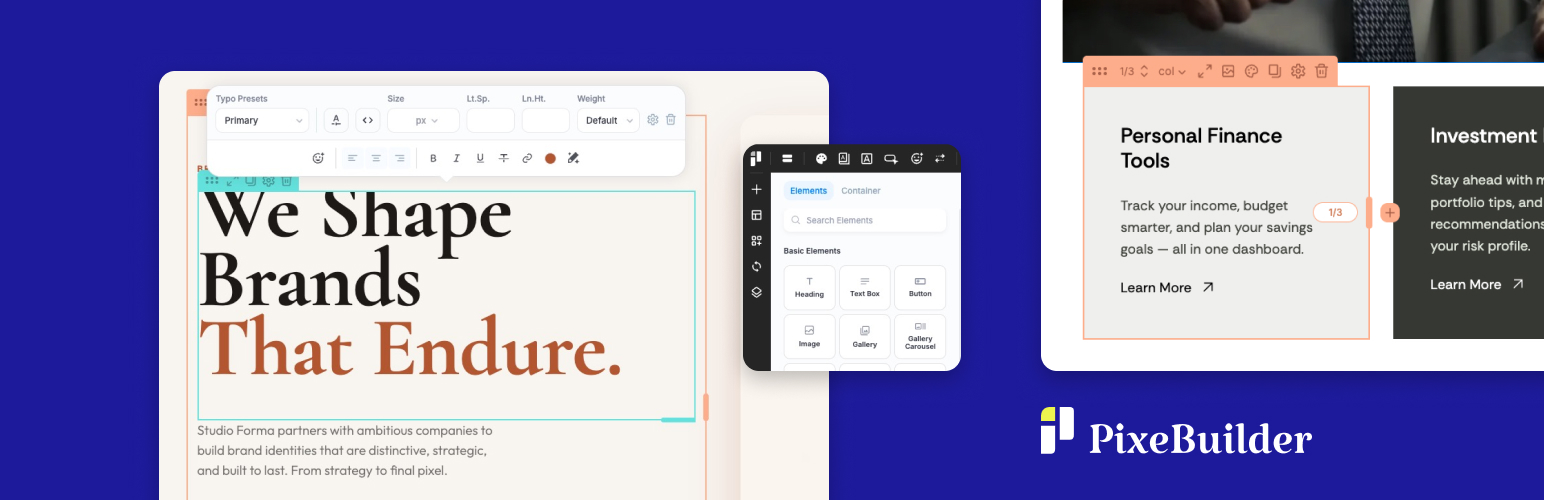
A clean, distraction-free editor designed for speed. Intuitive controls, a logical layout, and less clicking means you spend time building — not hunting through menus.
Dual Editing Modes — Work Your Way
Switch between On-Click Popup mode for instant inline editing and the classic Side Panel mode for full settings access — whichever fits the task in front of you.
Performance by Default — Clean HTML Output
PixeBuilder’s smart resource manager only loads the CSS and JavaScript that each individual page actually uses. The result: lean, semantic HTML output and fast load times with zero bloat.
A Design System That Scales
Manage global Colors, Fonts, and Icons from one place. The built-in Variable Manager lets you define spacing, typography, radius, and shadow tokens with Fixed or Fluid modes — including CSS clamp() output for fluid responsive scaling across any viewport range. Variable Presets (Pro) let you save and switch between full design configurations in seconds.
Built for Real-World Projects
From query-driven post archives to full WooCommerce stores, PixeBuilder has dedicated elements and templates for the exact layouts professional builders need.
What’s Included in the Free Version
The free PixeBuilder plugin gives you a complete, working page builder — not a locked demo.
- Core drag-and-drop visual editor
- 14 page builder elements
- Responsive design controls
- Lightweight, clean HTML output — no bloat
- Regular plugin updates
- Access to documentation and the community
What Pro Unlocks
Upgrade to a Pro plan to unlock the complete toolkit for professional and agency work.
Full Element Library (90+ elements)
- 41 standard elements for flexible content layouts
- 9 composite elements for advanced, pre-combined content sections
- 18 query elements for dynamic post, taxonomy, and archive displays
- 14 WooCommerce elements for shop, cart, and checkout pages
- 15 single WooCommerce elements for individual product page design
Prebuilt Templates & Assets
- 400+ premium prebuilt blocks — ready to drop into any page
- 80+ complete prebuilt page templates — import and customize in minutes
- Carousel and slider container — no third-party slider plugins required
Editor & Layout Power
- Multi-level nested columns with CSS Flexbox support
- Dual editing modes: On-Click Popup and Side Panel
- Device simulation with full responsive controls
- Per-element device visibility controls
- Content hover animations
- Custom CSS per element
- Revision history with undo/redo
- Parallax and scroll effects
Site-Wide Design Tools
- Header and Footer Builder — custom, site-wide navigation and footers
- Popup Builder — build modal windows and overlays
- Synced (Global) Blocks — edit once, update everywhere across your site
- Custom Blocks and Custom Page Templates — save and reuse designs across projects
- Post and taxonomy archive templates
- Template parts and conditional theme management
Global Design System
- Global color, Font Library, and Icon presets
- Bullet and Navigation style presets
- Variable Manager — design tokens for spacing, typography, radius, and shadows, with Fixed and Fluid modes (CSS
clamp()output) - Variable Presets — save and instantly switch between complete design configurations
AI Tools
- AI Writing Assistant — generate, rewrite, or polish website copy directly inside the editor
- AI Image Generation — create custom visuals for any image element, gallery, or section background without leaving the canvas
- Stock Image Browser — insert Pexels photos directly into your layouts
Integrations
- WooCommerce (shop, single product, cart, checkout layouts)
- Contact Form Builder
- Google Maps, Google Fonts, YouTube, Vimeo
- PayPal button element
- Privacy / password-protected content sections
Free vs Pro
The free version is free, forever. No time limit, no credit card required. It includes the full drag-and-drop editor and 14 core elements — everything you need to explore PixeBuilder and start building.
Upgrade to Pro to unlock the complete element library, prebuilt templates, AI tools, WooCommerce support, site-wide design tools, and multi-site licensing. Pro plans include a money-back guarantee.
See plans and pricing at pixebuilder.com
Useful Links
- PixeBuilder Website
- Features Overview
- Prebuilt Blocks Library
- Prebuilt Website Templates
- Documentation
- Pricing
- Contact & Support
Third Party / External Services
This plugin connects to external services to provide certain features.
Vimeo
Used to embed Vimeo videos and retrieve video information.
Data sent: Vimeo video URL.
When: When a video element is used.
Terms: https://vimeo.com/terms
Privacy: https://vimeo.com/privacy
YouTube
Used to embed YouTube videos.
Data sent: YouTube video URL.
When: When a video element is used.
Terms: https://www.youtube.com/t/terms
Privacy: https://policies.google.com/privacy
Google Maps
Used to display maps.
Data sent: Map location entered by the user.
When: When a map element is used.
Terms: https://cloud.google.com/maps-platform/terms
Privacy: https://policies.google.com/privacy
Google Fonts
Used to load fonts for page design.
Data sent: Selected font family name.
When: When a page uses Google Fonts.
Terms: https://developers.google.com/fonts/faq
Privacy: https://policies.google.com/privacy
PayPal
Used to create a PayPal button.
Data sent: Payment data required by PayPal.
When: When a user clicks the PayPal button to initiate a payment.
Terms: https://www.paypal.com/webapps/mpp/ua/useragreement-full
Privacy: https://www.paypal.com/webapps/mpp/ua/privacy-full
PixeBuilder API
Used to import prebuilt templates and AI tools.
Data sent: Request parameters (template_id, text prompts, image generation prompts).
When: When a user imports prebuilt content or uses AI features.
Terms: https://pixebuilder.com/terms-and-conditions/
Privacy: https://pixebuilder.com/privacy-policy/
Pexels
Used to browse and insert free stock photos into your layouts.
Data sent: Search query terms.
When: When a user searches for stock images in the editor.
Terms: https://www.pexels.com/terms-of-service/
Privacy: https://www.pexels.com/privacy-policy/
Third Party Libraries
This plugin includes the following third-party libraries:
Font Awesome
License: SIL Open Font License 1.1
Source: https://fontawesome.com/
Material Symbols
License: Apache License 2.0
Source: https://fonts.google.com/icons
DOMPurify
License: Apache License 2.0
Source: https://github.com/cure53/DOMPurify
html2canvas
License: MIT License
Source: https://github.com/niklasvh/html2canvas
GLightbox
License: MIT License
Source: https://github.com/biati-digital/glightbox
Details


Related plugins
Plugins that also contain the tag blocks
Spectra Gutenberg Blocks – Website Builder for the Block Editor

Kadence Blocks — Page Builder Toolkit for Gutenberg Editor

Extendify

Otter Blocks – Gutenberg Blocks, Page Builder for Gutenberg Editor & FSE

Page Builder Gutenberg Blocks – CoBlocks

GenerateBlocks


About
Plugin for that tries to help you find the WordPress plugin you are looking for.
| Please enjoy an image of Crush (this awesome turtle) and have a lovely day! |  |
We do not own any plugin listed on this site and do not work for or work with WordPress.com or it's associated companies. We simply provide a searchable list of the available WordPress plugins.