



PixelHunter Social Login
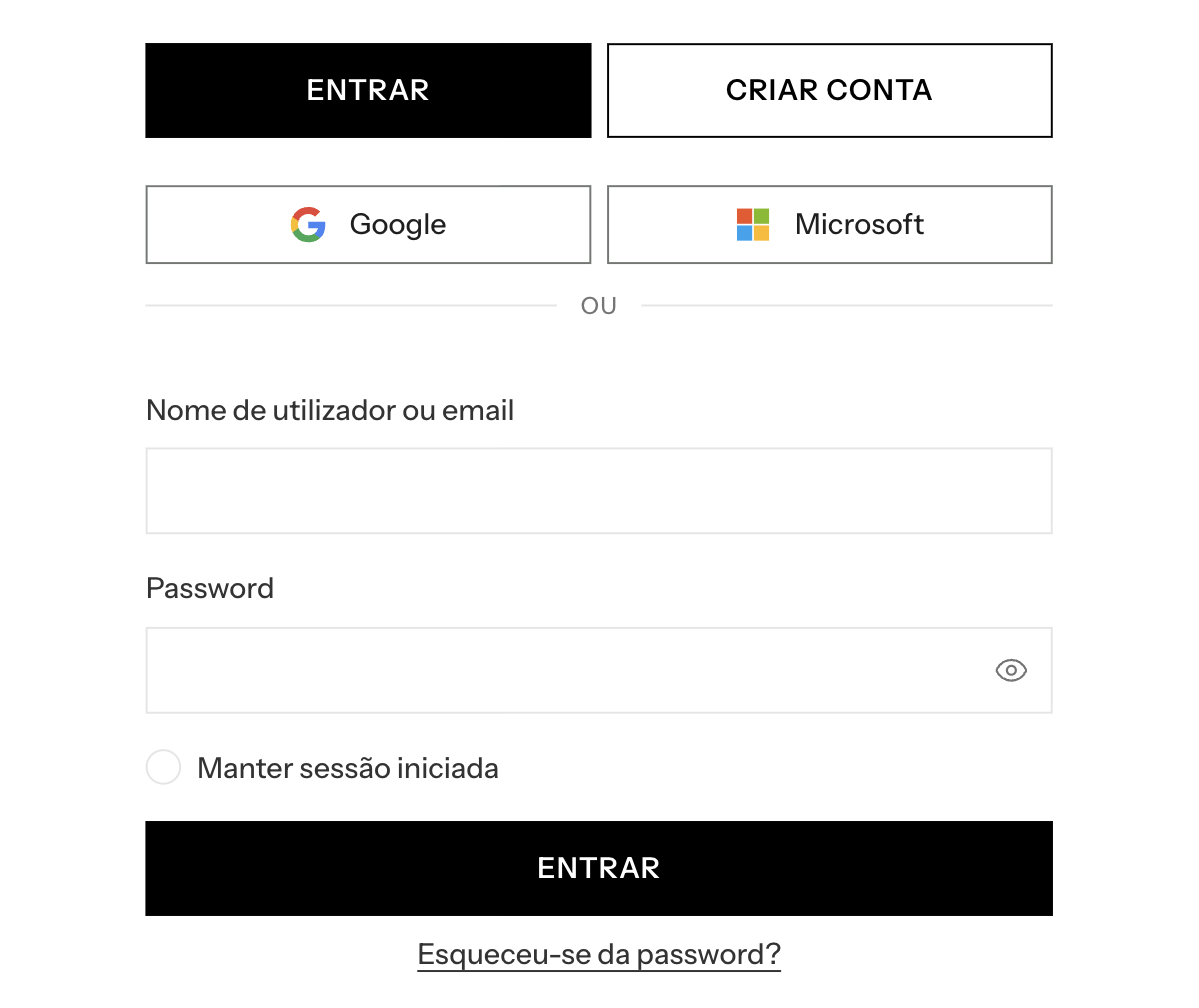
Login and registration with Google and Microsoft (personal accounts: Hotmail, Outlook.com, Live) for WooCommerce stores, via OAuth 2.0 / OpenID Connect — self-contained, with no third-party plugins or intermediary services. Customer credentials never pass through the store: authentication happens at Google/Microsoft and the plugin only cryptographically validates the result.
Features
- Two providers, one architecture — every provider-specific fact (endpoints, claim policy, branding) lives in a single registry; the rest of the code is provider-agnostic. Adding a third provider is adding one registry entry.
- Automatic account creation — the first login creates a WooCommerce customer (role
customer) with a strong random password. - Secure linking of existing accounts — if the email already has a store account, the plugin does not log in directly: it asks for the password once to prove ownership, and only then links the external identity (prevents account takeover by email).
- The same email on both providers lands on the same WP account — linked identities are stored in distinct per-provider meta.
- Full
id_tokenvalidation — signature against the provider’s JWKS (with cache),iss,aud,exp,nonce, and per-provideremail_verifiedpolicy. - CSRF protection — single-use
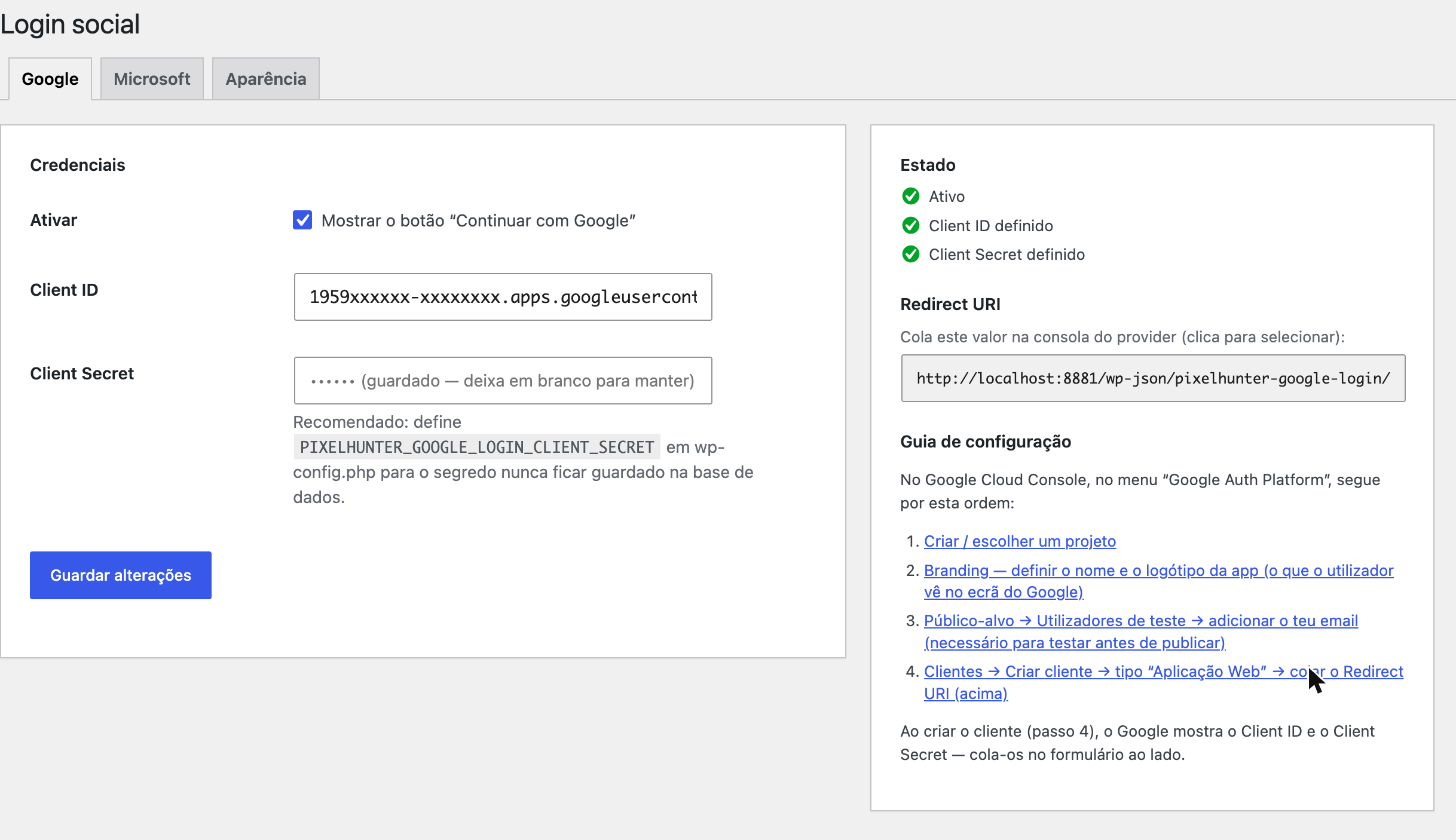
state+noncein a transient with anHttpOnly/SameSite=Laxcookie. - Secrets outside the database (optional, recommended) — constants in
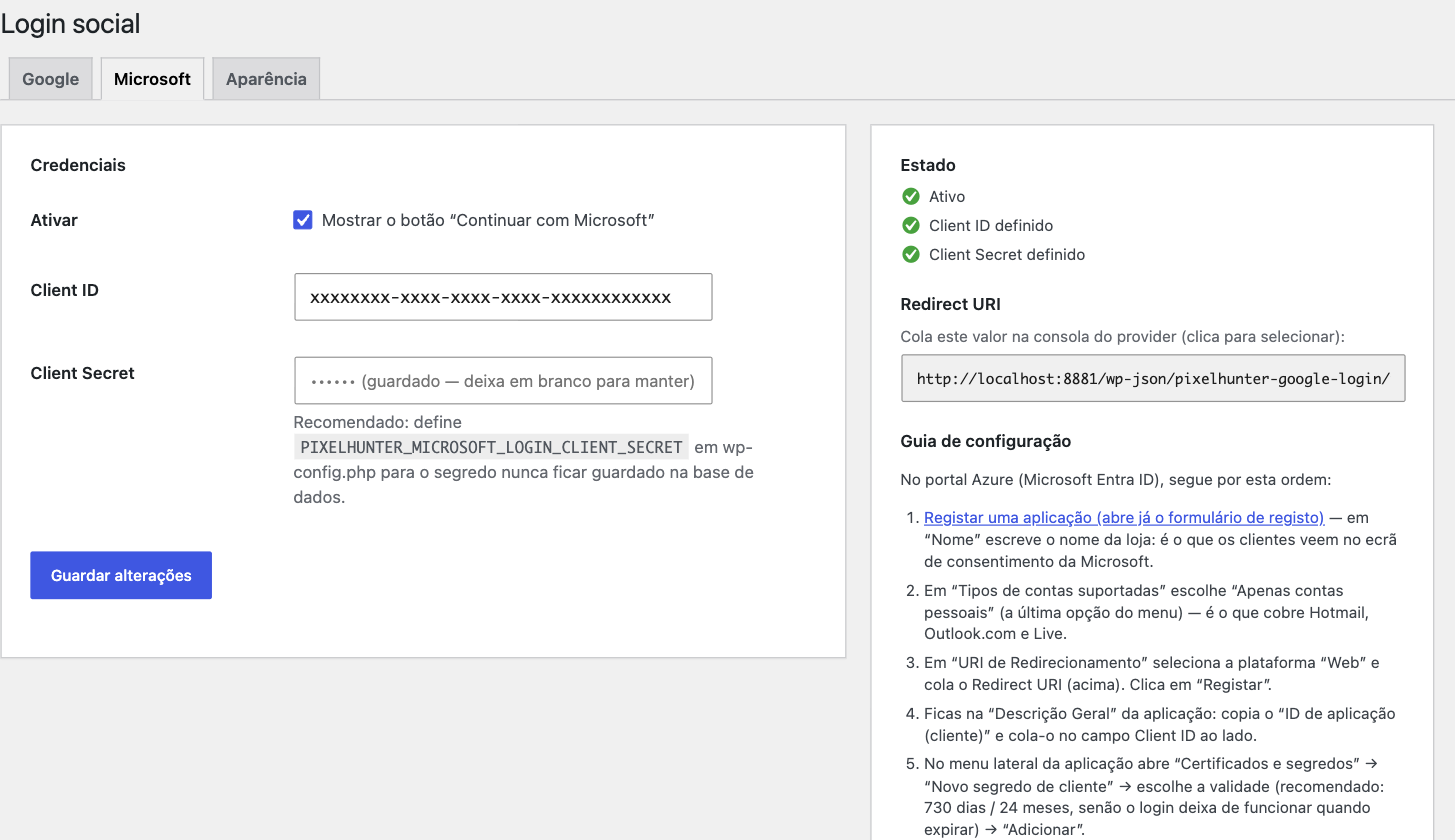
wp-config.phptake priority and lock the admin field. - Organized admin — page under WooCommerce Social Login with per-provider tabs, a step-by-step guide with deep links to the consoles, a ready-to-copy Redirect URI, and live status.
- Accessible, responsive buttons — side by side when there’s width, stacked when there isn’t; short labels with full
aria-label; light/dark themes. - No runtime dependencies beyond
firebase/php-jwt(vendored in the repo — the plugin installs by copy, with nocomposer install).
How it works
The customer authenticates at the provider (the store never sees the password); the plugin verifies the signed id_token (JWKS), validates the claims (iss / aud / exp / nonce / email), and resolves the account:
- Identity already linked (
subknown) immediate login - New email creates a WooCommerce customer + links the identity + login
- Email already exists, no linked identity asks for password login once and links on success
- Email not verified at the provider rejected with a message to the customer
External services
This plugin is an interface to the sign-in services of Google and Microsoft. It contacts them only when you, the site administrator, enable and configure a provider, and only while a visitor is actively signing in with that provider. There is no telemetry, no analytics, and no data is ever sent to PixelHunter or to any other third party.
Google Sign-In (used only when the Google provider is enabled)
accounts.google.com— the visitor’s browser is redirected here to sign in. The request carries the Client ID you configured, the redirect URI of your site, the requested scopes (openid email profile), and a single-usestate/nonce. The visitor enters their credentials at Google; the store never sees them.oauth2.googleapis.com— server-to-server exchange of the authorization code for anid_token. Sends the Client ID, the Client Secret, the authorization code, and the redirect URI.www.googleapis.com— fetches Google’s public signing keys (JWKS) to verify theid_tokensignature. No site or visitor data is sent; the response is cached.
Data received back from Google and stored on your site: the account identifier (sub), email address, name, and the email_verified flag. The sub is stored as user meta so the account can be recognised on the next sign-in.
Google terms of service: https://policies.google.com/terms — Google privacy policy: https://policies.google.com/privacy
Microsoft identity platform (used only when the Microsoft provider is enabled)
login.microsoftonline.com— the same three roles as above (visitor sign-in redirect, code-for-token exchange, and JWKS key fetch), against theconsumerstenant for personal Microsoft accounts.
Data received back from Microsoft and stored on your site: the account identifier (sub), email address, and name.
Microsoft services agreement: https://www.microsoft.com/servicesagreement — Microsoft privacy statement: https://privacy.microsoft.com/privacystatement
Details
Related plugins
Plugins that also contain the tag google
Site Kit by Google – Analytics, Search Console, AdSense, Speed

Google for WooCommerce

Widgets for Google Reviews

GA Google Analytics – Connect Google Analytics to WordPress

OMGF | GDPR/DSGVO Compliant, Faster Google Fonts. Easy.

Nextend Social Login and Register


About
Plugin for that tries to help you find the WordPress plugin you are looking for.
| Please enjoy an image of Crush (this awesome turtle) and have a lovely day! |  |
We do not own any plugin listed on this site and do not work for or work with WordPress.com or it's associated companies. We simply provide a searchable list of the available WordPress plugins.