


PixelScore – Image SEO Score, Alt Text & WebP Optimizer
Most image plugins tell you how many kilobytes they saved. That is half the job. An image that nobody can find and no screen reader can describe is still a wasted image.
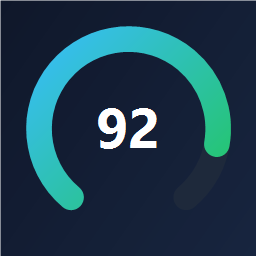
PixelScore gives every image in your media library a score out of 100, built from the five things that actually decide whether it turns up in Google Images and whether it passes an accessibility audit:
- Alt text (35 points) – present, descriptive, the right length, unique across your library.
- File name (20 points) –
red-leather-handbag.jpgbeatsIMG_4827.JPG. - Format and weight (25 points) – modern format, sensible dimensions, well compressed.
- Title and caption (10 points) – still filled in with the raw file name, or written for a human?
- Page context (10 points) – an image no page uses will not rank.
Then it fixes them.
What it does
- Library dashboard – average score, score distribution, how many images have no alt text at all, and a list of your weakest images ranked by what is costing them the most points.
- One image, one screen – open any image and see the exact points breakdown with a one-click fix for each line.
- Alt text suggestions – built from the file name, the attachment title and the page the image sits on. Bulk fill every empty alt text in the library.
- Local compression – JPEG, PNG and WebP re-encoded through your server’s own image library. Nothing is uploaded anywhere.
- Automatic resize – oversized originals are scaled down to a maximum you choose.
- WebP conversion and delivery – a WebP copy is written next to each image and served through a
<picture>element, so browsers that support it get the smaller file and caching plugins keep working. - Safe file renaming – rename
IMG_4827.jpgto something descriptive. Every generated size and every post that uses the image is updated, and the old URL sends a 301 redirect to the new one. - Backups – every original is kept so you can restore any image with one click.
- Media library integration – a score column you can sort, filters for “missing alt text”, “poor score” and “not optimized yet”, and bulk actions for rescan, optimize and fill alt text.
Alt text written by AI, using your site’s own AI provider
Optional, and completely off until an AI provider is configured. Scoring, compression, resizing, WebP, renaming and the offline alt text suggestions all work with no provider and no connection at all.
On WordPress 7.0 and later PixelScore uses the AI client built into WordPress. You configure your AI provider once for the site, and PixelScore asks core to describe the image — the plugin never handles your credentials and never picks a provider for you. On older WordPress, or if you prefer to keep this feature on a separate account, you can instead save your own OpenAI API key under Media PixelScore Settings.
Either way a vision model writes the sentence a person would have written — the thing a file name alone can never give you for IMG_4827.jpg. It is your own account, so you see the usage and the bill; nothing is proxied through us, and there are no credits to buy. A hard per-run limit (100 images by default) keeps a mis-click from running up a charge.
See the External services section below for exactly what is sent, and when.
Is there a Pro version?
Yes: PixelScore Pro – AI Image SEO and Alt Text Generator is a separate plugin that adds Anthropic Claude, Google Gemini and OpenRouter as alternative providers, plus AVIF delivery, WooCommerce product context, scheduled background runs and a CSV audit report. It is a different plugin with its own code — nothing in this one is disabled, limited or time-restricted.
External services
This plugin can send data to an AI provider, and only if you choose to use the optional “alt text written by AI” feature. Nothing else in the plugin ever contacts anything.
What is sent, and when. Whichever route below is in use, a request is made only at these three moments, each of which you trigger:
- when you press “Describe every image with no alt text” on the PixelScore screen,
- when you run the “PixelScore: write alt text with AI” bulk action in the media library,
- when you press “Test connection” on the settings screen.
Each request sends:
- a copy of the one image being described, downscaled on your server to a maximum of 768 pixels on its long edge and re-encoded as JPEG,
- a short text instruction that contains the title of the page the image is used on (when it is used on one), the “what the site is about” words you typed into the settings screen, and the target language.
Nothing else is sent. No visitor data, no site statistics, no usage tracking, no other images and no other content.
The WordPress AI client (default on WordPress 7.0 and later)
What it is and what it is used for. WordPress 7.0 includes an AI client of its own. Where it exists, PixelScore hands the image and the instruction to that client and WordPress performs the request, using the AI provider you configured for the site.
Who the data goes to. Whichever provider your site is configured to use. PixelScore does not choose it, does not see the credentials and contacts no endpoint of its own on this route. If your site has no AI provider configured, no request is made and the feature reports that AI is not configured.
Terms and privacy. Those of the provider you configured for your site. Review them before enabling the feature; you are responsible for that account.
OpenAI (optional, chosen by you)
What it is and what it is used for. On WordPress versions without the core AI client, or when you deliberately pick “OpenAI” on the settings screen, PixelScore calls OpenAI directly with an API key of your own. OpenAI provides the vision model that writes alt text describing what is in an image.
Nothing is sent unless you enable it. No request of any kind is made on this route until you save an OpenAI API key of your own under Media PixelScore Settings. With no key saved, no data ever leaves your server.
What is additionally sent. Your own OpenAI API key, as the request’s authorization header.
Endpoint. POST https://api.openai.com/v1/chat/completions — this is the only endpoint this plugin contacts directly.
One link, never a request. The settings screen shows a “get an API key” link pointing at https://platform.openai.com/api-keys. It is an ordinary link for you to click in the admin area; the plugin never sends a request to that address, and nothing is contacted when the settings page loads.
Terms and privacy. This service is provided by OpenAI: terms of use, privacy policy. You are responsible for your own OpenAI account and for reviewing their terms before enabling the feature.
Everything else
Every other operation — scoring, compression, resizing, WebP conversion, offline alt text suggestions, file renaming and redirects — runs entirely on your own server using the GD or Imagick library your host already provides. There is no account, no telemetry and no tracking anywhere in this plugin.
Details


Related plugins
Plugins that also contain the tag accessibility
Ally – Web Accessibility & Usability
Auto Image Attributes From Filename With Bulk Updater (Add Alt Text, Image Title For Image SEO)

Accessibility by UserWay

WP Dark Mode – Improve Accessibility with AI Powered Dark Theme

AccessibleWP – Accessibility Toolbar
Alt Text AI – Automatically generate image alt text for SEO and accessibility


About
Plugin for that tries to help you find the WordPress plugin you are looking for.
| Please enjoy an image of Crush (this awesome turtle) and have a lovely day! |  |
We do not own any plugin listed on this site and do not work for or work with WordPress.com or it's associated companies. We simply provide a searchable list of the available WordPress plugins.