



PJ Calendar
PJ Calendar turns a list of dates into a page your visitors can actually use. Add each date as its own entry (title, event, start/end dates and times, venue, city, state, link, tags, category), place the [pjcal] shortcode on a page, and you get:
- Now & Next — a timeline of everything in progress or upcoming, with “Today”, “In progress” and “Upcoming” status, start/end times (or all day) and an optional tickets/info link.
- Past Dates — every finished date grouped by year, newest first, with instant search, category filter chips, a sort toggle and a statistics strip (total events, locations, years active).
- Automatic rollover — the split between upcoming and past is worked out in the visitor’s browser, so a date moves to Past the day after it ends even on an aggressively cached page.
- Optional hero photo — choose one site-wide photo, pass an attachment ID or URL per calendar, or let it use the page’s featured image. Shown as a full-width banner with the title over it; or choose the side layout, where the photo pins to the left while the dates scroll.
- Your colors and fonts — light or dark scheme, six accent presets or any accent color, custom background, card and text colors, and your own heading and body fonts (with an optional web-font stylesheet). Leave them empty and it follows the scheme and your theme.
- Projects, not just events — flag a category as a “project” (studio time, writing, development) and those dates show their project title as the heading and stay out of the statistics.
- Reusable venues — save a venue once with its city, state, address and website, then pick it from a list; a date’s blank city/state fall back to the venue’s. On the calendar the venue name links to its website, and a venue with a street address gets a map pin that opens Google Maps.
- Hide without deleting — a “Hide from the calendar” switch in Date Details, Quick Edit, Bulk Edit and the row actions keeps a date on file but out of every calendar and statistic.
- Admin niceties — a Status column with Current & Upcoming / Past / Hidden filters, a Duplicate row action for repeat venues, a Dates column sorted by start date, and a warning on any entry missing a start date.
- Cache-aware — clears WP Fastest Cache, W3 Total Cache, WP Super Cache or WP Rocket when dates change (optional), and fires
pjcal_purge_cachefor other caching plugins.
Shortcode
[pjcal] with no attributes uses the defaults from Settings → PJ Calendar. Attributes:
title,eyebrow— heading and the small text above it.now_title,past_title,empty_now— section titles and the message shown when nothing is upcoming.image— attachment ID or image URL for the hero photo (default: the site-wide photo from Settings, otherwise the page’s featured image;"none"for no photo).focus— CSS object-position, e.g."50% 20%".layout—top(default: the photo is a banner above the dates) orside(pinned beside the dates on wide screens).scheme—lightordark.accent—wine,coral,pink,ocean,forest,slate,custom(the color picked under Settings) or any hex color such as#0f6e8c.category— comma-separated category slugs to show only those categories.open_years— how many year groups start expanded (default 2).now_limit— show this many upcoming dates, with the rest behind a “Show N more” button (default 0 = all).show_stats,show_search,show_filters—yesorno.show—both(default),upcomingorpastto show only one section.fullbleed="yes"— break out of a boxed content area to full viewport width.
Example: [pjcal title="Tour Dates" scheme="dark" accent="ocean" image="123" category="concerts,festivals"]
For developers
Filters: pjcal_default_settings, pjcal_default_atts, pjcal_accent_presets, pjcal_accent_hex, pjcal_items, pjcal_venue_map_url, pjcal_l10n, pjcal_wrapper_classes, pjcal_wrapper_style, pjcal_save_meta, pjcal_settings_tabs, pjcal_shortcode_reference_rows.
Actions: pjcal_settings_page_load, pjcal_settings_after, pjcal_settings_tab_content, pjcal_shortcode_reference_after, pjcal_meta_box_fields, pjcal_before_now, pjcal_after_past, pjcal_purge_cache.
Themes can restyle by overriding CSS custom properties on .pjcal (e.g. --pjcal-accent, --pjcal-top for a fixed header height, --pjcal-head / --pjcal-body for fonts). The front-end script fires a pjcal:rendered DOM event once a calendar has rendered.
External services
None by default. If you enter a Font stylesheet URL under Settings PJ Calendar Typography (for example a Google Fonts link), that stylesheet is loaded from the address you entered on pages that show a calendar, so that service receives the visitor’s IP address and browser details like any web request. For Google Fonts see the Google Privacy Policy and Terms of Service. Map pins are ordinary links to Google Maps and contact Google only when a visitor clicks one.
Every feature in this plugin is free, with no license key, trial or usage limit.
Add-ons
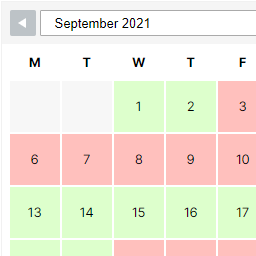
PJ Calendar Pro is a separate plugin sold on purejeannius.com. It adds tools that are not part of this plugin: a month-grid view, a subscribable calendar feed for Apple Calendar, Outlook and Google Calendar, Google event listings (schema.org Event data), CSV import and export, “Add to calendar” links on upcoming dates, and a compact next-dates list for sidebars and footers.
Details


Related plugins
Plugins that also contain the tag calendar
The Events Calendar

LatePoint – Calendar Booking Plugin for Appointments and Events

Woo Store Vacation

SimplyBook.me – Booking and reservations calendar

The Events Calendar Shortcode & Block

WP Simple Booking Calendar

About
Plugin for that tries to help you find the WordPress plugin you are looking for.
| Please enjoy an image of Crush (this awesome turtle) and have a lovely day! |  |
We do not own any plugin listed on this site and do not work for or work with WordPress.com or it's associated companies. We simply provide a searchable list of the available WordPress plugins.