



Plogins Waitlist for WooCommerce
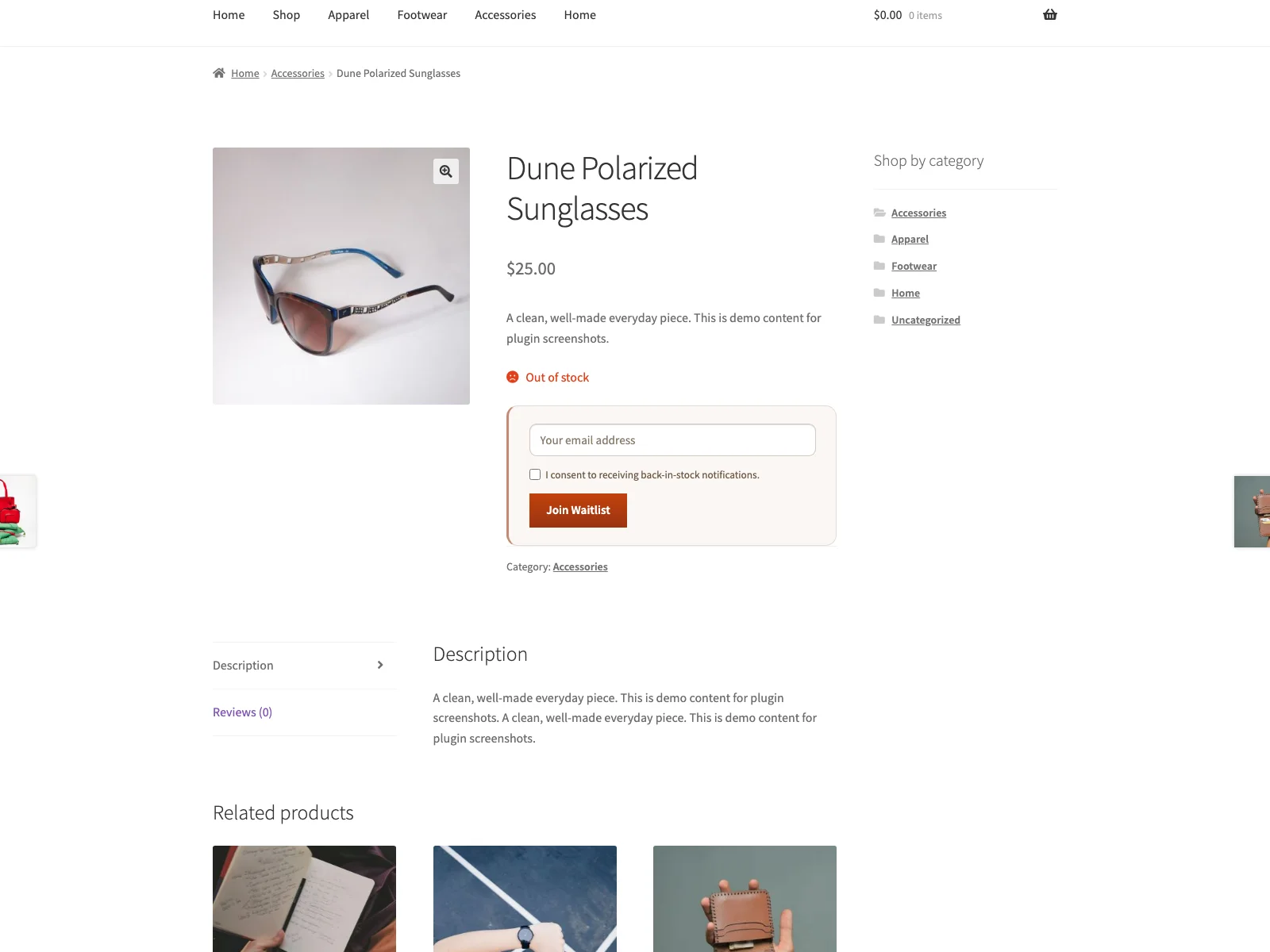
Plogins Waitlist adds a waitlist form to out-of-stock WooCommerce products. A shopper enters their email, and when you set the product back to “In stock”, Plogins Waitlist emails everyone waiting through your site’s own WordPress mailer. There is no external service, no account to sign up for, and nothing leaves your database.
The form is rendered in PHP on the single-product summary, where it sits in the normal page flow rather than being injected after load, so it does not shift surrounding content. Submitting it runs a small vanilla-JavaScript fetch request loaded with defer in the footer; the plugin adds no jQuery of its own. On variable products it hooks into WooCommerce’s existing variation script so the form only appears once an unavailable variation is selected.
Accessibility was a first-class concern rather than an afterthought. The email field carries a visually hidden label, consent is a real required checkbox, and the success/error message is announced through an aria-live region while the form reports aria-busy during submission.
Subscriber data lives in a single {prefix}_restock_waitlist table that the plugin creates and version-tracks. Notifications fire on the woocommerce_product_set_stock_status hook, so there is no queue or background cron to run. Uninstalling drops the table and removes the plugin’s options, leaving nothing behind.
Source and issues: https://github.com/wppoland/plogins-waitlist . Patches and bug reports are welcome there.
Features
- Waitlist form shown automatically on out-of-stock and backorder (“on backorder”) product pages
- Variable products: form appears after the shopper selects an unavailable variation
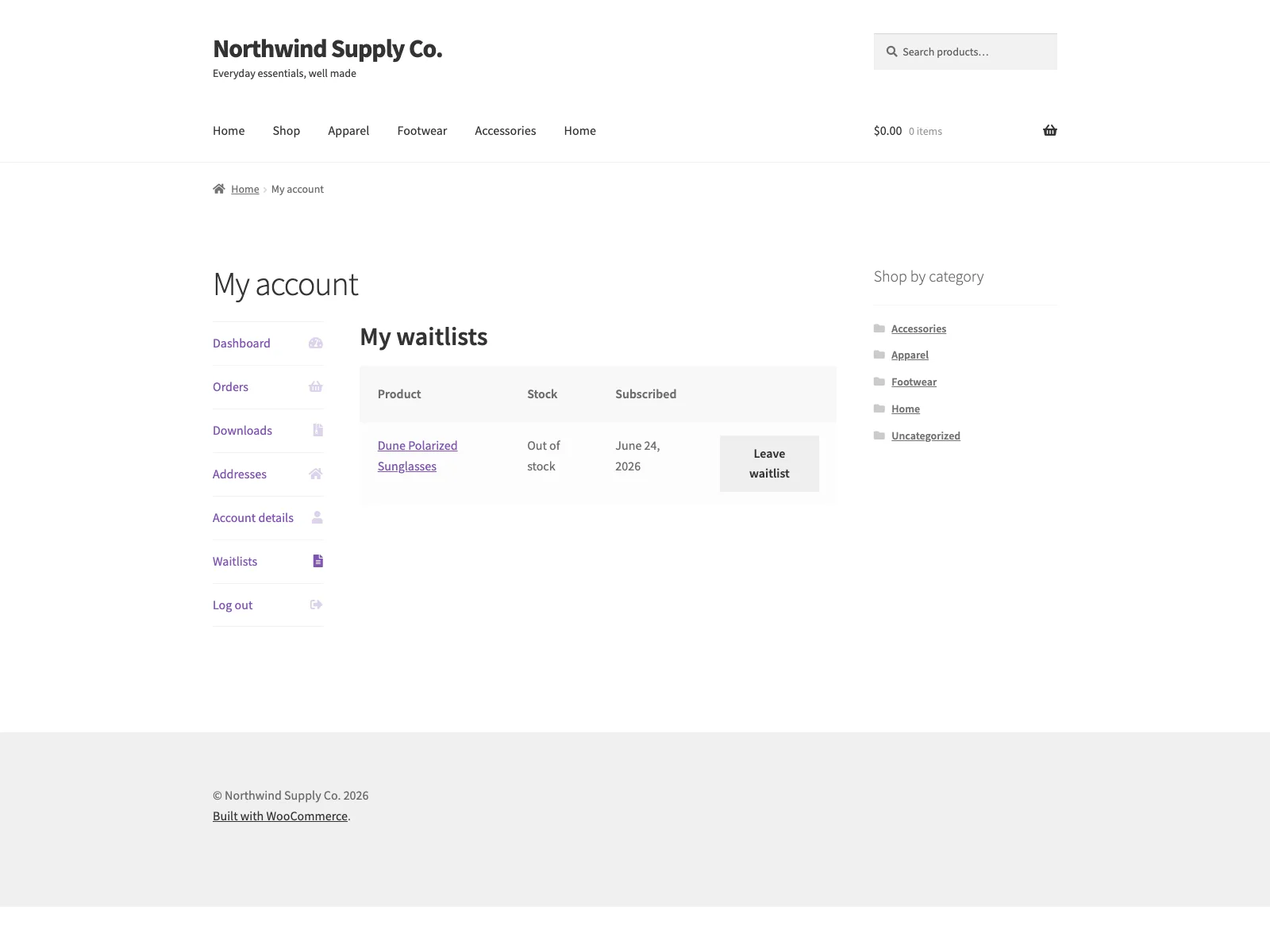
- WooCommerce My Account Waitlists tab for logged-in customers (review lists, leave waitlist)
- Asynchronous submit with a vanilla-JavaScript fetch call, so the page does not reload
- Email field pre-filled for logged-in customers
- Required consent checkbox for every signup
- Automatic plain-text email notification on restock, sent via
wp_mail - Optional heading and intro text shown above the form
- Customisable form labels, button text, on-screen submit messages, and notification email subject/intro/closing text
[restock_waitlist]shortcode for placing the form manually in a product template- Toggle guest (not-logged-in) subscriptions on or off
- Admin subscriber list with per-product filter and CSV export
- Theme-overridable form template (
yourtheme/restock/single-product/waitlist-form.php) - Compatible with WooCommerce HPOS (Custom Order Tables) and Cart/Checkout Blocks
External Services
Plogins Waitlist does not connect to any external services. Back-in-stock notification emails are sent through your own site’s WordPress mailer (wp_mail); subscriber data stays in your WordPress database.
Details

Related plugins
Plugins that also contain the tag back-in-stock
Waitlist Woocommerce ( Back in stock notifier )

Restock Notifier For WooCommerce

NotifyWise – Back In Stock Notifier for WooCommerce

Back in stock notifications for WooCommerce

Back in Stock Notifier for WooCommerce by WPPOOL

Product Lifecycle Tracker


About
Plugin for that tries to help you find the WordPress plugin you are looking for.
| Please enjoy an image of Crush (this awesome turtle) and have a lovely day! |  |
We do not own any plugin listed on this site and do not work for or work with WordPress.com or it's associated companies. We simply provide a searchable list of the available WordPress plugins.