


This plugin is outdated and might not be supported anymore
Back

Plugin Notes Plus
Details
View on WordPress
Back
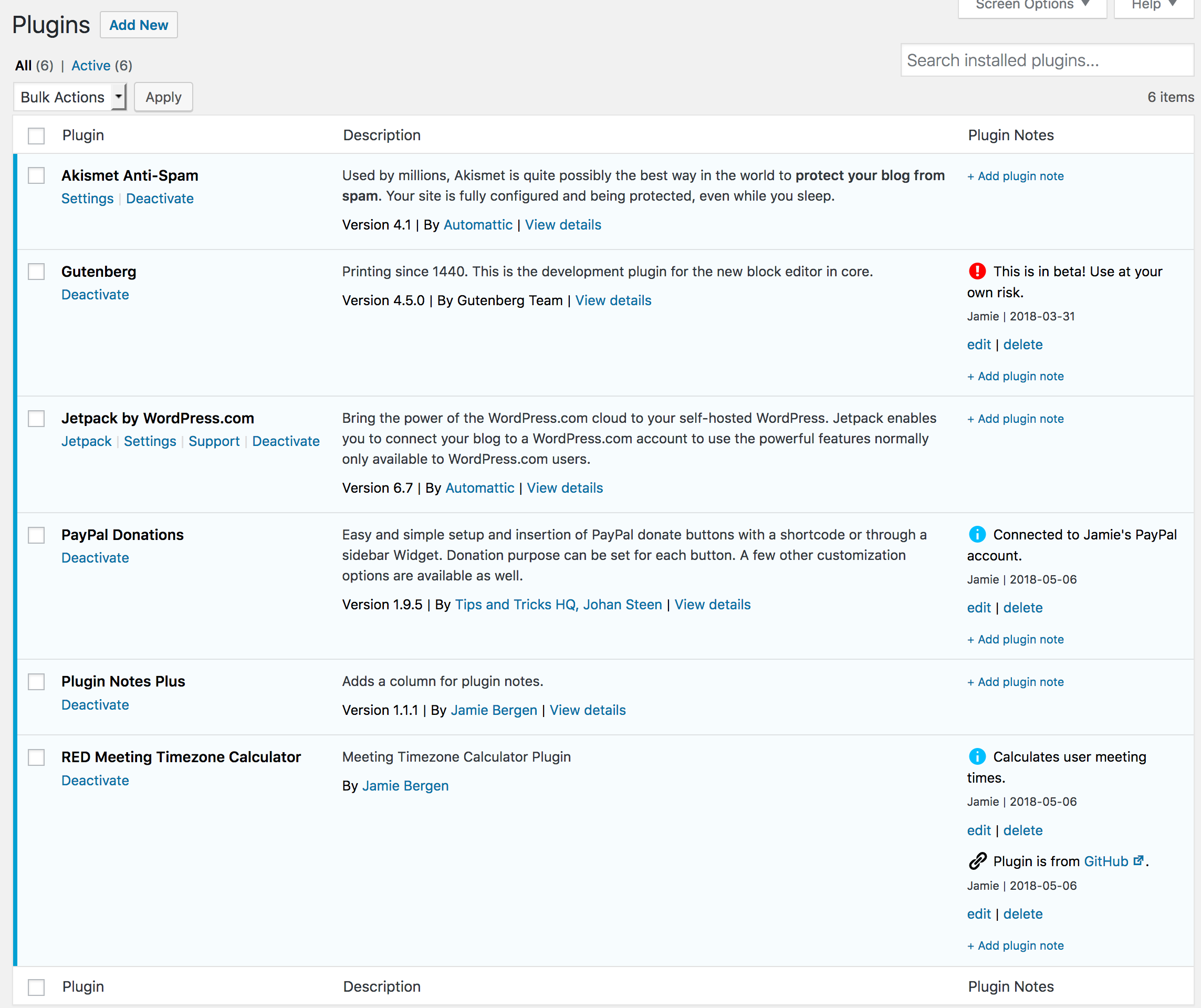
Have you ever returned to a site that you built a while back and asked, “Why did I install this plugin?” This plugin provides an extra column on the Plugins page that enables you to add, edit, or delete notes about the plugins you have installed on a particular site. These notes are intended to provide documentation regarding why a particular plugin was installed and how or where it’s being used.
Features
- Add as many or as few notes as you need for each plugin.
- Edit or delete notes as desired.
- Select an icon to go with each note to quickly convey what type of content it contains (e.g., info, warning, link, etc.)
- Format notes using basic HTML tags if desired.
- Any links included in the note will be automatically converted to
target="_blank" - Notes are added and updated via Ajax, avoiding slow page reloads.
- Notes also display on the WordPress Updates page for any plugins that need to be updated.
- A filter is provided if you would like to display notes beneath the plugin description instead of in a separate column.
- A filter is available to selectively hide or display plugin notes in the admin.
Details
Plugin code:
plugin-notes-plus
Plugin version:
1.2.10
Author:
Outdated:
Yes
WP version:
6.2 or higher
PHP version:
5.6 or higher
Test up to WP version:
6.7.2
Total installations:
9,000
Last updated:
2025-03-20
Rating:
Times rated:
61
memo
plugin-notes
plugins
Related plugins
Plugins that also contain the tag memo
Page & Post Notes

Notely

Plugin Notes

JAMP Notes (Just Another Memo Plugin)

Plugin Notes Label

Announcements


About
Plugin for that tries to help you find the WordPress plugin you are looking for.
| Please enjoy an image of Crush (this awesome turtle) and have a lovely day! |  |
We do not own any plugin listed on this site and do not work for or work with WordPress.com or it's associated companies. We simply provide a searchable list of the available WordPress plugins.