



Plugixa Testimonial
⭐ Collect, approve and showcase what your customers say with Plugixa Testimonial – star ratings, photos, videos and an approval workflow, in a fast React admin, displayed in grid, slider, masonry or list layouts.
📚 Read the Documentation
🌐 Visit the official website Plugixa
✉️ Questions or support requests: Contact us
Documentation | Contact | Support Forum | Upgrade to Pro!
Show your first testimonials in 3 simple steps:
- Add testimonials yourself, or let customers send them through the submission form
- Approve the ones you want to publish
- Build a display with the live preview and place it with the block or a shortcode
Testimonials live in the plugin’s own database tables, not in posts and post meta, so lists, filters and displays stay fast as your collection grows.
Testimonials You Have Actually Approved
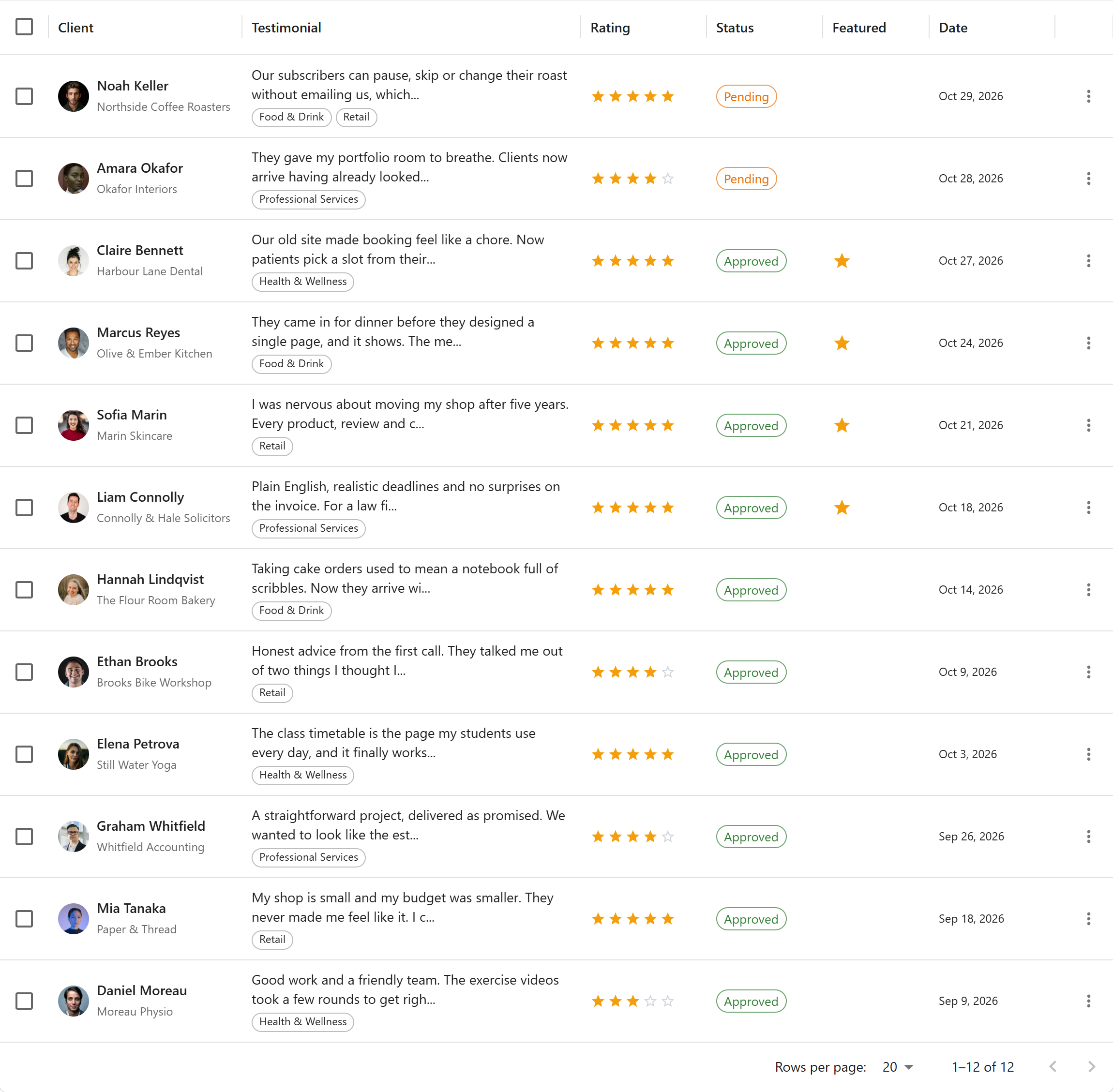
Nothing appears on your site until you say so. Every testimonial moves through a clear workflow, and visitors only ever see the approved ones.
✅ Pending – everything sent through the submission form arrives here first
✅ Approved – published, and the only status any display can show
✅ Rejected – kept for your records, never shown
✅ Draft – testimonials you are still writing up
Key Features of Plugixa Testimonial
- Fast, Material UI-based admin application
- Unlimited testimonials, categories and saved displays (views) – no cap
- Star ratings, client photos, role, company and website
- Video testimonials – YouTube, Vimeo or self-hosted
- Approval workflow: pending, approved, rejected and draft
- Categories to organize and filter testimonials
- Four display layouts: grid, list, masonry and slider
- Display builder with a live preview, colours, typography and spacing
- Gutenberg block and shortcodes for placing testimonials anywhere
- Frontend submission form, with optional Google reCAPTCHA
- Testimonial request emails with single-use submission links
- Custom fields for capturing extra testimonial data
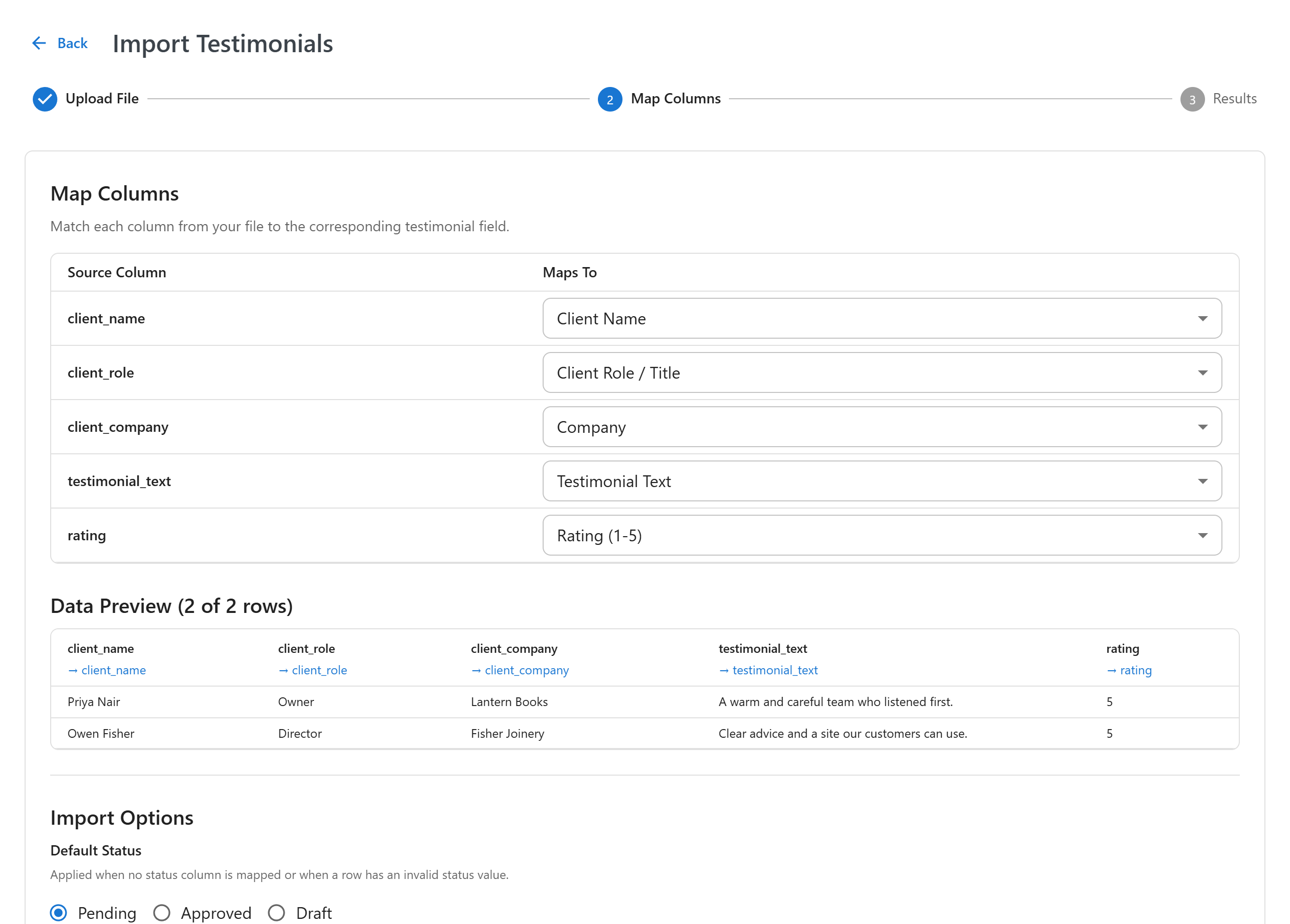
- Import from CSV and JSON, and export to CSV and JSON
- Social-proof notification popups
- Review schema (JSON-LD) for SEO
- Elementor widget and a WooCommerce product tab
- Multilingual support via Polylang and WPML
- Works with your WordPress roles: authors can approve, editors can delete, settings stay with administrators
- Fonts are served from your own site, never from Google’s servers
Plugixa Testimonial Pro Features
- Google Reviews import – find your business and bring its Google reviews in as testimonials, using your own Google Places API key
- PDF export – download your testimonials as a formatted PDF document
- Demo data – fill a test site with sample testimonials, categories and displays in one click, and remove them again just as easily
- Priority support
Upgrade to Plugixa Testimonial Pro
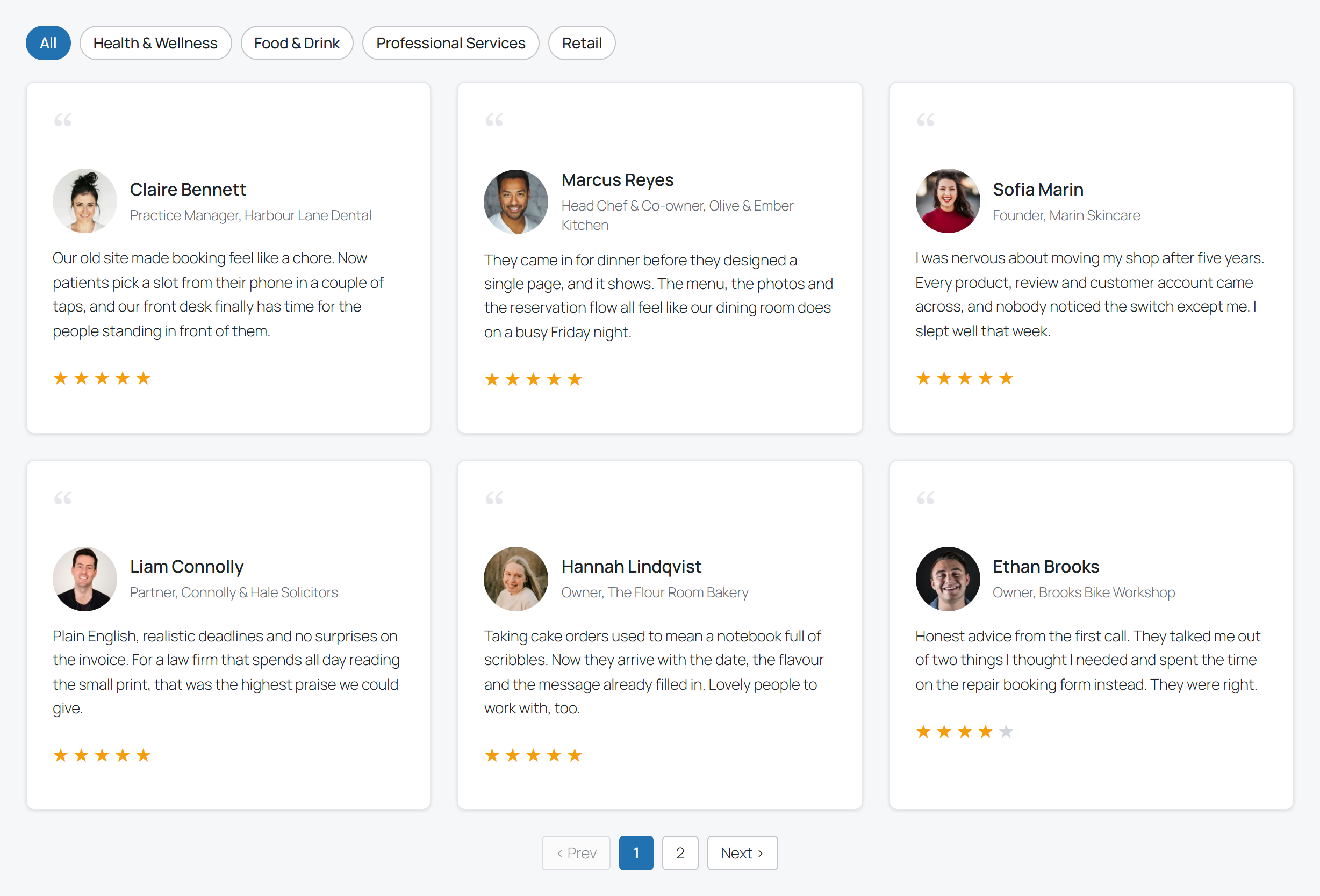
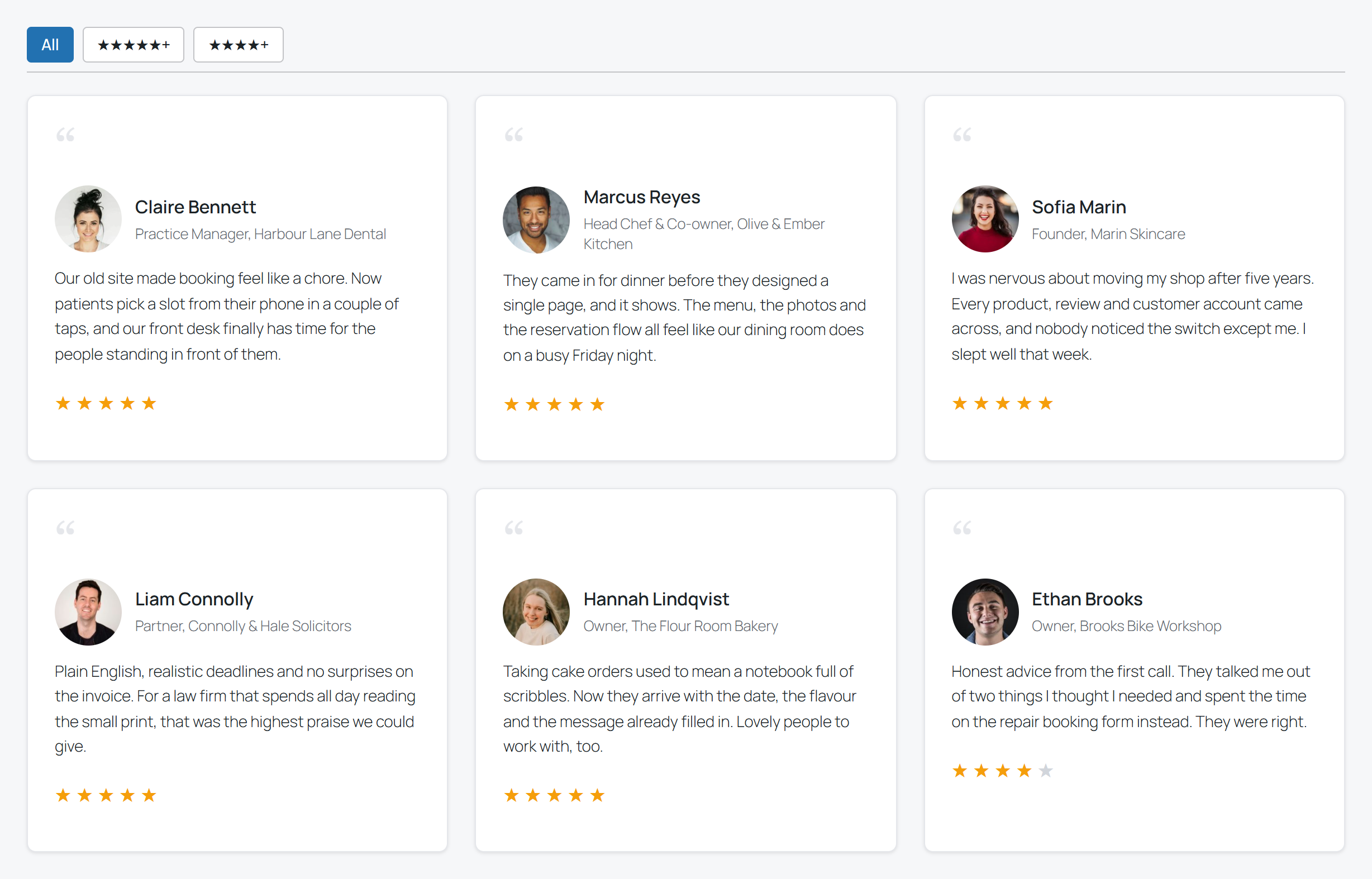
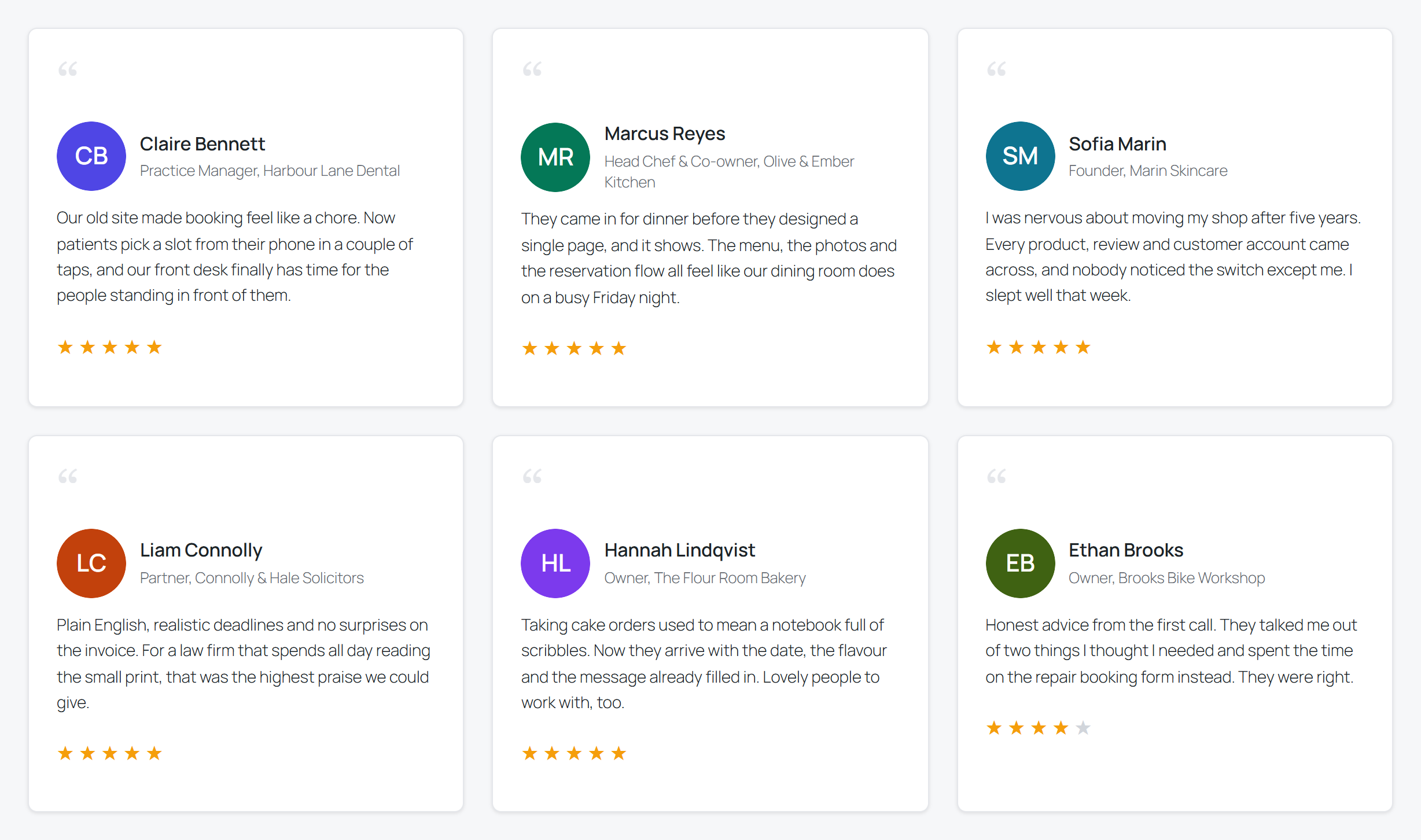
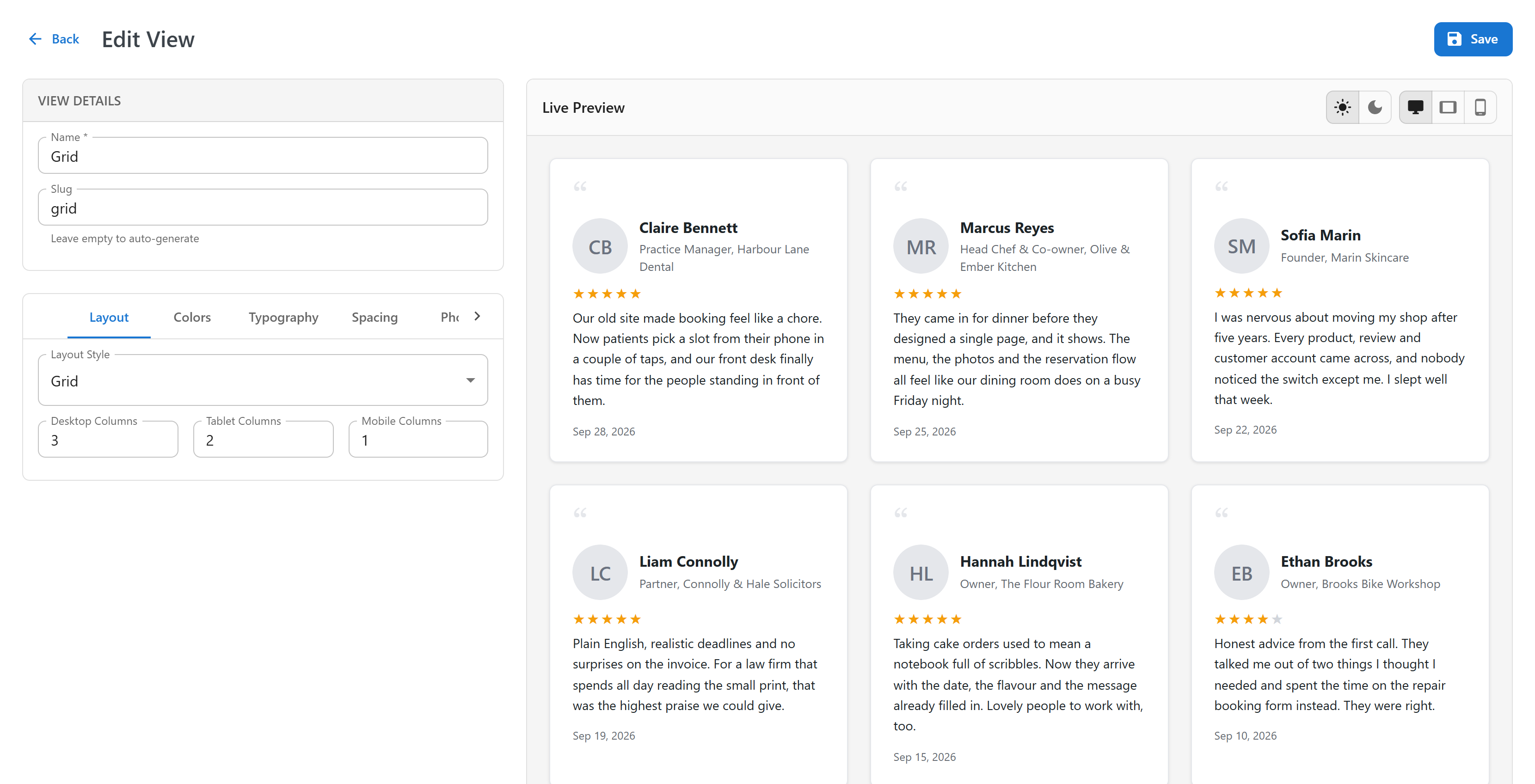
🎨 Four Layouts, One Display Builder
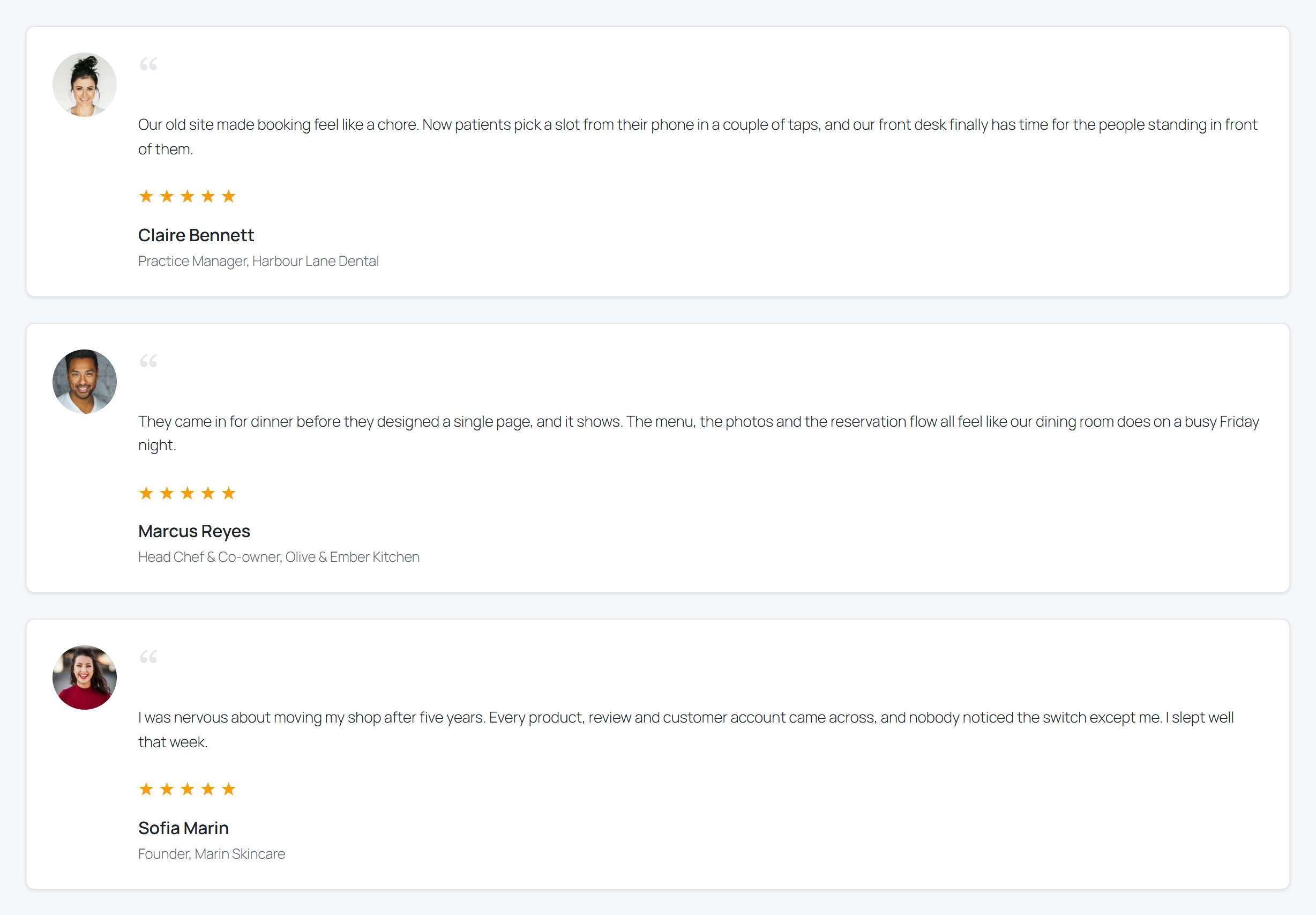
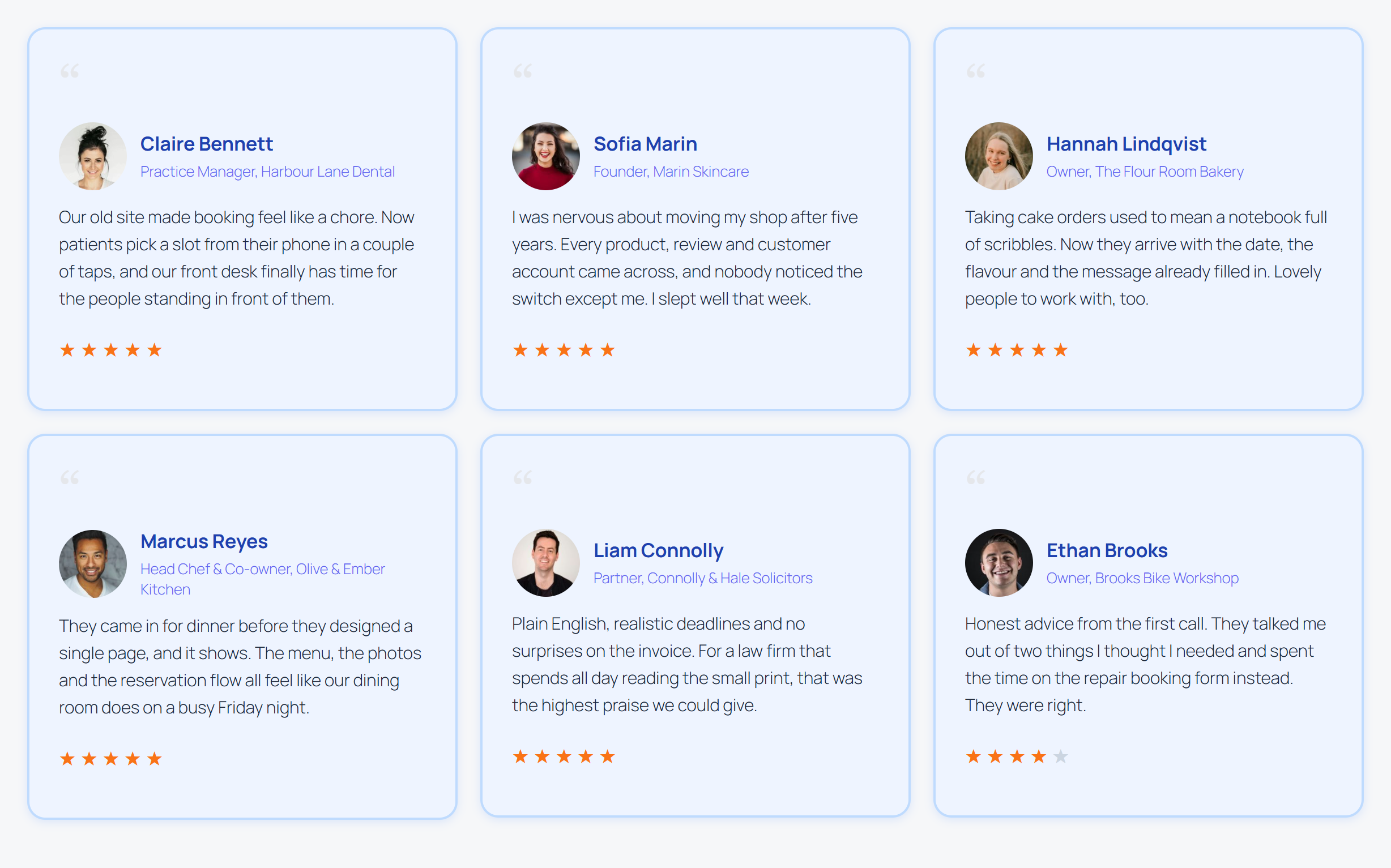
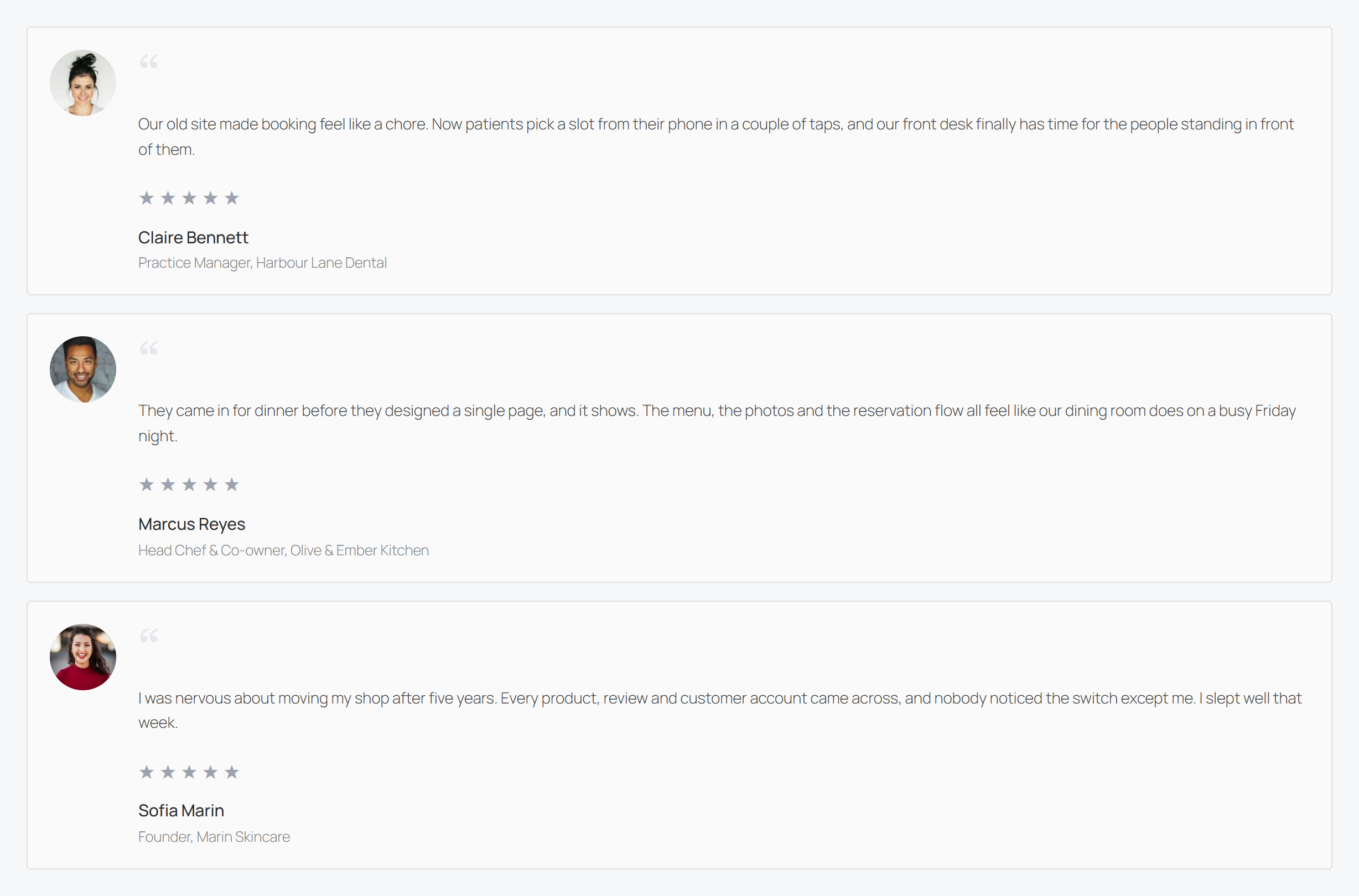
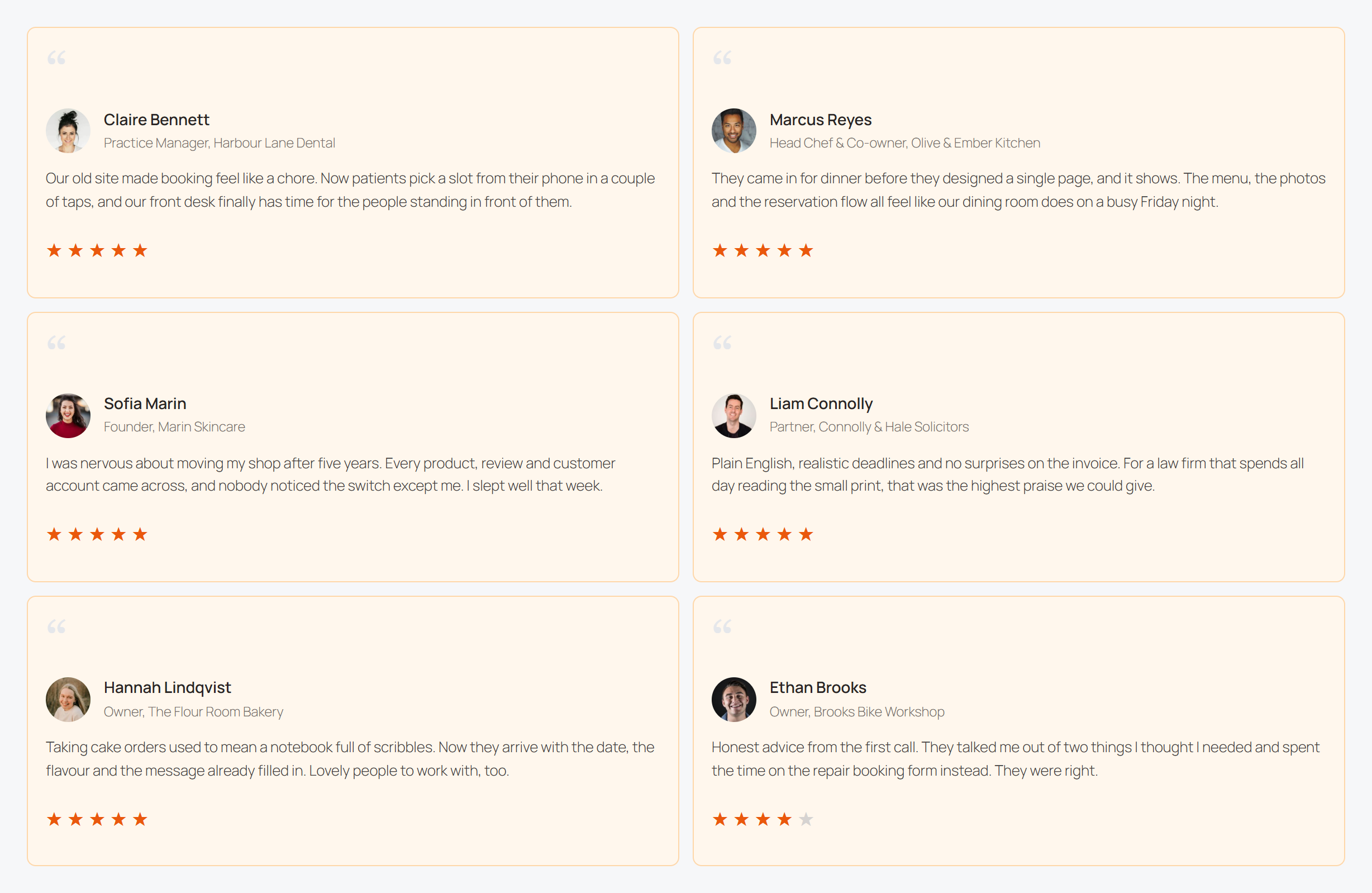
Choose grid, list, masonry or slider, then adjust colours, typography, photo position, ratings and pagination with a live preview beside you. Each display is saved, so the same look can be placed on any number of pages, and changing it once updates it everywhere.
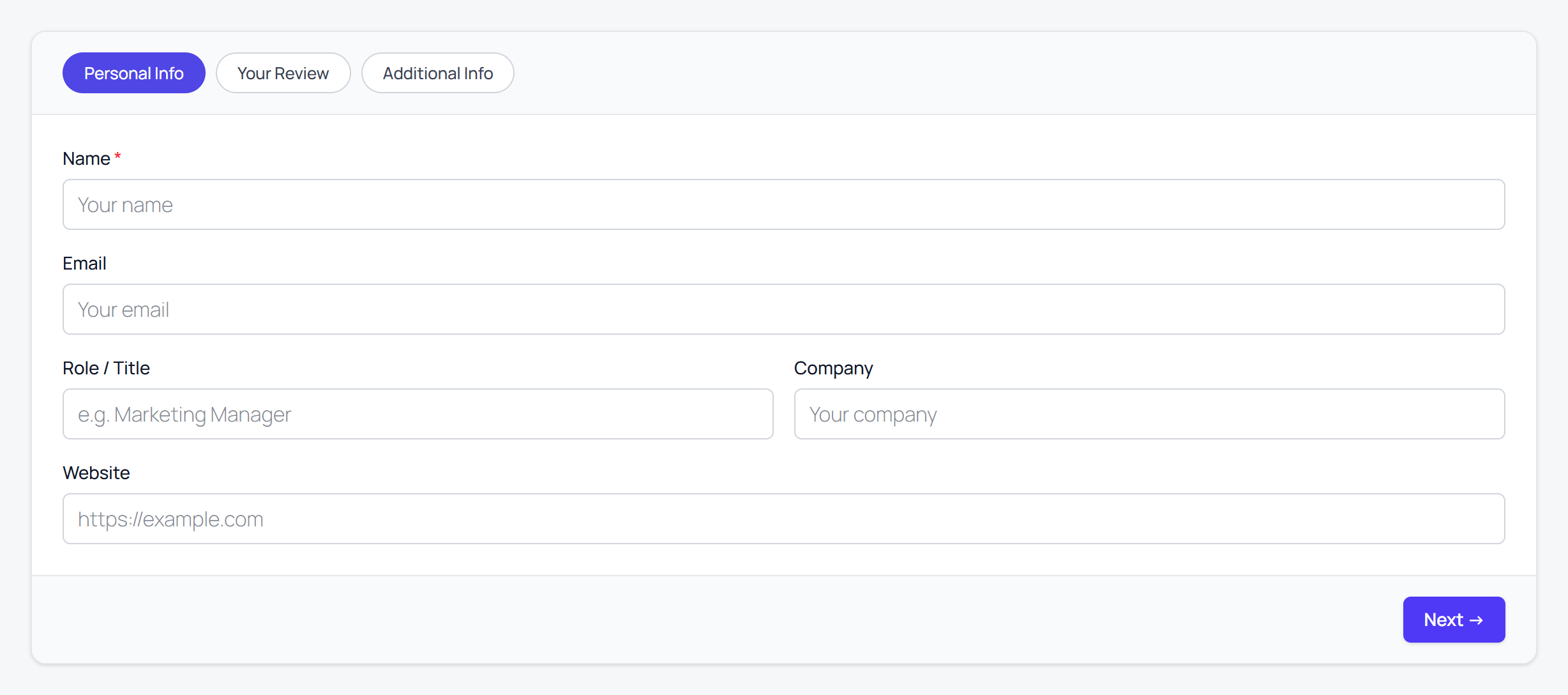
📝 Let Your Customers Write Them
Add [plugixa_testimonial_form] to a page and visitors can send a testimonial with a rating and a photo. Everything they send is stored as pending and never appears on the site until you approve it. Turn on Google reCAPTCHA to keep spam out.
✉️ Ask for a Testimonial by Email
Send a request to a customer straight from the admin. The email carries a single-use link to the submission form, with their name and email already filled in, so leaving a testimonial takes them less than a minute.
🔎 Review Schema for Search Engines
Displays can print Review and AggregateRating structured data (JSON-LD) built from your approved testimonials, so search engines can understand your ratings.
🌍 Multilingual From the Start
With Polylang or WPML active, each testimonial, category and display can be translated, and translations of the same testimonial are grouped together. Visitors see the version in their language.
👨💻 Author
Plugixa Testimonial is developed by Plugixa, building focused, well-documented WordPress plugins with an emphasis on performance, clean code and correct data.
🛟 Documentation & Support
Plugixa Testimonial is built to be usable without a manual, but it is documented in full.
👉 Read the Documentation – getting started, displays, the submission form, requests, import and export, and the shortcodes
👉 Ask on the WordPress.org support forum
👉 Or contact us directly
👉 Browse more plugins at plugixa.com
Shortcode Usage
Create a display under Testimonials > Shortcodes. The screen shows the exact tag for each display, ready to copy.
Show a saved display:
[plugixa_testimonial id=”1″]
Or skip the saved display and pass attributes directly:
[plugixa_testimonial view=”grid” limit=”6″ min_rating=”4″ orderby=”rating” order=”DESC”]
Show the frontend submission form:
[plugixa_testimonial_form]
A Gutenberg block (“Plugixa Testimonial”) is also available if you prefer the editor.
External services
This plugin can connect to the third-party services listed below. Apart from the Freemius opt-in, every connection is optional: each must be enabled by the site administrator — supplying their own API key where one is needed — and is only made in the situations described. No data is sent to any of these services unless you turn the relevant feature on.
Freemius
We use Freemius to handle licensing, software updates, and – only if you opt in – anonymous usage diagnostics. On activation you are shown an opt-in screen; if you skip it, no identifiable data is sent. When you opt in, or when you manage a license or purchase, data such as your site URL, WordPress and PHP versions, active theme/plugins, and the email address used at opt-in may be transmitted. This occurs on activation, plugin updates, and license actions.
Provided by Freemius, Inc. – Terms: https://freemius.com/terms/ – Privacy: https://freemius.com/privacy/
Google reCAPTCHA
Used only if an administrator enables reCAPTCHA on the frontend testimonial submission form. When a visitor submits the form, a reCAPTCHA token is generated in the visitor’s browser via the script at https://www.google.com/recaptcha/api.js, and the token plus your reCAPTCHA secret key are sent to https://www.google.com/recaptcha/api/siteverify for verification. As part of reCAPTCHA, Google also receives information about the visitor’s browser and interaction.
Terms of service: https://policies.google.com/terms
Privacy policy: https://policies.google.com/privacy
Google Fonts
If an administrator selects a Google font for a display’s typography, the plugin downloads that font’s stylesheet and font files from the hosts fonts.googleapis.com and fonts.gstatic.com to your server and then serves them locally. Neither the frontend nor the admin ever loads fonts from Google’s servers — no visitor or administrator data is sent to Google when a page or the admin preview is viewed. When you browse and select fonts in the admin, the font list is fetched from the Google Fonts Web API (host www.googleapis.com, path /webfonts/v1/webfonts) using your Google Fonts API key. The request carries only that key and the sort order; no visitor data.
Terms of service: https://policies.google.com/terms
Privacy policy: https://policies.google.com/privacy
YouTube
Used only if an administrator attaches a YouTube video to a testimonial. On any page that displays that testimonial, the video’s preview thumbnail is loaded in the visitor’s browser from the host img.youtube.com, so YouTube receives the visitor’s IP address and browser information on page view. The video itself is not loaded until the visitor clicks play, at which point it is embedded from the privacy-enhanced domain www.youtube-nocookie.com. If no testimonial has a YouTube video, no request is made.
Terms of service: https://www.youtube.com/t/terms
Privacy policy: https://policies.google.com/privacy
Vimeo
Used only if an administrator attaches a Vimeo video to a testimonial, and only after the visitor clicks play — nothing is loaded from Vimeo on page view. On click, the player is embedded from https://player.vimeo.com, and Vimeo receives the visitor’s IP address and browser information. If no testimonial has a Vimeo video, no request is made.
Terms of service: https://vimeo.com/terms
Privacy policy: https://vimeo.com/privacy
Details








Related plugins
Plugins that also contain the tag customer-reviews
WP Social Ninja – Embed Social Feeds, User Reviews & Chat Widgets

Photo Reviews for WooCommerce

ReviewX – Multi-Criteria Reviews for WooCommerce with Google Reviews & Schema

Customer Reviews Collector for WooCommerce

Solid Testimonials – Testimonial Slider, Video Testimonials & Customer Reviews

Testimonial Customer Feedback


About
Plugin for that tries to help you find the WordPress plugin you are looking for.
| Please enjoy an image of Crush (this awesome turtle) and have a lovely day! |  |
We do not own any plugin listed on this site and do not work for or work with WordPress.com or it's associated companies. We simply provide a searchable list of the available WordPress plugins.