


PolarOne Visual Form Editor for Contact Form 7
Contact Form 7 is very good at the hard parts: validation, email, spam protection. Layout is where it gets awkward. Anything more than a single column means writing HTML and form-tags by hand, and one misplaced bracket or asterisk quietly breaks a field.
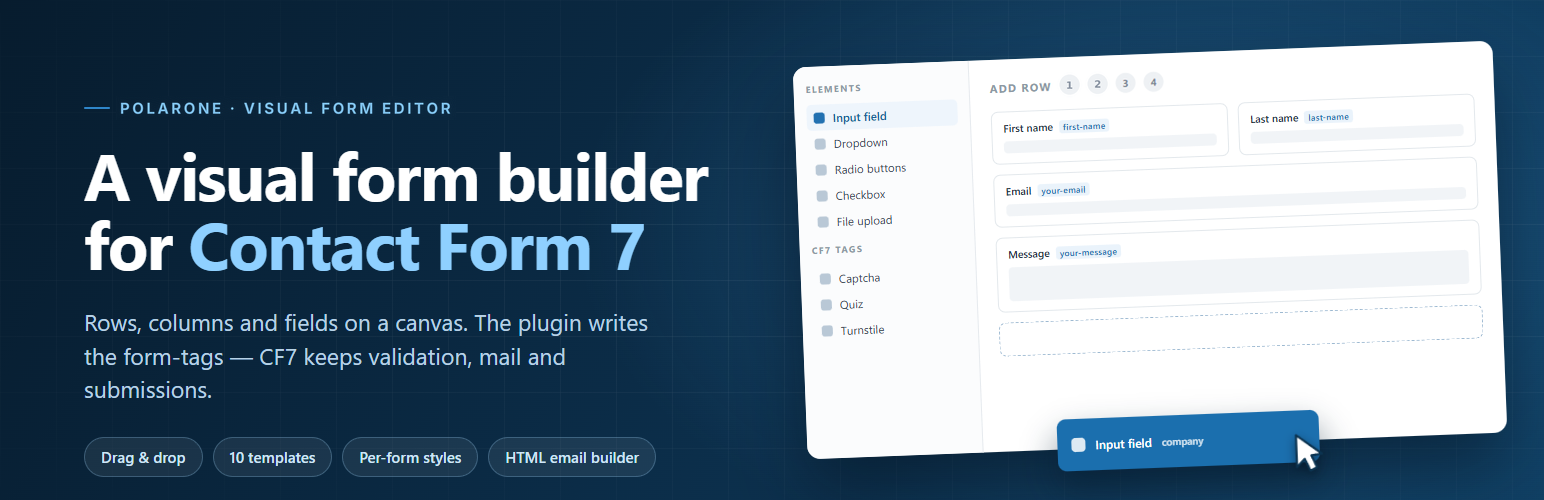
PolarOne Visual Form Editor for Contact Form 7 adds a visual editor to the form screen you already use. Add a row, choose how many columns it has, drop fields in and drag them around. The plugin writes the Contact Form 7 form-tags for you, and Contact Form 7 keeps doing everything else exactly as before: validation, mail, submissions and every add-on you rely on.
Build the form
- Rows with one to four columns, with your own gaps and column widths.
- All the usual fields: text, email, phone, number, date, URL, textarea, dropdown, radio buttons, checkboxes, consent, file upload, submit button, headings and text blocks.
- Any other form-tag on your site, including tags added by other plugins, shows up in the same list with its own settings.
- Containers, to wrap a group of fields in a section or in a paired tag such as
[group] ... [/group]. - Drag and drop, duplicate, reorder, delete. Every element has its own settings panel.
Start from a template
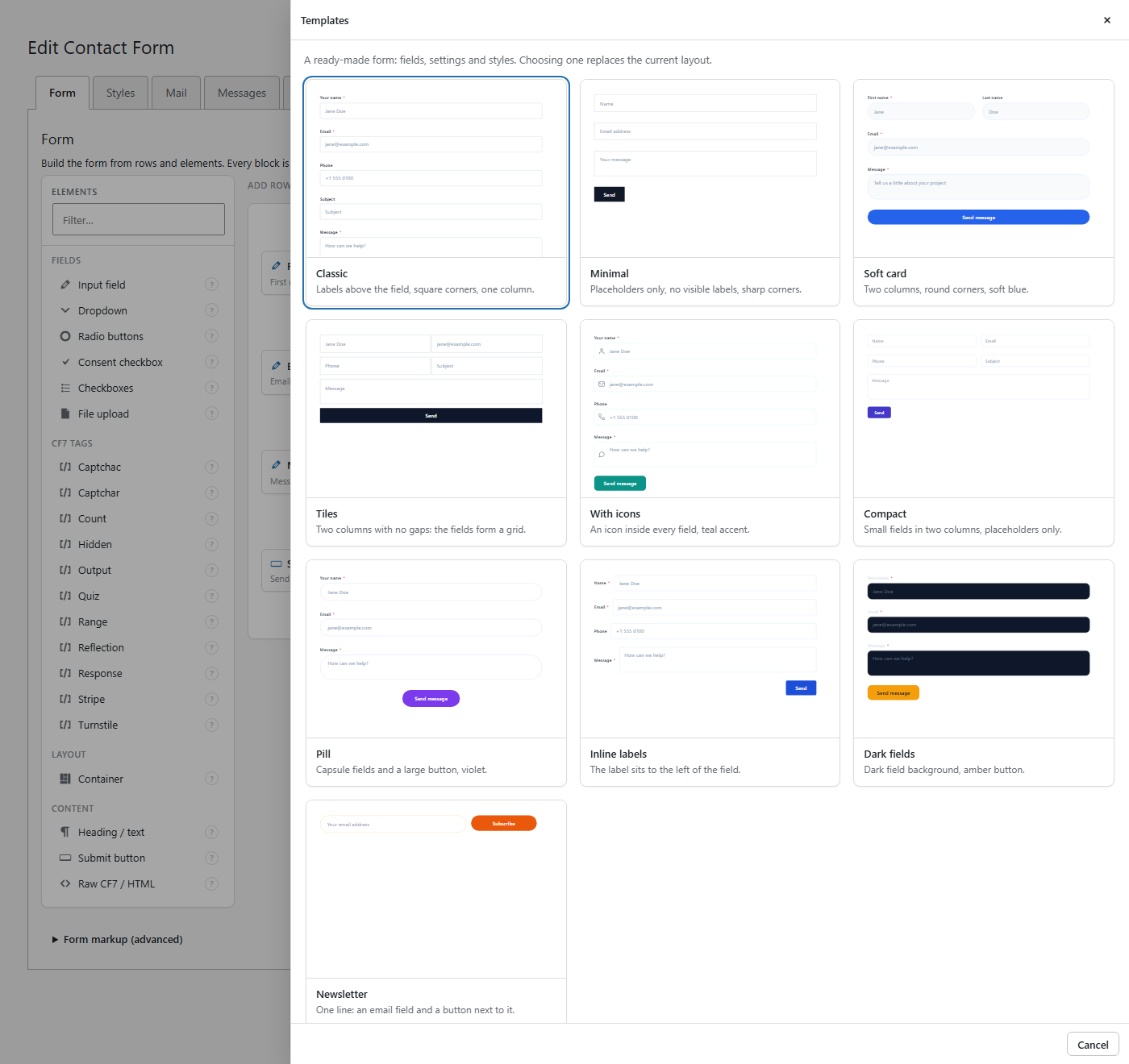
Ten ready-made designs: labels above or inside the fields, square or round corners, one or two columns, icons inside fields, a dark variant and a one-line newsletter form. A template brings its styles with it, so the form looks finished as soon as you pick it.
Style it without writing CSS
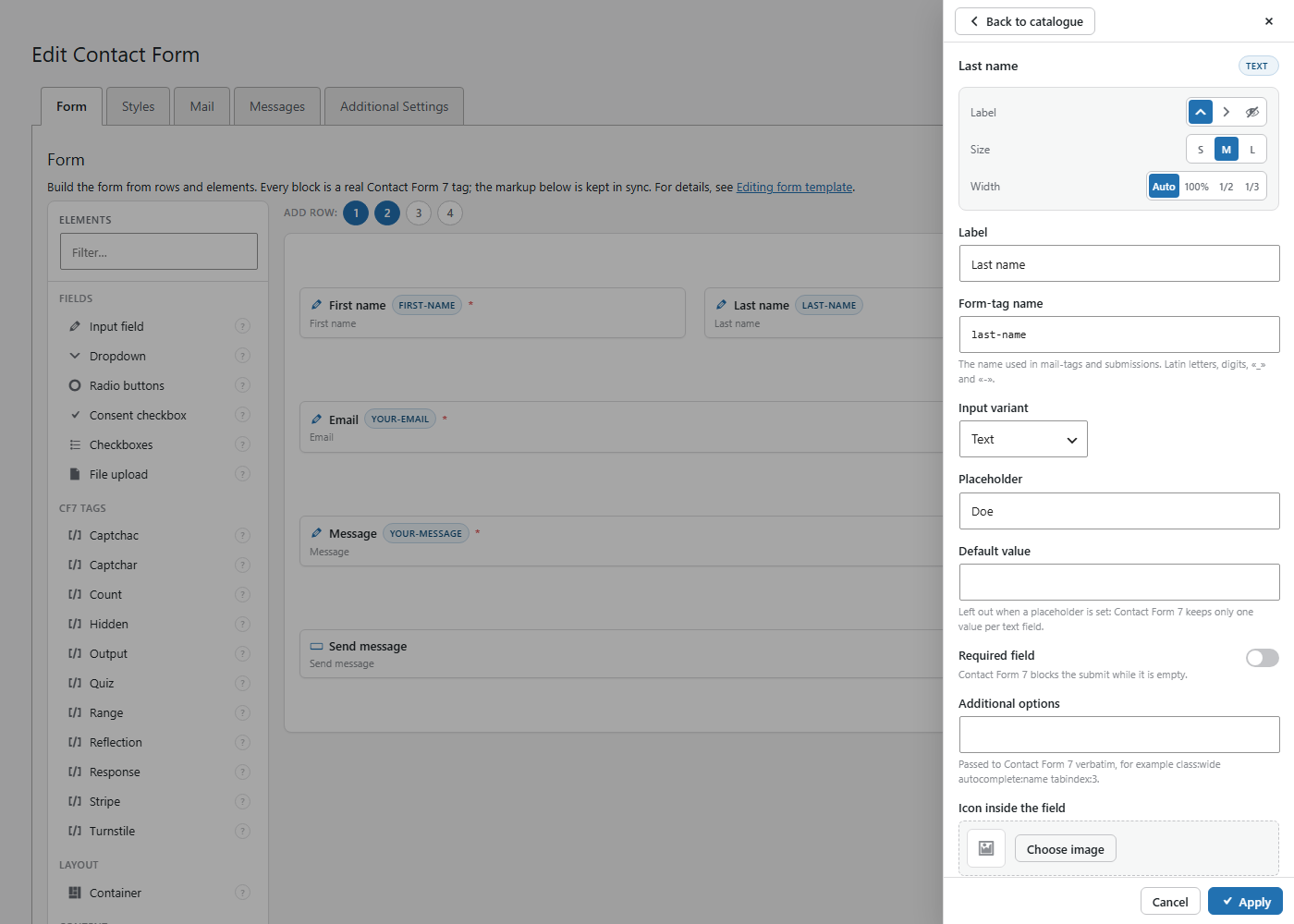
- Alignment, label position, size and width for each element.
- A Styles tab for colours, corner radius, spacing, font sizes and the focus ring. The settings belong to one form only, so two forms on the same page can look completely different.
- An optional icon inside a field, taken from your media library.
- A live preview next to the settings.
After the form is sent
Add a thank-you screen block anywhere in the form. When Contact Form 7 reports a successful send, the form is covered with your own title, text and picture, with an optional close button. It can also close by itself after a few seconds. Leave the text empty and the plugin shows the success message from the Messages tab of the form.
When something goes wrong, validation errors stay right under their fields and the form status appears as one short line below the submit button.
Design the email too
Build an HTML email from text, field values, images, buttons, dividers and spacers, arranged in rows and columns. It is rendered as tables, so Outlook and other desktop clients show it the way you designed it. Above every mail field there is a palette of mail-tags, and tags that would not work in that field are greyed out with an explanation.
Your existing forms are safe
Activating the plugin changes nothing. No form is touched and nothing is switched on in the front end.
The first time you open an old form in the editor, its markup is read and shown as blocks. Forms written with <label> wrappers come back as labelled fields, and layouts built with tables or half / one-third wrappers come back as rows and columns. Nothing is saved until you press Save. Form-tags the editor does not know are kept exactly as they are, options and values included. If you edit the markup by hand, the editor rebuilds the layout from your markup, never the other way round.
Light on your site
- Minimal front-end code: one small stylesheet for forms built with this plugin, and a tiny script only for forms that use the thank-you screen. Nothing else is added to your pages.
- The editor scripts load on the Contact Form 7 form screen only.
- No external fonts, no CDN, no tracking. Icons come from Dashicons, which ship with WordPress.
Details



Related plugins
Plugins that also contain the tag cf7
Contact Form 7 Multi-Step Forms

CF7 to Webhook

Date Time Picker for Contact Form 7
Void Contact Form 7 Widget For Elementor Page Builder

Contact Form 7 Shortcode Enabler

Multi Step for Contact Form 7

About
Plugin for that tries to help you find the WordPress plugin you are looking for.
| Please enjoy an image of Crush (this awesome turtle) and have a lovely day! |  |
We do not own any plugin listed on this site and do not work for or work with WordPress.com or it's associated companies. We simply provide a searchable list of the available WordPress plugins.