


Post Content Shortcode
Post Content Shortcode allows you to display the content of any post using a shortcode like:
[post_content id=”123″]
This is useful for reusing content in multiple places, referencing another post inline, or including dynamically updated blocks of content.
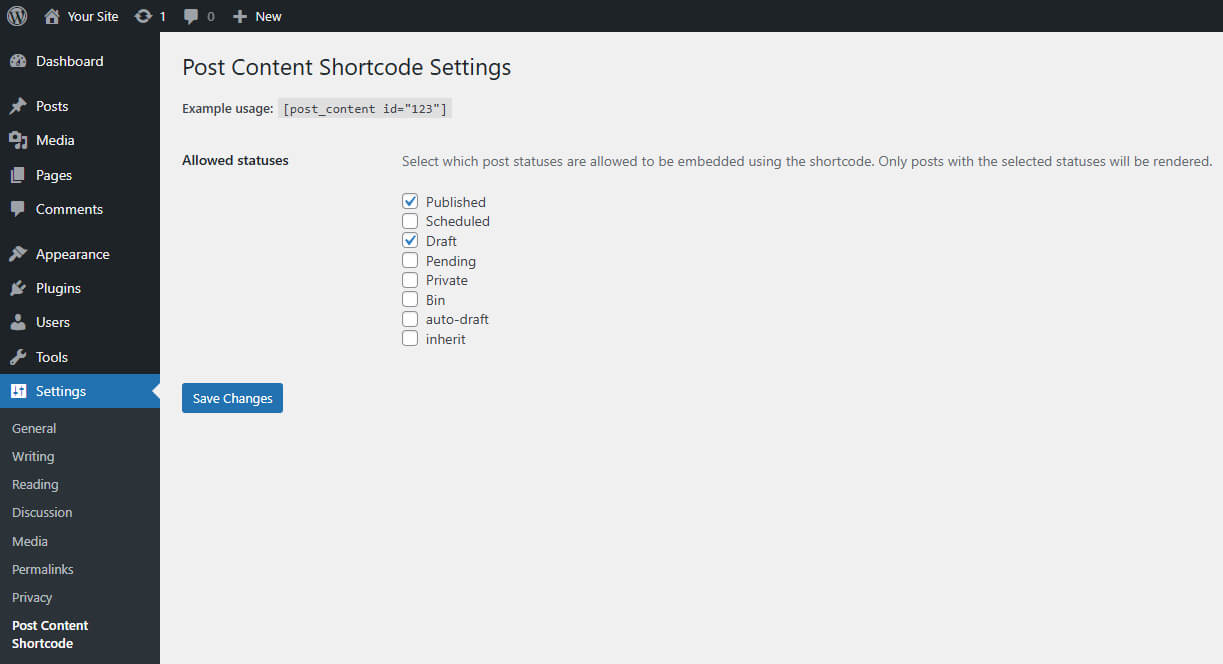
You can configure which post statuses are allowed to be embedded from the plugin’s settings page under Settings Post Content Shortcode.
Usage
Use the shortcode like this:
[post_content id=”123″]
Where 123 is the ID of the post you want to embed.
To avoid infinite loops, the plugin prevents a post from including itself.
Only posts with selected statuses (e.g. Published, Draft) will be rendered. You can control this from the plugin settings page.
Customizing the Shortcode Tag
By default, the shortcode tag is post_content. You can change it by adding this to your theme’s functions.php file:
add_filter( ‘herron_pcs_shortcode_tag’, function( $tag ) {
return ‘my_custom_shortcode’;
});
After doing so, use the new tag:
[my_custom_shortcode id=”123″]
The settings page and all logic will automatically respect this change.
Learn More About Herron
This plugin is part of Herron’s ongoing effort to give back to the WordPress community. If you’re interested in how we build custom WordPress solutions for clients or want to collaborate, please visit https://herron.agency/.
Details
Related plugins
Plugins that also contain the tag content-blocks
Dev Content Blocks

Snap Blocks

ChunkBlocks


About
Plugin for that tries to help you find the WordPress plugin you are looking for.
| Please enjoy an image of Crush (this awesome turtle) and have a lovely day! |  |
We do not own any plugin listed on this site and do not work for or work with WordPress.com or it's associated companies. We simply provide a searchable list of the available WordPress plugins.