


Posts Modified Date
Easily highlight your post update date with the “Posts Modified Date” plugin!!!
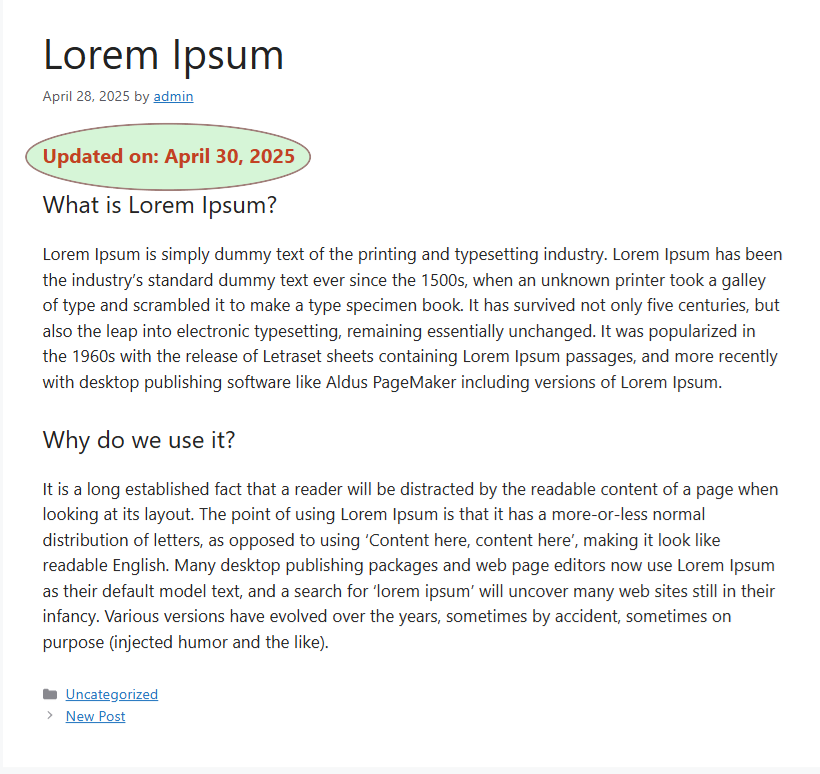
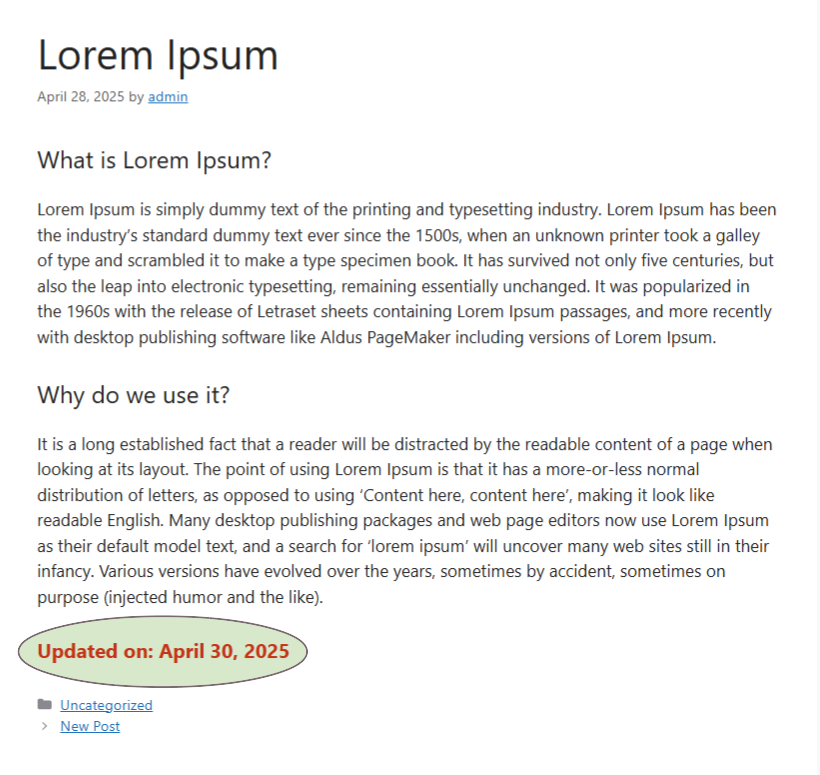
This plugin is a great tool for bloggers and content creators who updates their posts/contents frequently. It lets you automatically display the last updated date on each post, either above or below the content. With flexible styling options, you can easily customize the text, appearance, prefix, and position to fit your site’s look and feel.
Need help or a customization? Reach out to us — and don’t forget to leave a ⭐⭐⭐⭐⭐ rating if it helps you!
For example, if your post Published on April 28, 2025, and you found out two days later that there was an update to the post. You can just edit the post, and it will show “Last Updated on: April 30, 2025” either before or after the post content, based on your settings. Still there showing original published date in post info. So you’re going to show both dates published and updated to the readers. And this will help you to notice your readers that blog is always updated.
Just simply install Posts Modified Date plugin, set your preferences, and the plugin handles the rest.
🗝️ Key Features
- Automatically show the last updated date on every post
- Admin settings panel
- Choose to display the date before or after post content
- Fully customizable font size, color, style, and weight
- Custom prefix text support
- View changes instantly with a live preview panel
Blog
If you want to know more Visit blog.
Details

Related plugins
Plugins that also contain the tag last-modified
WP Last Modified Info

Show modified Date in admin lists

Change Last Modified Date

Last-Modified and If-Modified-Since Headers

Freshtag – Last Modified Timestamp

WP Last Modified


About
Plugin for that tries to help you find the WordPress plugin you are looking for.
| Please enjoy an image of Crush (this awesome turtle) and have a lovely day! |  |
We do not own any plugin listed on this site and do not work for or work with WordPress.com or it's associated companies. We simply provide a searchable list of the available WordPress plugins.