

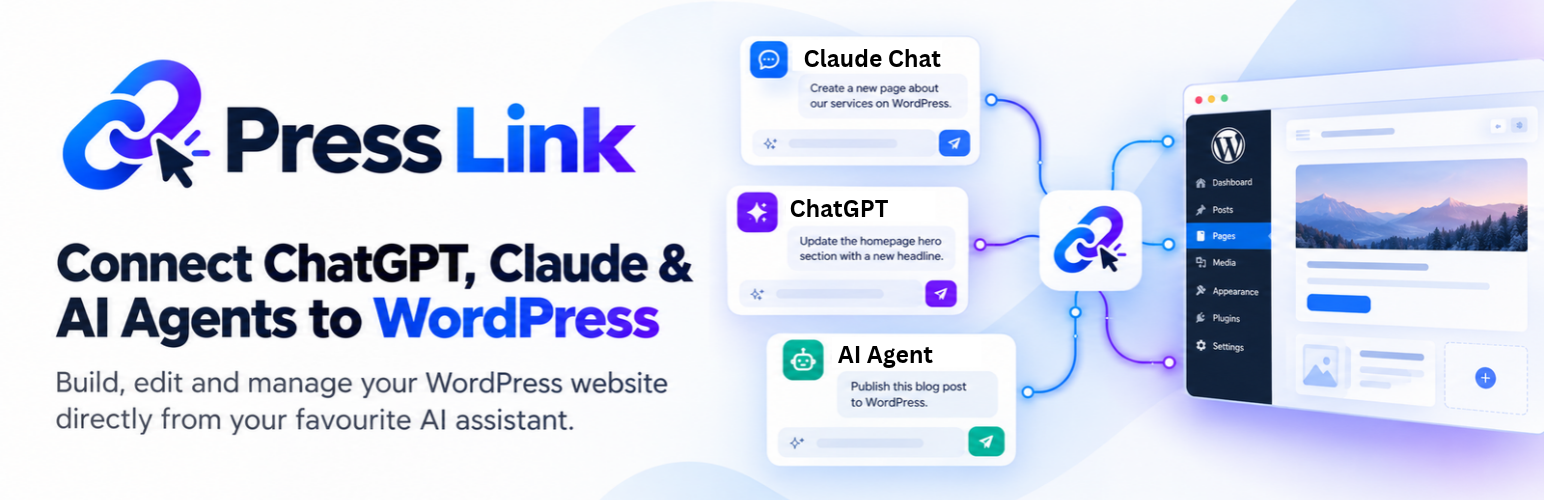

PressLink – Vibe Code Your Site with ChatGPT, Claude or Any AI Agent
Edit WordPress with ChatGPT, Claude or your favourite AI
Your ideas are already in your AI chat. Now put them to work on your WordPress website.
PressLink connects WordPress to ChatGPT, Claude and other compatible AI assistants so you can update pages, create blog posts and improve your content without copying every change back into WordPress yourself.
Tell your AI what you want changed. Let it find the relevant content, make the update and save a draft for review, or publish when you ask.
Start free. Keep your website. Use the AI you already know.
The PressLink WordPress plugin is free to install and use. Your AI provider’s subscription, usage limits and custom-connector requirements are separate.
Less copying. More publishing.
- Refresh your website: rewrite page copy, sharpen headlines and update outdated information.
- Turn ideas into published content: create WordPress pages and blog posts directly from your AI chat.
- Give your AI context: let it read relevant pages and posts before making changes.
- Update your SEO: edit supported Yoast SEO and Rank Math titles, meta descriptions, focus keywords and canonical URLs.
- Stay in control: review drafts in WordPress before publishing.
- Keep your existing setup: no website migration or hosting change required.
What will you ask your AI to do first?
“Rewrite my service page to explain the benefits more clearly.”
“Create a draft blog post answering my customers’ most common questions.”
“Update this post’s SEO title and meta description.”
Start with a draft. Check the result. Publish when you are happy.
How to connect ChatGPT or Claude to WordPress
Install PressLink free, open its WordPress setup page and follow the connection steps below. PressLink provides the connection. Your AI provides the writing and reasoning.
- Install PressLink on WordPress.
- Open the PressLink page in your WordPress dashboard.
- Confirm creation or reuse of the visible local PressLink Content user and click Generate private link.
- Copy the private link.
- In ChatGPT, open Plugins, click the plus button and choose Add custom MCP server. In Claude, open Customize > Connectors > + Add > Add custom connector.
- Name the connection PressLink and enter this server URL: https://presslink-cloud.muddy-silence-4f5b.workers.dev/mcp
- Use OAuth authentication and complete the connection prompts.
- Paste your private WordPress link into the PressLink connection form, not into a chat message. Click Connect WordPress.
- Start a new chat and select PressLink. Ask: “Use PressLink to check my WordPress connection.”
The server URL above and your private WordPress link are different. The server URL goes in your AI’s connector settings. Your private link goes in the PressLink connection form.
Detailed setup guide: https://presslink.muddy-silence-4f5b.workers.dev/#setup-guide
PressLink is built for site owners, freelancers and agencies who want to spend less time moving content between their AI chat and WordPress.
Built for content, with clear boundaries
This directory release edits ordinary pages and posts, supported safe HTML and static blocks, and explicitly supported SEO fields. It does not manage users, plugins, themes, files, code or site settings, forward arbitrary REST requests, change page templates, or write builder layouts. Existing Elementor layouts are read-only through PressLink; their title, slug and supported SEO fields can still be updated. AIOSEO’s custom-table fields are not supported by this release.
Content writes remove unsafe HTML and block attributes. Scripts, iframes, styles, PHP, shortcodes, reusable/dynamic blocks and third-party blocks are not supported. Some existing content formats must still be edited in WordPress. Review drafts before publishing. Supported SEO keys are _yoast_wpseo_title, _yoast_wpseo_metadesc, _yoast_wpseo_focuskw, _yoast_wpseo_canonical, rank_math_title, rank_math_description, rank_math_focus_keyword and rank_math_canonical_url.
Install PressLink free and put your next website update into words.
Privacy and external services
This plugin creates a private connection on your WordPress site. If you connect through the public PressLink connector, requests pass through PressLink Cloud so your AI app can reach your site securely.
Service provider: PressLink Cloud, https://presslink-cloud.muddy-silence-4f5b.workers.dev/
Terms: https://presslink-cloud.muddy-silence-4f5b.workers.dev/terms
Privacy policy: https://presslink-cloud.muddy-silence-4f5b.workers.dev/privacy
PressLink Cloud receives your private website link when you submit its connection form and stores it encrypted. When you ask your AI to use a WordPress tool, that request and the site’s response pass through the service. The plugin does not automatically send site content to PressLink Cloud on activation. Connections begin only after you generate a link and explicitly connect an AI client.
The AI application you connect may receive page/post content, supported SEO fields and read-only site information. Only connect tools, accounts, and providers you trust.
The private link is a secret granting content access. Regenerate or disable the connection if it has been shared by mistake.
Important security note
An administrator must approve local setup. This creates or reuses a dedicated WordPress user with the visible role “PressLink Content”. It has only an explicit set of content permissions, not the Administrator or Editor role. Remote requests execute as that non-administrator user, never as the administrator who authorised setup. Administrative capabilities are also denied during each request, and content permissions cannot exceed those of the authorising administrator. The previous request context is restored afterwards. No browser login cookie, application password or service-user password is issued to the remote client. Interactive password sign-in and application passwords for this user are blocked while PressLink is active.
This service user is visible in WordPress Users; it is not hidden and does not require an email address or customer signup. It is created only from the nonce-checked local administrator setup form, not from a remote tool. Its password is generated locally and never returned. If its role or capabilities are elevated, the connection refuses to run. Old administrator-backed connections must be regenerated locally after updating to 0.1.3; there is no administrator fallback. Deleting the plugin removes its service role and retires the unmodified service user’s permissions/sessions while retaining content and user attribution records. Review AI changes carefully and disable the connection when no longer needed.
Existing pages with unsupported raw HTML or shortcode content must be edited in WordPress if a normal post save would alter that content. Supported SEO fields can still be updated separately without changing the page body.
Details
Related plugins
Plugins that also contain the tag ai
SEOPress – On-site SEO & Analytics

AI Engine – The Chatbot, AI Framework & MCP for WordPress
GetGenie – AI Content Writer with Keyword Research & SEO Tracking Tools
SEO Plugin by Squirrly SEO

Website LLMs.txt

Smartsupp – live chat, AI shopping assistant and chatbots


About
Plugin for that tries to help you find the WordPress plugin you are looking for.
| Please enjoy an image of Crush (this awesome turtle) and have a lovely day! |  |
We do not own any plugin listed on this site and do not work for or work with WordPress.com or it's associated companies. We simply provide a searchable list of the available WordPress plugins.