



Privatus Analytics
Website stats should be easy. Google Analytics is not.
Google Analytics is slow and confusing. You click through menu after menu just to see how many people visited. It sends what your visitors do to Google. In many countries it means showing a cookie pop-up (the box that asks visitors to accept cookies), and many people click “reject”, so you never see them at all. Bots then pad the numbers that are left.
Privatus Analytics is the simple, private way to see who visits your site.
It counts visits without cookies and never stores IP addresses. Bots are filtered out before they are counted. Your data is never sold or shared. You paste one code into this plugin and you are done.
What you get
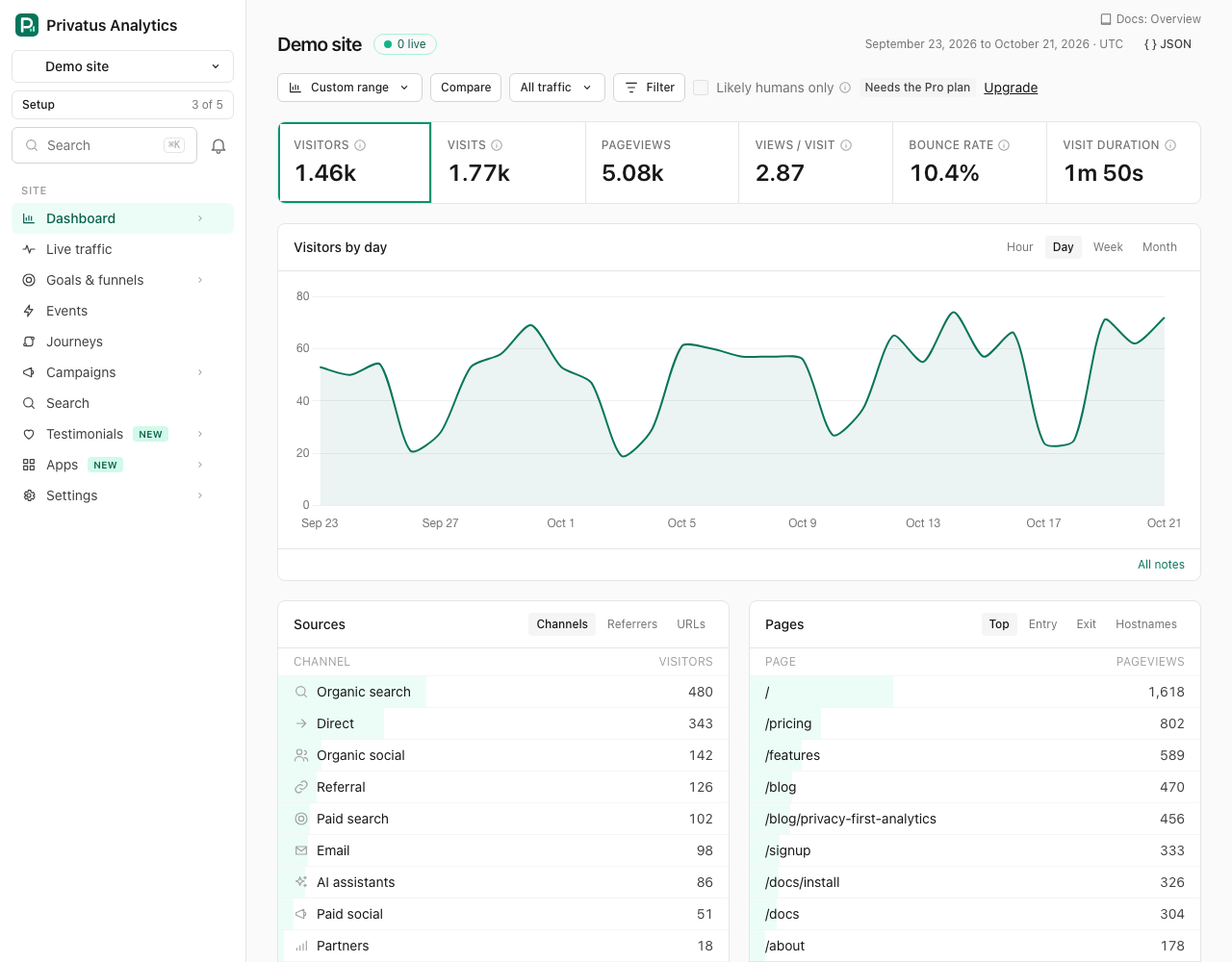
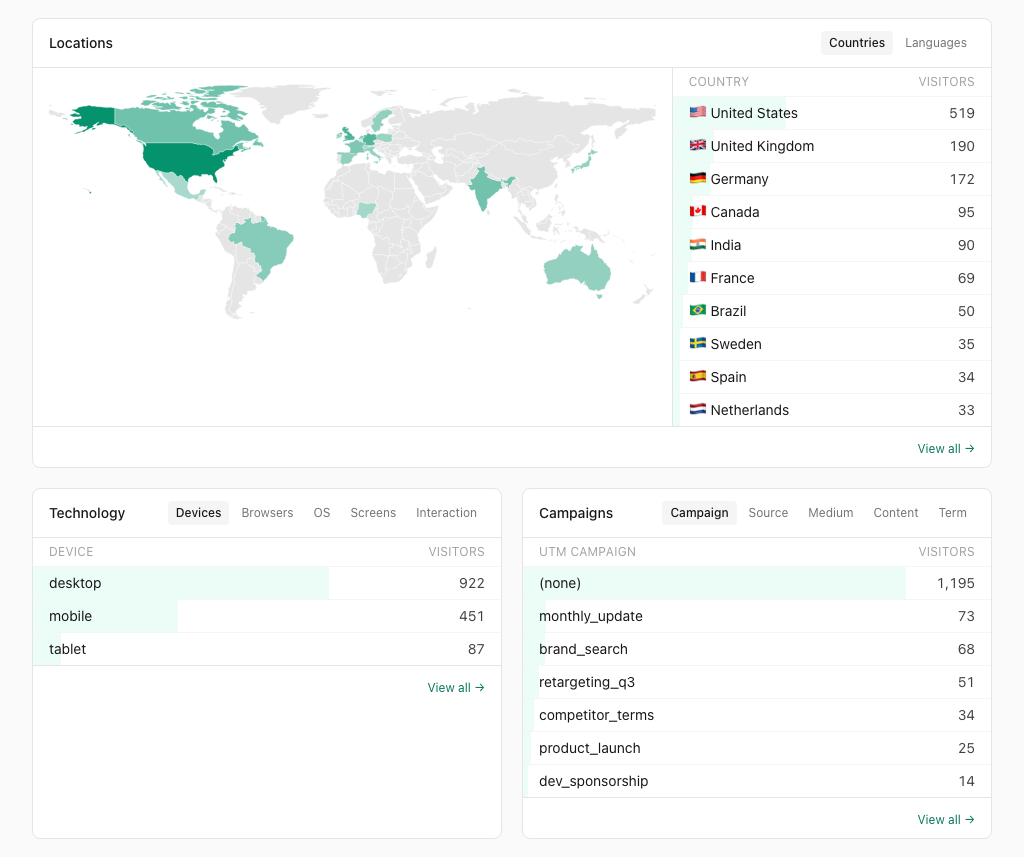
- A dashboard you understand in seconds. Visitors, top pages, where people came from and which countries they are in, all on one screen. No training needed.
- No cookie pop-up needed for our analytics. Privatus Analytics sets no cookies and stores no personal data, so there is nothing to ask visitors about. Laws differ by country, so check your own legal advice.
- Honest numbers. Known bots, fake traffic and spam are left out on every plan, so you see real people. Pro adds a bot score for every visit to catch smarter bots.
- A fast site. The tracking script is about 3 KB and loads without blocking your page.
- Sales you can see. With WooCommerce, every order shows up as revenue, so you know which pages and sources bring in money. No names, emails or order numbers are ever sent.
- Data you own. We never sell it and never show you ads. You can pull it out any time through the API.
- Your history, kept. Moving from Google Analytics? You can import your old Google Analytics 4 data into Privatus Analytics.
Start free
The Free plan has 10,000 events a month and 3 sites, with no card. Every new account also gets 14 days of Pro free, with no card. Create your account, copy your site id, and paste it into Settings, Privatus Analytics. You will see your first visitors within minutes.
What the plugin does
- One-field setup: paste your site id (it starts with pa_).
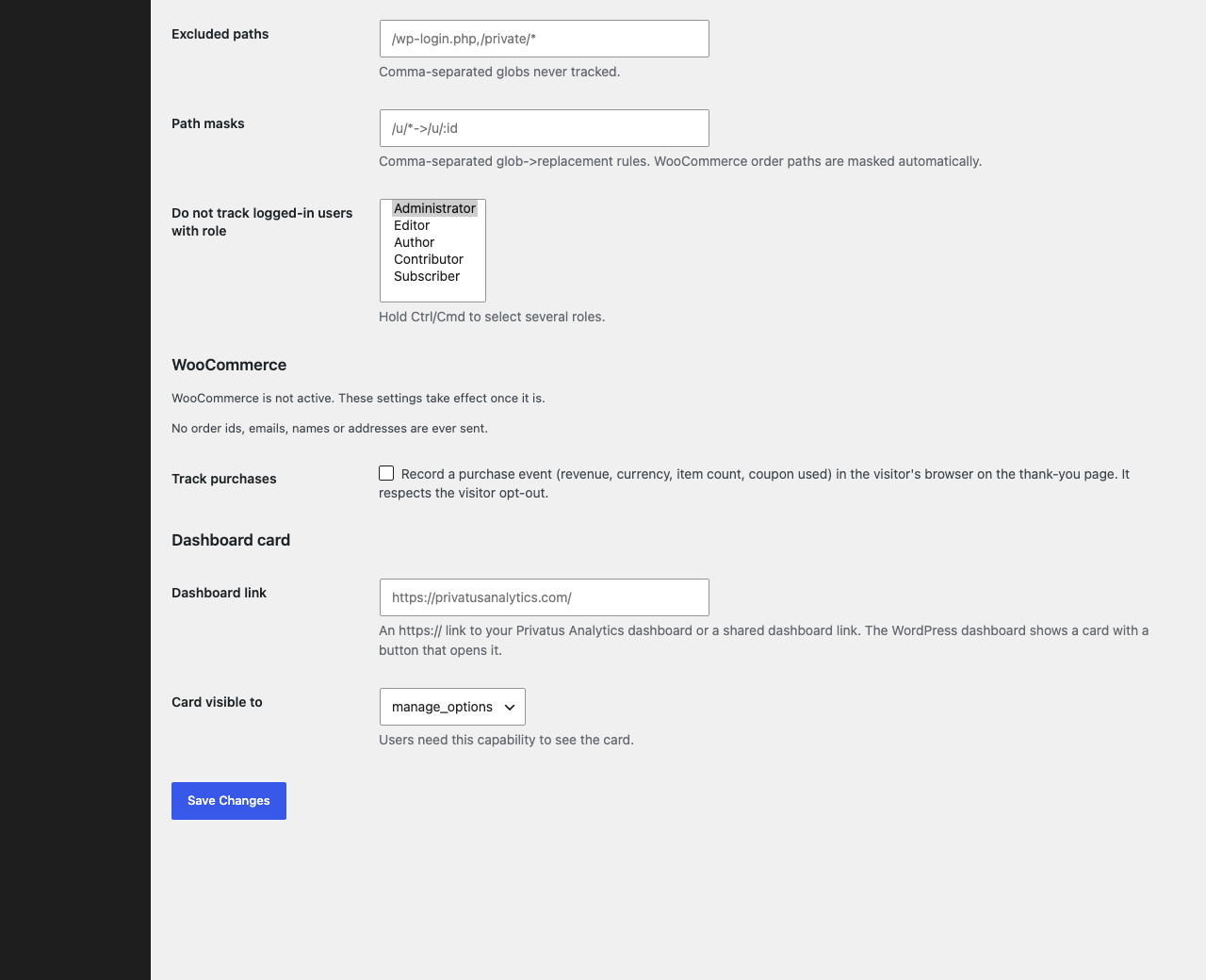
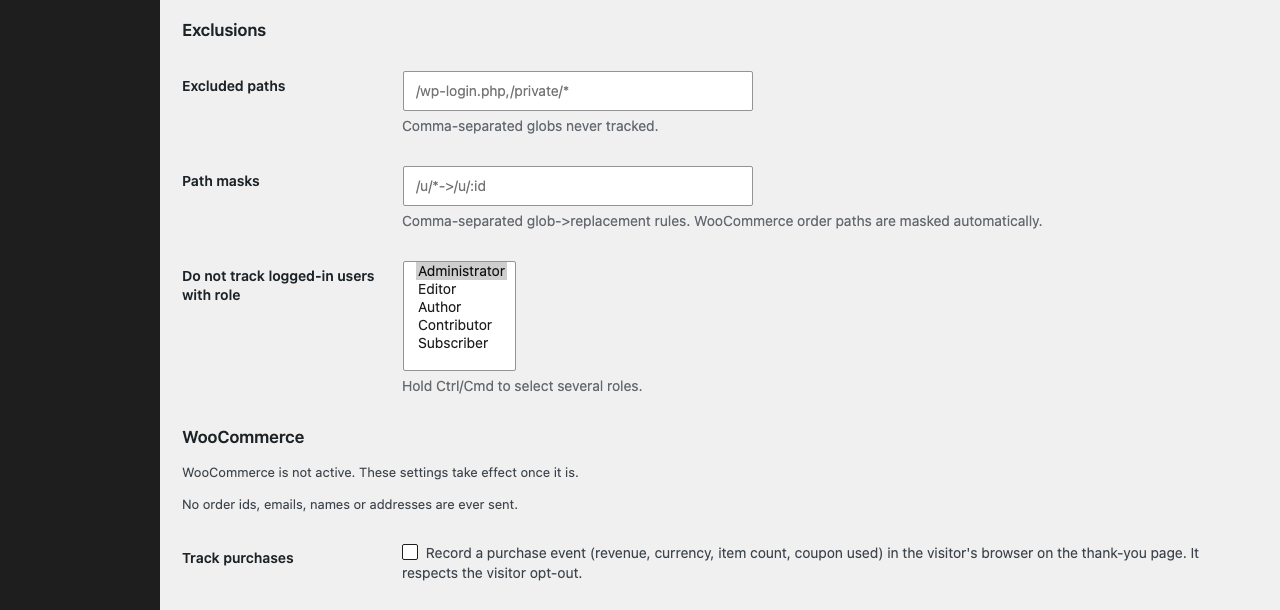
- Leaves out your own visits. Administrators are left out by default, and you can pick other roles.
- WooCommerce purchase tracking with the order total, currency, number of items and whether a coupon was used. Order page addresses are cleaned before they are sent, so order numbers never show up in your reports.
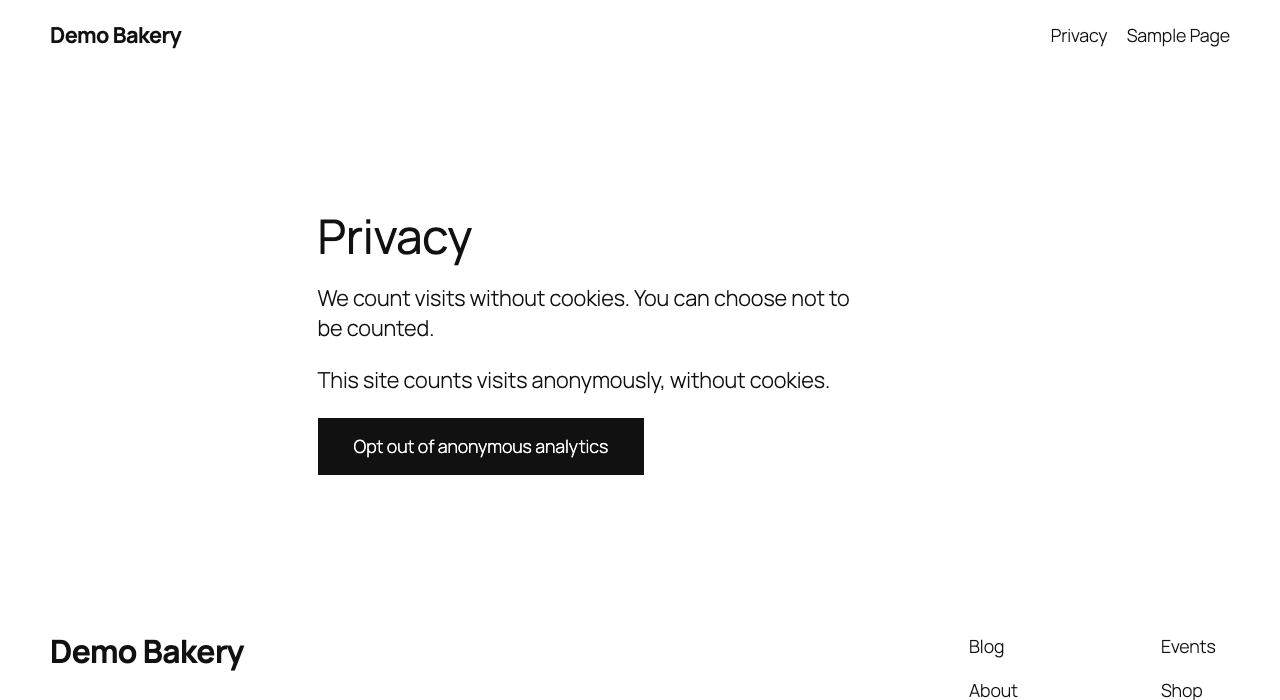
- A
[privatus_optout]shortcode that lets visitors choose not to be counted, or be counted again. - Suggested privacy policy text under Settings, Privacy.
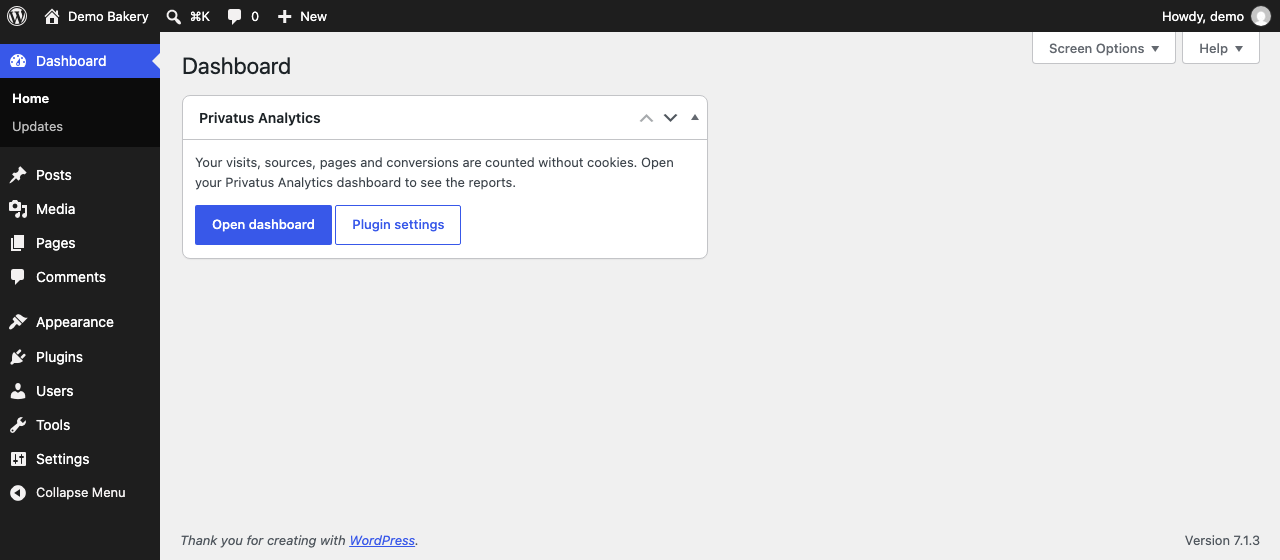
- A dashboard card with a button that opens your Privatus Analytics dashboard.
- Every tracker option for advanced sites: single-page-app mode, manual pageviews, extra modules (engagement, automatic events, page speed, click maps and surveys), allowed domains, excluded paths, path masks, extra query parameters, canonical URLs and hash routing.
- Nothing is written to the visitor’s device, except the optional opt-out choice a visitor makes.
External service
This plugin relies on the Privatus Analytics service, operated by Two Phase LLC (Wyoming, USA).
What it is used for: counting visits and conversions on your site and showing them in your Privatus Analytics dashboard.
What is loaded and sent: after you save a site id, every front-end page loads the script https://privatusstats.com/js/pa.js in the visitor’s browser. That script sends the following to the endpoint https://privatusstats.com/api/event (it only accepts data sent by the script, so it shows an error if you open it in a browser): the page address (query parameters are removed except campaign parameters and any you allow), the referrer, the browser language, the screen width, the time zone name, and the names and properties of events (for WooCommerce, the order total, currency, item count and a coupon flag). Your site id is sent with each request. The visitor’s IP address and browser details are used in memory only, together with a random value that changes every day, to count unique visits and spot bots. They are never stored. The visitor’s country comes from the country code that Cloudflare adds to each request. Nothing is sent when the visitor has opted out, when the visitor is a logged-in user with an excluded role, or in the admin area.
When: only after you enter a site id in Settings, Privatus Analytics. If you change the script host setting, the same data goes to the host you enter.
Optional modules: if you turn on the engagement, automatic events, Web Vitals, click maps or surveys modules, the tracking script loads the matching file from the same host, such as https://privatusstats.com/js/pa.clicks.js.
The dashboard card is a plain link. It makes no request from your server and embeds nothing. The link opens https://privatusanalytics.com or the https address you enter.
- Terms of service: https://privatusanalytics.com/legal/terms
- Privacy policy: https://privatusanalytics.com/legal/privacy
Details
Related plugins
Plugins that also contain the tag analytics
Site Kit by Google – Analytics, Search Console, AdSense, Speed

MonsterInsights – Google Analytics Dashboard for WordPress (Website Stats Made Easy)

WP Statistics – Simple, privacy-friendly Google Analytics alternative

GA Google Analytics – Connect Google Analytics to WordPress

Head, Footer and Post Injections

ExactMetrics – Google Analytics Dashboard for WordPress (Website Stats Plugin)


About
Plugin for that tries to help you find the WordPress plugin you are looking for.
| Please enjoy an image of Crush (this awesome turtle) and have a lovely day! |  |
We do not own any plugin listed on this site and do not work for or work with WordPress.com or it's associated companies. We simply provide a searchable list of the available WordPress plugins.