


ProfitEngine — Purchasing & Inventory
ProfitEngine is a purchasing, inventory-planning and profit system built directly on WooCommerce. It answers the questions a store owner asks every week:
- What should I buy, and how much?
- From which supplier, and when?
- What will it cost to get it into my warehouse?
- What is my real profit after costs, discounts, fees and shipping?
Most stores only see a simple “price minus cost” figure. ProfitEngine records the true cost of every sale at the moment it happens, forecasts demand from your own sales history, and turns that into a clear reorder list and purchase orders you can send to suppliers.
Dashboard
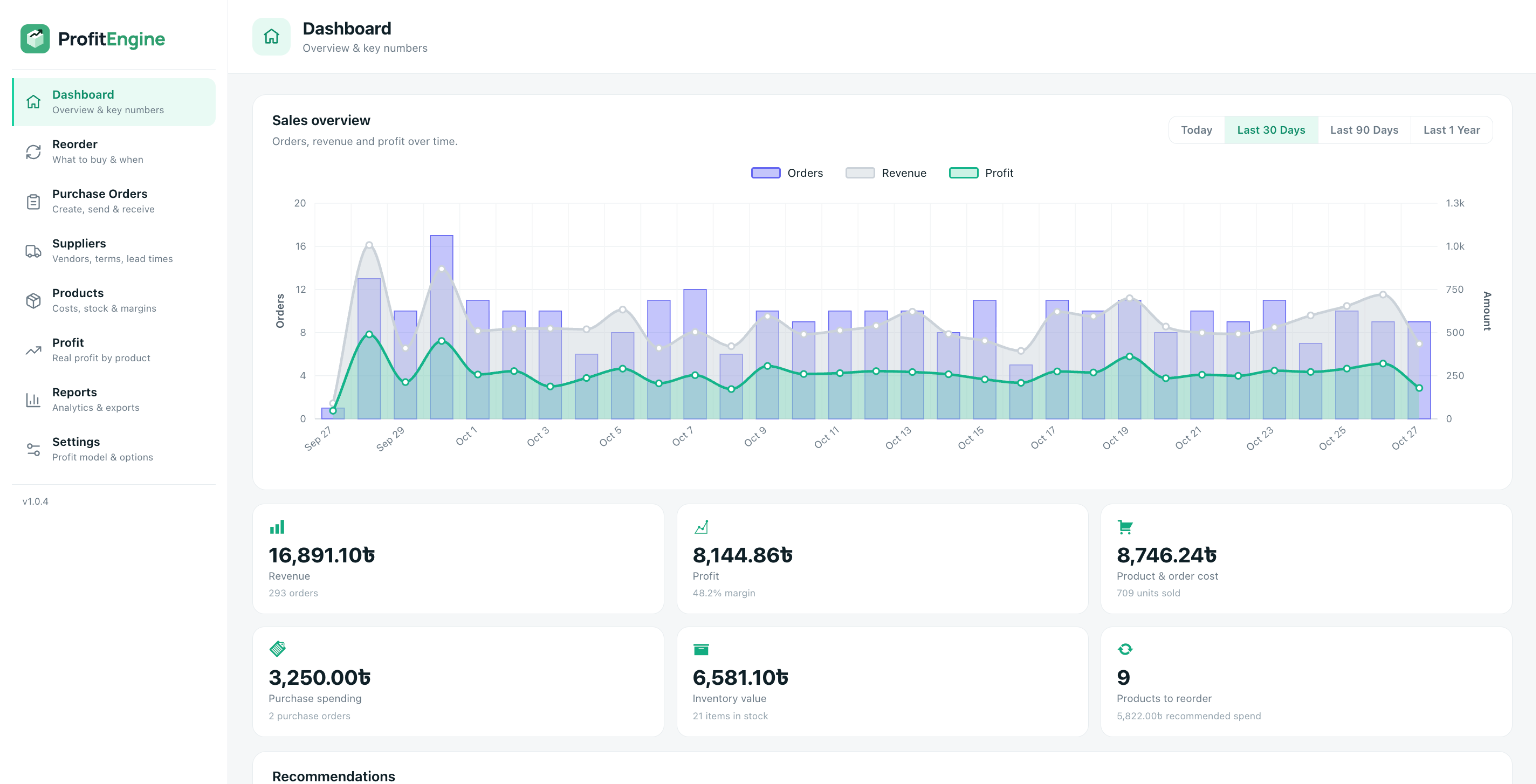
- Sales overview chart: orders, revenue and profit over time, with Today (hour by hour), Last 30 Days, Last 90 Days and Last 1 Year views. Hover any period to see its exact figures; click the legend to show or hide a series.
- Key numbers at a glance: revenue, profit and margin, product & order cost, purchase spending, inventory value and products to reorder.
- Recommendations: what to act on next, such as products to reorder now, products sold at a loss, stock running low, thin margins and any setup steps still to finish.
- Top products by profit and margin distribution across your catalogue.
- Suppliers to order from with the recommended spend for each, supplier spending, and recent purchase orders.
Smart reorder
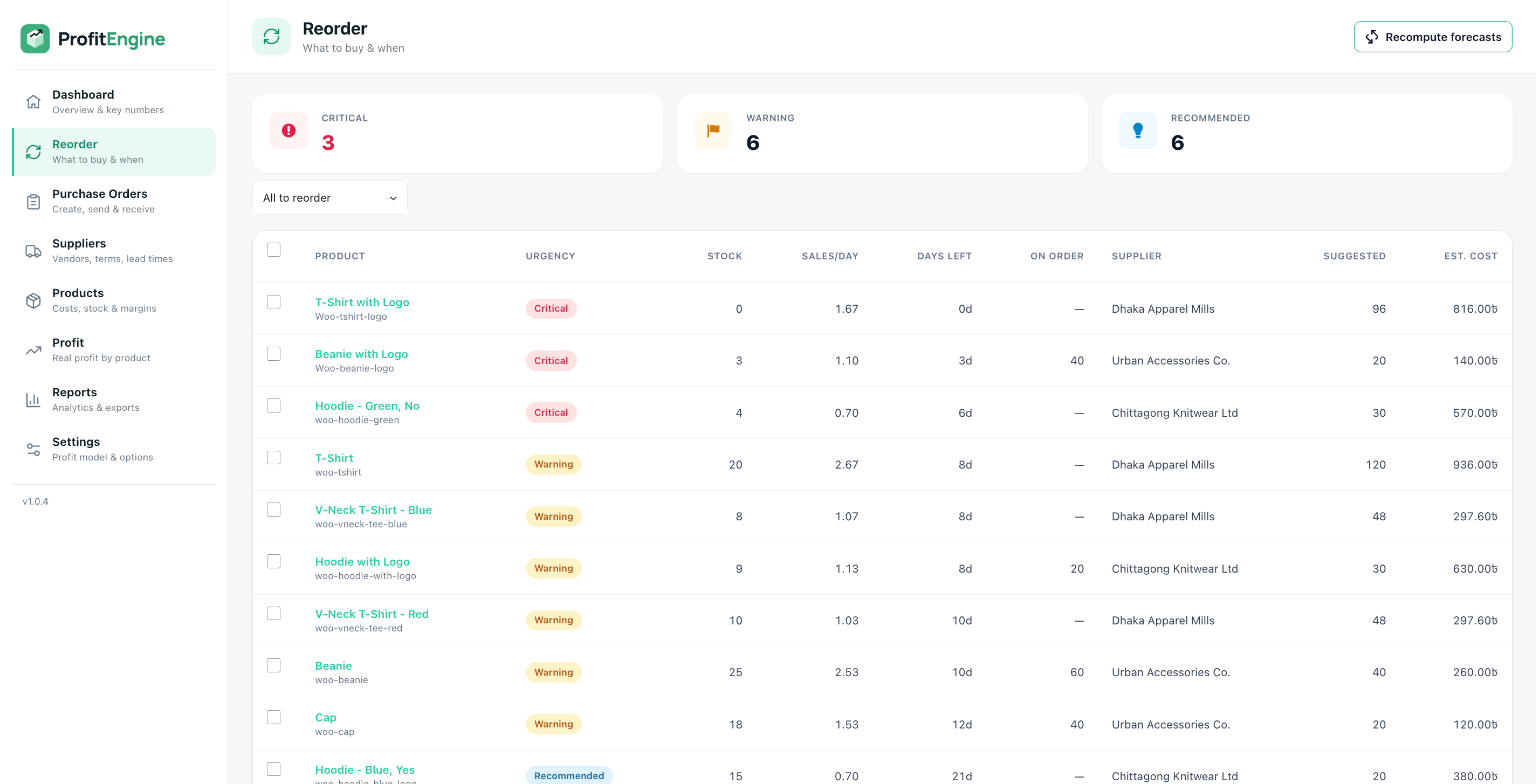
- Every product with demand is ranked by urgency: Critical (will run out before a new order could arrive), Warning (at or below its reorder point) and Recommended (should be topped up soon).
- A suggested order quantity for each product, rounded up to the supplier’s minimum order quantity (MOQ).
- Stock already on the way in open purchase orders is taken into account, so you never order twice.
- Tick the products you want, adjust quantities, and create purchase orders in one click. They are split automatically into one order per supplier.
- Forecasts recompute automatically every night, or on demand with one click.
Transparent forecasting
Every suggestion is built from simple formulas you can check:
- Average daily sales = units sold ÷ sales window (days)
- Days of stock remaining = current stock ÷ average daily sales
- Safety stock = your manual value, or average daily sales × safety days
- Reorder point = your manual value, or (average daily sales × lead time) + safety stock
- Suggested quantity = average daily sales × (lead time + coverage days) + safety stock − current stock − stock already on order
Purchase orders
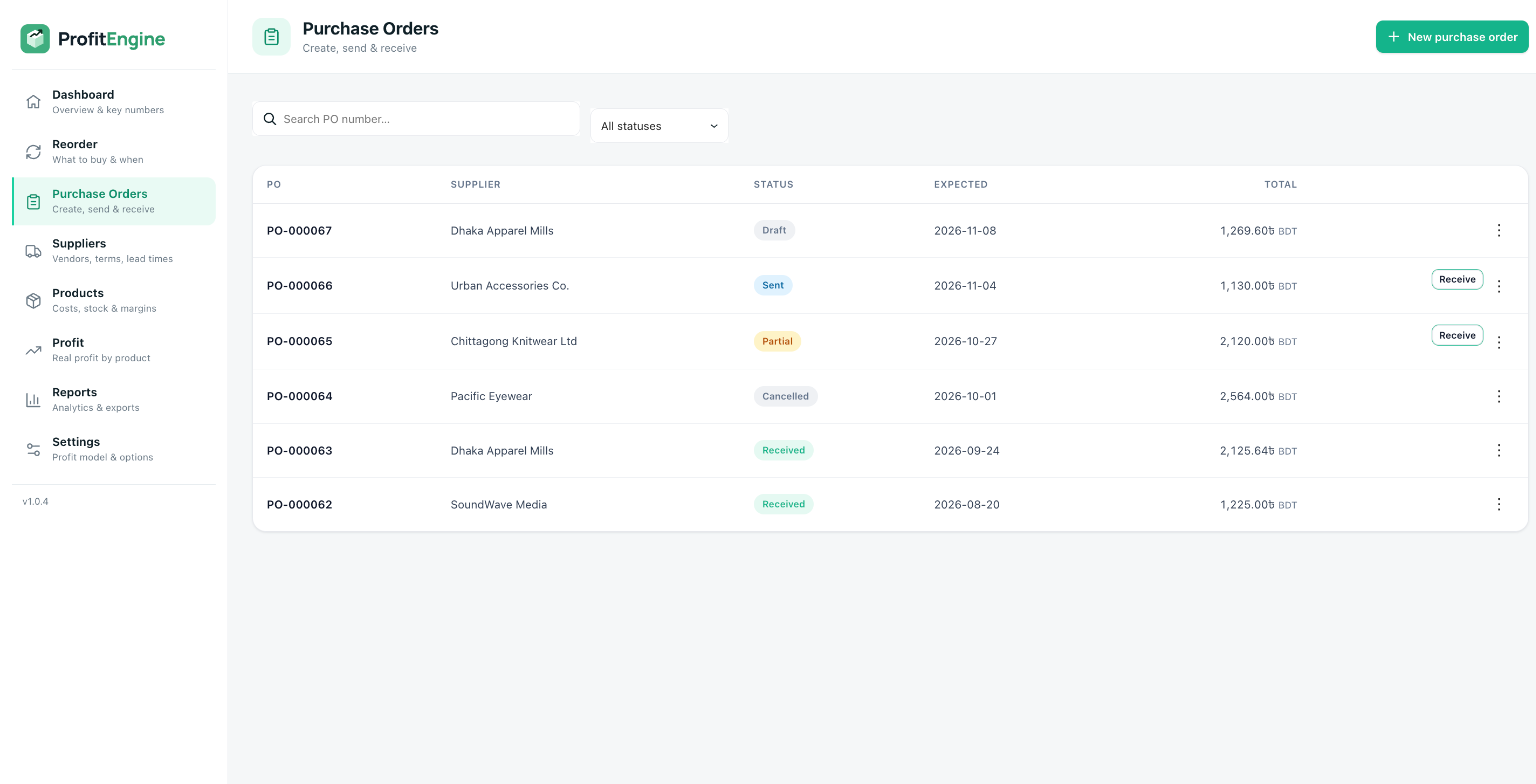
- Create, edit, send and receive purchase orders with sequential PO numbers.
- Status lifecycle: Draft Sent Partially received Received (or Cancelled). Received orders are locked to protect your history.
- Partial and full receiving: received quantities are added to WooCommerce stock automatically. If stock tracking is off for a product, it is switched on and the received quantity becomes its starting stock.
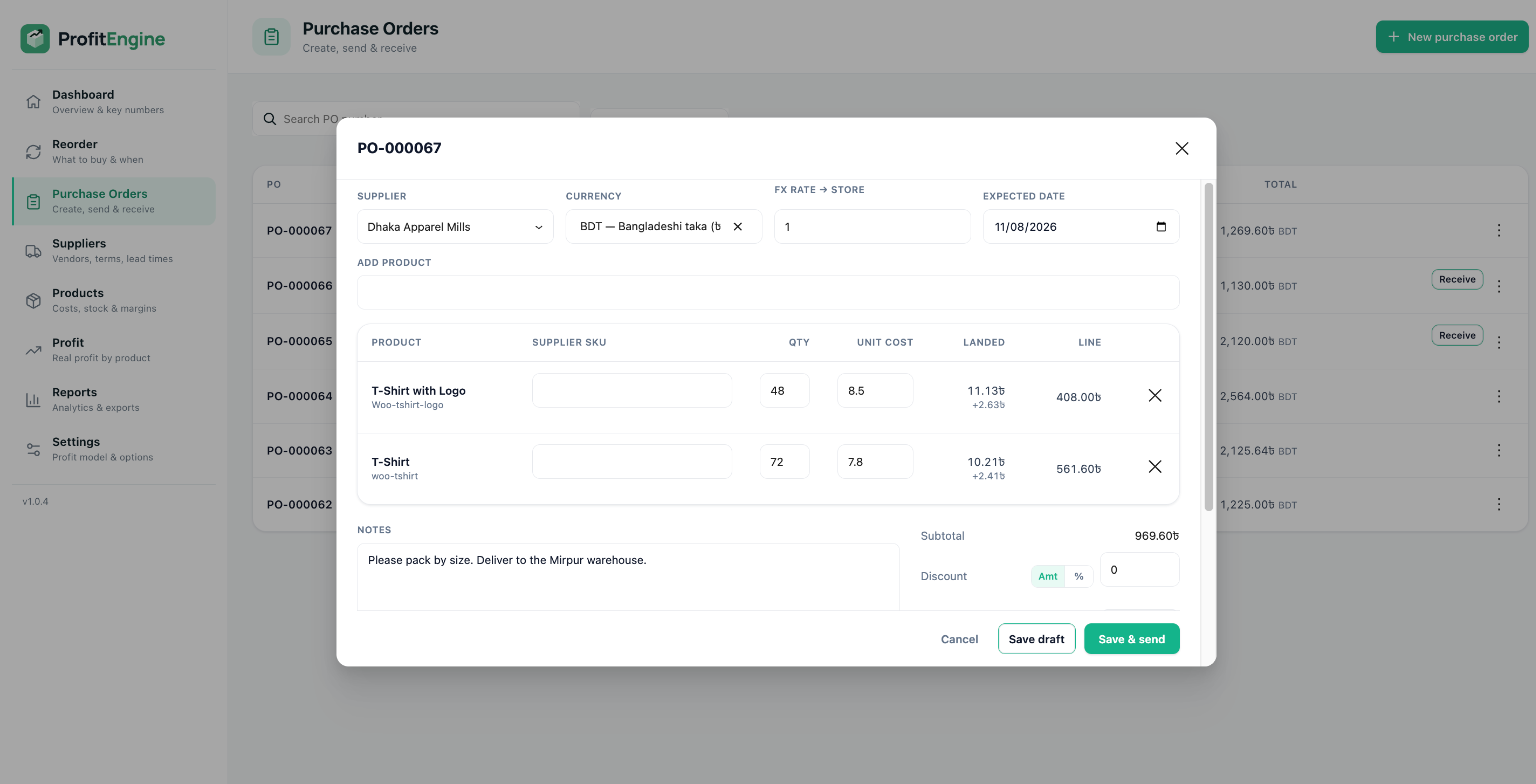
- Landed cost: shipping and other costs (customs, handling, fees) are shared across the order’s lines by value, so each product’s cost reflects what it really cost to bring in.
- Tax handling: mark tax as recoverable (VAT/GST you claim back, kept out of product cost) or non-refundable (import duty, added into product cost).
- Discounts and tax as a fixed amount or a percentage.
- Multi-currency: buy in your supplier’s currency with an exchange rate to your store currency.
- The expected delivery date defaults to today; the product’s supplier is linked automatically when you add it to an order.
- Printable purchase order with your own logo, ready to print or save as PDF and send to the supplier.
- Submitting the same receipt twice can never add stock twice.
Suppliers
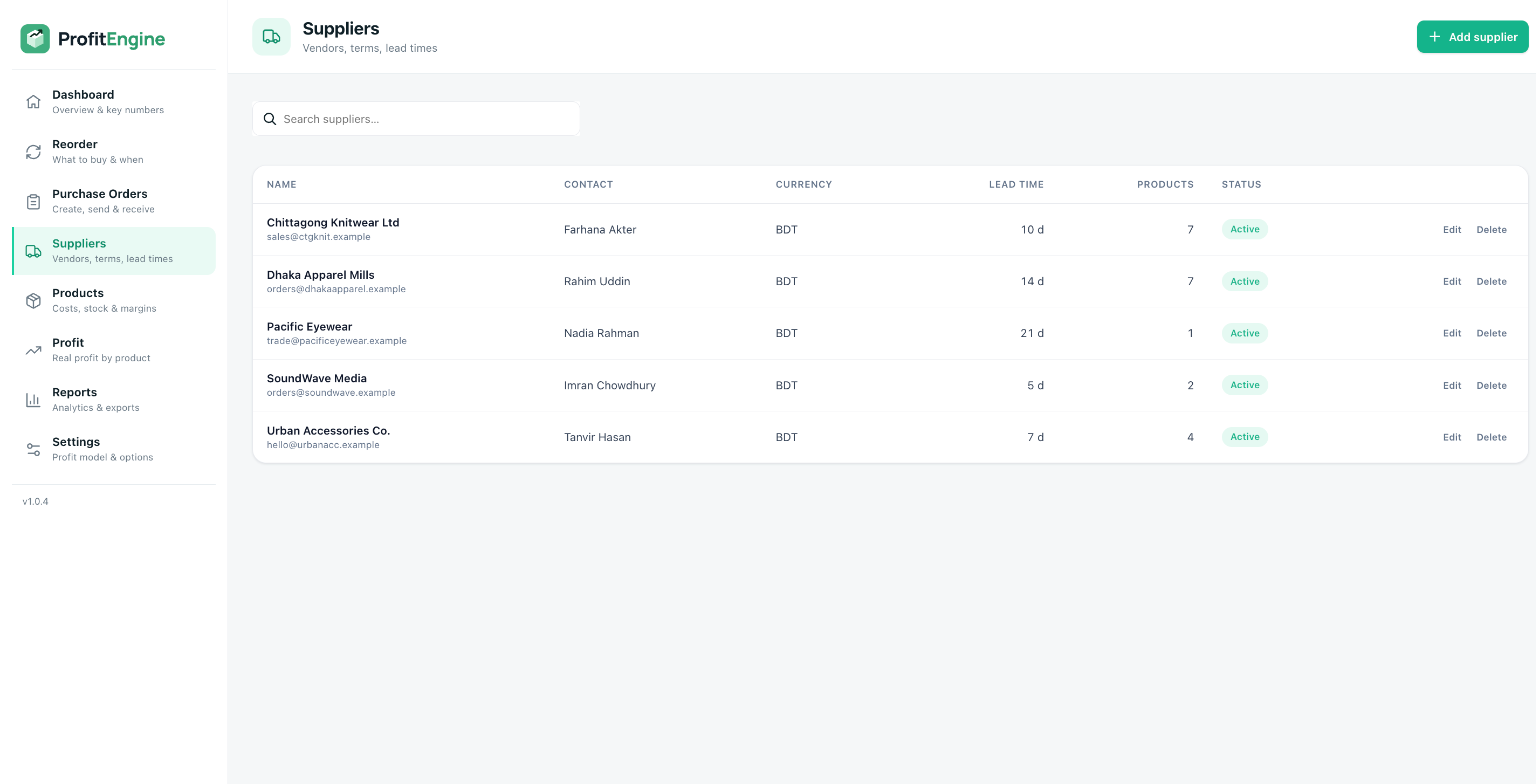
- Supplier records with contact person, email, phone, address, currency, payment terms, lead time, minimum order value and notes.
- Per-product supplier details: supplier SKU, purchase cost, MOQ and lead time, with a primary supplier per product.
- Archive suppliers you no longer use without losing their history.
Products
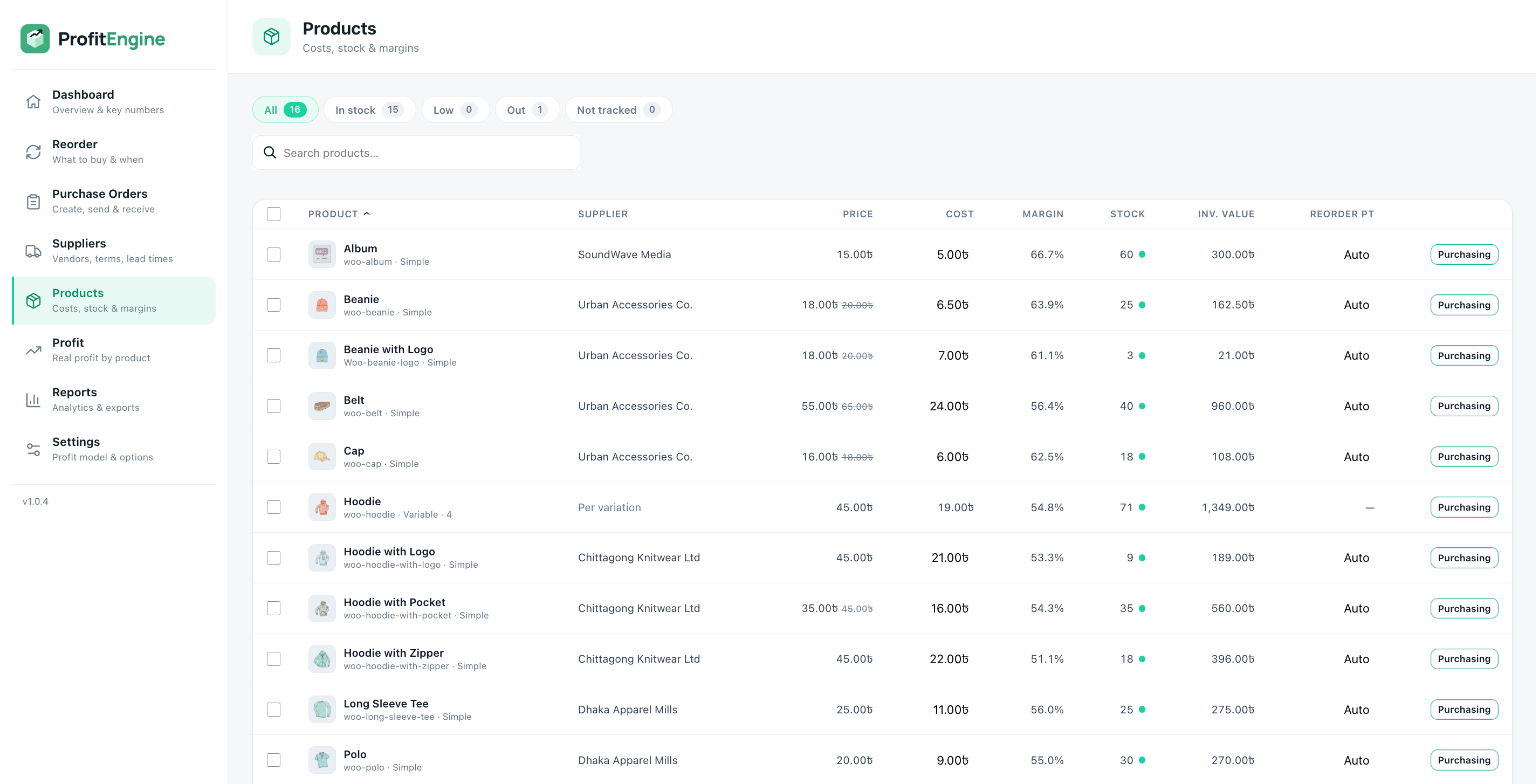
- A fast stock grid with product thumbnails, supplier, selling price, cost, margin, stock, inventory value and reorder point.
- Filter by In stock, Low, Out or Not tracked, search, and sort any column.
- Set purchasing data for simple products and for each variation of a variable product.
- Bulk-assign a supplier (and cost) to many products at once.
- Turn on stock tracking for a product straight from the grid.
Real profit
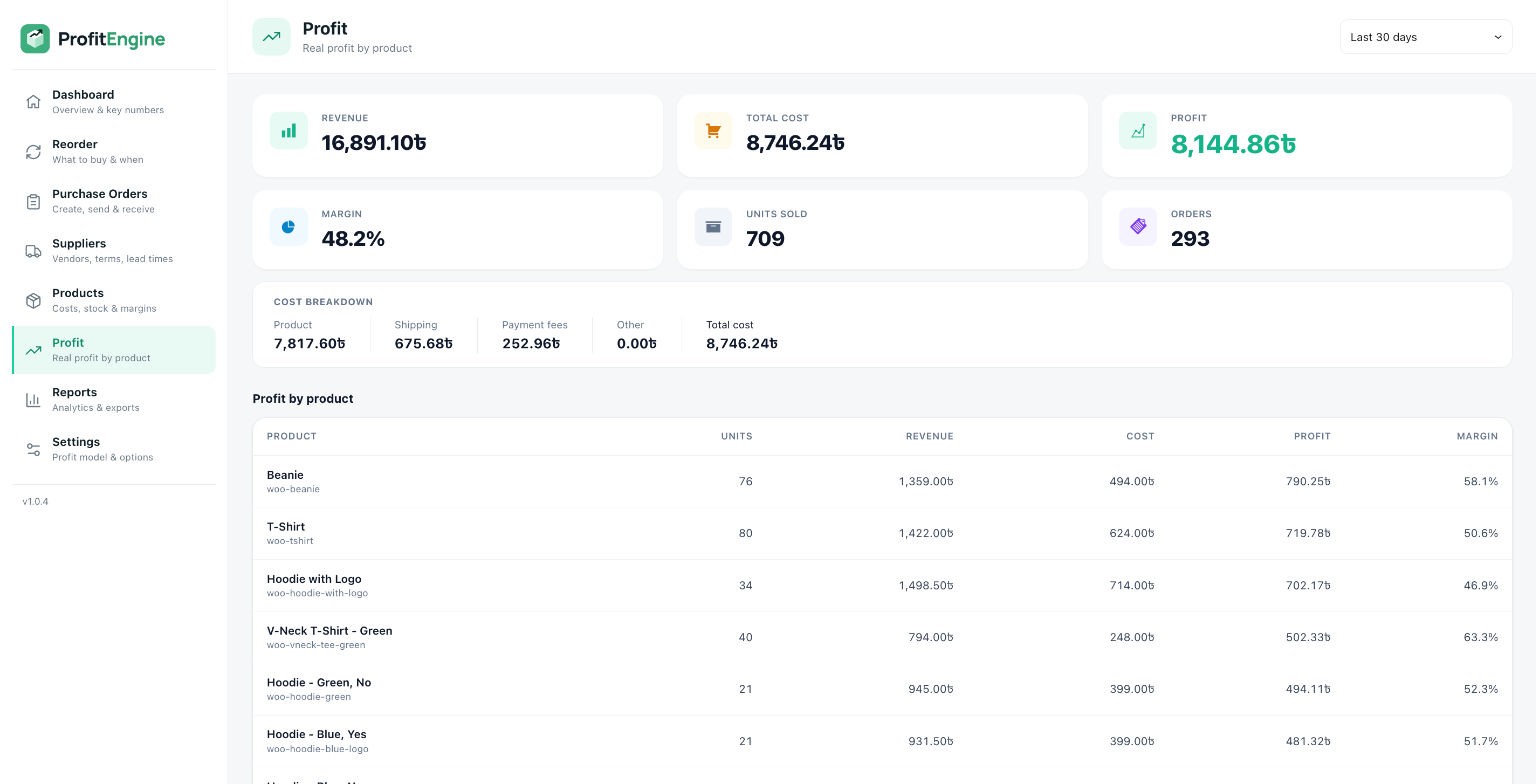
- Profit is recorded for every order line at the moment of sale: revenue (after discounts and refunds) minus product cost, shipping, payment fees and other costs. Tax is excluded by default.
- Cost history is preserved: changing a product’s cost later never rewrites the profit of past sales.
- Refunds and cancellations are reflected automatically.
- Cost basis of your choice: weighted average or last purchase cost, updated each time stock is received.
- Configurable revenue recognition: choose which order statuses count as revenue. Cash-on-Delivery stores can count only Completed orders so unpaid orders don’t inflate profit.
- Profit by product with a full cost breakdown (product, shipping, payment fees, other).
- Historical backfill: calculate profit for orders placed before you installed the plugin.
Reports
- Profit by product, profit by category, sales vs cost, supplier spending, purchase history and inventory value.
- Date filtering, sortable columns and totals.
- Export to CSV (safe to open in Excel or Google Sheets) or PDF.
Built for WooCommerce
- Compatible with WooCommerce High-Performance Order Storage (HPOS).
- Works with simple and variable products.
- Uses your store’s currency, symbol position and number format everywhere.
- Modern, fast admin interface built with the WordPress REST API and React.
- Only administrators and shop managers can access it.
- Translation-ready.
- Does not connect to any external service. All of your data stays on your own site.
Details


Related plugins
Plugins that also contain the tag inventory
WCPOS – Point of Sale (POS) plugin for WooCommerce

Barcode Scanner (+Mobile App) – Inventory manager, Order fulfillment system, POS (Point of Sale)

WP Inventory Manager
Finpose – Accounting for WooCommerce

GetPaid > Item Inventory

Billbee – Auftragsabwicklung, Warenwirtschaft, Automatisierung


About
Plugin for that tries to help you find the WordPress plugin you are looking for.
| Please enjoy an image of Crush (this awesome turtle) and have a lovely day! |  |
We do not own any plugin listed on this site and do not work for or work with WordPress.com or it's associated companies. We simply provide a searchable list of the available WordPress plugins.