


ProofOkay for WooCommerce
If you send artwork proofs with ProofOkay, your buyers can now see where their proof stands right on their WooCommerce order, and open it to approve it in one click. No more “did you get my proof?” emails.
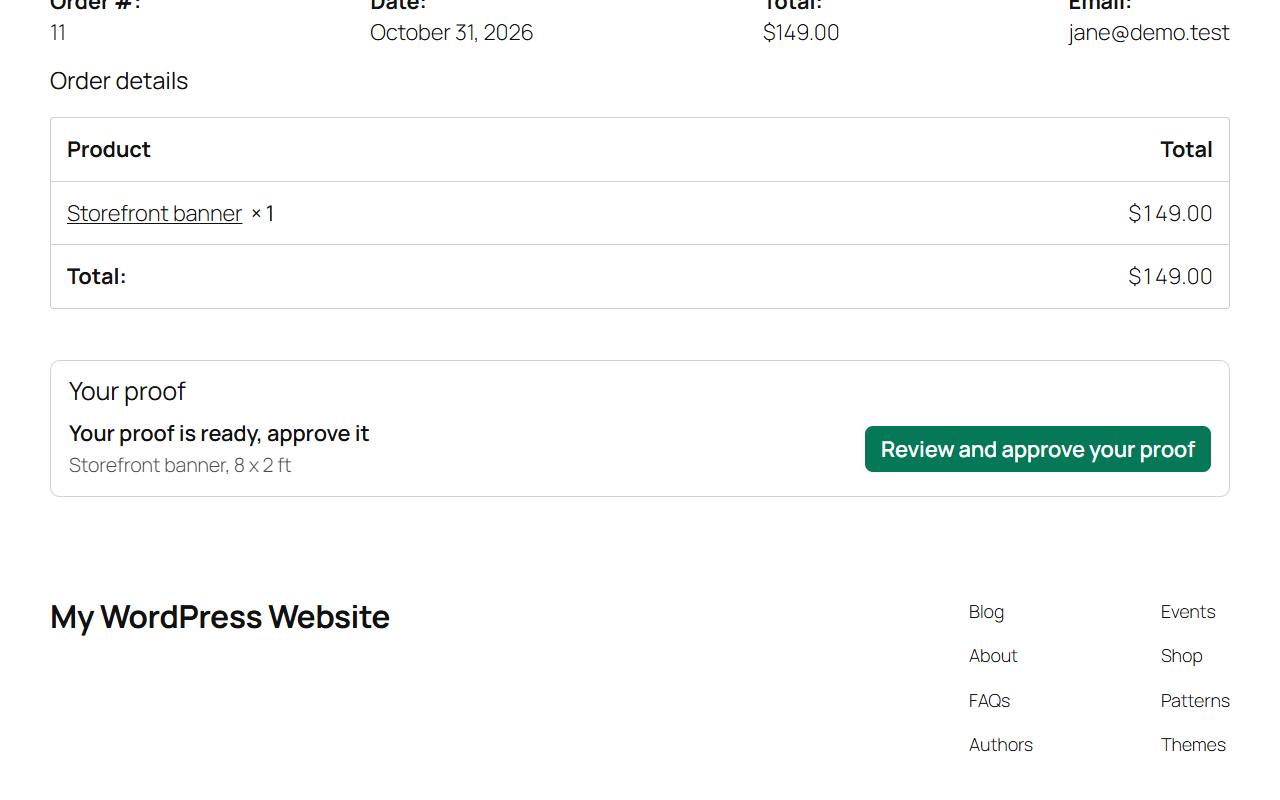
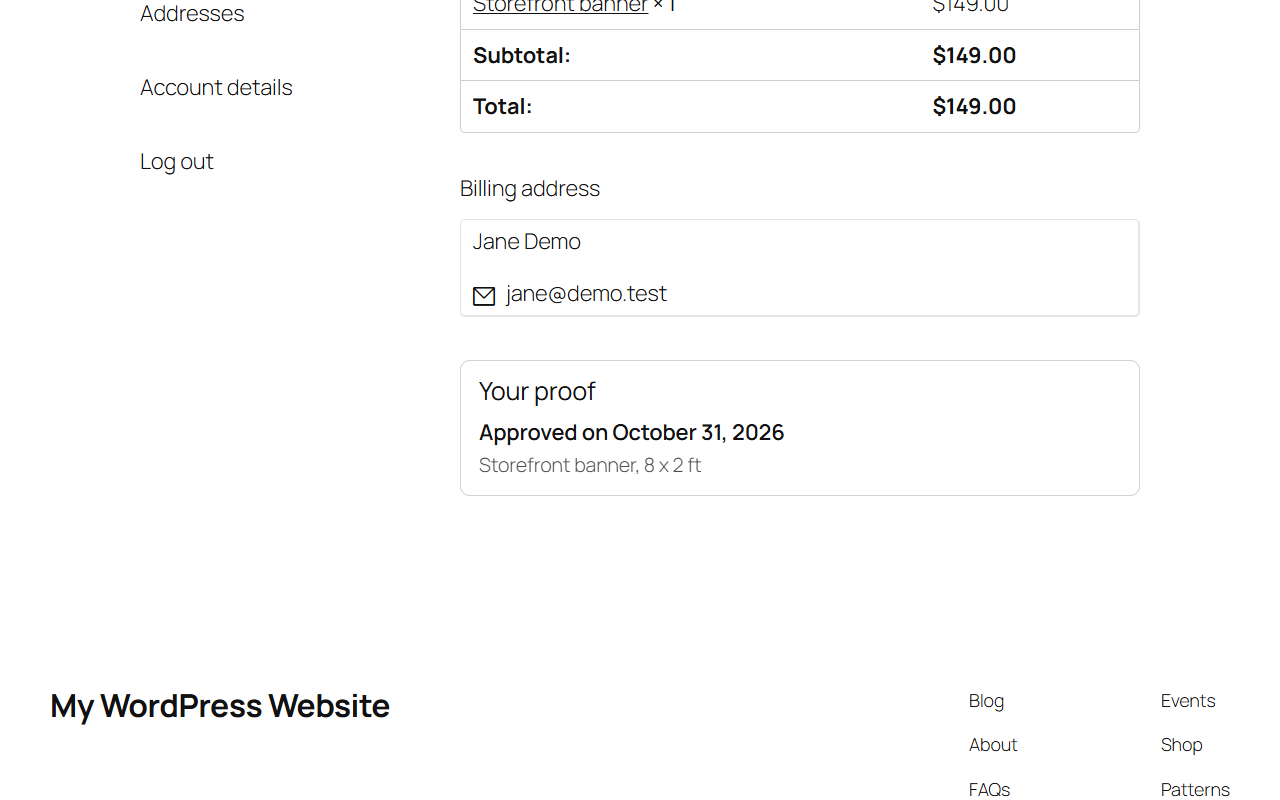
When a buyer looks at their order, on the order confirmation page after checkout or in My account, a small “Your proof” panel shows:
- “Your proof is ready, approve it” with a button that opens the proof, when it is waiting for them
- “Approved on” and the date, once they have approved it
- “Changes requested” with a button to open the proof and see the notes
- a short “No proof yet” line when the order has no proof yet, or nothing at all if you prefer
The proof itself opens on ProofOkay in a new tab, where the buyer approves it or asks for changes. The artwork is never copied onto your store.
How proofs are matched to orders
The panel shows a proof on an order when both of these match:
- the order number, as you entered it in the proof’s Order # field in ProofOkay
- the buyer’s billing email, as the proof’s customer email
So a buyer only ever sees proofs that were sent for their own order.
What you need
- A ProofOkay account. ProofOkay is a separate subscription you get at https://proofokay.com . This plugin is free and has no paid version.
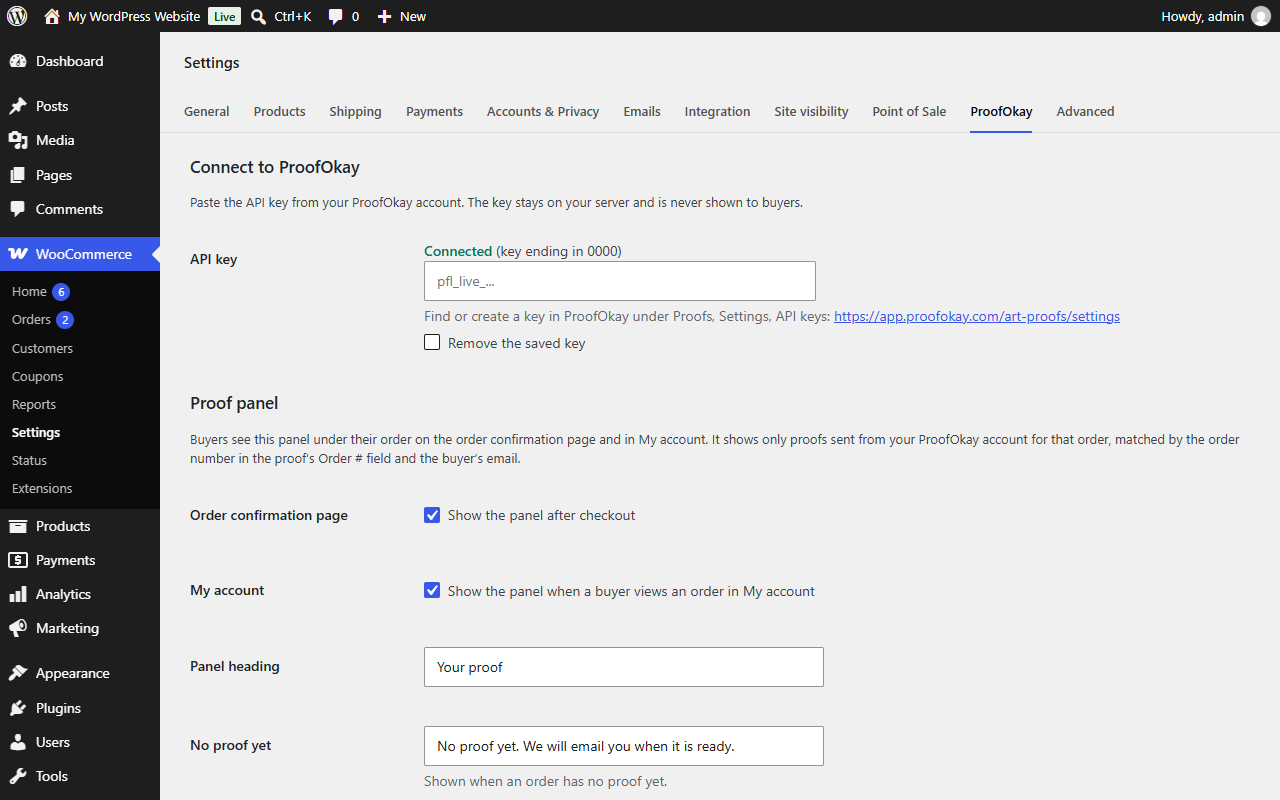
- A ProofOkay API key, which you create in ProofOkay under Proofs, Settings, API keys.
Other features
- A [proofokay_proofs] shortcode that lists a signed in customer’s proofs across their own orders, for a page of your own.
- Your own panel heading, “no proof yet” text and button color.
- Works with the classic and the block checkout, and with both WooCommerce order storage types.
External services
This plugin connects to the ProofOkay API at https://app.proofokay.com to find the proofs for an order. ProofOkay is the proofing service the store uses to send artwork proofs to its buyers.
When a buyer views an order on the order confirmation page or in My account, or opens a page with the [proofokay_proofs] shortcode, the store’s server asks ProofOkay for the proofs that match the order number and the buyer’s billing email. The request sends the order number, the billing email and the store’s ProofOkay API key. It is made from the store’s server, never from the buyer’s browser. ProofOkay answers with each proof’s status, title and link, and the plugin keeps that answer for about a minute so a page reload does not ask again.
When the store owner saves an API key in WooCommerce > Settings > ProofOkay, the plugin makes one request with that key to check it works.
Nothing is sent to ProofOkay until the store owner saves a key.
ProofOkay terms of service: https://proofokay.com/terms/
ProofOkay privacy policy: https://proofokay.com/privacy/
Details

About
Plugin for that tries to help you find the WordPress plugin you are looking for.
| Please enjoy an image of Crush (this awesome turtle) and have a lovely day! |  |
We do not own any plugin listed on this site and do not work for or work with WordPress.com or it's associated companies. We simply provide a searchable list of the available WordPress plugins.